
1. Introducción
Thank you for choosing the OMOTON WK209 Wireless Keyboard and Mouse Set. This manual provides detailed instructions for setting up, operating, and maintaining your new wireless peripheral set. Please read this manual carefully before use to ensure optimal performance and longevity of your product.
2. Contenido del paquete
The OMOTON WK209 Wireless Keyboard and Mouse Set package includes the following items:
- 1 x OMOTON WK209 Wireless Keyboard
- 1 x OMOTON Wireless Mouse
- 1 x USB 2.4 GHz Receiver
Note: AAA batteries are required for operation but are not included in the package.
3. Guía de configuración
3.1. Instalación de baterías
Before using the keyboard and mouse, you need to install batteries.
- Localice el compartimento de la batería en la parte inferior del teclado y el mouse.
- Abra las tapas de las baterías.
- Insert two AAA batteries into the keyboard and one AAA battery into the mouse, ensuring correct polarity (+/-).
- Cierre bien las tapas de las baterías.

This image displays the battery compartments for the OMOTON WK209 keyboard and mouse. The keyboard requires two AAA batteries, and the mouse requires one AAA battery. Please note that batteries are not included with the product.
3.2. Conexión del receptor USB
The OMOTON WK209 set uses a single USB receiver for both the keyboard and mouse.
- Locate the USB 2.4 GHz receiver, usually stored in the mouse's battery compartment or packaging.
- Conecte el receptor USB a un puerto USB disponible en su computadora (computadora portátil o de escritorio).
- The system will automatically detect and install the necessary drivers. This is a Plug & Play process and typically requires no manual installation.
- Turn on the mouse using the ON/OFF switch located on its underside. The keyboard does not have a separate power switch; it activates when keys are pressed.

This image illustrates the 2.4 GHz wireless connection of the OMOTON WK209 keyboard and mouse set. It highlights features such as Plug & Play functionality, a stable 2.4G connection, and a wireless range of up to 10 meters (33 feet).
3.3. Compatibilidad
The OMOTON WK209 set is compatible with a wide range of Windows operating systems.
- Sistemas operativos: Windows 11, Windows 10, Windows 8, Windows 7, Windows XP.
- Dispositivos: Laptop, Desktop PC.

This image demonstrates the broad compatibility of the OMOTON WK209 set with different Windows operating systems, including Windows 7, 8, 10, and 11, across desktop PCs and laptops.
4. Instrucciones de funcionamiento
4.1. Uso del teclado
The WK209 keyboard features a full-size QWERTZ layout with multimedia keys for enhanced productivity. Simply begin typing after successful connection.
- Teclas multimedia: Access functions like volume control, play/pause, and more directly from the keyboard.
- Diseño QWERTZ: Standard German keyboard layout for familiar typing experience.
- Inclinación de 8°: The keyboard is designed with a natural 8-degree tilt for ergonomic comfort during extended use.

This image provides the physical dimensions of the OMOTON WK209 full-size QWERTZ keyboard (43.8 cm x 12.4 cm) and mouse (10.3 cm x 6.6 cm x 3.6 cm). It also notes the keyboard's natural 8-degree tilt for comfortable typing.
4.2. Uso del ratón
The WK209 mouse offers precise control and several functional buttons.
- Click izquierdo: Selección y activación estándar.
- Botón derecho del ratón: Accede a los menús contextuales.
- Rueda de desplazamiento: Para la funcionalidad de desplazamiento vertical y clic central.
- Botón Atrás: Navega de regreso en web navegadores o file exploradores.
- Botón de avance: Navega hacia adelante en web navegadores o file exploradores.
- Desktop Show/Hide Button: Quickly minimizes all open windows to show the desktop, and restores them with another press.

This image highlights the features of the OMOTON WK209 wireless mouse, including the scroll wheel, left-click button, right-click button, back button, forward button, and a button for showing/hiding the desktop. It also emphasizes its ergonomic design and quiet click functionality.
5. Características
- Conexión inalámbrica de 2.4 GHz: Provides a stable and reliable connection with a range of up to 10 meters (33 feet).
- Conectar y usar: Easy setup without the need for additional software or drivers.
- Full-size QWERTZ Layout: Comfortable and familiar typing experience.
- Teclas multimedia: Convenient access to media controls.
- Diseño ergonómico: The mouse is shaped for comfortable use, and the keyboard features a natural 8-degree tilt.
- Funcionamiento silencioso: Both the keyboard and mouse are designed for silent clicks and keystrokes, ideal for quiet environments.
- Indicador de batería baja: The keyboard features an indicator light to alert you when batteries are running low.

This image illustrates the quiet operation of the OMOTON WK209 keyboard and mouse, highlighting its silent keys and noiseless mouse clicks, suitable for quiet environments.
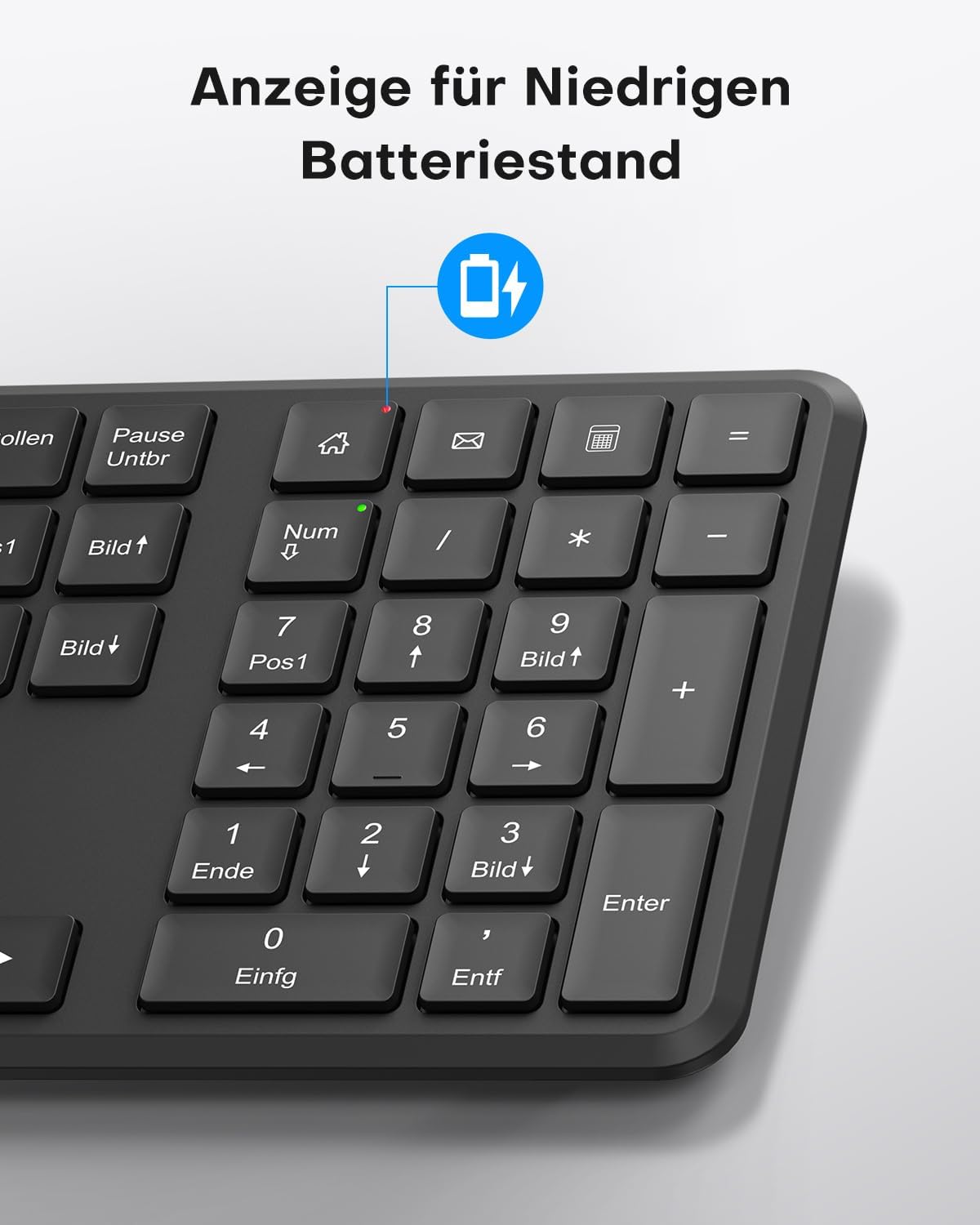
This image points out the low battery indicator on the OMOTON WK209 keyboard, which illuminates to alert the user when batteries need to be replaced.
6. Mantenimiento
To ensure the longevity and optimal performance of your OMOTON WK209 set, follow these maintenance guidelines:
- Limpieza: Utilice un paño suave y seco para limpiar las superficies del teclado y el ratón. Para la suciedad difícil, utilice un paño ligeramente seco.amp Se puede utilizar un paño, pero asegúrese de que no entre humedad en los dispositivos.
- Reemplazo de batería: Replace batteries promptly when the low battery indicator appears or when performance degrades. Always use fresh, high-quality AAA batteries.
- Almacenamiento: Si no los utiliza durante un período prolongado, retire las pilas para evitar fugas. Guarde los dispositivos en un lugar fresco y seco.
- Evite los líquidos: Mantenga el teclado y el mouse alejados de líquidos para evitar daños.
7. Solución de problemas
If you encounter issues with your OMOTON WK209 set, try the following troubleshooting steps:
- No hay respuesta del teclado/ratón:
- Asegúrese de que las baterías estén correctamente instaladas y no agotadas. Reemplácelas si es necesario.
- Make sure the mouse's ON/OFF switch is in the 'ON' position.
- Verifique que el receptor USB esté conectado correctamente a un puerto USB que funcione en su computadora. Pruebe con otro puerto USB.
- Reinicie su computadora.
- Conexión intermitente o con retraso:
- Acerque el teclado y el mouse al receptor USB.
- Ensure there are no large metal objects or other wireless devices (e.g., Wi-Fi routers, cordless phones) interfering with the 2.4 GHz signal.
- Try plugging the USB receiver into a front USB port or using a USB extension cable to bring it closer to the devices.
- Teclas que no funcionan correctamente:
- Compruebe si hay residuos debajo de las teclas.
- Ensure the keyboard layout setting on your computer matches the QWERTZ layout.
- El cursor del mouse salta o es impreciso:
- Limpie el sensor óptico en la parte inferior del mouse.
- Utilice el ratón sobre una superficie limpia y no reflectante o sobre una alfombrilla.
8. Especificaciones
| Característica | Detalle |
|---|---|
| Marca | OMOTON |
| Modelo | WK209 |
| Color | Negro |
| Tecnología de conectividad | 2.4 GHz inalámbrico |
| Disposición del teclado | Full-size QWERTZ (German Layout) |
| Características especiales | 2.4 GHz, Full-size, QWERTZ-layout, Battery-operated, Multimedia keys |
| Dispositivos compatibles | computadora portátil, computadora |
| Sistemas operativos compatibles | Windows 11/10/8/7/XP |
| Fuente de poder | Battery-Powered (2x AAA for keyboard, 1x AAA for mouse - not included) |
| Peso del artículo (aprox.) | 514 Grams (total set, including packaging) |
| Dimensiones del paquete | 44.79 x 13.9 x 5.3 cm |
| ASIN | B0FQNS3FFB |
9. Garantía y soporte
OMOTON products are designed for reliability and performance. For warranty information and customer support, please refer to the warranty card included with your purchase or visit the official OMOTON website. If you experience any issues that cannot be resolved using the troubleshooting guide, please contact OMOTON customer service for assistance.