
1. Introducción
Thank you for choosing the INFIYA K1 2K Window Camera. This manual provides detailed instructions for setting up, operating, and maintaining your camera to ensure optimal performance and home security. Please read this manual thoroughly before use and retain it for future reference.
2. ¿Qué hay en la caja?
Verifique que todos los componentes estén presentes en su paquete:
- 1 x INFIYA K1 Camera
- 1 x adaptador de corriente
- 1 x cable de alimentación tipo C
- Magnetic Stickers
- Clips para cables
- 1 x Guía de inicio rápido

Image: Contents of the INFIYA K1 camera box.
3. Producto terminadoview
Familiarize yourself with the main components of your INFIYA K1 camera:

Image: Labeled diagram of the INFIYA K1 camera components.
- Luz indicadora: Muestra el estado de la cámara.
- Lente: Captura vídeo con resolución 2K.
- Magnetic Part: For easy window mounting.
- Botón de reinicio: Se utiliza para restablecer la configuración de fábrica o emparejar.
- Ranura para tarjetas TF: Para almacenamiento local (admite hasta 128 GB, tarjeta no incluida).
- Vocero: Para comunicación de audio bidireccional.
- Type-C Power Cable: Conecta la cámara al adaptador de corriente.
4. Guía de configuración
4.1 Physical Installation (Drill-Free)
The INFIYA K1 camera features a magnetic design for easy, drill-free installation on any interior window.
- Clean the Window: Ensure the glass surface is clean and dry to prevent condensation issues.
- Apply Magnetic Sticker: Peel off the protective film from the magnetic sticker and firmly attach it to the desired location on your window.
- Adjuntar cámara: Align the camera with the magnetic sticker and attach it. The magnetic connection will hold it securely.
- Encendido: Connect the Type-C power cable to the camera and plug the power adapter into an electrical outlet.

Image: Step-by-step physical installation of the camera.
4.2 App Connection and Wi-Fi Configuration
To access your camera's features, you need to connect it to the Wansview Aplicación en la nube.
- Descargar aplicación: Descargar los Wansview Cloud App from your smartphone's app store (available for Android and iOS).
- Registrar Cuenta: Abra la aplicación y registre una nueva cuenta o inicie sesión si ya tiene una.
- Agregar dispositivo: Follow the in-app instructions to add a new device. Select the INFIYA K1 model.
- Conectarse a Wi-Fi: Ensure your camera is powered on and near your Wi-Fi router (within 3 feet for initial setup). The K1 camera supports dual-band Wi-Fi (2.4Ghz & 5Ghz). Follow the app prompts to connect the camera to your home Wi-Fi network.

Image: App connection and Wi-Fi configuration steps.
5. Operación
5.1 en vivo View y resolución 2K
Una vez conectado, accede a la transmisión en vivo a través de Wansview Cloud App. The INFIYA K1 provides sharp 2K resolution video, capturing clear details of your outdoor environment through the window, optimized to reduce glare and reflection.
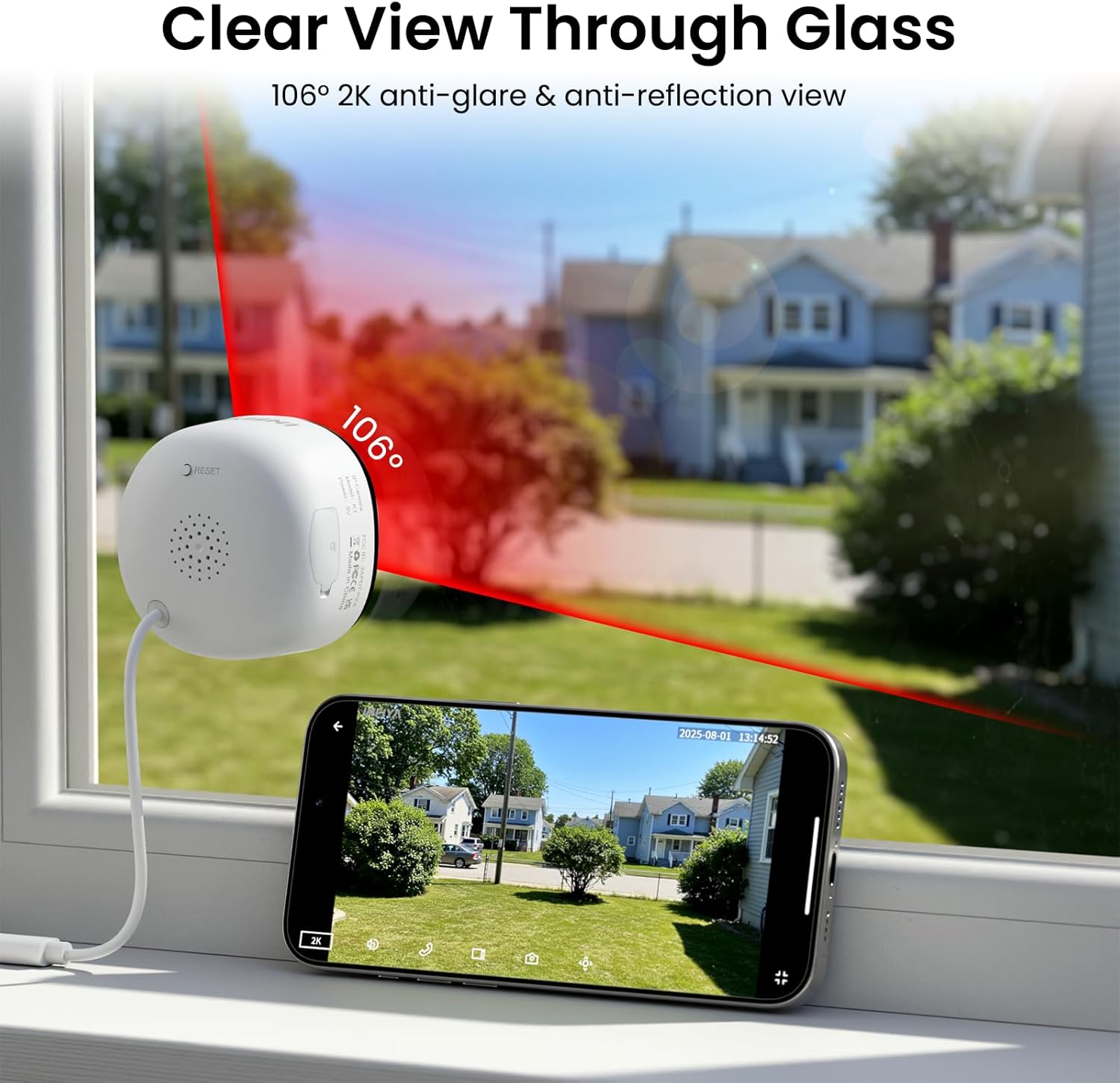
Image: Clear 2K view through glass from the camera.
5.2 Visión nocturna a todo color
The camera features advanced Black Light Color Technology, enabling vivid full-color footage even in low-light conditions (e.g., starlight/moonlight). This allows for better identification of details at night compared to traditional infrared black and white night vision.

Image: Comparison of night vision capabilities.
5.3 Motion & Human Detection with Alerts
The INFIYA K1 camera utilizes AI-powered human detection to minimize false alarms. When human activity is detected, the camera activates a three-layer alert system:
- Immediate app notifications to your phone.
- An optional siren (can be configured in the app).
- Automatic video clip recording of the event.
You can customize detection zones and sensitivity levels within the app.
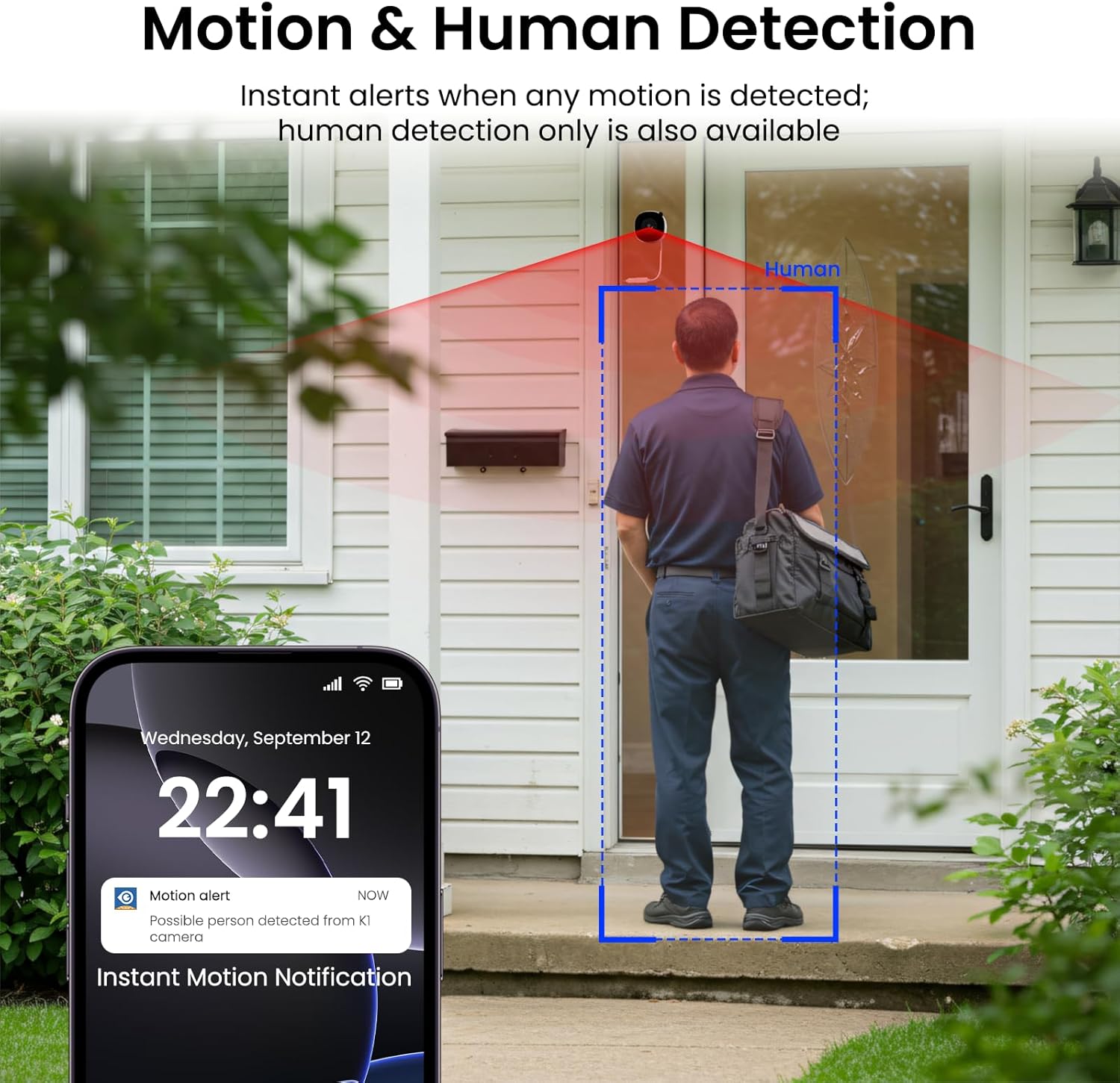
Image: Motion and human detection in action.
5.4 Audio bidireccional
The integrated speaker and microphone allow for two-way communication. You can speak through the camera to visitors or deter intruders directly from your smartphone app.
5.5 Multi-User Sharing & Multi-Device Support
Share camera access with family members through the app. The camera also supports integration with multiple devices and smart home platforms like Alexa and Google Assistant for convenient voice control and viewEn.

Image: Multi-user sharing feature.

Image: Multi-device support with smart assistants.
6. Opciones de almacenamiento
The INFIYA K1 camera offers flexible recording and storage solutions:
6.1 Almacenamiento local (tarjeta TF)
Insert a TF (microSD) card (up to 128GB, not included) into the camera's slot for continuous 24/7 recording. The camera features a smart overwrite function that automatically manages storage space by cycling old footage.
6.2 Cloud Storage (Optional)
For enhanced security and accessibility, you can opt for cloud storage. All videos uploaded to the cloud are encrypted. Cloud plans offer various features and storage durations, as detailed in the app.

Imagen: Opciones de almacenamiento local y en la nube.
6.3 Recording Modes Comparison

Image: Comparison table of recording modes.
7. Especificaciones
Detailed technical specifications for the INFIYA K1 camera:
| Característica | Detalle |
|---|---|
| Nombre del modelo | K1 |
| Marca | INFIYA |
| Tecnología de conectividad | Inalámbrico (Wi-Fi) |
| Frecuencia de Wi-Fi | 5 Ghz y 2.4 Ghz |
| Resolución de captura de video | 3 MP (2K) |
| Viewángulo de ing | 105 grados |
| Visión nocturna | Color Night Vision (Black Light Color Technology) |
| Rango de visión nocturna | 29.5 pies |
| Funciones de detección | Detección de movimiento y humanos |
| Tipo de alerta | Motion Only (Configurable) |
| Audio | Charla bidireccional |
| Opciones de almacenamiento | TF Card (up to 128GB), Cloud Storage (Optional) |
| Fuente de poder | Corded Electric (5V, 5 Watt-hours) |
| Tipo de montaje | Window Mount (Magnetic) |
| Dispositivos compatibles | Asistente de Alexa / Google |
| Dimensiones del artículo | 2.41 x 1.57 x 2.41 pulgadas |
| Uso en interiores y exteriores | Indoor (for window monitoring) |
8. Solución de problemas
If you encounter issues with your INFIYA K1 camera, refer to the following common problems and solutions:
- La cámara no se conecta a Wi-Fi:
- Asegúrese de que la cámara esté dentro del alcance de su enrutador.
- Verifique que su contraseña de Wi-Fi sea correcta.
- Check if your router supports 2.4Ghz or 5Ghz, and ensure the camera is attempting to connect to a compatible band.
- Intente reiniciar la cámara usando el botón de reinicio y vuelva a intentar el proceso de configuración.
- Mala calidad de vídeo:
- Asegúrese de que la lente de la cámara esté limpia.
- Check your internet connection speed; a stable connection is crucial for 2K streaming.
- Verify the camera is positioned correctly on the window to minimize glare or reflections.
- Las alertas de movimiento no funcionan:
- Confirm motion detection is enabled in the app settings.
- Ajuste la sensibilidad de detección y las zonas de detección.
- Asegúrese de que las notificaciones de aplicaciones estén habilitadas en su teléfono inteligente.
- Sin grabación en tarjeta TF:
- Asegúrese de que una tarjeta TF esté insertada correctamente en la ranura.
- Comprueba si la tarjeta TF está formateada correctamente (normalmente FAT32). Formatéala mediante la aplicación si es necesario.
- Verify that continuous recording or event recording to TF card is enabled in the app settings.
For further assistance, please refer to the in-app help section or contact INFIYA customer support.
9. Información de seguridad
Please observe the following safety guidelines to ensure safe operation and prevent damage to your device:
- Utilice únicamente el adaptador de corriente y el cable proporcionados.
- No exponga la cámara a temperaturas extremas, humedad o agua directa.
- Evite colocar la cámara cerca de campos magnéticos fuertes.
- Mantenga la cámara fuera del alcance de los niños y las mascotas.
- No intente desmontar ni reparar la cámara usted mismo. Contacte con personal cualificado para obtener servicio técnico.
- Asegúrese de que la cámara esté montada de forma segura para evitar que se caiga.
10. Garantía y soporte
Your INFIYA K1 camera comes with a standard manufacturer's warranty. Please refer to the warranty card included in your package or visit the official INFIYA webSitio para conocer los términos y condiciones detallados de la garantía.
For technical support, product inquiries, or warranty claims, please contact INFIYA customer service through the contact information provided in the app or on the official websitio.