
1. Introducción
This manual provides detailed instructions for the installation, operation, and maintenance of your Roinvou Android 15 Car Stereo. This unit is designed specifically for Fiat Tipo Egea models from 2015 to 2017, offering advanced features and seamless integration with your vehicle.
Características principales:
- Sistema operativo Android 15: Equipped with 6GB RAM and 128GB ROM for a fast and fluid user experience, allowing installation of various applications.
- CarPlay/Android Auto inalámbrico: Flexible connectivity via Bluetooth or USB for accessing navigation, messaging, and music apps.
- Pantalla táctil de 7 pulgadas: High-resolution display for streaming, navigation, and app usage, supporting Wi-Fi and hotspot connections. Features a practical split-screen function.
- GPS integrado: Precise navigation with support for online/offline maps and real-time traffic information.
- Mejoras de audio: Professional DSP tuning software with 32 EQ settings for optimal sound quality.
- Bluetooth & FM/RDS: Stable Bluetooth connections for hands-free calls and audio streaming, plus FM/RDS radio with 18 preset stations.
- Funciones adicionales: Mirror-Link, Steering Wheel Control (SWC), and 59 customizable user interfaces.
- Accesorios incluidos: External microphone for clear voice transmission and an AHD rearview camera with night vision for enhanced safety.
2. Configuración e instalación
Before proceeding with installation, it is crucial to confirm the compatibility of this car stereo with your vehicle's original system configuration, year, and central control map. This will prevent installation incompatibilities.

Figura 2.1: Installation compatibility check. Ensure your car's dashboard matches the 'Can be installed' example (A) and not the 'Cannot be installed' example (B) to avoid issues.
2.1 Contenido del paquete
Verifique que todos los componentes enumerados a continuación estén incluidos en su paquete:
- Roinvou Android 15 Car Stereo Unit for Fiat Tipo Egea 2015-2017
- Cable de alimentación
- Cable RCA
- Antena de radio
- Decodificador Canbus
- Antena GPS
- Cable USB (estándar)
- Original USB Cable (Vehicle Specific)
- Cable de entrada de cámara trasera
- Cámara trasera
- Micrófono externo
- Manual de usuario (este documento)

Figura 2.2: Package List and Unit Dimensions. This image illustrates the main unit with its measurements and all the accessories provided in the box.
2.2 Cableado y Conexiones
Follow these instructions carefully for proper wiring. Incorrect connections can damage the unit or vehicle electronics.
2.2.1 General Wiring Harness Details

Figura 2.3: Wiring Harness Details. This diagram provides a pinout for the 16-pin connector and details for audio and control cables.
2.2.2 Conexión de cámara de respaldo y Canbus
Consejo importante: The reverse input cable must be plugged in even if the reverse camera is not being used. Failure to do so may affect Bluetooth and Wi-Fi signal reception.

Figura 2.4: Backup Camera and Canbus Wiring. This diagram shows the specific connections for the rearview camera and Canbus module.
- Cable rojo (1): Se conecta al terminal positivo del cable de la luz de marcha atrás del automóvil.
- Cable negro (2): Se conecta al terminal negativo del cable de luz de marcha atrás del automóvil.
- Los otros dos cables de extensión rojos (3) y (4) no necesitan estar conectados.
2.2.3 Product Connection Details

Figura 2.5: Product Connection Details. This image highlights the locations for connecting the power cable, RCA cables, GPS antenna, radio antenna, camera input, and USB cables.
3. Instrucciones de funcionamiento
3.1 CarPlay inalámbrico y Android Auto / Mirror Link
Enjoy seamless smartphone integration with Wireless CarPlay, Android Auto, or Mirror Link. Connect your device via Bluetooth or USB to access navigation, music, phone calls, and messages directly on the car stereo's display.
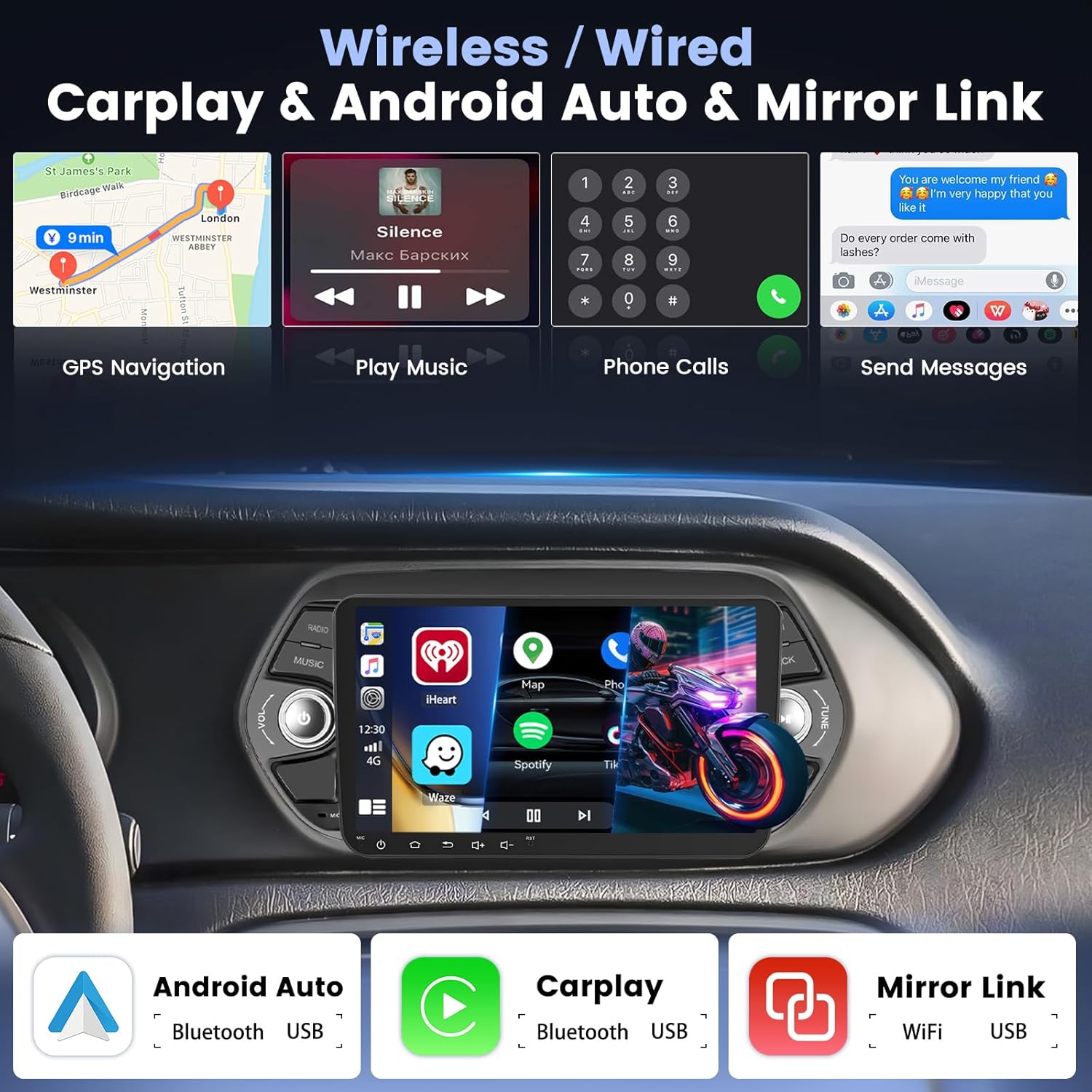
Figura 3.1: Wireless/Wired CarPlay, Android Auto, and Mirror Link. This image displays the various smartphone integration options and their typical interfaces.
3.2 Navegación (GPS)
The integrated GPS module provides accurate navigation. You can use pre-installed maps or download your preferred navigation apps. Connect to Wi-Fi for real-time traffic updates.

Figura 3.2: GPS Navigation. A visual representation of the navigation system in action.
3.3 Conectividad Wi-Fi
Connect the car stereo to a Wi-Fi network or your smartphone's hotspot to access online content, download apps, and stream media.

Figura 3.3: Wi-Fi Functionality. This image illustrates the ability to connect to Wi-Fi and use various online applications.
3.4 bluetooth 5.0
Pair your smartphone via Bluetooth 5.0 for stable, high-quality hands-free calls and audio streaming. Access your phone's contacts and music library directly from the stereo.

Figura 3.4: Bluetooth 5.0 Interface. This image shows the Bluetooth menu for calls and music.
Radio FM/RDS 3.5
Tune into your favorite radio stations with the built-in FM/RDS tuner. The system supports 18 preset stations for quick access.

Figura 3.5: FM/RDS Radio Interface. This image shows the radio tuning screen with frequency and preset options.
3.6 Control del volante (SWC)
The unit supports Steering Wheel Control (SWC), allowing you to manage audio and other functions directly from your vehicle's steering wheel buttons. This enhances driving safety and convenience.
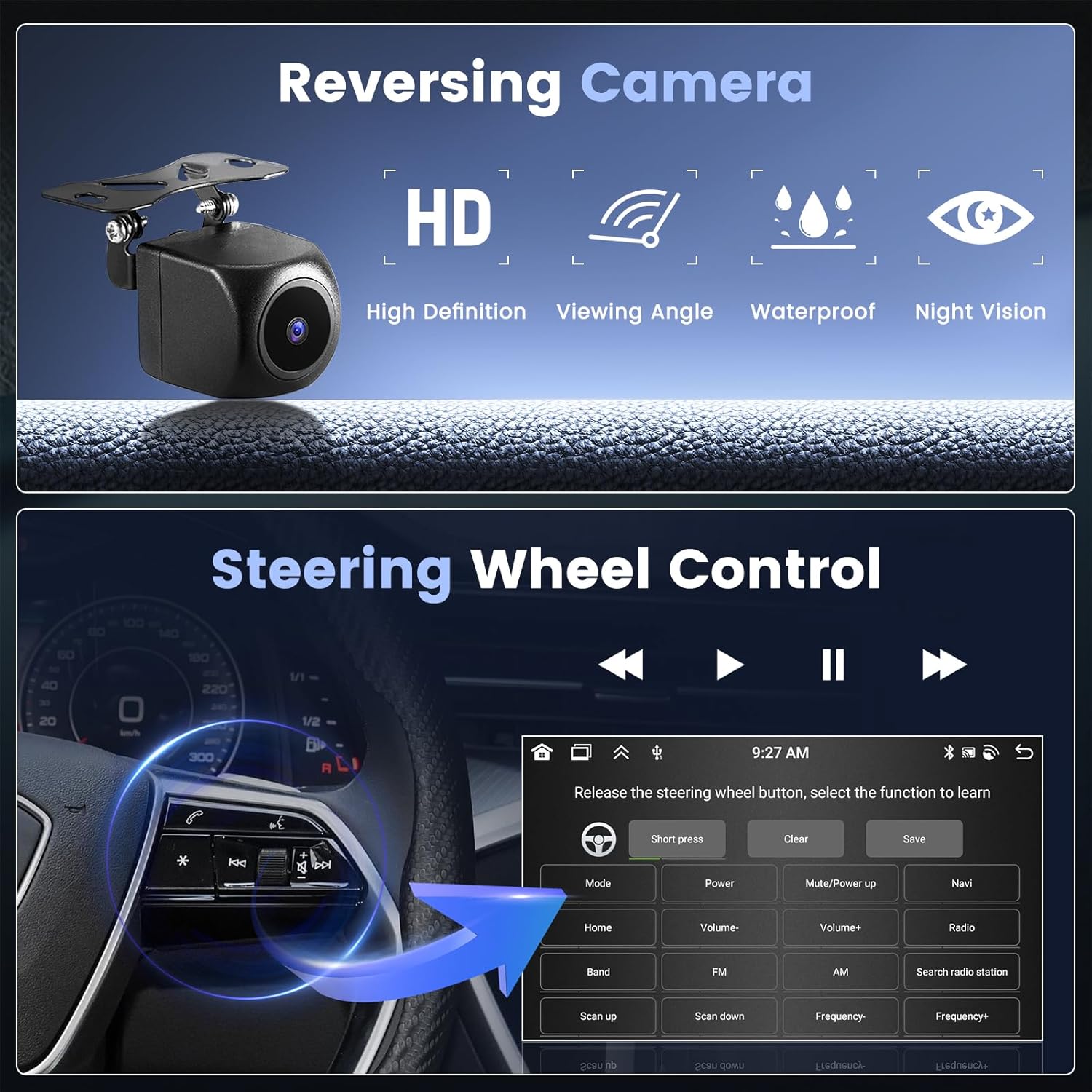
Figura 3.6: Steering Wheel Control Setup. This image illustrates how to configure your steering wheel buttons with the car stereo.
3.7 Traseroview Cámara
La parte trasera AHD incluidaview camera provides high-definition video with night vision capabilities, automatically displaying the rear view when reversing. This significantly improves parking safety.
Figura 3.7: Traseroview Camera Features. This image highlights the key specifications of the included camera.
3.8 User Interface (UI) and Wallpaper Options
Personalize your car stereo experience with 59 customizable user interfaces and various wallpaper options to match your preference.

Figura 3.8: UI Interface & Wallpaper Options. This image displays a selection of available themes and backgrounds.
4. Especificaciones
| Característica | Especificación |
|---|---|
| Marca | Roinvou |
| Modelo | B0FS1JNDC2 |
| Sistema operativo | Androide 15 |
| RAM | 6 GB |
| memoria de sólo lectura | 128 GB |
| Tamaño de pantalla | 7 pulgadas |
| Vehículos compatibles | Fiat Tipo Egea (2015-2017) |
| Tecnología de conectividad | RCA, USB, WLAN, Bluetooth |
| Versión de Bluetooth | 5.0 |
| Características especiales | CarPlay, Android Auto, Mirror Link, WIFI, GPS, Bluetooth, EQ, FM/RDS, UI, SWC, Touchscreen |
| Modo de salida de audio | Estéreo |
| Configuración envolvente | 5.1 |
| Potencia de salida | 11 vatios (RMS), 45 vatios (máx.) |
| Formatos de medios admitidos | AVI, WAV, WMA (Video Encoding: MKV/RMVB/AVI/MP4/MDV) |
| Peso del artículo | 1.39 kilogramos |
| Dimensiones del paquete | 29.6 x 21 x 10.5 cm |
| Pilas necesarias | No |
5. Garantía y soporte
5.1 Atención al cliente
For any questions regarding installation or usage, please contact our customer support team. We are committed to providing assistance to ensure your satisfaction.

Figura 5.1: Customer Support Information. Contact us via email at joininsuranceservice@163.com or through the seller's page on Amazon.
5.2 preguntas frecuentes (FAQ)
- Is this product suitable for my car?
If you have questions about product compatibility before purchase, please send us photos of your car's dashboard, and we will help you determine if the product is suitable.
- Are your products of good quality?
The continuous pursuit of better product quality is our company's philosophy. We are committed to creating car radios that make customers more satisfied!
- Do you have a good after-sales support team?
We have an excellent after-sales support team. If you encounter any problems during installation or use, good communication will help resolve them!
Política de devolución de 5.3
This product is eligible for a refund or replacement within 14 days of delivery, in accordance with standard return policies.