1. Introducción
Gracias por la compraasing the PUSOKEI Mini Projector. This compact and portable device is designed to provide a high-quality viewing experience for home theater, outdoor activities, and entertainment. It supports 1080P HD resolution, features auto keystone correction, and offers versatile connectivity options including wired and wireless screen mirroring.
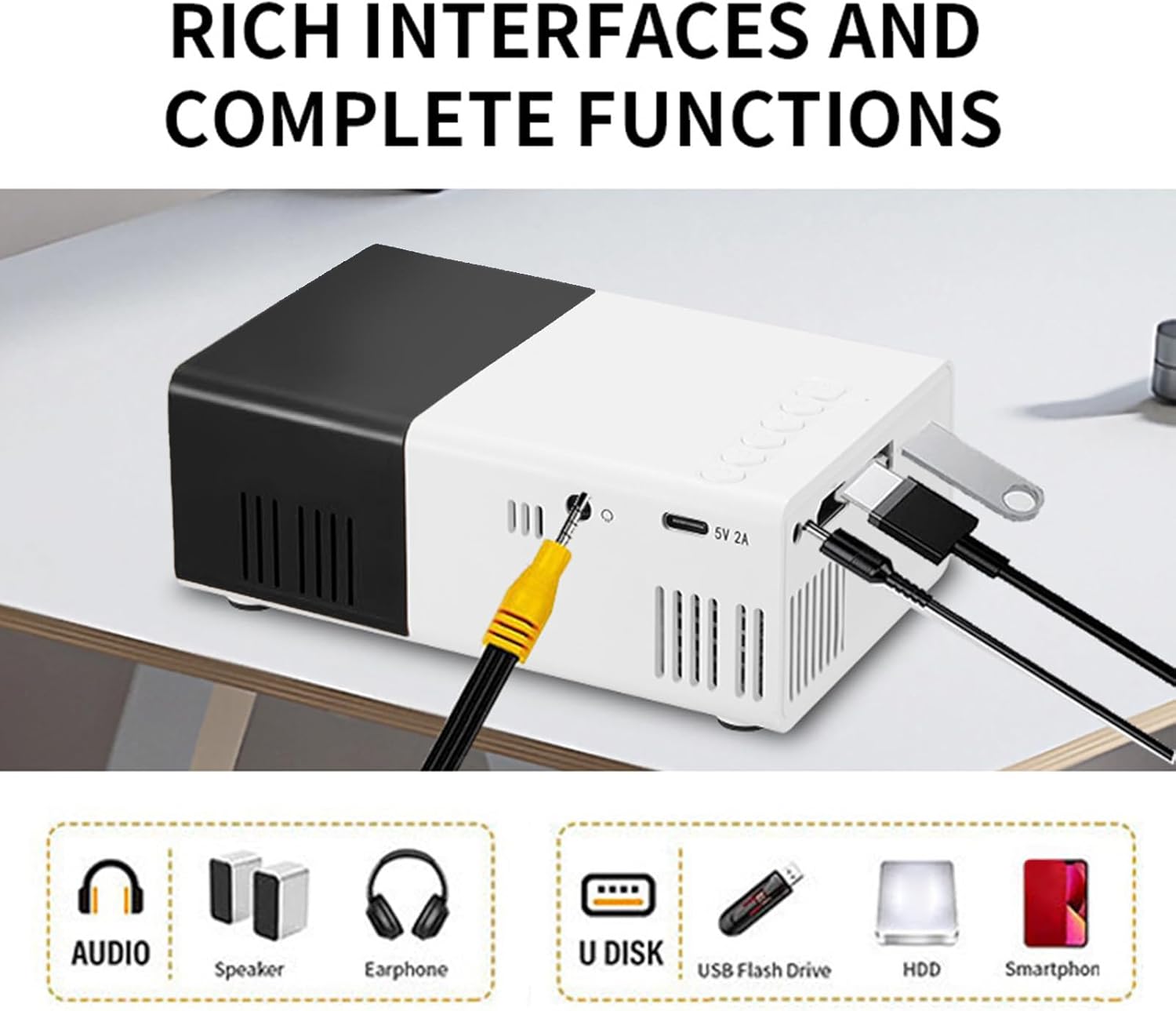
Image: The PUSOKEI Mini Projector used in different settings such as home theater, outdoor camping, gatherings with friends, and for entertainment games.
2. Producto terminadoview
2.1 Contenido del paquete
Asegúrese de que todos los artículos estén presentes en el paquete:
- 1 x PUSOKEI Mini Projector
- 1 x cable USB
- 1 x Manual de usuario (este documento)
- 1 x control remoto
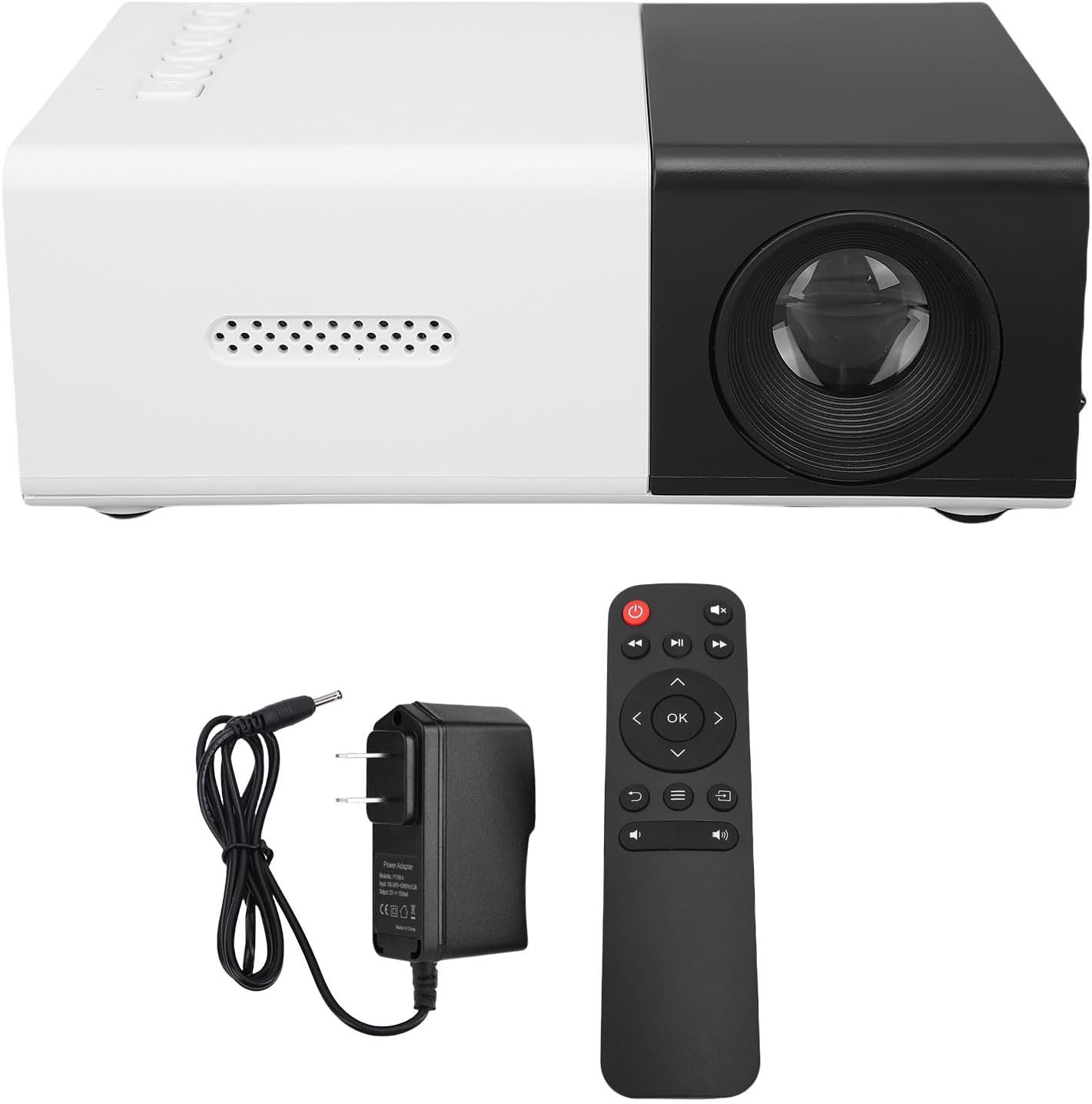
Image: The PUSOKEI Mini Projector displayed alongside its power adapter and remote control.
2.2 Especificaciones
| Característica | Descripción |
|---|---|
| Tecnología de visualización | LCD de 2 pulgadas |
| Fuente de luz de proyección | CONDUJO |
| Resolución física | 320x240, 50Hz, 60Hz |
| Resolución admitida | 1920x1080, 60Hz |
| Brillo | 100ANSI 6000LM |
| Relación de contraste | 10000:1 |
| Enfocar | Manual |
| Corrección | Keystone Correction (Automatic) |
| Vocero | Built-in BOX Speakers 4Ω 2W |
| Interfaz de energía | CC, tipo C |
| Interfaces adicionales | HD Multimedia Interface x 1, USB 2.0 x 1, Standard 3.5 Sound Interface x 1 |
| Duplicación de pantalla | Wired or Cordless Data Cable Mirroring for iOS and Android, Wireless Screen Mirroring |
| Tamaño del producto | Aprox. 12.5 x 8.5 x 4.5 cm / 4.92 x 3.35 x 1.77 pulgadas |
| Peso del artículo | Approx. 0.5 pounds (15.6 ounces) |

Image: The compact design of the PUSOKEI Mini Projector, highlighting its small size and lightweight construction.

Imagen: Un detalle view of the PUSOKEI Mini Projector's rich interfaces, including audio, speaker, earphone, U disk, USB flash drive, HDD, and smartphone connections.
3. Configuración
3.1 Encendido inicial
- Connect the projector to a power source using the provided USB cable and a compatible power adapter (not included, or use the DC power interface).
- Presione el botón de encendido del proyector o del control remoto para encenderlo.
- El proyector mostrará la pantalla de inicio.
3.2 Enfoque de la imagen
To ensure a clear image, manual focus adjustment is required:
- Place the projector at the desired distance from the projection surface (wall or screen).
- Rotate the focus ring located around the lens until the projected image appears sharp and clear.

Imagen: Un frente view of the PUSOKEI Mini Projector, highlighting the projection lens and the manual focus adjustment ring.
4. Instrucciones de funcionamiento
4.1 Funcionamiento básico
- Use the remote control or the buttons on the projector to navigate the menu and select input sources.
- Adjust volume using the dedicated volume buttons on the remote control.
4.2 Corrección trapezoidal
The projector features automatic keystone correction to prevent image distortion when the projector is not perfectly perpendicular to the screen. If further adjustment is needed for side projections, access the settings menu.
4.3 Ajuste del zoom
Manual zoom functionality is available for fine-tuning the projected image size without moving the projector. This can be adjusted via the projector's menu settings.

Image: A diagram illustrating the optimal playback sizes (20-60 inches) and corresponding projection distances (0.8m-1.6m) for the projector.
5. Conectividad
5.1 Conexiones por cable
El proyector ofrece múltiples opciones de entrada por cable:
- Interfaz multimedia de alta definición (HDMI): Connect to laptops, PCs, TV sticks, gaming consoles, and other HDMI-enabled devices.
- Puerto USB 2.0: Conecte unidades USB para reproducción multimedia.
- 3.5mm Sound Interface: Conecte parlantes o auriculares externos para obtener un audio mejorado.
5.2 Duplicación de pantalla
The projector supports both wired and wireless screen mirroring for iOS and Android mobile phones.
- Duplicación con cable: Connect your smartphone using a compatible data cable to the projector's USB port. Follow on-screen prompts for connection.
- Duplicación inalámbrica: Access the screen mirroring function from the projector's menu. Ensure your smartphone and the projector are connected to the same Wi-Fi network (if applicable) or follow the direct wireless connection instructions provided on the projector screen.
Video: A short demonstration of the PUSOKEI Mini Projector's screen mirroring capability, showing a smartphone's display projected onto a large screen.

Image: The PUSOKEI Mini Projector projecting an image of hot air balloons from a smartphone onto a wall, demonstrating wireless screen sharing.
6. Mantenimiento
6.1 Limpieza
- Utilice un paño suave y seco para limpiar el exterior del proyector.
- For the lens, use a specialized lens cleaning cloth and solution to avoid scratches. Do not use abrasive cleaners.
6.2 Sistema de enfriamiento
The projector is equipped with an efficient cooling fan system. To ensure optimal performance and longevity:
- Ensure the ventilation vents are not blocked during operation.
- Utilice el proyector en un área bien ventilada.
7. Solución de problemas
Consulte la siguiente tabla para conocer los problemas más comunes y sus soluciones:
| Problema | Posible causa | Solución |
|---|---|---|
| Imagen borrosa | Ajuste de enfoque incorrecto | Adjust the manual focus ring until the image is clear. |
| Sin imagen | Sin energía; Fuente de entrada incorrecta; Conexión de cable suelta | Check power connection; Select correct input source (HDMI, USB); Ensure cables are securely connected. |
| Sin sonido | Volume too low; External speakers not connected; Audio settings issue | Increase volume; Connect external speakers if desired; Check audio output settings. |
| La imagen está distorsionada (forma trapezoidal) | El proyector no está perpendicular a la pantalla | Automatic keystone correction should adjust. If needed, manually adjust side projections in settings. |
| La duplicación de pantalla falla | Incorrect connection method; Network issues | Ensure correct wired/wireless mirroring steps are followed; Check Wi-Fi connection for wireless mirroring. |
8. Garantía y soporte
Para obtener información sobre la garantía o asistencia técnica, consulte la documentación proporcionada al momento de la compra o póngase en contacto con su vendedor. Conserve el recibo de compra como comprobante.