
1. Guía de configuración
This section provides instructions for the initial setup of your OPPO A6 Pro 5G CPH2781 smartphone.
1.1 Desembalaje e inspección inicial
Retire con cuidado todos los componentes del embalaje. Compruebe que estén presentes los siguientes elementos:
- OPPO A6 Pro 5G CPH2781 device
- 80W SUPERVOOC Flash Charge adapter
- Cable USB tipo C
- Herramienta de extracción de tarjeta SIM
- Guía de inicio rápido e información de seguridad
Inspeccione el dispositivo para detectar cualquier daño visible antes de continuar.
1.2 Instalación de la tarjeta SIM y el almacenamiento
The OPPO A6 Pro 5G supports Dual SIM functionality. Follow these steps to install your SIM cards:
- Localice la bandeja de la tarjeta SIM en el costado del dispositivo.
- Inserte la herramienta de extracción de SIM en el pequeño orificio al lado de la bandeja y presione suavemente hasta que la bandeja salga.
- Coloque las tarjetas Nano-SIM en las ranuras designadas de la bandeja. Asegúrese de que los contactos dorados estén hacia abajo.
- Vuelva a insertar con cuidado la bandeja de la tarjeta SIM en el dispositivo hasta que encaje en su lugar.
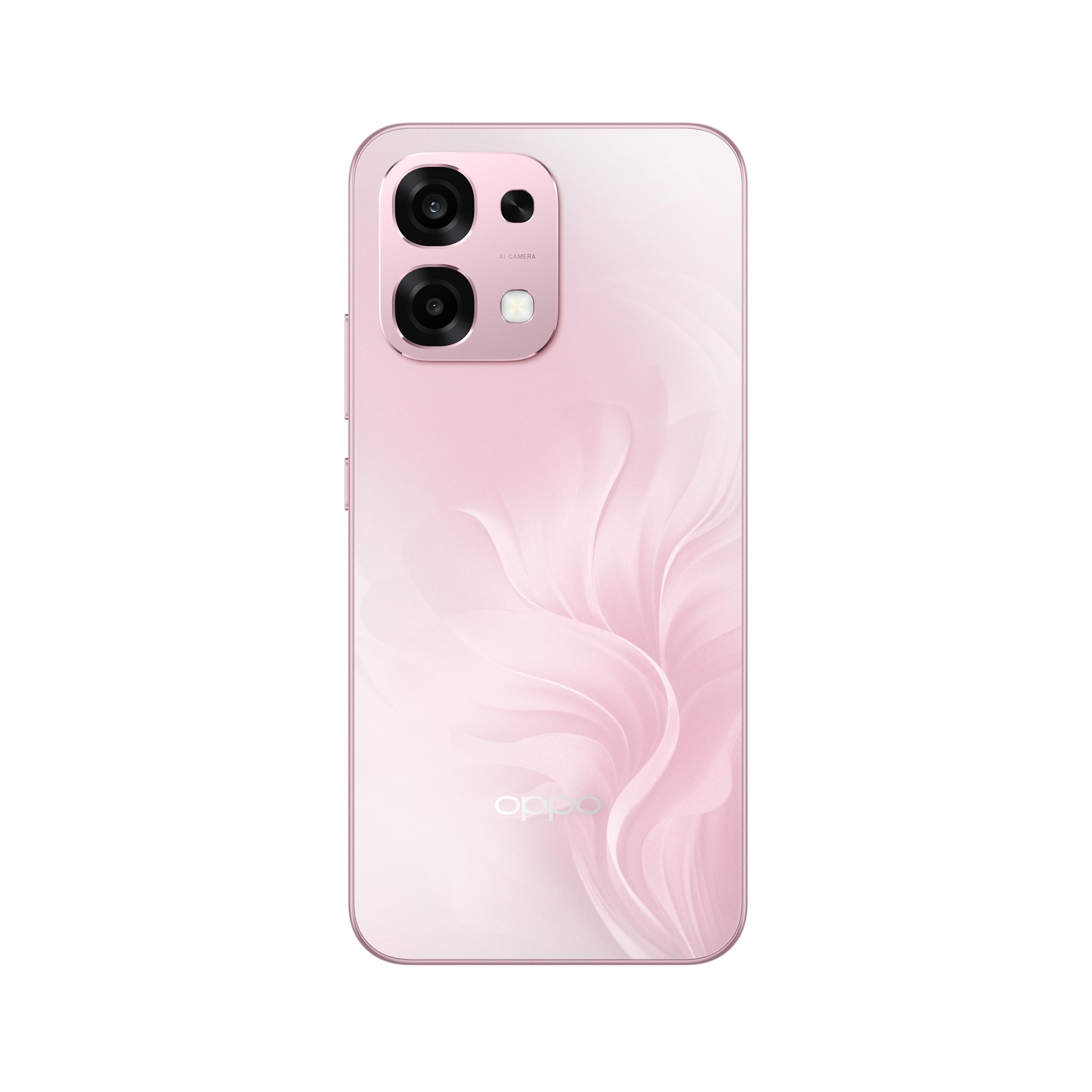
Figura 1: Posterior view of the OPPO A6 Pro 5G CPH2781, highlighting the camera array and device color.
1.3 Encendido y configuración inicial
Para encender su dispositivo por primera vez:
- Mantenga presionado el botón de encendido (ubicado en el lado derecho) hasta que aparezca el logotipo de OPPO en la pantalla.
- Siga las instrucciones en pantalla para seleccionar su idioma, región y conectarse a una red Wi-Fi.
- Inicia sesión con tu cuenta de Google o crea una nueva para acceder a los servicios de Google y a Play Store.
- Complete the setup wizard, including setting up screen lock methods (PIN, pattern, password, or Face Recognition).
1.4 Carga del dispositivo
Your OPPO A6 Pro 5G is equipped with 80W SUPERVOOC Flash Charge technology for rapid charging. Use the provided 80W SUPERVOOC adapter and USB Type-C cable for optimal charging performance.
- Conecte el cable USB tipo C al puerto de carga en la parte inferior del teléfono.
- Connect the other end of the cable to the 80W SUPERVOOC adapter.
- Conecte el adaptador a una toma de corriente.
- El indicador de carga aparecerá en la pantalla.
2. Instrucciones de funcionamiento
This section covers the basic operation and key features of your OPPO A6 Pro 5G CPH2781.
2.1 Navigating ColorOS
Your device runs on ColorOS, OPPO's customized Android operating system. Common navigation gestures include:
- Muévase hacia arriba: Access the app drawer (if enabled) or return to the home screen.
- Deslizar hacia abajo: Abra el panel de notificaciones y la configuración rápida.
- Deslizar hacia la izquierda/derecha: Navigate between home screen pages.
- Grifo: Seleccione un elemento o abra una aplicación.
- Pulsación larga: Acceda a los menús contextuales o mueva los íconos de las aplicaciones.
2.2 Funciones de visualización
The OPPO A6 Pro 5G features a 6.57-inch 120Hz AMOLED Ultra Bright Display, providing vivid colors and smooth scrolling. You can adjust display settings such as brightness, color mode, and refresh rate in the Settings menu under "Display & Brightness".
2.3 Uso de la cámara
The device is equipped with an advanced camera system. To open the camera, tap the Camera app icon on your home screen or lock screen. Key features include:
- Modos de fotografía: Standard, Portrait, Night, Pro, Panorama.
- Grabación de vídeo: Supports various resolutions and frame rates.
- Cámara IA: Utilizes artificial intelligence for scene recognition and optimal photo settings.

Figure 2: Detail of the OPPO A6 Pro 5G CPH2781 camera module.
2.4 Funciones de IA
The OPPO A6 Pro 5G integrates several AI-powered features to enhance user experience:
- Borrador de IA 2.0: For intelligent object removal in photos.
- AI Assistance for Documents: Helps in scanning and managing documents.
- AI Assistant for Notes: Enhances note-taking capabilities.
2.5 Conectividad
Your device supports 5G cellular technology, Bluetooth, and LTE. AI LinkBoost 3.0 automatically optimizes network performance for stable connections.
- Wifi: Conéctese a redes inalámbricas a través de Configuración > Wi-Fi.
- Bluetooth: Empareje con otros dispositivos Bluetooth a través de Configuración > Bluetooth.
- Red móvil: Manage 5G/LTE settings via Settings > Mobile Network.
3. Mantenimiento y cuidado
Proper maintenance ensures the longevity and optimal performance of your OPPO A6 Pro 5G CPH2781.
3.1 Cuidado de la batería
El dispositivo está equipado con una batería de 6500 mAh. Para maximizar su duración:
- Evite temperaturas extremas.
- Use the provided 80W SUPERVOOC Flash Charge adapter and cable.
- Evite descargar completamente la batería con frecuencia.
- Habilite los modos de ahorro de energía cuando sea necesario.
3.2 Resistencia al agua y al polvo
The OPPO A6 Pro 5G CPH2781 has an IP69 rating, indicating resistance to dust and high-pressure water jets. While resistant, it is not waterproof under all conditions. To maintain resistance:
- Ensure the SIM tray is fully closed and sealed.
- Evite sumergir el dispositivo en agua.
- Do not expose the device to saltwater, chlorinated water, or other liquids.
- If the device gets wet, wipe it dry with a clean, soft cloth before charging.
3.3 Protección física
The device is certified to military standards for durability. It also comes with a built-in screen protector. For additional protection:
- Consider using a protective case.
- Evite dejar caer el dispositivo o exponerlo a impactos fuertes.
- Limpie la pantalla y el cuerpo con un paño suave que no suelte pelusa.
4. Solución de problemas
This section addresses common issues you might encounter with your OPPO A6 Pro 5G CPH2781.
4.1 El dispositivo no se enciende
- Asegúrese de que la batería esté cargada. Conecte el dispositivo al cargador durante al menos 10 minutos.
- Realice un reinicio forzado presionando y manteniendo presionado el botón de Encendido y el botón de Subir volumen simultáneamente durante aproximadamente 10 a 15 segundos.
4.2 Mala conectividad de red
- Compruebe si su tarjeta SIM está insertada correctamente.
- Verifique que los datos móviles estén habilitados en Configuración.
- Intente reiniciar el dispositivo.
- Restablecer la configuración de red (Configuración > Configuración del sistema > Hacer copia de seguridad y restablecer > Restablecer teléfono > Restablecer configuración de red).
- Asegúrese de estar dentro de la cobertura de la red.
4.3 Las aplicaciones se bloquean o se congelan
- Cierre y vuelva a abrir la aplicación.
- Clear the app's cache and data (Settings > Apps > App management > [App Name] > Storage usage > Clear cache/Clear data).
- Actualice la aplicación a la última versión desde Google Play Store.
- Ensure your ColorOS is up to date (Settings > About device > Up to date).
4.4 La batería se agota rápidamente
- Verifique el uso de la batería en Configuración > Batería para identificar aplicaciones que consumen mucha energía.
- Reduce el brillo de la pantalla y el tiempo de espera de la pantalla.
- Deshabilite funciones innecesarias como GPS, Bluetooth o Wi-Fi cuando no estén en uso.
- Enable power-saving mode.
5. Especificaciones
Below are the key technical specifications for the OPPO A6 Pro 5G CPH2781.
| Característica | Especificación |
|---|---|
| Marca | OPPO |
| Nombre del modelo | A6 Pro (CPH2781) |
| Sistema operativo | ColorOS |
| Memoria RAM | 8 GB (ampliable a 16 GB) |
| Capacidad de almacenamiento | 256 GB |
| Modelo de CPU | MediaTek Helio G100 |
| Tamaño de pantalla | 6.57 pulgadas |
| Tipo de pantalla | AMOLED |
| Frecuencia de actualización | 120 Hz |
| Capacidad de la batería | 6500 mAh |
| Tecnología de carga | Carga rápida SUPERVOOC de 80 W |
| Tecnología celular | 5G |
| Número de ranuras para tarjetas SIM | Doble SIM |
| Nivel de resistencia al agua | IP69 (impermeable) |
| Seguridad biométrica | Reconocimiento facial |
| Tipo de conector | USB tipo C |
| Medios integrados | Protector de pantalla |
6. Información de garantía
Your OPPO A6 Pro 5G CPH2781 comes with a Garantía del fabricante de 2 añosEsta garantía cubre defectos de materiales y mano de obra en condiciones normales de uso.
Please retain your proof of purchase for warranty claims. The warranty does not cover damage caused by misuse, accidents, unauthorized modifications, or normal wear and tear. For detailed terms and conditions, please refer to the warranty card included in your product packaging or visit the official OPPO websitio.
7. Atención al cliente
For further assistance, technical support, or service inquiries regarding your OPPO A6 Pro 5G CPH2781, please contact OPPO customer service through the following channels:
- OPPO oficial Websitio: Visita Soporte de OPPO Para preguntas frecuentes, guías de solución de problemas e información de contacto.
- OPPO Store: También puedes visitar la página oficial Tienda OPPO en Amazon Para obtener información sobre el producto y accesorios relacionados.
- Centros de servicio: Locate authorized OPPO service centers in your region for in-person support.
When contacting support, please have your device model (CPH2781) and serial number ready.