
1. Introducción y másview
This manual provides detailed instructions for setting up and using your Rapoo Blade-Series E9310M Wireless Keyboard and M300G Silent Mouse Combo. This combo offers multi-device connectivity and a compact design for enhanced productivity across various operating systems.
Características principales:
- Compact Wireless Combo: Features a 99-key layout with number pad and arrow keys, paired with a silent mouse with side buttons. This design optimizes typing and browsing efficiency while occupying 20% less space.
- Multi-Device and Multi-OS Support: Connects to up to 4 devices across Windows, Mac OS, and Linux via Bluetooth 5.0/4.0 and a plug-and-play USB receiver.
- Experiencia de mecanografía fluida: Laptop-like profile with incurve rounded keys ensures a fast, fluid, precise, and quiet typing experience.
- 5-DPI Adjustable Silent Mouse: The M300G mouse offers good portability and ergonomics, with 5 preset DPI levels (800/1000/1200/1600/2400) for smooth tracking.
- Teclas multimedia: Supports Windows and Mac OS dual system shortcuts for 12 common functions like play/pause and volume control.
- Aesthetic and Durable Design: Constructed with an aluminum alloy frame and a matte antioxidant finish for a delicate texture and enhanced durability.
- Refined Details: Includes device and capitalization indicator lights for improved user awareness and an upgraded Bluetooth 5.0/4.0 for extended battery life.
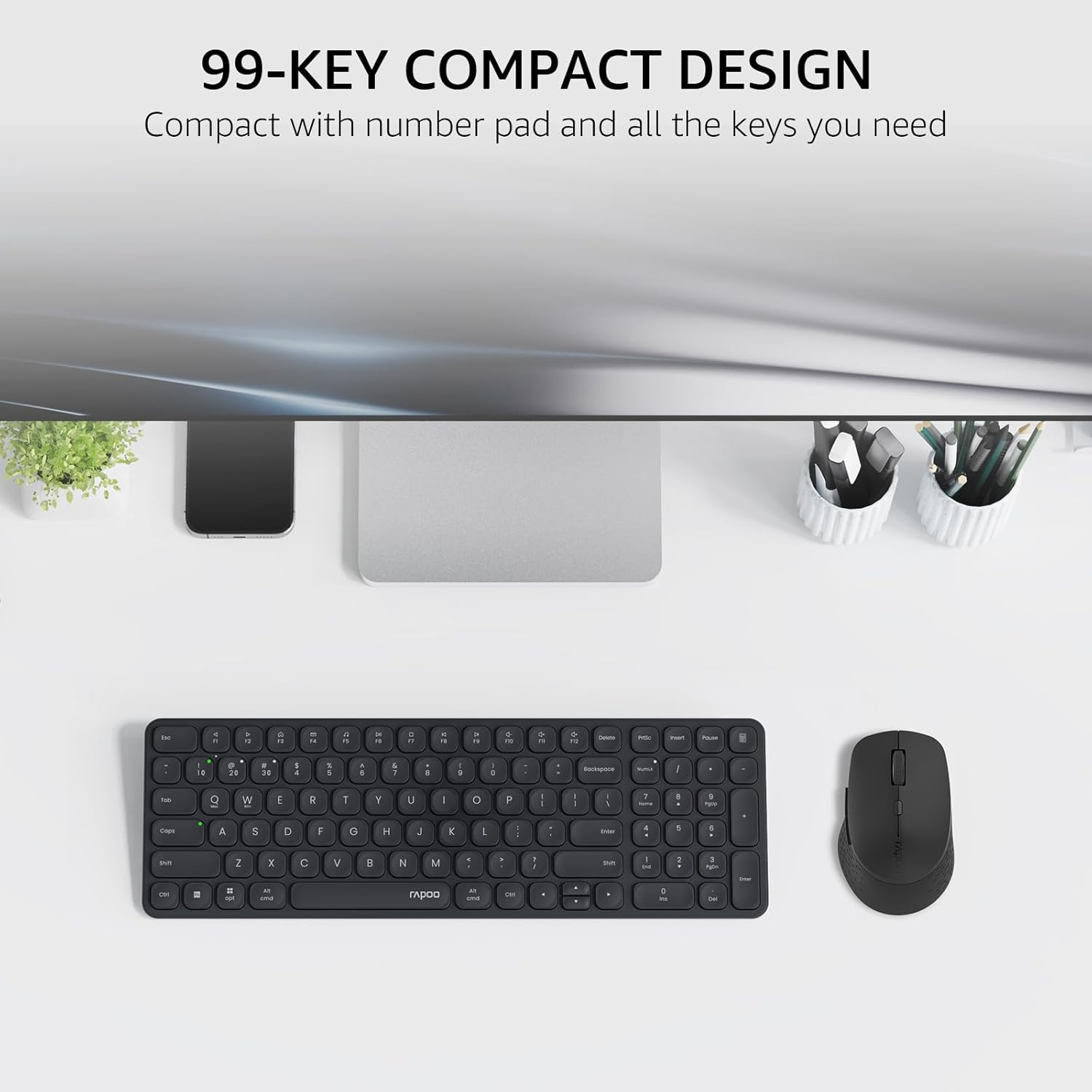
Image: The Rapoo E9310M keyboard and M300G mouse combo, showcasing its compact design on a desk.
2. Instrucciones de configuración
2.1 Instalación de la batería
The keyboard and mouse require AAA batteries. Two AAA batteries are included with the product.
- Localice el compartimento de la batería en la parte inferior del teclado y el mouse.
- Abra la tapa del compartimiento de la batería.
- Inserte las pilas AAA, asegurándose de la polaridad correcta (+/-).
- Cierre bien la tapa del compartimento de la batería.
2.2 Conexión a dispositivos
Your Rapoo combo supports connection via 2.4GHz USB receiver or Bluetooth 5.0/4.0, allowing connection to up to 4 devices (3 via Bluetooth, 1 via 2.4GHz).
2.2.1 Conexión del receptor USB de 2.4 GHz
- Localice el receptor USB, que normalmente se guarda dentro del compartimiento de la batería del mouse.
- Conecte el receptor USB a un puerto USB disponible en su computadora.
- Encienda el teclado y el mouse utilizando sus respectivos interruptores de encendido.
- The devices should automatically connect to your computer. If not, press the 2.4G pairing button on the keyboard/mouse (refer to device for exact button location).
2.2.2 Bluetooth Connection (for up to 3 devices)
- Encienda el teclado y el mouse.
- On the keyboard, press and hold one of the Bluetooth pairing keys (e.g., Fn + 1, Fn + 2, or Fn + 3) until the indicator light flashes, indicating pairing mode.
- En su dispositivo (PC, tableta, teléfono), vaya a la configuración de Bluetooth y busque nuevos dispositivos.
- Select the Rapoo keyboard from the list and follow any on-screen prompts to complete pairing.
- Repeat steps 2-4 for the mouse, pressing its Bluetooth pairing button (usually on the underside) until its indicator flashes.
- To switch between paired Bluetooth devices, simply press the corresponding Bluetooth key (Fn + 1/2/3) on the keyboard or the Bluetooth switch on the mouse.
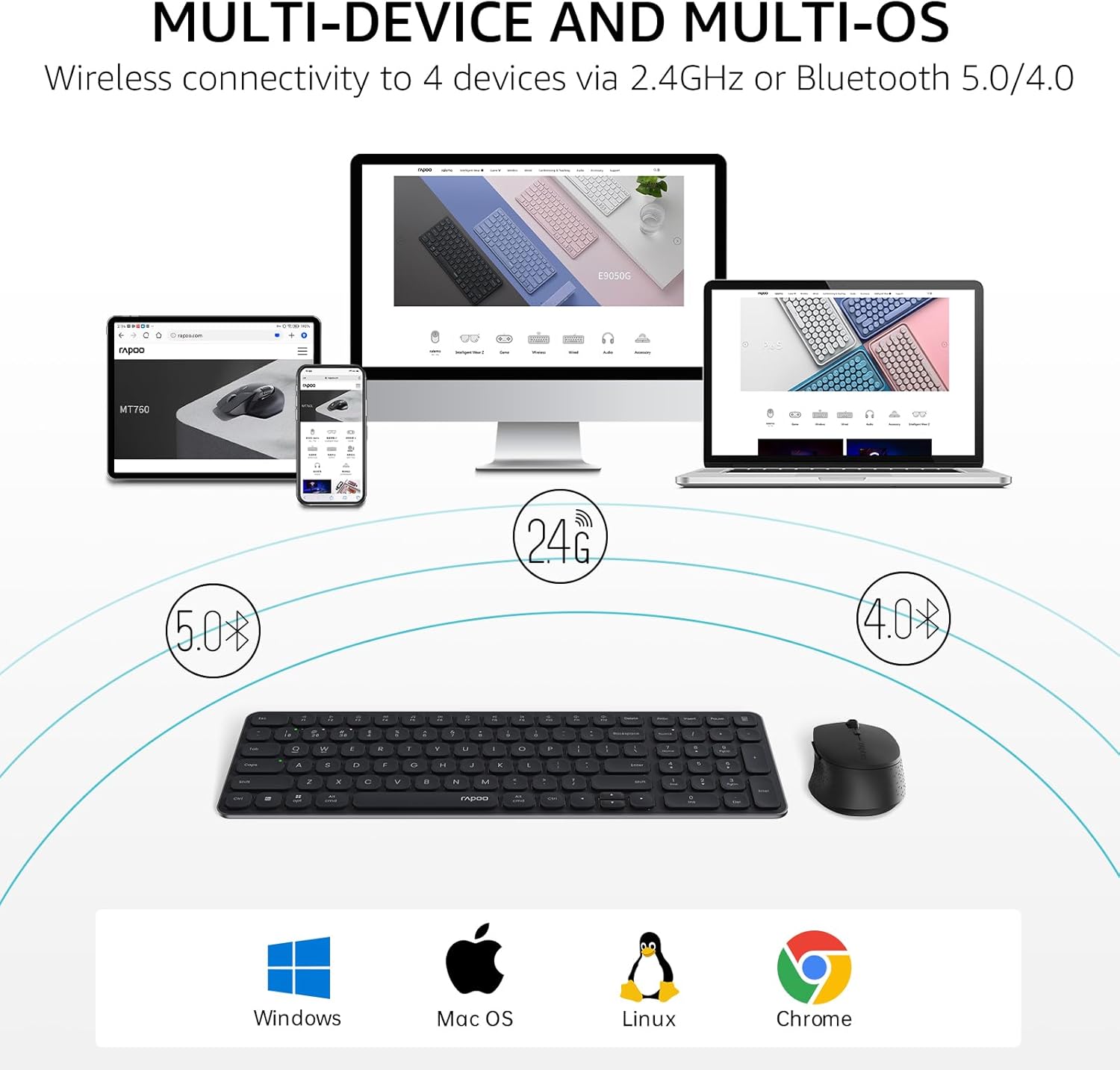
Image: The Rapoo keyboard and mouse combo connected to a desktop, laptop, tablet, and smartphone, illustrating its multi-device capability.
3. Instrucciones de funcionamiento
3.1 Funciones del teclado
The E9310M keyboard features a 99-key layout, including a number pad and dedicated arrow keys, designed for efficient input.
3.1.1 Teclas multimedia
Access 12 widely used function keys by pressing the Fn key in combination with the corresponding F-keys (F1-F12). These shortcuts are compatible with both Windows and Mac OS.
- Fn+F1: Reproducir/Pausa
- Fn+F2: Detener
- Fn+F3: Pista anterior
- Fn+F4: Pista siguiente
- Fn+F5: Silenciar
- Fn+F6: Bajar volumen
- Fn+F7: Subir volumen
- Fn+F8: Buscar
- Fn+F9: Hogar
- Fn+F10: Correo
- Fn+F11: Mi computadora
- Fn+F12: Favoritos
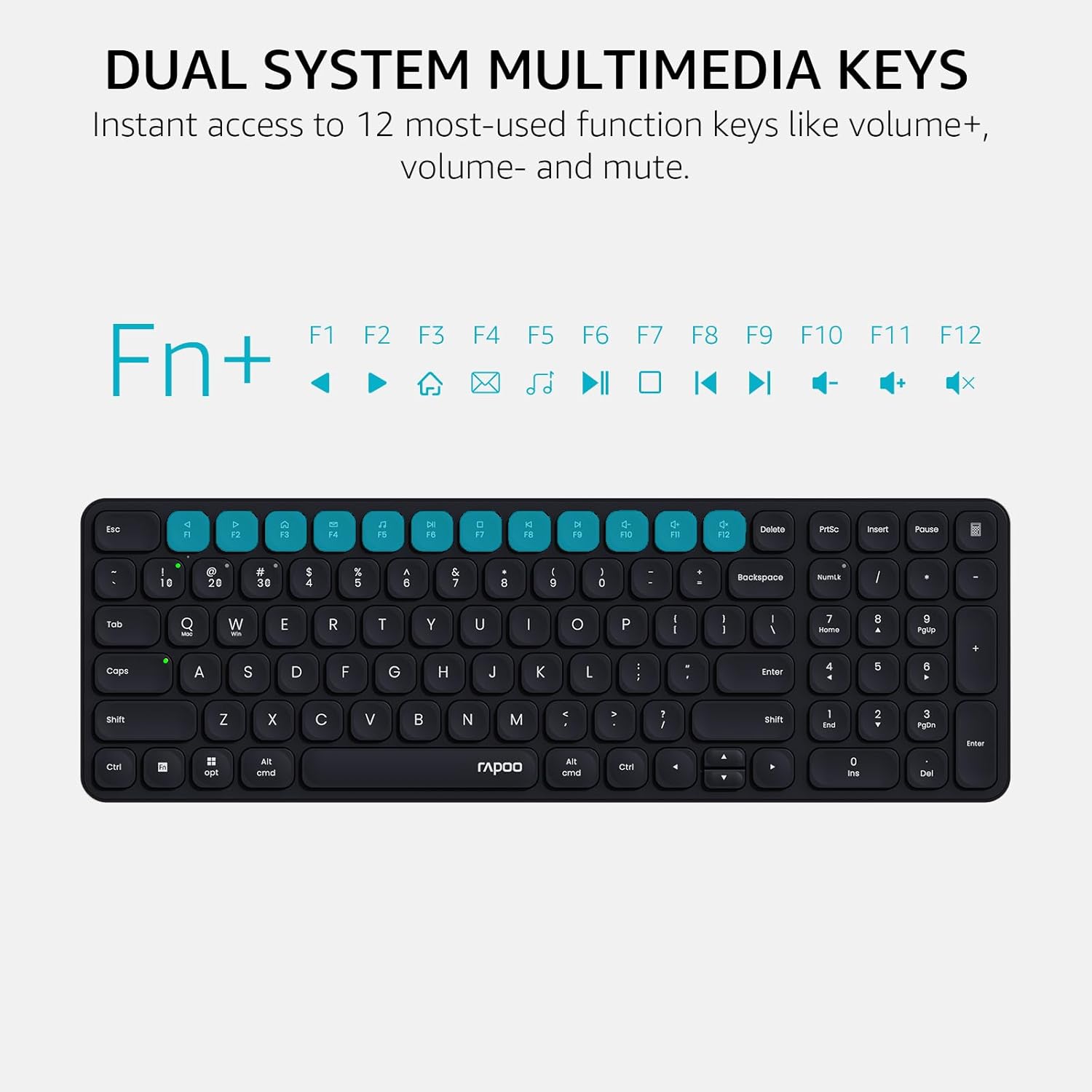
Image: Close-up of the Rapoo E9310M keyboard highlighting the multimedia function keys (F1-F12) and their corresponding icons.
3.1.2 Luces indicadoras de dispositivo y capitalización
The keyboard includes indicator lights to show which device is currently active and the status of the Caps Lock key.
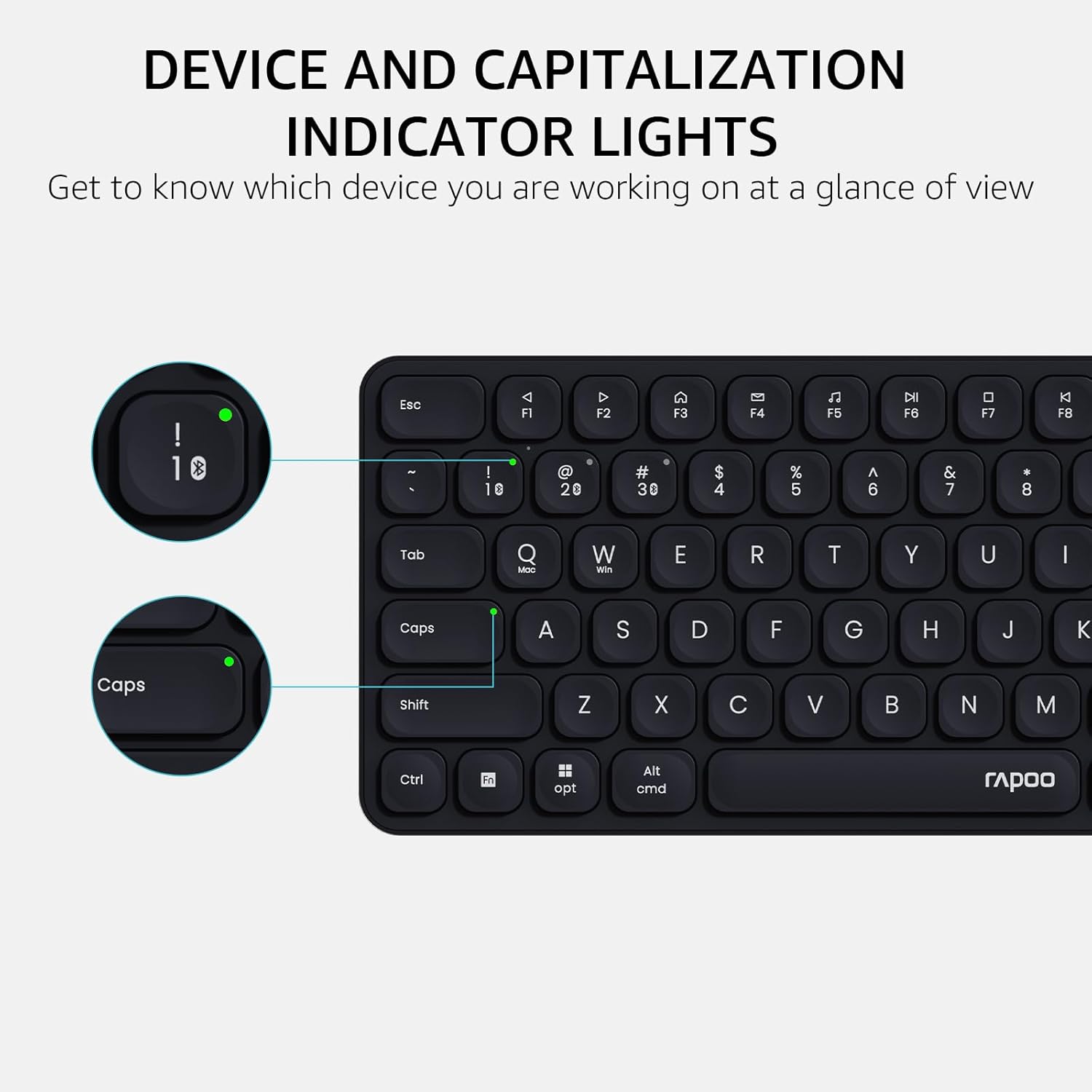
Imagen: Un detalle view of the Rapoo E9310M keyboard, pointing out the indicator lights for device connection and Caps Lock status.
3.2 Funciones del ratón
The M300G Silent Mouse provides precise control with adjustable DPI settings and a quiet click design.
3.2.1 Ajuste de ppp
The mouse features 5 adjustable DPI levels (800/1000/1200/1600/2400) to suit different screen resolutions and user preferences. Press the DPI button (usually located near the scroll wheel) to cycle through the settings.
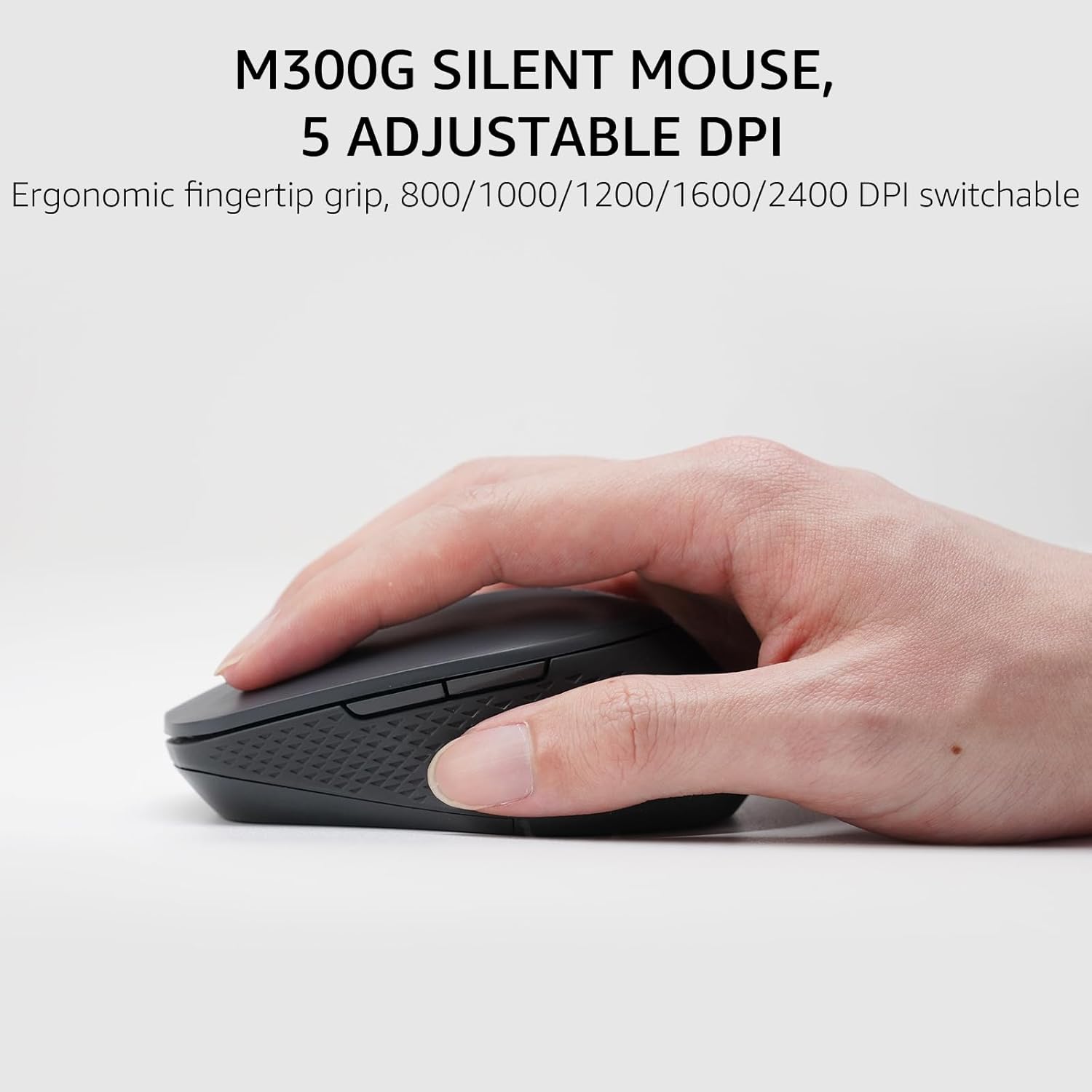
Image: The Rapoo M300G Silent Mouse, highlighting its ergonomic design and the DPI adjustment button.
4. Mantenimiento
4.1 Limpieza
- Utilice un paño suave y seco para limpiar las superficies del teclado y el mouse.
- Para suciedad difícil, ligeramente dampEnjuague el paño con agua o una solución limpiadora suave. Evite la humedad excesiva.
- No utilice limpiadores abrasivos, disolventes ni aerosoles.
4.2 Reemplazo de batería
When the battery indicator light flashes or performance degrades, replace the batteries. The upgraded Bluetooth 5.0/4.0 technology extends battery life up to 12 months.
- Apague el dispositivo.
- Abra el compartimento de la batería.
- Retire las baterías viejas y deséchelas de acuerdo con las regulaciones locales.
- Inserte pilas AAA nuevas, respetando la polaridad correcta.
- Cierre el compartimento.
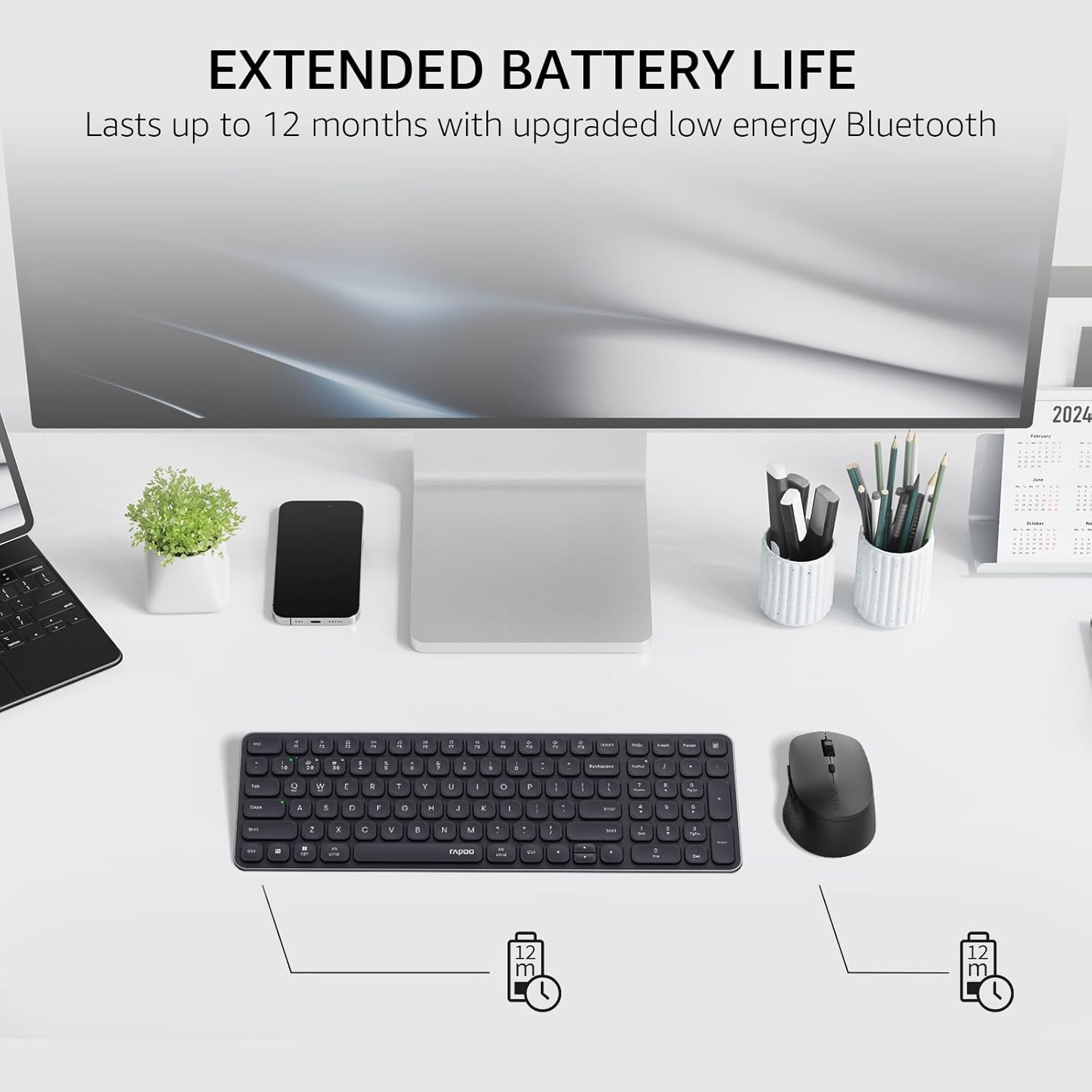
Image: The Rapoo keyboard and mouse on a desk, with an overlay indicating an extended battery life of up to 12 months.
5. Solución de problemas
5.1 Problemas de conexión
- El dispositivo no se conecta: Ensure the keyboard/mouse is turned on and in pairing mode (indicator light flashing). Check your device's Bluetooth settings to ensure Bluetooth is enabled and the correct Rapoo device is selected.
- Conexión de 2.4 GHz inestable: Ensure the USB receiver is securely plugged into a working USB port. Try a different USB port. Ensure no other wireless devices are causing interference.
- Bluetooth connection dropping: Ensure the devices are within the effective range (typically 10 meters/33 feet). Check battery levels. Remove and re-pair the device if issues persist.
5.2 El teclado y el mouse no responden
- No input: Check battery levels and replace if necessary. Ensure the correct connection mode (2.4GHz or Bluetooth channel) is selected on the keyboard/mouse.
- Las teclas no funcionan: Limpie alrededor de las teclas afectadas para eliminar cualquier residuo.
- Cursor del ratón errático: Clean the mouse sensor. Ensure the mouse is used on a suitable surface. Adjust DPI settings if sensitivity is an issue.
6. Especificaciones
| Característica | Detalle |
|---|---|
| Marca | Rapó |
| Modelo (Teclado) | E9310M |
| Modelo (Ratón) | M300G |
| Color | Negro |
| Tecnología de conectividad | Bluetooth (5.0/4.0), Radio Frequency (2.4GHz) |
| Dispositivos compatibles | Laptop, Personal Computer (Windows, macOS, Linux, Chrome OS) |
| Disposición del teclado | QWERTY, 99-Key with Number Pad |
| DPI del ratón | 800/1000/1200/1600/2400 (Adjustable) |
| Fuente de poder | Funciona con pilas (2 pilas AAA incluidas) |
| Peso del artículo | 393.2 gramos |
| Fabricante | Tecnología Co., Ltd. de Shenzhen Rapoo |
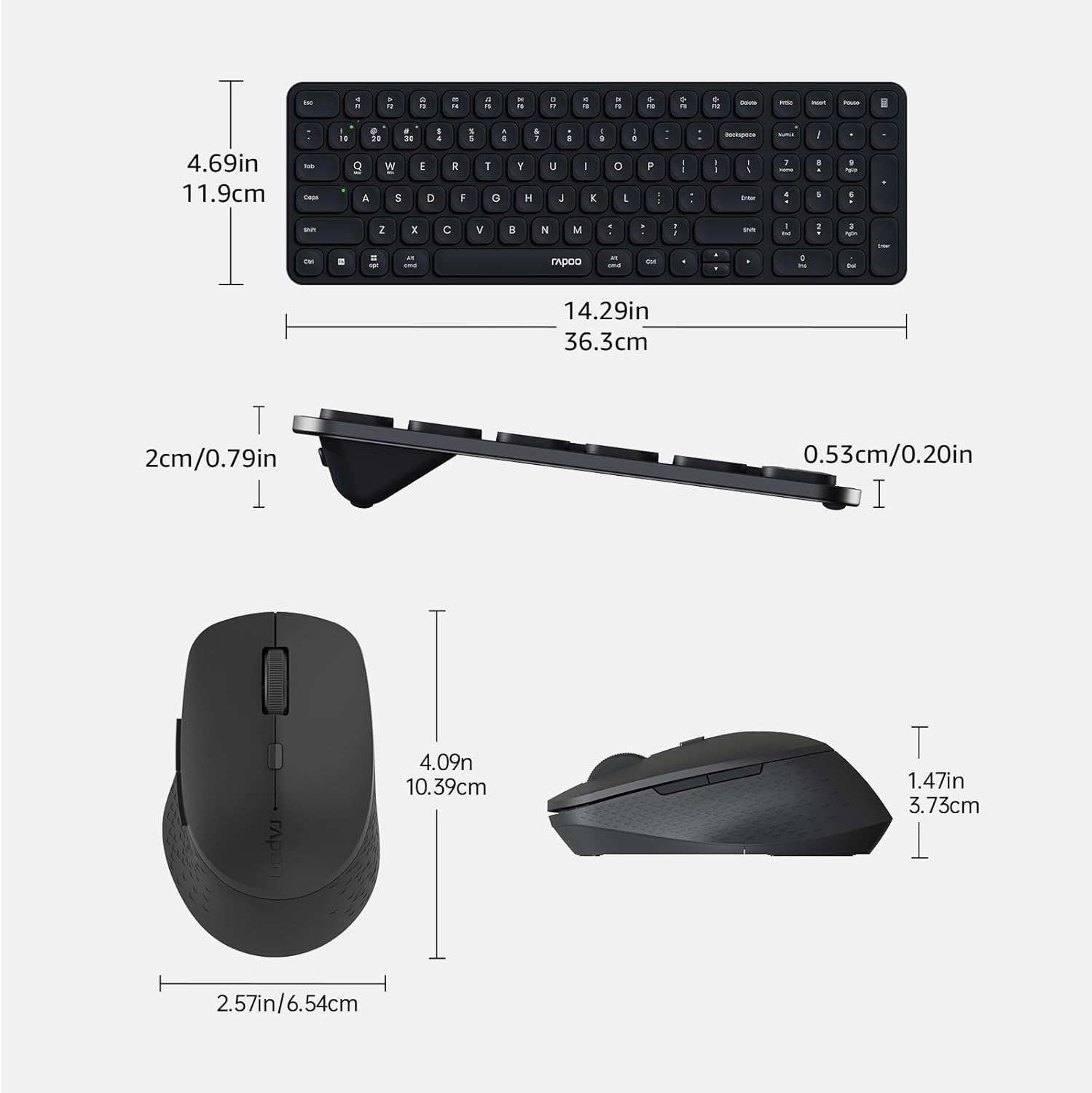
Image: Technical drawing showing the dimensions of the Rapoo E9310M keyboard and M300G mouse in inches and centimeters.
7. Garantía y soporte
7.1 Información de garantía
Este producto viene con un 1 año de garantía A partir de la fecha de compra. Conserve el comprobante de compra para reclamaciones de garantía. La garantía cubre defectos de fabricación y mal funcionamiento en condiciones normales de uso.
7.2 Atención al cliente
For technical assistance, troubleshooting, or warranty inquiries, please contact Rapoo customer support. Refer to the official Rapoo websitio o el embalaje del producto para obtener la información de contacto más actualizada.