
Introducción
Thank you for choosing the TMEZON C680 Indoor Window Security Camera. This manual provides essential information for setting up, operating, and maintaining your camera. Please read it thoroughly before use and retain it for future reference.
Información de seguridad
- Utilice únicamente el adaptador de corriente proporcionado.
- No exponga la cámara a temperaturas extremas ni a la humedad.
- Esta cámara está diseñada solo para uso en interiores.
- Mantener fuera del alcance de los niños.
Contenido del paquete
Verifique que todos los artículos estén en su paquete. Si falta algún artículo o está dañado, comuníquese con atención al cliente.
- TMEZON C680 Indoor Window Security Camera
- Adaptador de corriente
- Cable de alimentación USB
- Kit de montaje (tornillos, anclajes)
- Manual de usuario
Producto terminadoview
Familiarize yourself with the components of your TMEZON C680 camera.
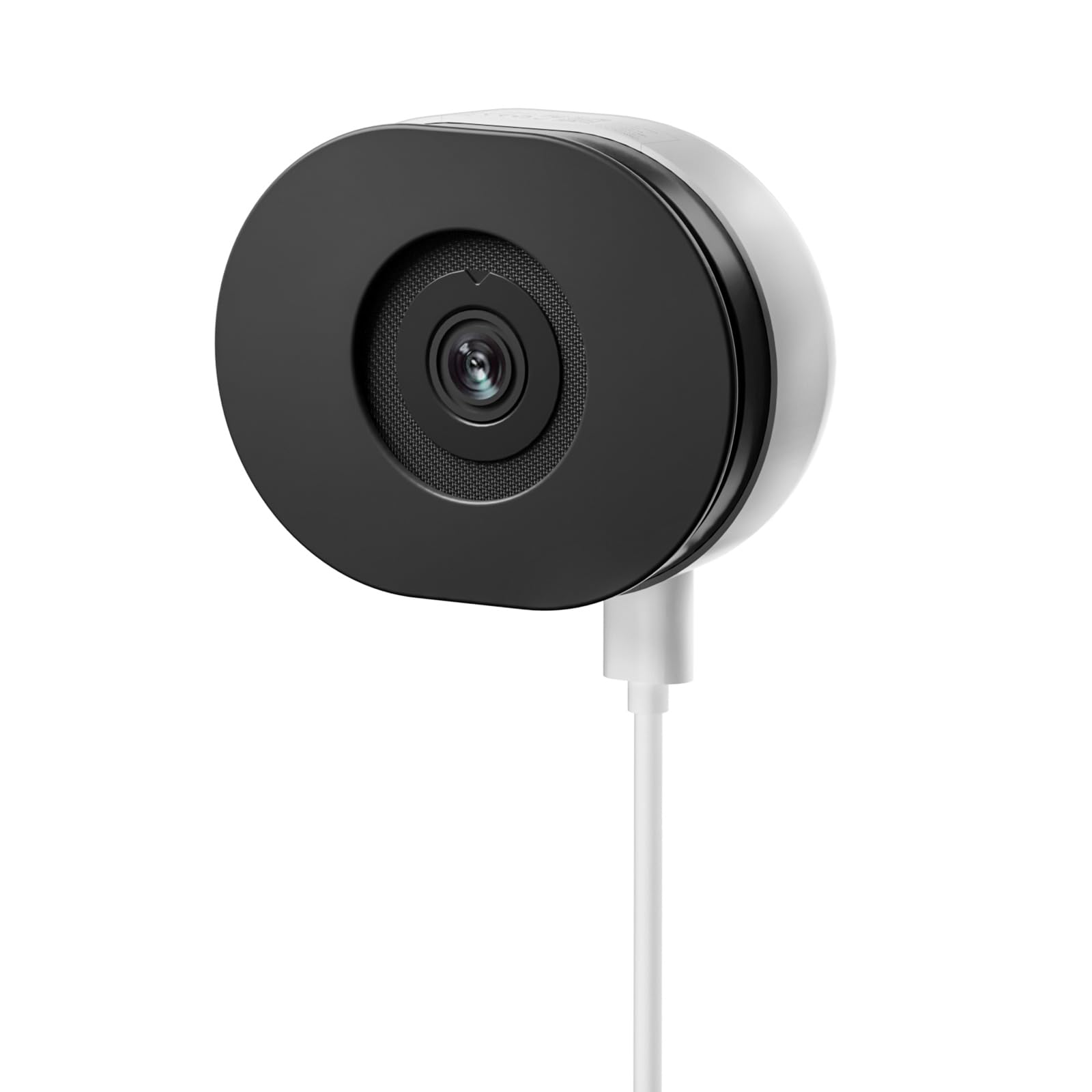
Image: The TMEZON C680 Indoor Window Security Camera. This image displays the camera's compact, circular form factor, highlighting the main lens and overall design.
Componentes de la cámara
- Lente de la cámara: Captures 4MP 2.5K video.
- Luz indicadora de estado: Indicates camera status (e.g., solid blue for connected, flashing red for disconnected).
- Micrófono: For audio input and two-way audio communication.
- Vocero: For audio output and two-way audio communication.
- Puerto de alimentación: Se conecta al adaptador de corriente.
- Botón de reinicio: Mantenga presionado durante 5 segundos para restablecer la cámara a la configuración de fábrica.
- Ranura para tarjeta microSD: Para almacenamiento local (tarjeta no incluida).
Configuración
Paso 1: Descarga la aplicación
Buscar the "TMEZON Smart" app (or similar, as specified in your product documentation) in your mobile device's app store (App Store for iOS, Google Play Store for Android). Download and install the app.
Paso 2: enciende la cámara
Connect the USB power cable to the camera's power port and plug the power adapter into a wall outlet. The camera's status indicator light will turn on. Wait for it to flash red, indicating it's ready for pairing.
Paso 3: Agregar dispositivo en la aplicación
- Open the TMEZON Smart app and create an account or log in.
- Tap the "+" icon (or "Add Device") to add a new camera.
- Seleccione “Cámara de seguridad” o “Cámara inteligente” de la lista de dispositivos.
- Follow the on-screen instructions to connect the camera to your 2.4GHz Wi-Fi network. Ensure your phone is connected to the same 2.4GHz Wi-Fi network.
- The app will display a QR code. Position your camera to scan this QR code from your phone screen. You will hear a confirmation sound from the camera once scanned successfully.
- Una vez conectado, la luz indicadora de estado se volverá azul fija.
Step 4: Window Mounting
The TMEZON C680 is designed for easy window mounting.
- Choose a clean, flat window surface for optimal viewEn.
- Use the provided mounting kit to secure the camera to the window frame or a nearby wall, ensuring the lens faces outwards.
- Adjust the camera angle to cover your desired surveillance area.
Instrucciones de funcionamiento
Vivir View
Open the TMEZON Smart app and select your camera from the device list to access the live video feed.
Grabación y reproducción
The camera supports 24/7 continuous recording to a local MicroSD card (not included).
- Insertar tarjeta MicroSD: Power off the camera, insert a MicroSD card (up to 128GB, Class 10 or higher recommended) into the slot, then power on.
- View Grabaciones: En vivo desde la aplicación view, tap the "Playback" or "History" icon to access recorded footage.
Audio bidireccional
En vivo view interface, tap the microphone icon to speak through the camera's speaker. Tap the speaker icon to listen to audio from the camera's microphone.
Visión nocturna en color
The camera automatically switches to color night vision in low-light conditions, providing clear, vivid footage up to 32 feet. No manual adjustment is typically required.
Detección de movimiento y alertas
The camera features motion-only alert type.
- En la aplicación, navegue hasta la configuración de la cámara.
- Find "Motion Detection" or "Alert Settings."
- Enable motion detection and customize sensitivity levels and alert schedules as needed.
- You will receive push notifications on your mobile device when motion is detected.
Mantenimiento
Limpieza
Limpie suavemente la lente y el cuerpo de la cámara con un paño suave y seco. No utilice limpiadores líquidos ni productos abrasivos.
Actualizaciones de firmware
Periodically check the TMEZON Smart app for available firmware updates to ensure optimal performance and security. Follow the in-app instructions for updating.
Almacenamiento
When not in use for extended periods, store the camera in a cool, dry place, away from direct sunlight.
Solución de problemas
| Problema | Solución |
|---|---|
| La cámara no se enciende. | Asegúrese de que el adaptador de corriente esté bien conectado a la cámara y a una toma de corriente que funcione. Pruebe con otra toma. |
| No se puede conectar al wifi. |
|
| No recording to MicroSD card. |
|
| Mala calidad de vídeo. |
|
Presupuesto
- Modelo: C680
- Resolución: 4MP (2.5K)
- Visión nocturna: Color Night Vision, up to 32 feet
- Conectividad: Wi-Fi de 2.4 GHz
- Almacenamiento: Tarjeta MicroSD (hasta 128 GB, no incluida)
- Audio: Audio bidireccional (micrófono y altavoz integrados)
- Fuerza: Corded Electric, 5W
- Uso interior / exterior: Solo en interiores
- Viewángulo de inclinación: 120 grados
- Dimensiones: Aproximadamente 3.5 x 3.5 x 3.5 pulgadas
- Material: Plástico
- Tipo de alerta: Solo movimiento
Garantía y soporte
TMEZON products are designed for reliability and performance. For warranty information, technical support, or customer service inquiries, please refer to the contact information provided on the product packaging or visit the official TMEZON websitio.
You can also visit the TMEZON store on Amazon for additional product information and support: TMEZON Amazon Store.