
1. Introducción
Thank you for choosing the Potensic PTD 1 Remote Controller. This manual provides essential information for setting up, operating, and maintaining your remote controller. Please read this manual thoroughly before use to ensure safe and optimal performance. The Potensic PTD 1 Remote Controller is specifically designed for use with the Potensic Atom 2 drone.
2. Producto terminadoview
The Potensic PTD 1 Remote Controller integrates a high-definition display and advanced transmission technology to provide a seamless and reliable drone piloting experience. Key features include:
- 5.5-Inch FHD Display: A 1080P full HD touch screen with up to 700 nits brightness for clear visibility in various lighting conditions.
- PixSync 4.0 Transmission: Advanced technology enabling stable, smooth, and low-latency video transmission up to 10 kilometers.
- Mayor duración de la batería: Built-in 2 x 3200 mAh batteries provide up to 3 hours of operation.
- Carga rápida: Supports 27W fast charging, reaching 90% in approximately 85 minutes.
- Almacenamiento integrado: Features 32GB of built-in storage and an additional memory card slot for expanded recording capacity.

Figure 2.1: Potensic PTD 1 Remote Controller with its 5.5-inch FHD Display.

Figure 2.2: Potensic PTD 1 Remote Controller demonstrating 10KM transmission range.

Figure 2.3: The Potensic PTD 1 Remote Controller is an all-in-one solution, ready for flight.

Figure 2.4: The portable and compact design of the Potensic PTD 1 Remote Controller.
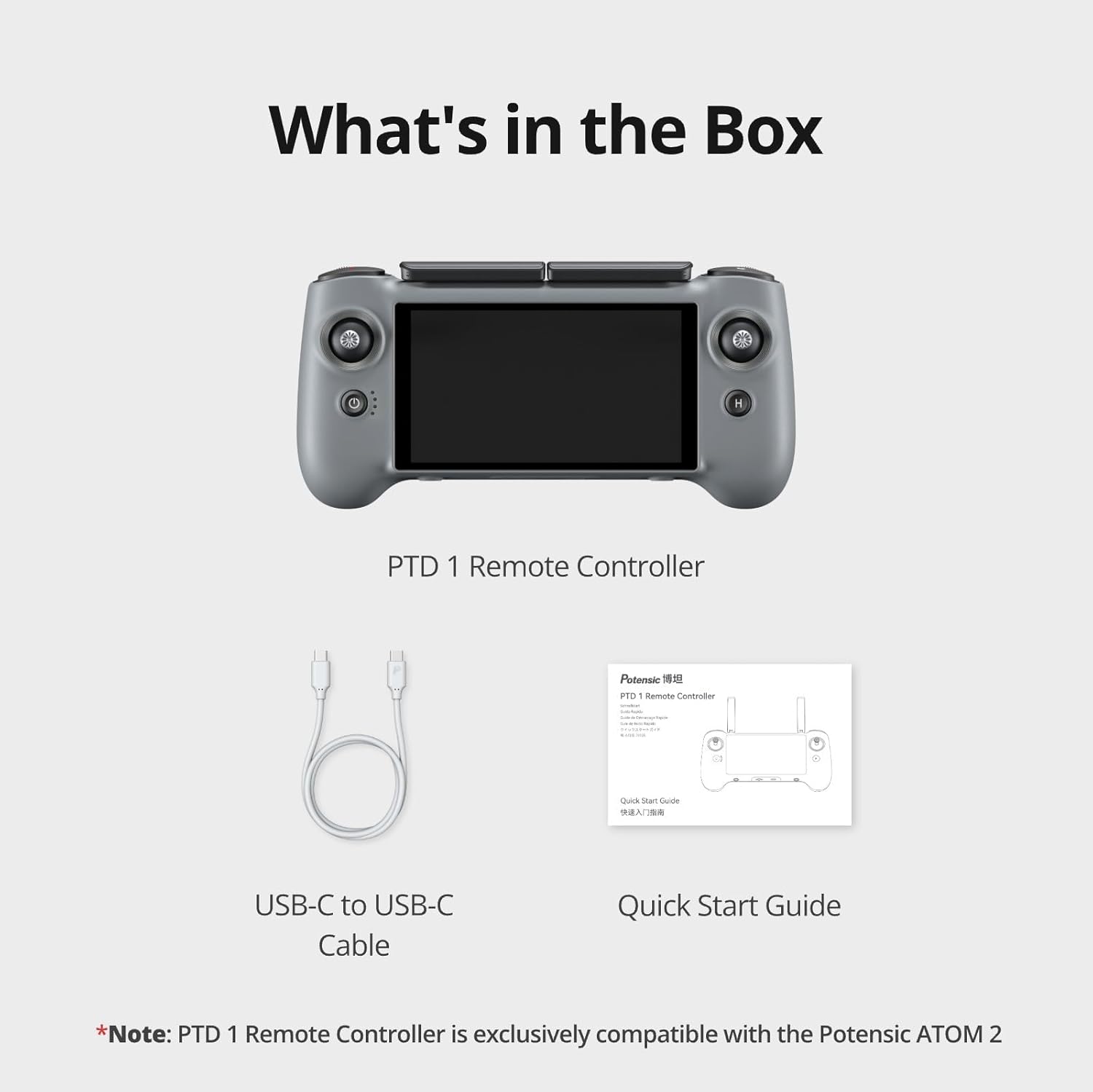
Figure 2.5: What's included in the Potensic PTD 1 Remote Controller package.
3. Configuración
3.1 Carga del control remoto
Before first use, fully charge the remote controller. Connect the provided USB-C cable to the controller's charging port and to a 27W fast charger. The controller will reach 90% charge in approximately 85 minutes. Ensure the controller is powered off during charging for optimal results.

Figure 3.1: Charging the Potensic PTD 1 Remote Controller with 27W fast charging.
3.2 Compatibilidad
The Potensic PTD 1 Remote Controller is exclusively compatible with the Potensic Atom 2 drone. It is not designed for use with other drone models.
3.3 Initial Connection and Quick Launch
The remote controller comes preloaded with the Potensic Eve App. To begin flying, simply power on the controller, connect it to your Atom 2 drone, and take off. Follow the on-screen prompts for any initial setup or pairing procedures.
4. Operando
4.1 Display and Visibility
The 5.5-inch 1080P full HD touch screen provides a crisp and clear live view of your drone's camera feed. With a continuous high brightness of up to 700 nits, you can maintain clear visibility and precise operation even in direct sunlight.
4.2 Transmission Range and Stability
Utilizing advanced PixSync 4.0 technology, the controller offers stable, smooth, and extremely low-latency video transmission within a 10-kilometer range. This ensures safe and reliable flight control and real-time precision.
4.3 Onboard Storage and Expansion
The PTD 1 Remote Controller includes 32GB of built-in storage for direct screen recording and caching. An additional memory card slot allows for further storage expansion, ensuring ample space for your flight recordings.
5. Mantenimiento
To ensure the longevity and optimal performance of your Potensic PTD 1 Remote Controller, follow these maintenance guidelines:
- Limpieza: Use a soft, dry cloth to clean the screen and body of the controller. Avoid using liquid cleaners or solvents.
- Cuidado de la batería: Store the controller in a cool, dry place. If storing for extended periods, ensure the battery is charged to approximately 50-60% to prevent degradation.
- Almacenamiento: When not in use, fold the antennas and store the controller in its protective carrying case to prevent damage.
6. Solución de problemas
If you encounter any issues with your Potensic PTD 1 Remote Controller, please refer to the following common troubleshooting steps:
- El controlador no se enciende: Ensure the battery is sufficiently charged. Connect to the charger and attempt to power on again.
- Sin transmisión de video: Verify that the controller is correctly paired with the Atom 2 drone and that the drone's camera is functioning. Check for any obstructions to the transmission signal.
- Poor Transmission Signal: Ensure you are within the 10KM transmission range and that there are no major obstructions (e.g., large buildings, dense forests) between the controller and the drone. Avoid areas with high electromagnetic interference.
- Problemas de almacenamiento: If you cannot record or save files, check the available internal storage or ensure the external memory card is correctly inserted and has sufficient space.
7. Especificaciones
| Característica | Detalle |
|---|---|
| Dimensiones del producto | 8.86 x 4.41 x 2.09 pulgadas |
| Peso del artículo | 15.9 onzas |
| Número de modelo del artículo | DPT 1 |
| Mostrar | 5.5-Inch 1080P Full HD Touch Screen, 700 nits brightness |
| Tecnología de transmisión | PixSync 4.0 |
| Rango de transmisión máximo | 10 km |
| Capacidad de la batería | 2 x 3200 mAh (6400 mAh en total) |
| Duración máxima de la batería | Hasta 3 horas |
| Carga rápida | 27W (90% in 85 minutes) |
| Almacenamiento interno | 32 GB |
| Almacenamiento expandible | Ranura para tarjeta de memoria disponible |
| Dispositivos compatibles | ATOM 2 Drone Only |
| Color | Gris |
8. Información de garantía
Potensic products are covered by a limited warranty. Please refer to the warranty card included in your product packaging or visit the official Potensic webConsulte el sitio web para conocer los términos y condiciones detallados de la garantía. Conserve su comprobante de compra para reclamar la garantía.
9. Soporte
For further assistance, technical support, or customer service, please contact Potensic support:
- Servicio telefónico: +1 833 549 7772 (sábado a lunes de 7 a. m. a 10 p. m. EST, martes a viernes de 9 a. m. a 6 p. m. EST)
- Correo electrónico: Soporte@potensic.com
- Online Store: Visit the Potensic Store