
1. Introducción
This manual provides detailed instructions for the setup, operation, maintenance, and troubleshooting of your GMKtec Nucbox G10 Mini PC. The Nucbox G10 is a compact and powerful desktop computer designed for various applications, from office tasks to multimedia entertainment, featuring an AMD Ryzen 5 3500U processor, 16GB DDR4 RAM, and a 1TB NVMe SSD.
2. Contenido del paquete
Verifique que todos los artículos que se enumeran a continuación estén presentes en su paquete:
- GMKtec Nucbox G10 AMD Ryzen 5 3500U Mini PC Computer
- Fuente de alimentación y cable
- Cable HDMI
- Montaje VESA y tornillos
- Manual de usuario (este documento)

Image: Retail Boxed Packaging. This image displays the GMKtec Nucbox G10 Mini PC, power supply, HDMI cable, VESA mount, screws, and user manual, illustrating the complete contents of the product package.
3. Producto terminadoview
3.1 Características principales
- Procesador: AMD Ryzen 5 3500U (4 Cores, 8 Threads, up to 3.70GHz Turbo Boost)
- Gráficos: Integrated AMD Radeon Vega 8 Graphics (1200 MHz)
- Memoria: 16GB Dual Channel DDR4 RAM (expandable up to 64GB)
- Almacenamiento: 1TB M.2 2280 NVMe SSD (expandable up to 16TB via dual M.2 2280 PCIe 3.0 slots)
- Red: 2.5GbE Ethernet, WiFi 5, Bluetooth 5.0
- Salida de pantalla: Triple 4K display support via HDMI 2.1, DisplayPort 1.4, and Full Function USB-C
- Enfriamiento: Silent Turbo Cooling Fan system

Image: Nucbox G10 Feature Overview. This image provides a visual summary of the mini PC's core components including the AMD Ryzen 5 3500U CPU, Radeon Vega 8 Graphics, DDR4 RAM, M.2 SSD, 2.5GbE LAN, WiFi 5, Bluetooth 5.0, triple display support, and cooling system.
3.2 Puertos y Conectores
The Nucbox G10 features a comprehensive set of ports for connectivity:
- Frente: 1x CTIA Audio Jack, 2x USB 3.2 (5Gbps), 1x Power Button
- Trasero: 1x Type-C (PD Only), 1x USB 2.0, 1x 2.5G Giga LAN, 1x HDMI 2.1 (4K@60Hz), 1x DP 1.4 (4K@60Hz), 1x Full Function USB-C (PD/DP/Data), 1x Kensington Lock slot

Image: Front Panel Ports. This image shows the front of the Nucbox G10, highlighting the power button, two USB 3.2 ports, and the CTIA audio jack.

Image: Rear Panel Ports. This image illustrates the rear of the Nucbox G10, detailing the USB-C (PD Only), USB 2.0, 2.5G LAN, HDMI 2.1, DisplayPort 1.4, Full Function USB-C, and Kensington Lock slot.
4. Guía de configuración
4.1 Conexión de periféricos
- Monitor: Connect your monitor(s) to the Mini PC using the HDMI, DisplayPort, or USB-C ports. The Nucbox G10 supports up to three 4K displays simultaneously.
- Teclado y ratón: Conecte su teclado y mouse USB a los puertos USB disponibles.
- Red: For a wired connection, connect an Ethernet cable from your router/modem to the 2.5GbE LAN port. For wireless, ensure your WiFi network is available.
- Audio: Connect speakers or headphones to the 3.5mm audio jack on the front panel if needed.
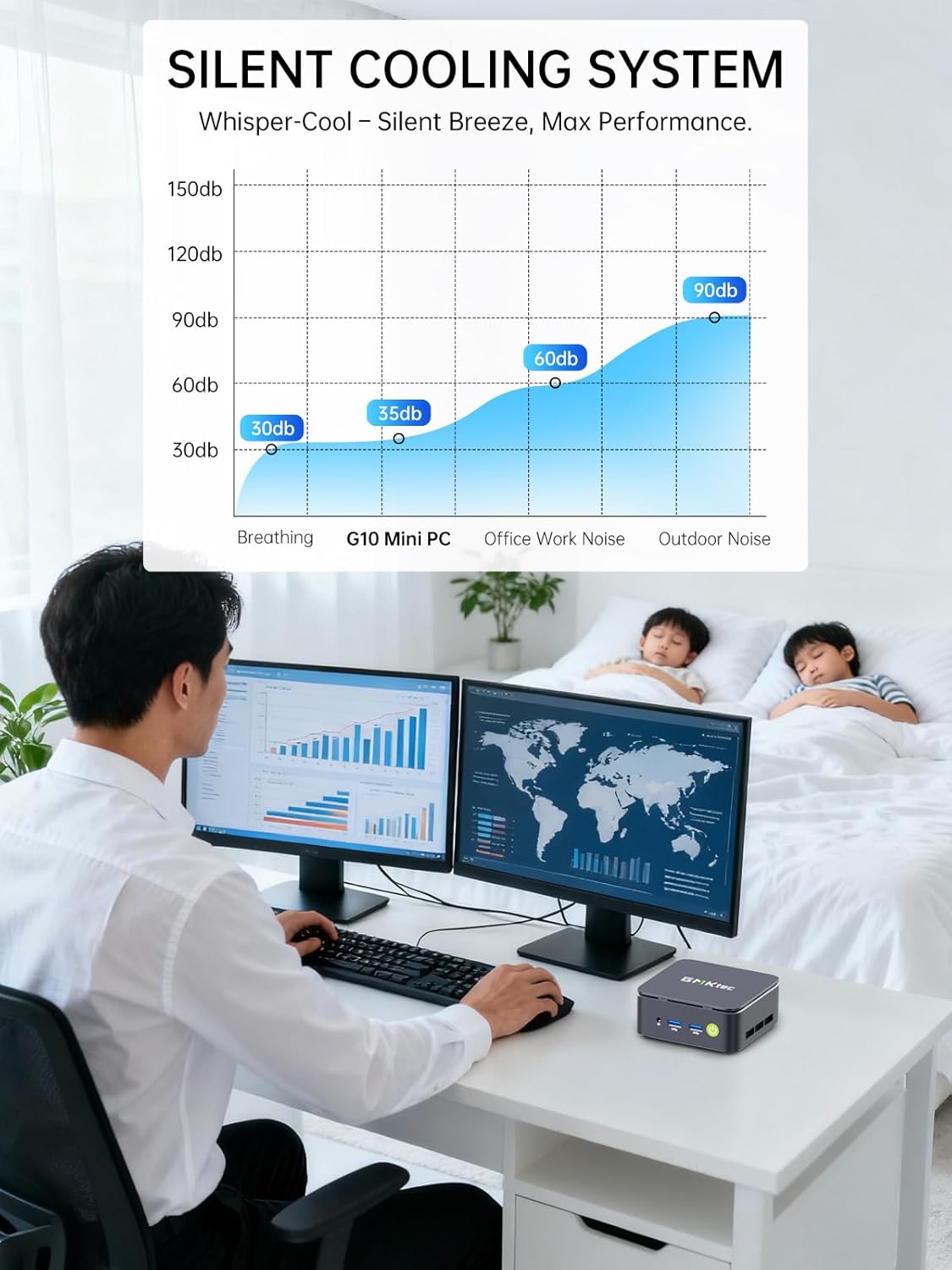
Image: Triple Display Setup. This image demonstrates the Nucbox G10 connected to two vertical monitors and a tablet, showcasing its triple display capability for enhanced productivity.
4.2 Conexión de alimentación
Connect the provided power adapter to the DC-in port on the Mini PC, then plug the power cable into a wall outlet. The Mini PC is designed for low power consumption.
4.3 arranque inicial
Press the power button on the front panel. The Mini PC will boot into the pre-installed Windows 11 Pro operating system. Follow the on-screen instructions for initial Windows setup.
5. Instrucciones de funcionamiento
5.1 Encendido y apagado
- Encendido: Presione el botón de encendido una vez.
- Apagado: Desde Windows, vaya a Inicio > Inicio/Apagado > Apagar. También puede mantener presionado el botón de encendido durante 5 segundos para forzar el apagado (solo cuando sea necesario).
5.2 sistema operativo
Your Nucbox G10 comes with Windows 11 Pro pre-installed. Ensure you keep your operating system updated for optimal performance and security.
5.3 Conectividad de red
- Cableado (Ethernet): Una vez conectado el cable Ethernet, el sistema debería detectar automáticamente la red.
- Inalámbrico (Wi-Fi): In Windows, click the Wi-Fi icon in the taskbar, select your network, enter the password, and connect.
- Bluetooth: Para conectar dispositivos Bluetooth, vaya a Configuración de Windows > Bluetooth y dispositivos y empareje su dispositivo.
6. Mantenimiento
6.1 Limpieza
Limpie regularmente el exterior de la mini PC con un paño suave y seco. Asegúrese de que las aberturas de ventilación estén libres de polvo para mantener una refrigeración óptima. No utilice limpiadores líquidos directamente sobre el dispositivo.

Image: Ultra Efficient Cooling System. This image provides an internal view of the Nucbox G10, highlighting the silent turbo cooling fan designed for efficient heat dissipation.
6.2 Actualizaciones de software
Keep your Windows operating system and drivers updated to ensure system stability, security, and performance. Windows Update can be accessed via Settings > Windows Update.
6.3 Expansión de almacenamiento y memoria
The Nucbox G10 supports memory expansion up to 64GB DDR4 RAM and storage expansion up to 16TB via its dual M.2 2280 PCIe 3.0 slots. Consult a qualified technician for hardware upgrades to avoid voiding your warranty or damaging the device.
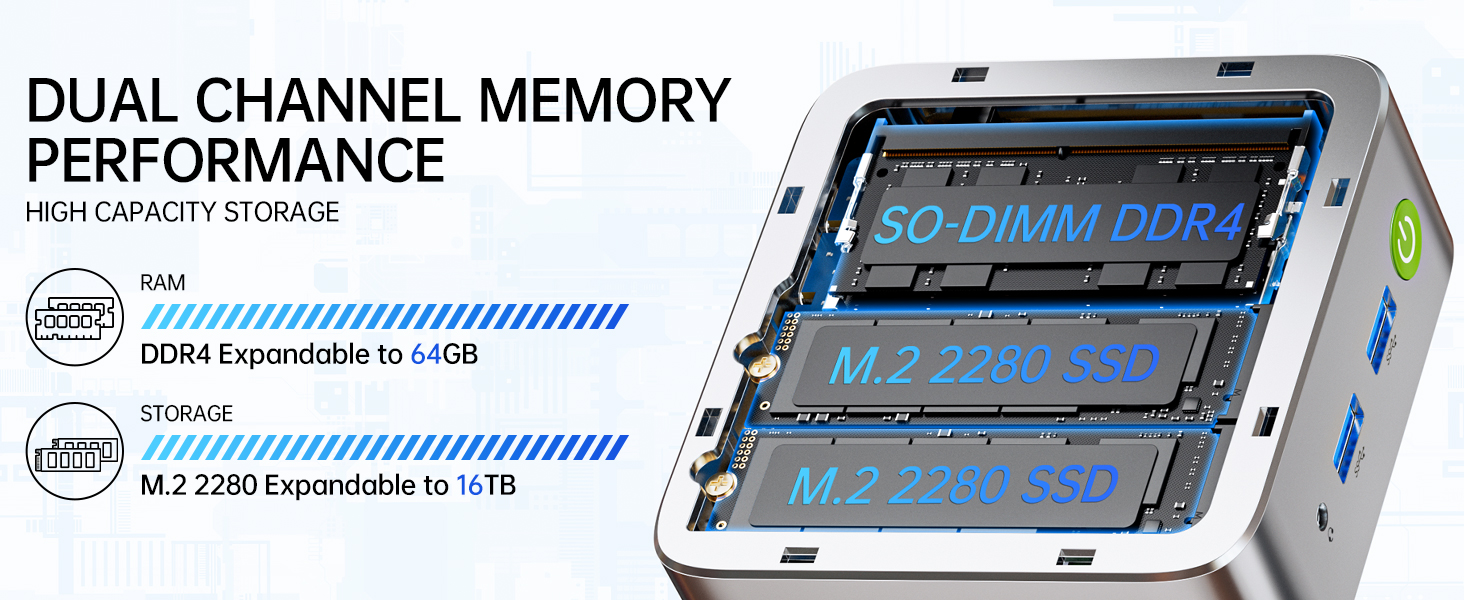
Image: Dual Channel Memory Performance and High Capacity Storage. This diagram illustrates the internal layout for SO-DIMM DDR4 RAM and M.2 2280 SSDs, indicating their expandability.
7. Solución de problemas
Si tiene problemas con su Mini PC, consulte los siguientes problemas y soluciones comunes:
- Sin energía:
- Asegúrese de que el adaptador de corriente esté conectado de forma segura tanto a la mini PC como a una toma de corriente que funcione.
- Verifique que la toma de corriente funcione enchufando otro dispositivo.
- Sin pantalla:
- Verifique que el cable HDMI, DisplayPort o USB-C esté firmemente conectado tanto a la Mini PC como al monitor.
- Asegúrese de que el monitor esté encendido y configurado en la fuente de entrada correcta.
- Intente conectarse a una pantalla diferente o utilizar un cable diferente.
- Problemas de conectividad de red:
- Wired: Verifique la conexión del cable Ethernet. Reinicie el enrutador/módem.
- Inalámbrico: Ensure Wi-Fi is enabled in Windows settings. Verify your Wi-Fi password. Restart your router.
- Rendimiento lento:
- Cierre las aplicaciones innecesarias que se ejecutan en segundo plano.
- Asegúrese de que el sistema tenga ventilación adecuada y no se sobrecaliente.
- Busque e instale cualquier actualización de Windows o actualización de controladores pendiente.
- Ejecute una limpieza de disco para liberar espacio de almacenamiento.
8. Especificaciones
| Característica | Especificación |
|---|---|
| Marca | GMKtec |
| Nombre del modelo | G10 |
| Sistema operativo | Windows 11 Pro |
| Modelo de CPU | AMD Ryzen 5 3500U |
| Velocidad de la CPU | 3.7 GHz (Boost) |
| Cantidad de procesadores | 4 |
| Coprocesador gráfico | AMD Radeon Vega 8 Graphics 1200 MHz |
| Memoria RAM instalada | 16 GB DDR4 |
| Tamaño máximo de la memoria RAM | 64 GB |
| Velocidad de la memoria | 2400 toneladas por segundo |
| Capacidad de almacenamiento de memoria | SSD NVMe de 1 TB |
| Descripción del disco duro | Dual Slot M.2 2280 PCIE Max. 16TB |
| Tecnología de conectividad | HDMI 2.1, RJ45 2.5GbE LAN, USB 3.2, USB-C (DP/DATA/PD), WIFI5/ BT 5.0 |
| Compatibilidad inalámbrica | 802.11a/b/g/n/ac (WiFi 5), Bluetooth 5.0 |
| Salida de vídeo | HDMI 2.1, DisplayPort, Type-C (Triple Display) |
| Resolución máxima de pantalla | 4096 × 2160 píxeles (4K) |
| Puertos USB totales | 4 (2x USB 3.2, 1x USB 2.0, 1x USB-C Full Function) |
| Consumo de energía | 25 vatios (típico) |
| Dimensiones del artículo | 4.1 x 3.8 x 1.7 pulgadas |
| Peso del artículo | 0.95 kilogramos |
| Método de enfriamiento | Ventilador de refrigeración doble |
| Características adicionales | RTC Wake, Auto Power On, Wake On LAN, PXE Boot |
9. Garantía y soporte
9.1 Información de garantía
GMKtec offers a Garantía limitada de 1 años for each Mini PC, starting from the date of purchase. This warranty covers defects due to design and workmanship. Please retain your proof of purchase for warranty claims.
9.2 Atención al cliente
For technical assistance, warranty claims, or any questions regarding your GMKtec Nucbox G10 Mini PC, please contact GMKtec customer support. You can typically find contact information on the official GMKtec website or through the seller's contact page where you purchased the product (e.g., GMKtec-Direct on Amazon).