
Introducción
This manual provides essential information for setting up, operating, and maintaining your Roku 32-Inch Select Series 1080p Full HD Smart TV. Designed for a delightful streaming experience, this TV offers excellent picture quality, clear sound, and automatic updates. Please read this manual thoroughly before using your television.
¿Qué hay en la caja?
Verifique que todos los componentes estén presentes en el embalaje:
- Roku 32-Inch Select Series 1080p Full HD Smart TV
- Mando a distancia
- Soporte (2 piezas)
- Stand Screws (4 pieces)
- Cable de alimentación
- Manual de usuario (este documento)

Image: Contents of the Roku TV box, showing the television, remote control, two stand pieces, and four screws.
Instrucciones de instalación
1. Colocación del soporte para TV
- Carefully place your TV face-down on a soft, clean surface to prevent damage to the screen.
- Alinee las piezas del soporte con los orificios de los tornillos en la parte inferior del televisor.
- Secure each stand piece with two screws using a Phillips head screwdriver. Do not overtighten.
2. Conexión de energía y dispositivos
- Conecte el cable de alimentación a la entrada de alimentación del televisor y luego a una toma de pared.
- Connect your external devices (e.g., cable box, gaming console, Blu-ray player) to the available HDMI ports on the back of the TV. This model features 3 HDMI ports.
- For older devices, use the AV input ports (yellow, white, red).
- An optical audio output is available for connecting to soundbars or home theater systems.
- A USB port is provided for media playback.

Imagen: Trasera view of the Roku TV displaying HDMI, AV, Antenna, USB, Optical, and Headphone ports.
3. Encendido inicial y conexión a la red
- Presione el botón de encendido en el control remoto o en el televisor.
- Siga las instrucciones en pantalla para seleccionar su idioma y conectarse a su red Wi-Fi.
- Activate your Roku account or create a new one. This is required to access streaming channels and features.
Instrucciones de funcionamiento
1. Interfaz del sistema operativo Roku
The Roku OS provides a simple and intuitive home screen for accessing all your entertainment. Easily navigate between streaming apps, live TV, and connected devices.

Image: The Roku TV home screen with a menu on the left and app icons on the right, including Netflix, Disney+, Apple TV, and Roku Channel.
2. Voice Remote
Your Roku TV comes with a voice remote for convenient control. Use your voice to search for content, launch apps, and control playback.
- Búsqueda por voz: Press the voice button and speak your command (e.g., "Find comedies," "Open Netflix").
- Atajos de aplicaciones: Los botones dedicados brindan acceso rápido a los servicios de transmisión más populares.
- Control de volumen: Adjust volume using the side buttons.
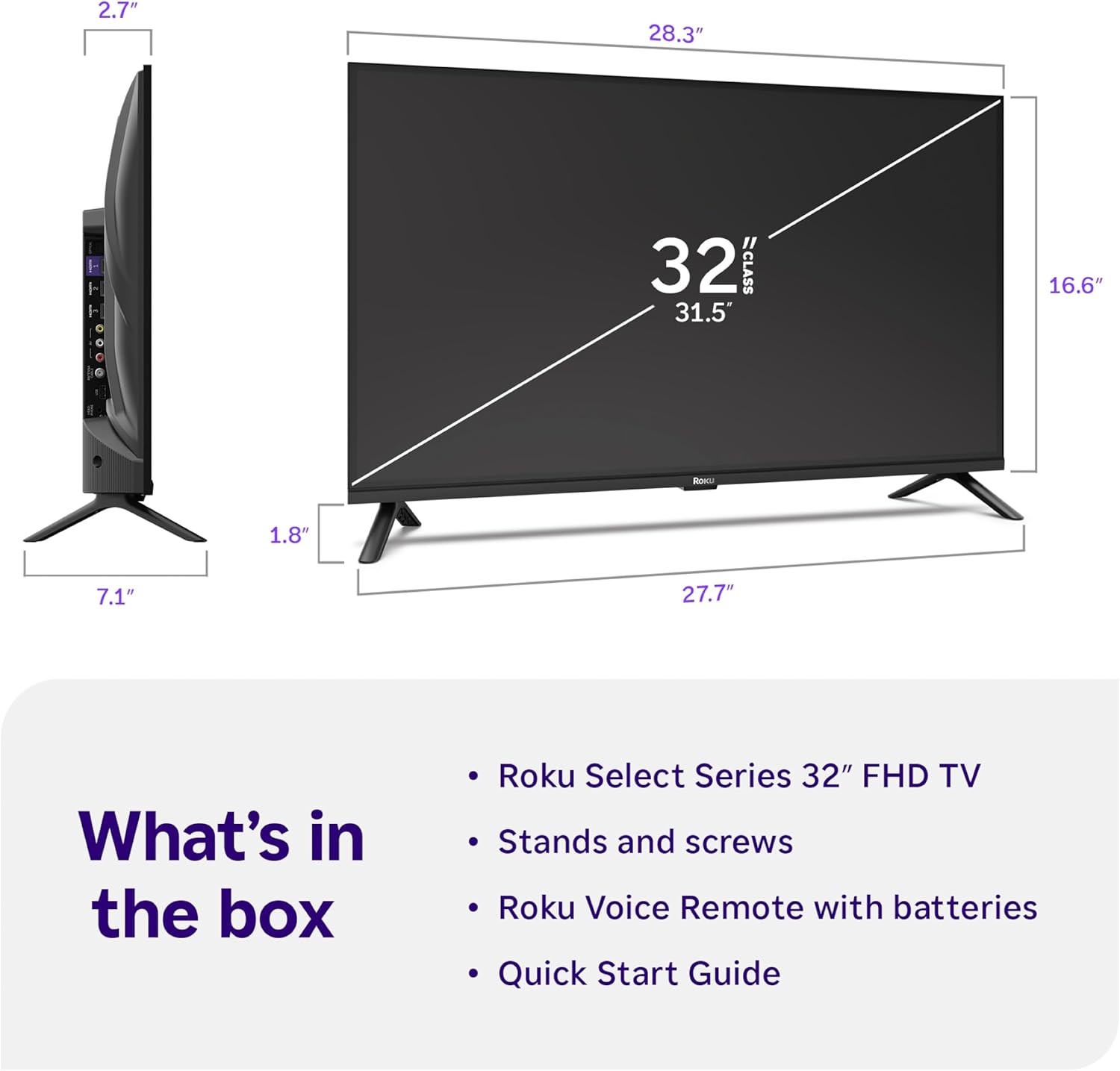
Image: Close-up of the Roku Voice Remote, highlighting buttons for TV power, volume, mute, voice search, instant replay, options, and dedicated app shortcuts.
3. Streaming Apps and Live TV
Access thousands of streaming channels, including Netflix, Disney+, Hulu, Prime Video, and Apple TV+. The Roku Channel also offers free live TV and on-demand content.

Image: A vibrant Roku TV home screen displaying a selection of popular streaming applications and recommended shows.
4. Configuración de imagen
Optimiza tu viewExperiencia con diversas configuraciones de imagen:
- Imagen inteligente de Roku: Automatically adjusts picture mode for optimal viewEn.
- Modos de imagen: Choose from presets like Movie, Sports, Vivid, Standard, or Low Power.
- Personalización: Adjust brightness, contrast, sharpness, color, and tint for a personalized picture.
5. Configuración de sonido
Mejora tu experiencia de audio:
- Sonido Dolby: Enjoy clear speech and louder sound.
- Modos de sonido: Select from Standard, Dialogue, Movie, Music, or Night mode.
- Modo de auriculares Bluetooth: Connect your wireless headphones to listen without disturbing others.

Image: A child wearing wireless headphones while watching the Roku TV, demonstrating the Bluetooth Headphone Mode.
6. Integración de hogares inteligentes
Your Roku TV is compatible with various smart home ecosystems:
- Control de voz: Use Roku Voice, Siri, Alexa, or Google Assistant for hands-free control.
- Apple AirPlay: Effortlessly share videos, photos, and music from your Apple devices.
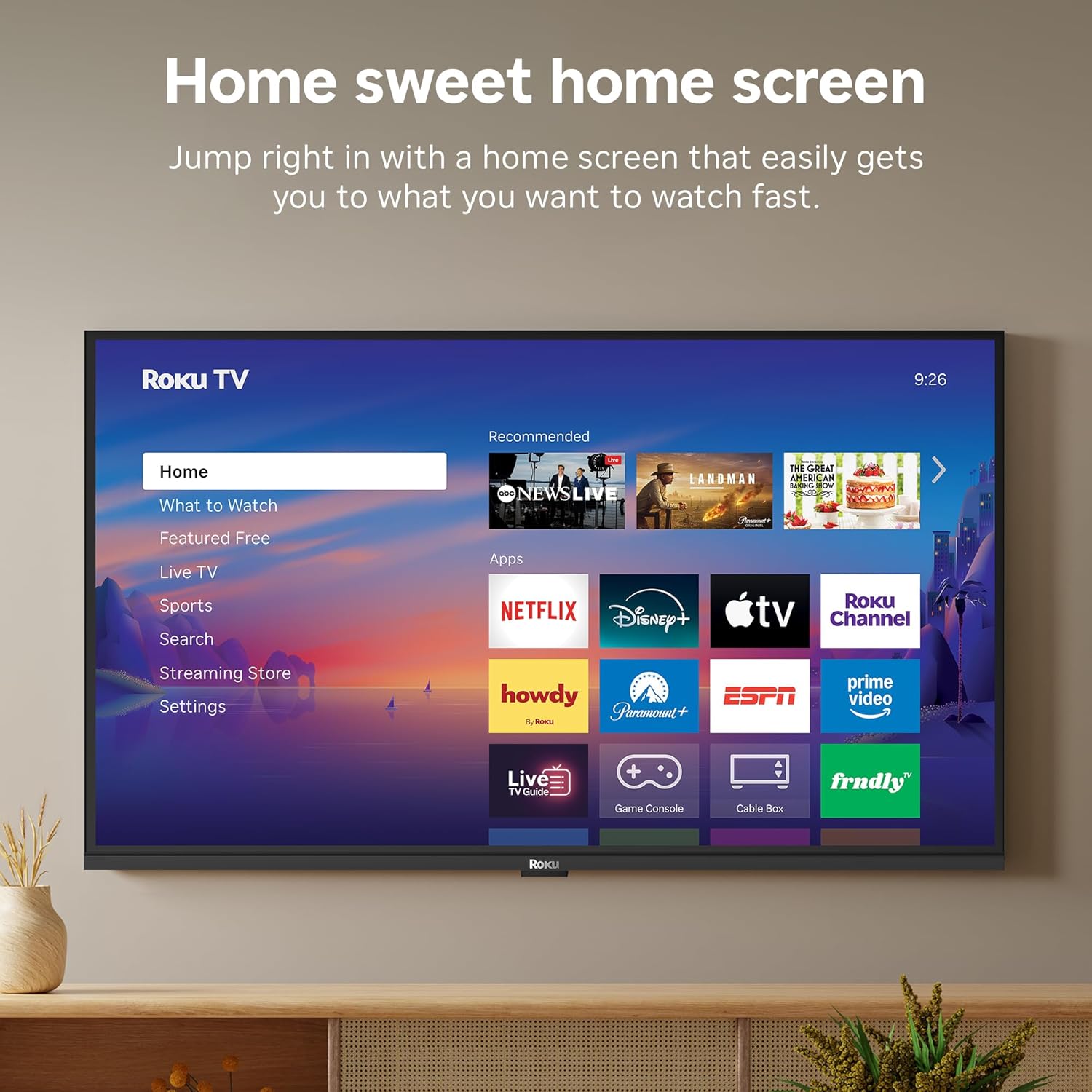
Image: The Roku TV screen displaying smart home compatibility logos for Roku Smart Home, Apple AirPlay, Apple Home, Alexa, and Google Home, with a smart speaker nearby.
7 Controles parentales
Manage content access with built-in parental controls, including V-Chip technology, to ensure a safe viewambiente agradable para los niños.
Vídeo oficial del producto
Vídeo: Un overview of the Roku TV OS, demonstrating its user-friendly interface, app selection, and smart features. This video is provided by Roku, Inc.
Presupuesto
- Tamaño de pantalla:
- 32 pulgadas
- Resolución:
- 1080p Full HD
- Tecnología de visualización:
- CONDUJO
- Frecuencia de actualización:
- 60 Hz
- Características especiales:
- Bluetooth Headphone Mode, Dolby Audio, Voice Remote, Roku Smart Picture
- Tecnología de conectividad:
- Bluetooth, wifi
- Interfaz de hardware:
- 3 HDMI Ports, 1 USB Port, S/PDIF (Optical Audio Out)
- Sistema operativo:
- Sistema operativo Roku
- Dimensiones del producto (Pr x An x Al):
- 7.1" de profundidad x 28.3" de ancho x 18.4" de alto
- Peso del artículo:
- 7.7 libras (con soporte)
- Estándar de montaje VESA:
- 200 x 200 mm
- Número de modelo:
- 32R3E5
- Código postal:
- 829610009469
Solución de problemas
If you encounter issues with your Roku TV, please refer to the following common solutions:
- Sin energía: Asegúrese de que el cable de alimentación esté bien conectado tanto al televisor como a una toma de corriente que funcione. Pruebe con otra toma de corriente.
- Sin imagen/sonido: Verify that the correct input source is selected on your TV. Check all cable connections (HDMI, AV, etc.) for looseness.
- El control remoto no responde: Replace the batteries in your remote control. Ensure there are no obstructions between the remote and the TV.
- Problemas de conexión de red: Restart your Wi-Fi router and modem. Go to the TV's Settings > Network > Check connection to diagnose and reconnect.
- La aplicación no se carga: Restart the app. If the issue persists, try removing and reinstalling the app from the Roku Channel Store.
Para obtener una solución de problemas más detallada, visite el soporte oficial de Roku. websitio.
Mantenimiento
To ensure the longevity and optimal performance of your Roku TV, follow these maintenance guidelines:
- Limpieza de la pantalla: Limpie suavemente la pantalla con un paño de microfibra suave y seco. Para manchas difíciles, limpie ligeramenteampEnjuague el paño con agua o una solución limpiadora de pantallas específica para dispositivos electrónicos. No rocíe el líquido directamente sobre la pantalla.
- Limpieza del cuerpo del televisor: Utilice un paño suave y seco para limpiar el exterior del televisor. Evite limpiadores abrasivos o disolventes.
- Ventilación: Asegúrese de que las aberturas de ventilación del televisor no estén bloqueadas para evitar el sobrecalentamiento. Mantenga suficiente espacio alrededor del televisor para que circule el aire.
- Actualizaciones de software: Your Roku TV automatically receives software updates. Ensure your TV is connected to the internet to receive the latest features and performance improvements.
- Administración de energía: Desconecte el televisor de la toma de corriente durante tormentas eléctricas o cuando lo vaya a dejar desatendido durante períodos prolongados.
Garantía y soporte
Información de garantía
Roku warrants the hardware of this device against defects in materials and workmanship under normal use for a period of one (1) year from the date of purchase ("Warranty Period"). If Roku determines that the device’s hardware is defective during the Warranty Period, Roku’s sole obligation, and your exclusive remedy, will be to either repair or replace the unit with either a new or rebuilt device, at its option. This warranty applies if the device is used in accordance with the provided documentation.
Important information about warranty returns and replacements is available on the Roku support site. You may also return a device for any reason, subject to the terms of the applicable return policy: 1) Within thirty (30) days from the date of purchase from Roku; or 2) within the applicable return period if purchased from an authorized reseller or distributor. Additional details regarding product returns can be found on the Roku support site.
Atención al cliente
For further assistance, technical support, or to access the full range of support resources, please visit the official Roku support webSitio. Allí encontrará preguntas frecuentes, guías de solución de problemas e información de contacto para atención al cliente.