
1. Introducción y másview
The pTron Dynamo Storm 20000mAh Powerbank is a high-capacity portable charging solution designed to keep your devices powered on the go. Featuring 22.5W fast charging, multiple output ports, and convenient built-in cables, this power bank ensures reliable and efficient charging for a wide range of smartphones, tablets, and other USB-powered devices.
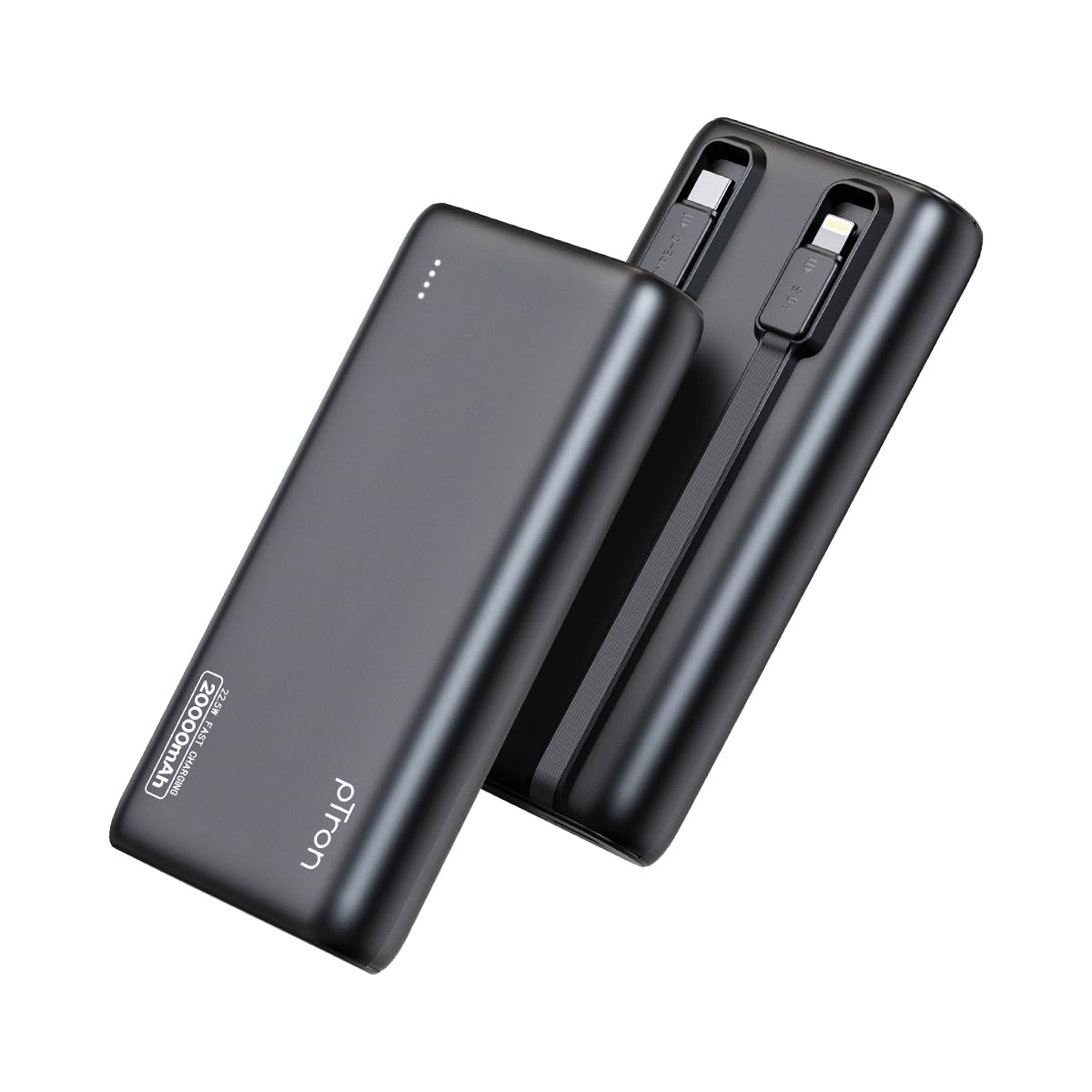
Image: The pTron Dynamo Storm 20000mAh Powerbank, showcasing su diseño compacto y elegante.
2. Características del producto
- 20000 mAh de alta capacidad: Provides multiple charges for smartphones and tablets, ensuring extended device usage.
- Carga rápida de 22.5 W: Supports rapid charging for compatible devices via USB-A and Type-C ports.
- Cables incorporados: Includes integrated Type-C (22.5W) and iOS (10W) cables for convenient charging without carrying extra accessories.
- Múltiples puertos de salida: Equipped with 1x USB-A port, 1x Type-C/PD port, 1x built-in Type-C cable, and 1x built-in iOS cable, allowing simultaneous charging of up to 4 devices.
- Compatibilidad universal: Compatible with various fast charging protocols including PD3.0 (Power Delivery), Quick Charge (QC3.0), VOOC/WARP/DASH, and PPS.
- Funciones de seguridad avanzadas: Multiple layers of protection in the chipset guard against over-charging, over-discharging, over-current, and short circuits.
- Luces indicadoras LED: Four LED lights indicate the remaining battery level of the power bank.
- Diseño apto para viajes: Compact and portable, ideal for daily use and travel.

Image: Diagram illustrating the pTron Dynamo Storm Powerbank's built-in Type-C and iOS cables, along with USB and Type-C output ports.

Image: The pTron Dynamo Storm Powerbank actively charging two smartphones and a tablet, demonstrating its multi-device capability.
3. Configuración
3.1 Carga inicial del banco de energía
- Before first use, fully charge your pTron Dynamo Storm Powerbank.
- Connect the power bank to a compatible wall charger (not included) using the built-in Type-C cable or a separate Type-C to Type-C cable via the Type-C port. The power bank supports 18W input.
- Las luces LED se iluminarán para mostrar el progreso de la carga. Los cuatro LED permanecerán fijos cuando la carga esté completa.
3.2 Comprobación del nivel de la batería
Presione el botón de encendido una vez para comprobar el nivel de batería restante. Los indicadores LED se iluminarán:
- 1 LED: 0-25%
- 2 LED: 25-50%
- 3 LED: 50-75%
- 4 LED: 75-100%
4. Instrucciones de funcionamiento
4.1 Carga de tus dispositivos
The pTron Dynamo Storm Powerbank offers multiple ways to charge your devices:
- Uso de cables incorporados:
- For Type-C devices: Pull out the built-in Type-C cable and connect it to your device's charging port.
- For iOS devices: Pull out the built-in iOS cable and connect it to your device's charging port.
- Usando el puerto USB-A: Connect your device's standard USB charging cable to the USB-A output port on the power bank.
- Using Type-C/PD Port: Connect your device's Type-C charging cable to the Type-C/PD output port on the power bank. This port supports 22.5W fast charging.
Charging will begin automatically. If not, press the power button once. You can charge multiple devices simultaneously using different output options.
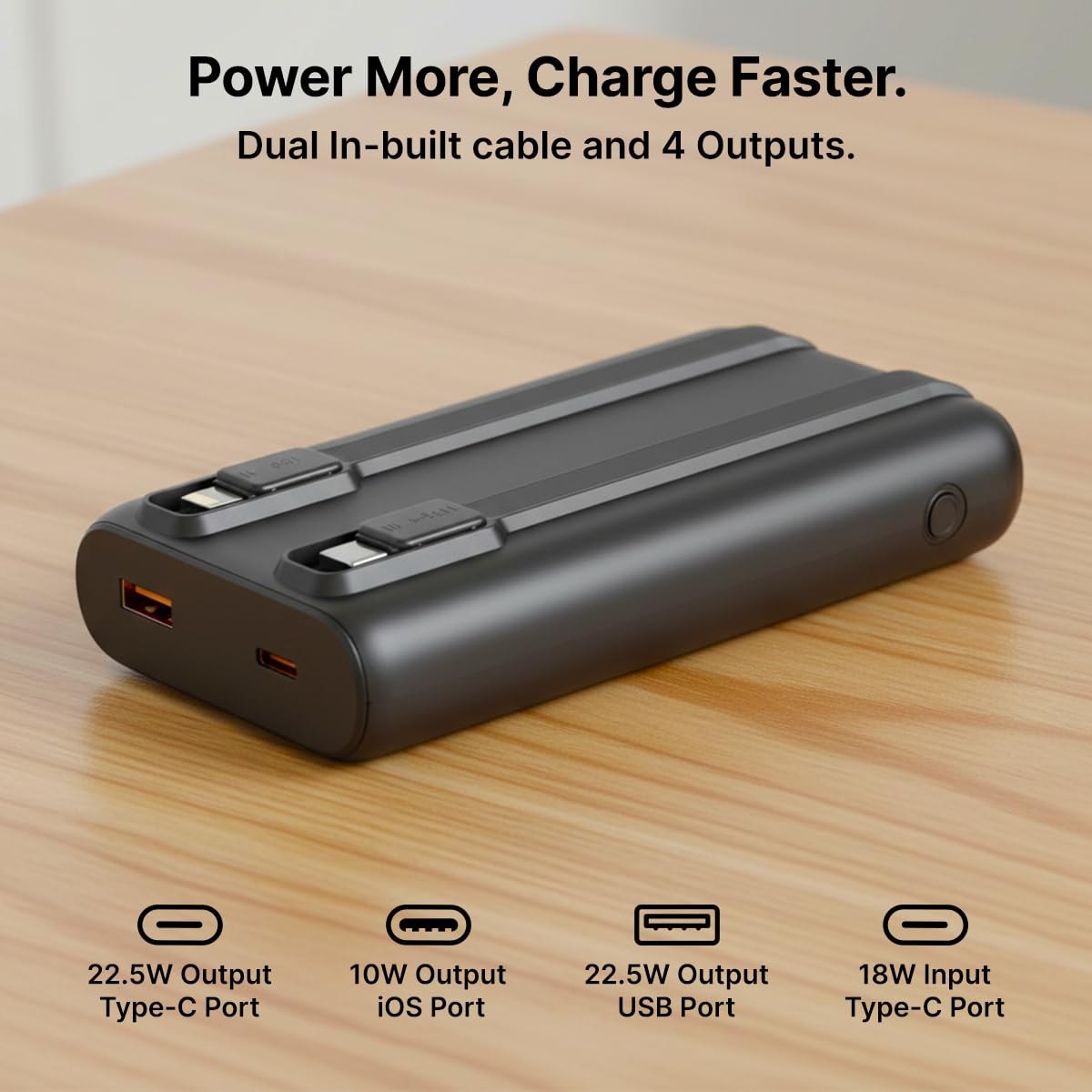
Imagen: Un detalle view of the pTron Dynamo Storm Powerbank's various charging outputs, including the USB-A port, Type-C port, and the integrated Type-C and iOS cables.
4.2 Vídeo oficial del producto
Video: A short demonstration of the pTron Dynamo Storm 20000mAh Powerbank, highlighting its sleek design, multiple charging options, and built-in cables for convenient use.
5. Mantenimiento
- Almacenamiento: Guarde el banco de energía en un lugar fresco y seco, alejado de la luz solar directa y de temperaturas extremas.
- Limpieza: Utilice un paño suave y seco para limpiar la batería externa. No utilice limpiadores líquidos ni productos abrasivos.
- Cuidado de la batería: Para prolongar la vida útil de la batería, cargue completamente la batería externa al menos una vez cada tres meses si no la usa con regularidad. Evite descargarla por completo con frecuencia.
- Manejo: Evite dejar caer o someter el power bank a fuertes impactos.
6. Solución de problemas
6.1 El banco de energía no se carga
- Asegúrese de que el cable de carga esté conectado de forma segura tanto al banco de energía como al cargador de pared.
- Verifique que el cargador de pared esté funcionando correctamente y conectado a una toma de corriente activa.
- Try using a different Type-C cable or wall charger.
6.2 El dispositivo no se carga desde el banco de energía
- Compruebe si el banco de energía tiene suficiente carga (consulte los indicadores LED).
- Ensure the device's charging cable (built-in or external) is securely connected to both the power bank and the device.
- Presione el botón de encendido en el banco de energía para iniciar la carga si no comienza automáticamente.
- Try using a different port or built-in cable.
- Confirme que su dispositivo sea compatible con las especificaciones de salida del banco de energía.
6.3 Carga lenta
- Asegúrese de que tanto el banco de energía como su dispositivo admitan protocolos de carga rápida (PD, QC, etc.).
- Utilice un cable compatible con carga rápida y de alta calidad.
- Cargar varios dispositivos simultáneamente puede reducir la velocidad de carga de los dispositivos individuales.
7. Especificaciones
| Número de modelo | Dynamo Storm |
| Capacidad de la batería | 20000 mAh |
| Entrada (Tipo C) | 18 W |
| Salida (puerto USB-A) | 22.5 W |
| Output (Type-C/PD Port) | 22.5 W |
| Salida (cable tipo C incorporado) | 22.5 W |
| Output (Built-in iOS Cable) | 10 W |
| Tipo de conector | USB tipo A, USB tipo C |
| Características especiales | Built-in Cables, Fast Charging, LED Indicator Lights, Over Charging Protection, Pocket Size |
| Color | Negro |
| Peso del artículo | 414 gramos |
| Dimensiones del paquete | 14.6 x 6.9 x 3.6 cm |
| Fabricante | Palred Electronics Pvt. Ltd. |
8. Garantía y soporte
8.1 Información de garantía
This pTron Dynamo Storm Powerbank comes with a 6 Months manufacturer warranty from the date of purchase, covering manufacturing defects only. Please retain your purchase receipt for warranty claims.
8.2 Atención al cliente
Para cualquier consulta, asistencia técnica o reclamo de garantía, comuníquese con el servicio de atención al cliente de pTron:
- Correo electrónico: soporte@ptron.in
- Teléfono: 040-67138888
© 2026 pTron. Todos los derechos reservados.