
1. Introducción
Thank you for choosing the AULA F3018 Mechanical Keyboard. This keyboard is designed for high-level mechanical performance and robust construction, offering precision for gaming and comfort for typing. It features Blue switches for a tactile and audible click, an ABNT2 layout with 'Ç' for Brazilian Portuguese compatibility, and full RGB lighting with multiple customizable effects. The reinforced braided cable enhances durability and ensures a stable connection. This manual provides essential information for setup, operation, and maintenance of your keyboard.
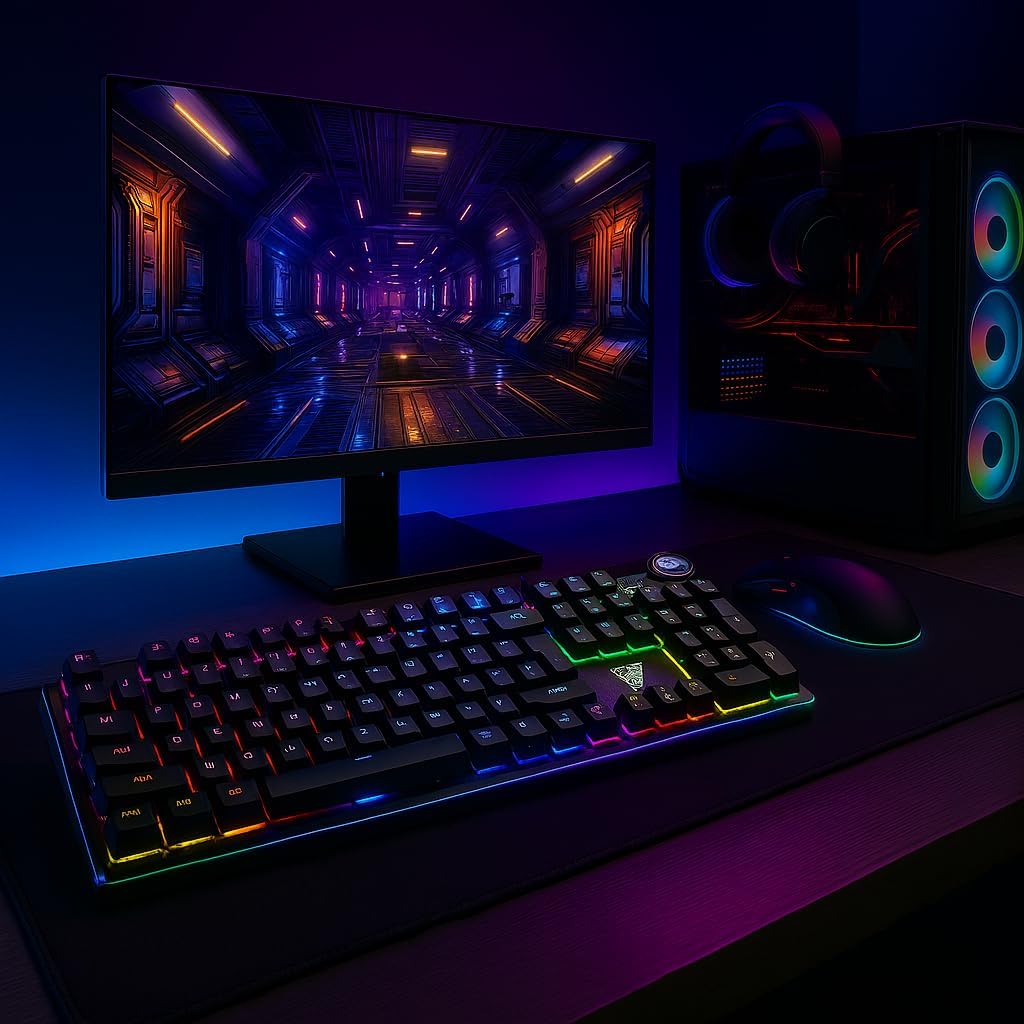
Image 1.1: AULA F3018 Mechanical Keyboard in a typical desktop setup, showcasing its RGB lighting and full-size design.
2. Contenido del paquete
Asegúrese de que todos los artículos estén presentes en el paquete:
- Teclado mecánico AULA F3018
- Cable USB (incluido)
- Manual de usuario (este documento)
3. Configuración
Follow these steps to connect your AULA F3018 Mechanical Keyboard:
- Desembalaje del teclado: Retire con cuidado el teclado de su embalaje.
- Conectar a la computadora: Insert the USB connector of the keyboard's reinforced cable into an available USB port on your computer (PC, Notebook, or MacBook). The keyboard supports USB 2.0 and USB 3.0 ports.
- Instalación del controlador: The keyboard is plug-and-play. Your operating system will automatically detect and install the necessary drivers. No additional software installation is required for basic functionality.
- Verificar conexión: Once connected, the keyboard's RGB lighting should illuminate, indicating a successful connection. You can now begin using your keyboard.

Imagen 3.1: En ángulo view of the AULA F3018 keyboard, highlighting the durable, reinforced USB cable for connection.
4. Instrucciones de funcionamiento
4.1. Funciones básicas
The AULA F3018 is a full-size ABNT2 layout keyboard with 108 keys, providing all standard typing and navigation functions.
4.2. Control de iluminación RGB
The keyboard features full RGB backlighting with multiple effects. Use the following key combinations to control the lighting:
- Fn + [Tecla]: Specific keys may have secondary functions for lighting control. Refer to the keycaps for symbols indicating lighting adjustments.
- Modos de iluminación: Cycle through various lighting effects and patterns.
- Ajuste de brillo: Aumentar o disminuir el brillo de la retroiluminación.
- Ajuste de velocidad: Cambiar la velocidad de los efectos de iluminación dinámicos.

Image 4.1: The AULA F3018 keyboard illuminated with vibrant RGB lighting, demonstrating customizable visual effects.
4.3. Controles multimedia
The keyboard includes dedicated multimedia keys and a volume control knob for convenient media management:
- Perilla de volumen: Rotate the knob clockwise to increase volume, counter-clockwise to decrease volume. Press the knob to mute/unmute audio.
- Teclas multimedia dedicadas: Located above the numeric keypad, these keys provide quick access to functions like Play/Pause, Stop, Previous Track, and Next Track.

Imagen 4.2: Detallada view of the volume control knob and adjacent multimedia keys on the AULA F3018 keyboard.
5. Mantenimiento
Un mantenimiento adecuado garantiza la longevidad y el rendimiento óptimo de su teclado:
- Limpieza: Utilice un paño suave y seco para limpiar la superficie del teclado. Para eliminar el polvo y la suciedad entre las teclas, utilice aire comprimido. Evite el uso de productos químicos agresivos o materiales abrasivos.
- Prevención de derrames: While the keyboard is moisture-resistant, avoid direct liquid spills. In case of a spill, immediately disconnect the keyboard and allow it to dry completely before reconnecting.
- Cuidado de cables: Do not bend or twist the reinforced cable excessively. Store it neatly to prevent damage.
- Almacenamiento: Cuando no utilice el teclado durante períodos prolongados, guárdelo en un entorno limpio y seco, alejado de la luz solar directa y de temperaturas extremas.
6. Solución de problemas
Si tiene problemas con su teclado AULA F3018, consulte los siguientes problemas y soluciones comunes:
- El teclado no responde:
- Asegúrese de que el cable USB esté conectado de forma segura tanto al teclado como a la computadora.
- Intente conectar el teclado a un puerto USB diferente en su computadora.
- Reinicie su computadora.
- Pruebe el teclado en otra computadora para descartar un problema específico de la computadora.
- La iluminación RGB no funciona:
- Check if the lighting is turned off or set to minimum brightness using the keyboard's lighting control functions (e.g., Fn + [Key]).
- Asegúrese de que el teclado esté conectado correctamente y recibiendo energía.
- Teclas que no se registran o se escriben dos veces:
- Clean the affected key(s) with compressed air to remove any debris.
- If the issue persists, it might indicate a hardware fault. Contact customer support.
- Teclas multimedia no funcionan:
- Ensure your operating system's media player is active and in focus.
- Compruebe si hay software o controladores conflictivos.
7. Especificaciones
| Característica | Descripción |
|---|---|
| Nombre del modelo | Teclado mecánico AULA F3018 |
| Número de modelo | F3018 |
| Marca | AULA (Generic) |
| Tipo de interruptor | Tactile Blue Switch |
| Disposición del teclado | ABNT2 (Portuguese) |
| Número de llaves | 108 |
| Conectividad | Wired (USB, USB 2.0, USB 3.0) |
| Iluminar desde el fondo | Full RGB, Adjustable |
| Dispositivos compatibles | MacBook, Notebook, PC |
| Material | Acrilonitrilo butadieno estireno (ABS) |
| Color | Negro |
| Dimensiones (L x An x Al) | 44 cm x 14 cm x 3 cm |
| Nivel de resistencia al agua | Resistente a la humedad |
| Usos recomendados | Gaming, Personal, Programming |
| Componentes incluidos | Cable USB |
| País natal | Porcelana |

Image 7.1: Dimensions of the AULA F3018 Mechanical Keyboard, showing its length, width, and height.

Image 7.2: Key features of the AULA F3018 keyboard, including switch type, layout, and connectivity.
8. Garantía y soporte
The AULA F3018 Mechanical Keyboard comes with a Garantía del vendedor de 30 días A partir de la fecha de compra. Esta garantía cubre defectos de fabricación en condiciones normales de uso.
For technical support, warranty claims, or any questions regarding your product, please contact your retailer or the seller directly. Please retain your proof of purchase for warranty validation.