
Introducción
The Cooler Master MasterLiquid Atmos II LCD is an all-in-one (AIO) CPU liquid cooler designed for high-performance thermal management and aesthetic customization. It features a 360mm radiator, a customizable LCD display, three ARGB PWM fans, and a dual-chamber pump. This manual provides essential information for the installation, operation, maintenance, and troubleshooting of your Atmos II 360 LCD liquid cooler.
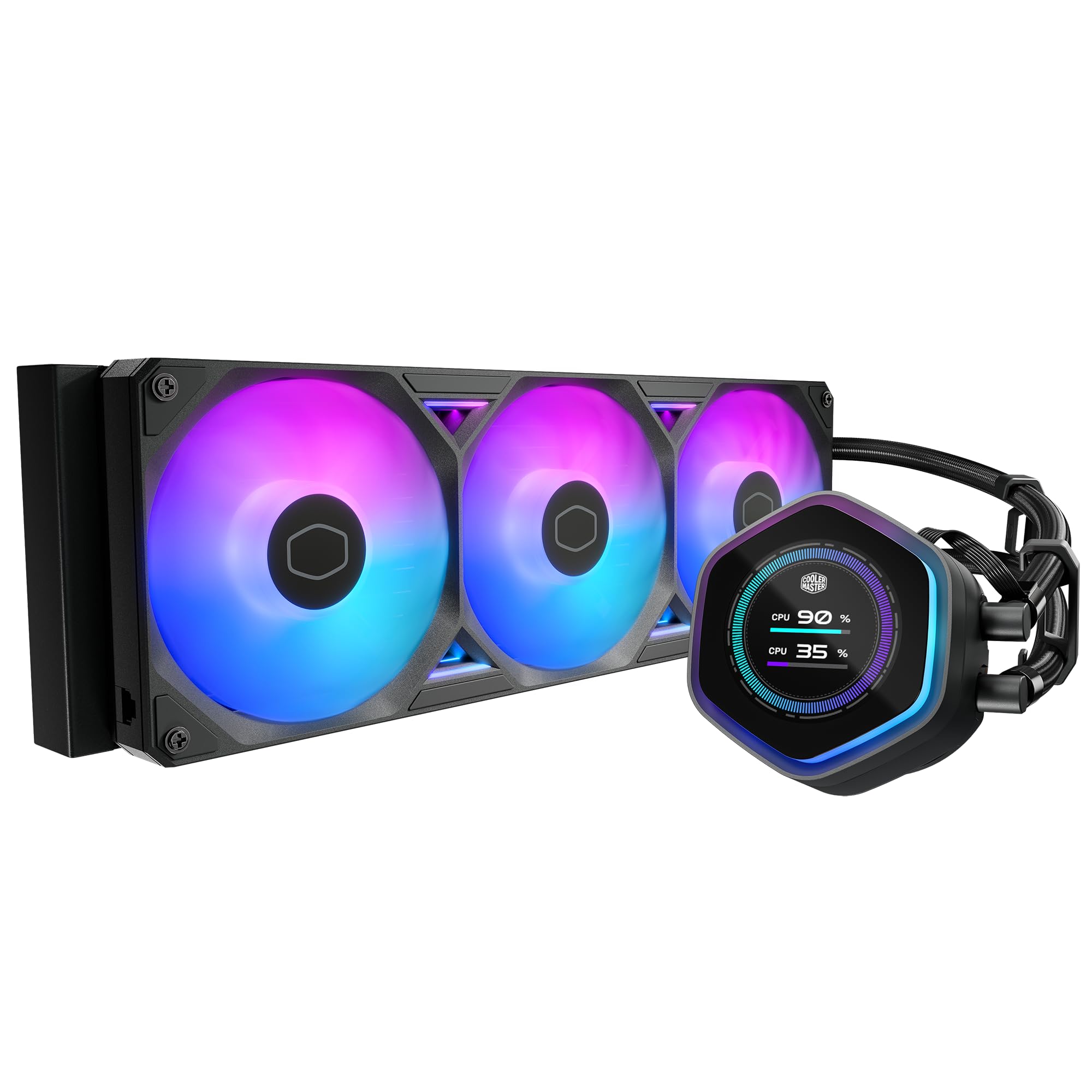
Image: The Cooler Master Atmos II 360 LCD AIO CPU Liquid Cooler, showcasing its radiator, ARGB fans, and the LCD pump block.
Configuración e instalación
Before beginning installation, ensure your system is powered off and disconnected from the power source. Refer to your motherboard and PC case manuals for specific guidance on component placement and cable routing.
Contenido del paquete
Verifique que todos los componentes estén presentes en la caja:
- Atmos II 360 LCD Panel
- SickleFlow 360 Fans (3x)
- Dual Pump Cover
- Installation Kit (mounting brackets, screws, thermal paste)
- Manual de usuario
Montaje del refrigerador
The Atmos II 360 LCD features a streamlined mounting system for quick and easy installation across major CPU platforms, including AMD AM5/AM4 and Intel LGA 1851/1700.

Image: Diagram illustrating the Intel and AMD mounting brackets for quick installation.
For Intel LGA 1851 platforms, specific offset brackets are included to optimize thermal contact with the CPU hotspot, potentially lowering core temperatures by up to 4°C. Consult the included installation guide for detailed, step-by-step instructions specific to your CPU socket type.

Image: Comparison of heat distribution with standard and offset mounting brackets for Intel LGA 1700 and LGA 1851, highlighting the benefit of offset brackets for LGA 1851.
Gestión de cables
The cooler is engineered for simplicity, with cables routed internally through the tubes. All fans connect with a single cable, contributing to a cleaner and more organized build.

Imagen: Detallada view of the cooler's tubing, illustrating the integrated cable management for a tidy setup.
Operación
LCD Panel and Software Control
The integrated LCD panel on the pump block allows for enhanced personalization. It can display system statistics, custom images, or animations. Control and customization of the LCD panel and ARGB lighting are managed through the Cooler Master MasterCTRL software.

Image: The MasterCTRL software interface demonstrating options for customizing the LCD panel display, including system statistics and visual effects.
Download the latest MasterCTRL software from the official Cooler Master website to unlock full customization options and monitor your cooler's performance.
Dual-Chamber Pump Technology
The patented dual-chamber pump design enhances cooling efficiency by boosting water pressure and optimizing flow directly to CPU hotspots. This design contributes to quiet, maintenance-free cooling, suitable for high-performance processors like Ryzen 9 and Intel Ultra i9.

Image: Cross-section diagram of the dual-chamber pump, showing the optimized water flow path for efficient heat transfer.
Mantenimiento
The Atmos II liquid cooler is built for durability and requires minimal maintenance.
Durability and Construction
The pump is constructed with PPS (Polyphenylene Sulfide) and fiberglass, engineered to withstand extreme temperatures up to 70°C for 3,000 hours and 120°C for 12 hours, ensuring long-lasting performance.

Imagen: interna view of the pump, highlighting the durable PPS and fiberglass construction designed for longevity.
Cuidados generales
- Limpieza: Limpie periódicamente las aletas del radiador y las aspas del ventilador para evitar la acumulación de polvo, que puede dificultar el flujo de aire y la refrigeración. Utilice aire comprimido o un cepillo suave.
- Inspección: Regularly inspect tubing and connections for any signs of leaks or damage.
- Actualizaciones de software: Keep the MasterCTRL software updated to ensure optimal performance and access to the latest features.
Personalización
Dual Cover Styles
The Atmos II LCD comes with two decorative top covers that attach magnetically, allowing you to easily switch styles to match your build's aesthetic.

Image: The two included magnetic pump covers, demonstrating how they can be swapped to change the cooler's appearance.
Community Customization
Cooler Master supports community customization by providing open-source design files. This allows users to 3D print their own pump covers, faceplates, or custom labels, further personalizing their cooler.

Image: A QR code linking to downloadable 3D files for community customization, with examples of custom pump covers and accessories.
Flex-Kit Modularity Video
Video: This official Cooler Master video demonstrates the Flex-Kit Modularity of the Atmos II series, showcasing how different pump covers and customization options can be easily applied.
Solución de problemas
- Sin energía/Los ventiladores no giran: Ensure all power cables (4-pin PWM for fans, SATA power for pump/LCD) are securely connected to the motherboard and power supply. Check motherboard BIOS settings for fan control.
- Altas temperaturas de la CPU: Verify that the pump block is correctly seated on the CPU and that thermal paste was applied properly. Ensure fans are oriented correctly for optimal airflow (pushing or pulling air through the radiator). Check for dust buildup on the radiator.
- LCD Not Displaying/ARGB Not Working: Confirm that the USB cable for the LCD and ARGB cables are correctly connected to the motherboard. Ensure MasterCTRL software is installed and running. Check for driver updates for your motherboard's ARGB controller.
- Ruidos inusuales: A slight gurgling sound during initial startup is normal as air bubbles settle. If persistent or loud, check for proper mounting and ensure the pump is running at an adequate speed.
Presupuesto
| Característica | Detalle |
|---|---|
| Número de modelo | MLX-D36M-A25SZ-L1 |
| Dimensiones del producto | 14.2" de largo x 4.8" de ancho x 1" de alto |
| Método de enfriamiento | Ventilador, Agua |
| Dispositivos compatibles | CPU, Escritorio |
| Nivel de ruido | 38.5 decibelios |
| Material | Aluminio, cobre, plástico |
| Velocidad máxima de rotación | 2500 RPM |
| Capacidad de flujo de aire | 190 pies cúbicos por minuto |
| Tipo de conector de alimentación | 4 pines |
| Peso del artículo | 3.1 libras |
| Componentes incluidos | Atmos II 360 LCD Panel, SickleFlow 360 Fan, Dual Pump Cover, Manual, Install Kit |
Información de garantía
The Cooler Master Atmos II 360 LCD AIO CPU Liquid Cooler is backed by a Garantía del fabricante de 6 años. Please retain your proof of purchase for warranty claims. For detailed terms and conditions, refer to the official Cooler Master warranty policy available on their websitio.
Apoyo
For further assistance, technical support, or to download the latest software and drivers, please visit the official Cooler Master websitio:
You can also find additional resources, FAQs, and community forums on their support pages.