
SANSUI W12
Manual de usuario de los auriculares con traducción automática SANSUI W12
Modelo: W12 | Marca: SANSUI
1. Introducción
The SANSUI W12 AI Translation Earbuds are designed to facilitate real-time language translation, high-definition calls, and immersive audio experiences. Featuring advanced Bluetooth 6.0 technology and an open-ear design, these earbuds offer comfort and functionality for various daily activities, including travel, business, and learning.

Image: SANSUI W12 AI Translation Earbuds and their compact charging case.
Video: A detailed physical display of the SANSUI W12 AI Translation Earbuds, showcasing su diseño y características.
2. ¿Qué hay en la caja?
Upon unboxing your SANSUI W12 AI Translation Earbuds, you should find the following items:
- Auriculares con traducción automática SANSUI W12 (izquierdo y derecho)
- Estuche de carga
- Cable de carga USB-C
- Manual de usuario W12
- SANSUI AI Smart App User Guide

Imagen: Todos los elementos incluidos en el embalaje del producto SANSUI W12.
3. Configuración
3.1. Descarga e instalación de la aplicación
The SANSUI AI Smart App is essential for utilizing the full translation capabilities of your earbuds. You can download it via QR code or by searching in your device's app store.
- Escanear código QR: Locate the QR code on the product packaging or in the included user guide. Use your phone's built-in QR code scanner to scan it. This will direct you to a download page.
- Select Your System: On the download page, select your operating system (Android or iOS).
- Descargar desde la App Store: You will be redirected to the Google Play Store (for Android) or the Apple App Store (for iOS). Download and install the "SANSUI" app.
- Direct Search: Alternatively, open your device's app store (Google Play Store or Apple App Store) and search for "SANSUI" to find and install the app directly.
Video: Instructions for downloading and connecting the SANSUI App on Android devices.
Video: Tutorial for downloading the SANSUI AI Smart App on iOS devices.
3.2. Emparejamiento Bluetooth
Follow these steps to pair your SANSUI W12 earbuds with your smartphone:
- Asegúrese de que Bluetooth esté habilitado en su teléfono inteligente.
- Abre el estuche de carga y retira ambos auriculares. Entrarán automáticamente en modo de emparejamiento.
- En su teléfono, vaya a la configuración de Bluetooth y busque los dispositivos disponibles.
- Select "SANSUI W12" from the list of available devices to connect.
- Once connected, open the SANSUI AI Smart App. In the app, click the "+" sign to search for and connect to your earbuds within the application.

Image: The SANSUI AI Smart App interface, displaying EQ settings and device connection status.
4. Instrucciones de funcionamiento
4.1. Traducción en tiempo real
The SANSUI W12 earbuds support over 100 languages for real-time translation through the AI Smart App.
- Open the SANSUI AI Smart App and navigate to the AI function window.
- Select your desired translation mode (e.g., Voice Translation, Text Translation, Simultaneous Interpretation, Conversation Translation).
- Seleccione los idiomas de origen y destino para la traducción.
- Press the record button or follow the on-screen prompts to begin the translation conversation.

Image: Demonstrates various scenarios where the earbuds facilitate communication, such as learning, travel, and business meetings.
Vídeo: Un overview of the SANSUI W12 AI Translation Earbuds model experience, highlighting its features in use.
4.2. Reproducción de audio y llamadas
The earbuds provide immersive 8D surround sound and clear communication with dual microphones and advanced noise cancellation.
- Reproducción de música: Enjoy high-fidelity audio for music. The AI Smart App allows for customizable sound effects and EQ settings.
- Llamadas de alta definición: The dual microphones and noise cancellation ensure clear voice transmission during calls.
- Grabación de reuniones inteligentes: Utilize the smart meeting recording feature for transcribing conversations.

Image: A user wearing the earbuds, with icons representing key functionalities: Music, Audio control, Calls, Smart meeting transcription, AI models, and Translation.
4.3. Diseño ergonómico y comodidad
The SANSUI W12 features an open-ear design with TPEE ear hooks for comfort and stability.
- Diseño de oído abierto: Allows for ambient sound awareness, enhancing safety during activities like cycling or jogging.
- Ajuste seguro: TPEE elastic ear hooks prevent the earbuds from falling out during physical activity.
- Apto para gafas: The slim ear hooks are designed to be comfortable for users who wear glasses.

Image: A visual comparison of open-ear versus in-ear earbud designs, emphasizing the comfortable and secure fit of the SANSUI W12.

Image: A person wearing the SANSUI W12 earbuds comfortably with eyeglasses, showcasing the ergonomic design for glasses wearers.
5. Mantenimiento
Para garantizar la longevidad y el rendimiento óptimo de sus auriculares SANSUI W12 AI Translation, siga estas pautas de mantenimiento:
- Limpieza: Limpie suavemente los auriculares y el estuche de carga con un paño suave y seco. Evite usar materiales abrasivos o productos químicos agresivos.
- Resistencia al agua: The earbuds feature a nano-coating for water resistance, protecting against sweat and light rain. However, they are not designed for submersion in water. Avoid prolonged exposure to moisture.
- Cargando: Use the provided USB-C cable for charging. Ensure the charging ports are clean and dry before connecting.
- Almacenamiento: Guarda los auriculares en su estuche de carga cuando no los uses para protegerlos y mantenerlos cargados. Guárdalos en un lugar fresco y seco, alejado de temperaturas extremas.
6. Solución de problemas
Si tiene problemas con sus auriculares SANSUI W12, consulte las siguientes soluciones comunes:
- Earbuds Not Connecting to Phone:
- Asegúrese de que Bluetooth esté habilitado en su teléfono.
- Asegúrese de que los auriculares estén cargados y fuera del estuche de carga.
- Olvide el dispositivo en la configuración de Bluetooth de su teléfono e intente emparejarlo nuevamente.
- Reinicia tu teléfono y los auriculares.
- Problemas con la descarga de aplicaciones:
- Verifique su conexión a Internet.
- Asegúrese de que el sistema operativo de su dispositivo esté actualizado.
- Clear the cache of your app store (Google Play Store or Apple App Store).
- If scanning the QR code doesn't work, try searching for "SANSUI" directly in the app store.
- Translation Inaccuracies or Lag:
- Ensure a stable internet connection for optimal real-time translation.
- Hable con claridad y a un ritmo moderado.
- Check the selected languages in the app to ensure they are correct.
- Update the SANSUI AI Smart App to the latest version.
- Mala calidad de sonido:
- Asegúrese de que los auriculares estén colocados correctamente en sus oídos.
- Adjust the EQ settings within the SANSUI AI Smart App.
- Limpie cualquier residuo de los altavoces de los auriculares.
7. Especificaciones
| Característica | Detalle |
|---|---|
| Nombre del modelo | W12 |
| Marca | Sansui |
| Tecnología de conectividad | Inalámbrico (Bluetooth 6.0) |
| Alcance de Bluetooth | 15 metros |
| Duración de la batería (auriculares) | Hasta 8 horas por carga |
| Duración total de la batería (con estuche) | 42 horas |
| Tiempo de carga | 1.5 horas (Tipo C) |
| Tamaño del controlador de audio | 14.2 milímetros |
| Control de ruido | Cancelación activa de ruido |
| Nivel de resistencia al agua | Water Resistant (Nano-coating) |
| Peso del artículo (auriculares) | 8.3 g por auricular |
| Tipo de control | App Control / Touch Control / Volume Control |
| Dispositivos compatibles | Cellphones, Gaming Consoles, Laptops, Tablets, Telephones |
| Características especiales | Integrated Equalizer, Noise Cancellation, Surround Sound, Touch Control, Volume Control, AI Translation, Smart Meeting Recording |

Image: Technical diagram highlighting the Bluetooth 6.0 technology and 14.2mm dynamic driver for superior audio performance.
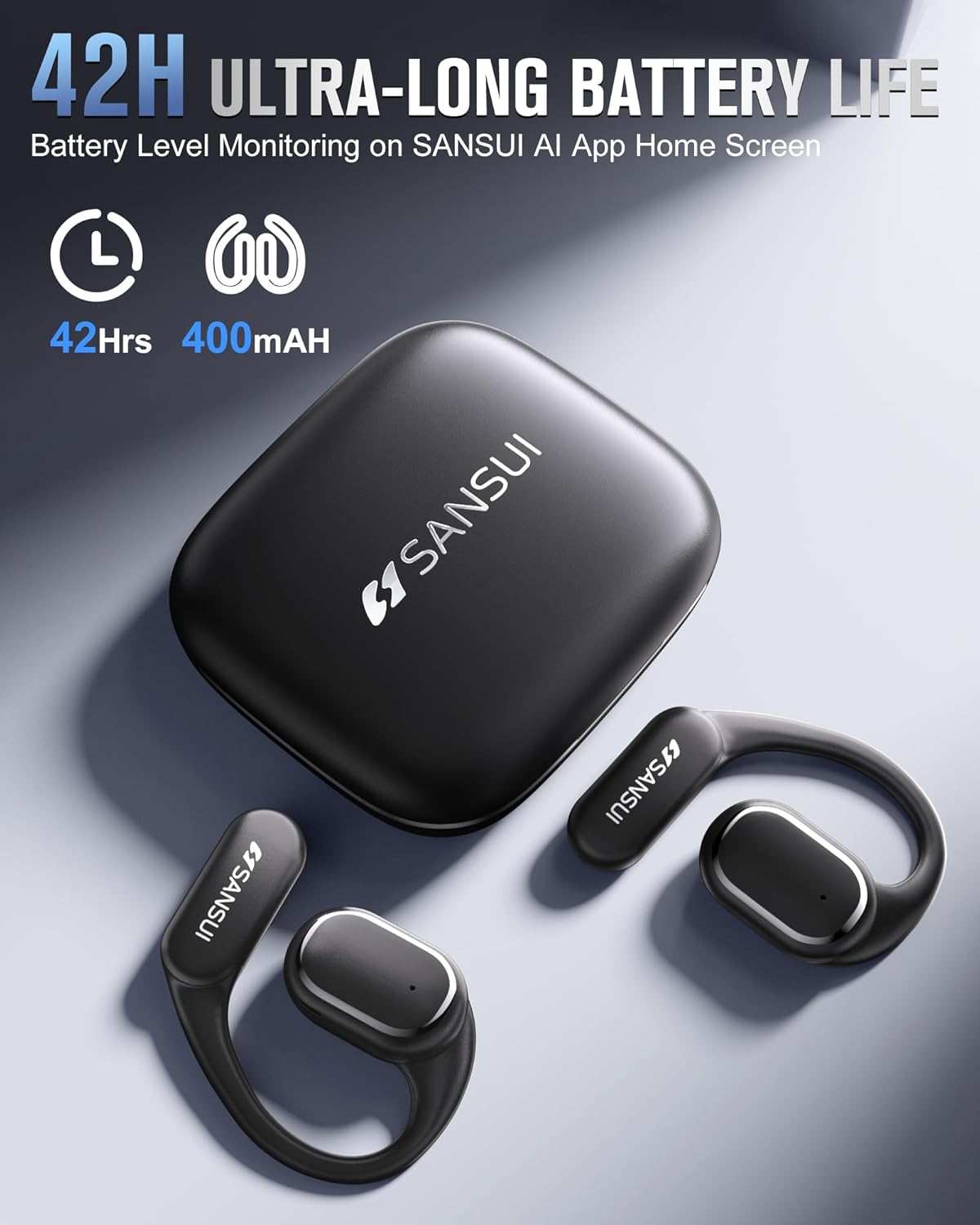
Image: The SANSUI W12 earbuds and charging case, illustrating the 42-hour ultra-long battery life.
8. Garantía y soporte
SANSUI is committed to providing quality products and customer satisfaction. For any inquiries or support needs, please refer to the following:
- Garantía: The product comes with a standard manufacturer's warranty. Please refer to the warranty card included in your packaging for specific terms and conditions.
- Atención al cliente: For technical assistance, troubleshooting, or general inquiries, please visit the official SANSUI website or contact their customer service. Contact information can be found in the user manual or on the SANSUI AI Smart App.
- Planes de protección: Extended protection plans are available for purchase separately to cover your device beyond the standard warranty period.
Ask a question about this manual
Ask about setup, troubleshooting, compatibility, parts, safety, or missing instructions. Manuals+ will review the question and use this page’s manual context to help answer it.