
pericat GC003A
Pericat Smart Projector GC003A User Manual
Model: GC003A
1. Introducción
This manual provides detailed instructions for the setup, operation, maintenance, and troubleshooting of your Pericat Smart Projector GC003A. Please read this manual thoroughly before using the projector to ensure proper function and longevity.
The Pericat Smart Projector GC003A features officially licensed streaming apps, 1800 ANSI lumens brightness, 4K decoding support, native 1080P resolution, Wi-Fi 6, two-way Bluetooth 5.3, electric focus, and auto vertical keystone correction.
2. Contenido del paquete
Verifique que todos los artículos estén presentes en el paquete:
- Pericat Smart Projector GC003A
- Mando a distancia
- Adaptador de corriente
- Cable HDMI
- Manual de usuario
- (Los accesorios adicionales pueden variar)

Image: Pericat Smart Projector GC003A with remote control, power cable, and other accessories.
3. Configuración
3.1 Ubicación del proyector
Place the projector on a stable, flat surface or mount it using a tripod. Ensure the lens is facing the projection surface (wall or screen). The optimal projection distance ranges from 2.5 feet to 16.67 feet, allowing for an image size from 30 inches to 200 inches.

Image: The Pericat Smart Projector placed on a table, projecting onto a wall in a living room setting.
3.2 Conexión de alimentación
- Conecte el adaptador de corriente al puerto de entrada de alimentación del proyector.
- Conecte el adaptador de corriente a una toma de pared.
- Press the power button on the projector or remote control to turn it on. The system should display within 10 seconds.
3.3 Enfoque y corrección trapezoidal
The projector features electric focus and auto vertical keystone correction for a clear and properly aligned image.
- Enfoque eléctrico: Use the remote control to adjust the focus. Press the designated focus buttons (e.g., F+ / F-) to achieve a sharp image. This process typically takes less than 5 seconds.
- Corrección trapezoidal vertical automática: The projector automatically adjusts the vertical image distortion when placed at an angle, ensuring a rectangular projection.

Image: A visual representation of the motorized focus and keystone correction features, showing how the remote control adjusts the image clarity and shape.
Video: Demonstration of the Smart Projector with WiFi and Bluetooth, showcasing its features and ease of use. This video is provided by the seller.
4. Instrucciones de funcionamiento
4.1 Funciones y aplicaciones inteligentes
The projector is officially licensed by Netflix and includes pre-installed streaming applications such as Netflix, Prime Video, and YouTube. Users can switch between these platforms directly. A dedicated Netflix button on the remote control provides direct access to the Netflix profile page. The system is designed for quick startup and access to streaming content.
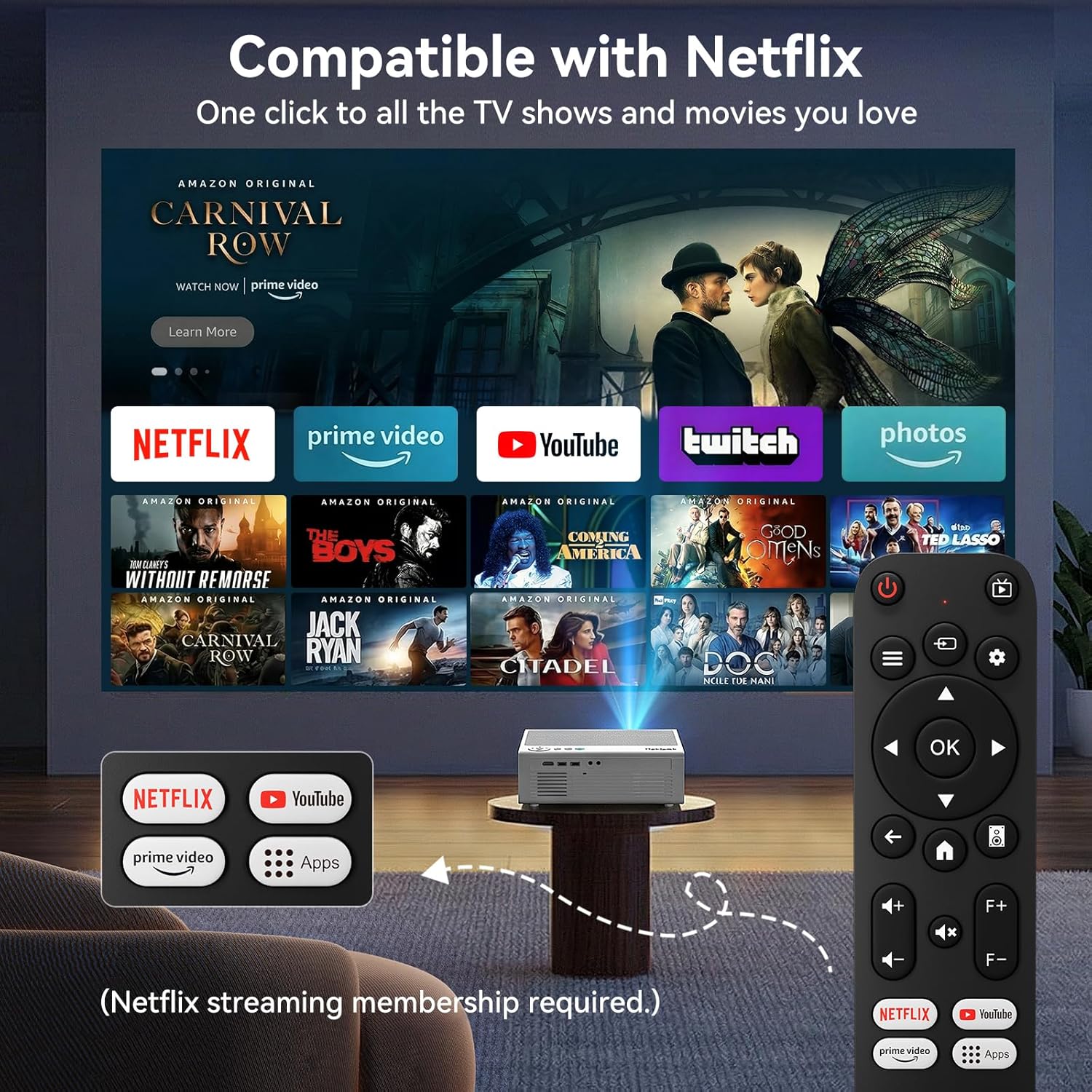
Image: The projector displaying a home screen with various streaming applications like Netflix, Prime Video, and YouTube, controlled by the remote.
4.2 Conectividad (Wi-Fi y Bluetooth)
- Wifi 6: Connect to your home network for high-speed, stable streaming. Navigate to the settings menu to configure Wi-Fi.
- Bluetooth 5.3 bidireccional: Pair with external Bluetooth speakers, soundbars, or headphones for enhanced audio. The two-way functionality also allows the projector to receive audio from other Bluetooth devices.

Image: The projector demonstrating Wi-Fi 6 and Bluetooth 5.3 connectivity, showing wireless casting from a smartphone.
4.3 Compatibilidad de dispositivos
El proyector admite varias fuentes de entrada:
- HDMI: Connect gaming consoles (PS4/PS5), TV sticks, and laptops.
- USB: Two USB ports for U-disks or other USB devices.
- AV: Connect DVD players or older devices.
- Salida de audio: Connect external headsets or speakers via a 3.5mm audio jack.
- Transmisión inalámbrica: Supports casting from smartphones (iOS/Android) and tablets.

Image: The projector's rear panel showing various input ports (HDMI, USB, AV) and compatible devices like gaming consoles, TV sticks, tablets, and smartphones.
5. Mantenimiento
Un mantenimiento adecuado garantiza la longevidad y el rendimiento óptimo de su proyector.
- Limpieza de la lente: Utilice un paño suave y sin pelusa, especialmente diseñado para lentes ópticas. Evite materiales abrasivos o productos químicos agresivos.
- Eliminación de polvo: Regularly clean the projector's exterior with a soft, dry cloth. Ensure ventilation ports are clear of dust to maintain efficient heat dissipation.
- Almacenamiento: Cuando no utilice el proyector durante períodos prolongados, guárdelo en un lugar fresco y seco, alejado de la luz solar directa y de temperaturas extremas.
- Fuente de luz: The advanced LED light source has a lifespan of up to 100,000 hours, requiring no regular bulb replacement.
- Gestión del calor: The projector is designed with excellent heat dissipation, allowing for continuous use without overheating.
6. Solución de problemas
Si encuentra problemas, consulte los siguientes problemas y soluciones comunes:
| Problema | Posible causa / solución |
|---|---|
| No hay imagen o mensaje "Sin señal" |
|
| Imagen borrosa |
|
| Imagen distorsionada (forma trapezoidal) |
|
| Sin sonido o mala calidad de audio |
|
| Las aplicaciones no se cargan o se bloquean |
|
Para obtener más ayuda, comuníquese con atención al cliente.
7. Especificaciones
| Característica | Detalle |
|---|---|
| Marca | pericat |
| Nombre del modelo | GC003A |
| Resolución nativa | 1920 x 1080 (1080P nativo) |
| Resolución máxima de pantalla | 3840 x 2160 (compatible con 4K) |
| Brillo | Lúmenes 1800 ANSI |
| Relación de contraste | 10000:1 píxeles |
| Tecnología de conectividad | Wi-Fi 6, Bluetooth 5.3, HDMI, USB, AV |
| Tipo de pantalla | Pantalla LCD |
| Vida útil de la fuente de luz | Hasta 100,000 horas |
| Tamaño máximo de imagen | 200 pulgadas |
| Tamaño mínimo de imagen | 30 pulgadas |
| Distancia máxima de proyección | 16.67 pies |
| Distancia mínima de lanzamiento | 2.5 pies |
| Características especiales | Built-In Media Player, Built-In Speaker, Built-In Wi-Fi, Digital Keystone Correction, Smart AI Chip, Electric Focus |
| Dimensiones del artículo L x W x H | 9.37" de largo x 6.97" de ancho x 3.46" de alto |
8. Garantía y atención al cliente
Your Pericat Smart Projector GC003A comes with a 1-year manufacturer's warranty.
For any technical assistance, warranty claims, or product inquiries, please contact our customer support team. We offer 24/7 customer support and lifetime technical support.
Contact information can typically be found on the product packaging or the official Pericat websitio.

Image: Icons representing 24-hour customer service, 30-day return policy, 1-year replacement warranty, and lifetime support.
Documentos relacionados - GC003A
 |
Proyector Pericat PJ108: Full HD 1080p, compatible con 4K, 13000 lúmenes - Especificaciones técnicas Especificaciones detalladas del proyector Pericat PJ108: resolución nativa Full HD 1080p, compatibilidad con 4K, brillo de 13 000 lúmenes, fuente de luz LED y amplias opciones de conectividad. Conozca sus características, rendimiento y detalles técnicos. |
Ask a question about this manual
Ask about setup, troubleshooting, compatibility, parts, safety, or missing instructions. Manuals+ will review the question and use this page’s manual context to help answer it.