
1. Introducción
This manual provides instructions for the installation, operation, and maintenance of your LongPlus 5MP 3K Window Camera. Please read this manual thoroughly before using the product to ensure correct usage and to prevent damage.
2. Información de seguridad
Tenga en cuenta las siguientes precauciones de seguridad para evitar lesiones o daños al dispositivo:
- No exponga la cámara a temperaturas extremas, humedad o luz solar directa.
- Utilice únicamente el adaptador de corriente y el cable de carga proporcionados.
- Mantenga la cámara alejada del agua y otros líquidos.
- No intente desmontar ni reparar la cámara usted mismo. Contacte con el servicio de atención al cliente para obtener ayuda.
- Asegúrese de que la cámara esté montada de forma segura para evitar que se caiga.
3. Contenido del paquete
Verifique que todos los artículos estén presentes en el paquete:
- Window Security Camera (2 units)
- Quick-mount Bracket
- Cable de carga
- Manual de usuario (este documento)
4. Producto terminadoview
The LongPlus 5MP 3K Window Camera is designed for indoor security, offering high-resolution video and advanced detection features. Its compact design allows for discreet placement on windows.
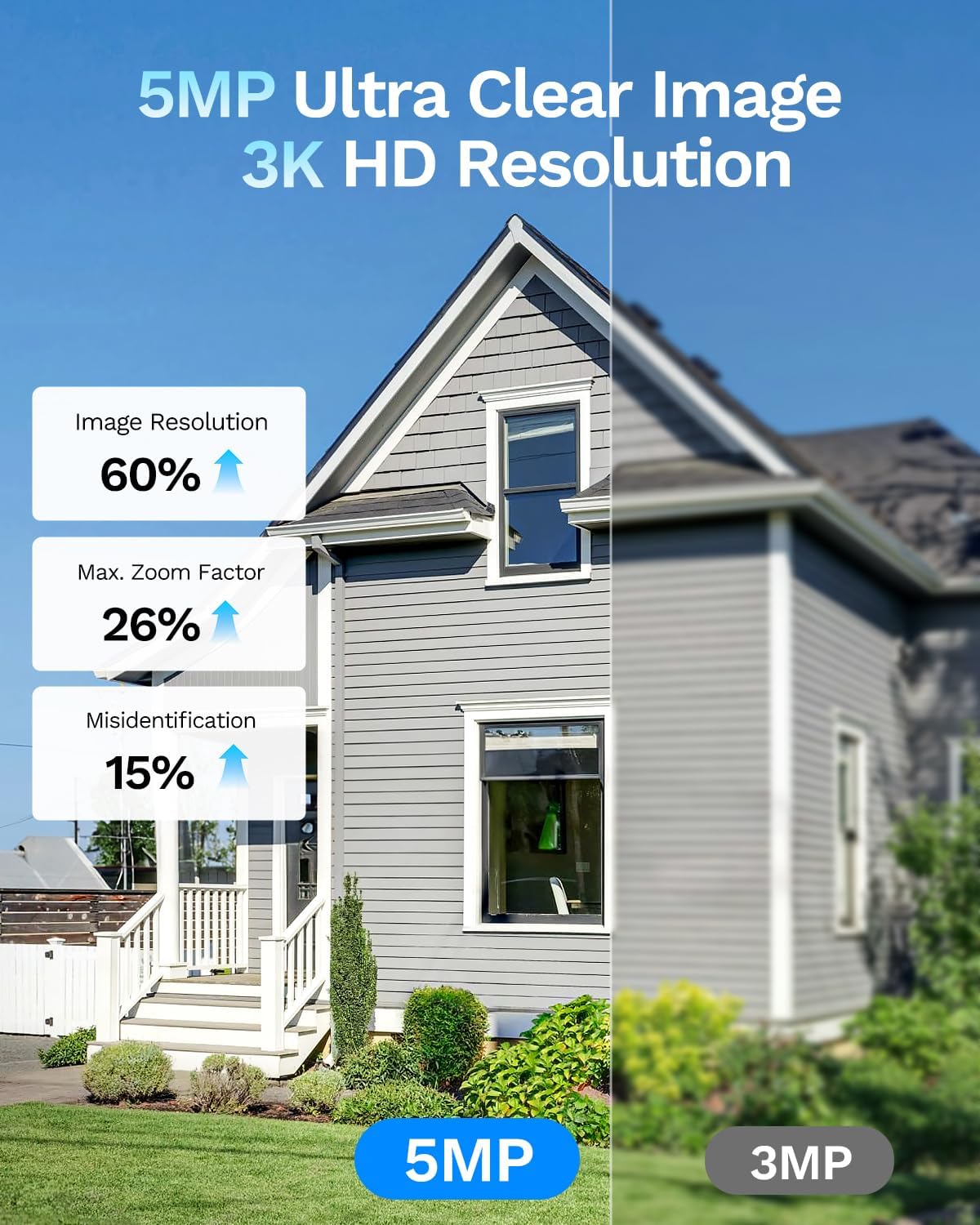
Figura 4.1: Frente view of the LongPlus 5MP 3K Window Camera, showing the lens and compact design.

Figura 4.2: Lado view of the camera, highlighting the USB power port and the reset button.
5. Configuración
5.1. Descarga y registro de la aplicación
To begin, download the SV360 app and register an account. This app is essential for controlling and monitoring your camera.
Video 5.1: This video demonstrates the process of downloading the SV360 app, registering an account using email or phone number, and logging in. It also shows how to enable location permissions for the app.
5.2. Power On and Reset
Connect the camera to a power source using the provided USB cable. The camera will announce, "Please use the mobile app to configure the Wi-Fi network." If no announcement is heard, reset the camera by pressing and holding the reset button for 3 seconds until the announcement is made.
5.3. Wi-Fi and Bluetooth Connection
Ensure your smartphone's Wi-Fi and Bluetooth are enabled. Open the SV360 app, click the '+' button in the upper right corner, and select 'Add Device'. The app will automatically detect nearby devices via Bluetooth. Add your camera and follow the prompts to connect it to your 2.4GHz or 5GHz Wi-Fi network. Enter your Wi-Fi name and password, then name your camera.

Figure 5.3: Visual guide for connecting the camera to the SV360 app, including enabling Bluetooth and entering Wi-Fi credentials.
5.4. Montaje de la cámara
The camera features a peel-and-stick mount for easy installation on smooth surfaces like glass. No drilling is required.
- Clean the desired window surface thoroughly.
- Peel off the protective film from the quick-mount bracket.
- Firmly press the bracket onto the window.
- Attach the camera to the magnetic quick-mount bracket. Ensure the camera is oriented correctly (e.g., 'UP' indicator facing upwards).
Figure 5.4: The camera attaching magnetically to its quick-mount bracket on a window.

Figure 5.5: Various installation scenarios for the window camera, including windows, cupboards, fish tanks, and office glass walls.
6. Instrucciones de funcionamiento
6.1. Vivir View
Open the SV360 app and select your camera from the device list to view the live feed. The 5MP 3K resolution provides clear and detailed images.

Figure 6.1: A visual comparison demonstrating the superior detail captured by the 5MP 3K resolution compared to 3MP.
6.2. Audio bidireccional
The camera supports two-way audio, allowing you to communicate with individuals on the other side of the window through the app.

Figure 6.2: Illustration of the two-way audio feature, enabling communication with visitors.
6.3. AI Person and Motion Detection
The camera utilizes an AI detection system to identify people and vehicles. When motion is detected, the camera sends instant alerts to your phone. You can also configure the camera to sound an alarm via the app.
Video 6.3: This video demonstrates the 5MP 3K window camera's features, including easy installation, anti-glare capabilities, AI human shape detection, and night vision. It shows how the camera detects motion and sends notifications.

Figura 6.4: Un example of the phone push sound alarm feature, triggered by detected motion.
6.4. Blacklight Full Color Night Vision
The camera supports Blacklight full-color night vision, providing clear, color images even in low-light conditions, offering better visual evidence than traditional infrared black-and-white night vision.

Figure 6.5: Comparison illustrating the clarity and color retention of Blacklight Full Color night vision versus other night vision technologies.

Figure 6.6: Benefits of indoor installation for the window camera, including protection from damage, theft, and extreme weather.
6.5. Grabación y almacenamiento
The camera supports 24/7 recording. Recordings can be stored locally on a Micro SD card (up to 512GB, not included) or via optional U.S. cloud storage (subscription sold separately).

Figura 6.7: Sobreview of the camera's flexible storage options, including cloud and local SD card storage.
6.6. Acceso remoto y uso compartido
Access your camera's live feed and recordings remotely via your smartphone. You can also share camera access with up to 5 users simultaneously through the app.
7. Mantenimiento
7.1. Limpieza de la cámara
To maintain optimal performance, regularly clean the camera lens and body with a soft, dry cloth. Avoid using harsh chemicals or abrasive materials.
7.2. Actualizaciones de firmware
Periodically check the SV360 app for available firmware updates. Keeping your camera's firmware updated ensures access to the latest features and security enhancements.
8. Solución de problemas
| Asunto | Posible causa | Solución |
|---|---|---|
| La cámara no se conecta a Wi-Fi | Incorrect Wi-Fi password, weak signal, 5GHz network not supported (if applicable) | Verify Wi-Fi password. Move camera closer to router. Ensure router supports 2.4GHz or 5GHz as required. Reset camera and try setup again. |
| Sin vida view En la aplicación | Internet connection issue, camera offline | Check your home internet connection. Verify camera is powered on and connected to Wi-Fi. Restart the app. |
| La detección de movimiento no funciona | Detection settings incorrect, camera placement | Check motion detection sensitivity and zones in the app. Ensure camera view Es claro y sin obstrucciones. |
| Mala calidad de imagen | Dirty lens, poor lighting, glare/reflection | Clean the camera lens. Ensure adequate lighting. Adjust camera angle to minimize glare. |
9. Especificaciones
| Característica | Detalle |
|---|---|
| Nombre del modelo | CDK1-W1X5-B-2 |
| Resolución de imágenes fijas efectiva | 5 MP |
| Resolución de captura de video | 3K, 5MP |
| Tecnología de conectividad | Wired (Power), Wireless (Wi-Fi, Bluetooth) |
| Tecnología inalámbrica | Bluetooth, Wi-Fi (2.4 GHz y 5 GHz) |
| Característica especial | 2-Way Audio, AI Person & Motion Detection, Siren |
| Uso en interiores y exteriores | Interior |
| Tipo de montaje | Montaje en ventana |
| Visión nocturna | Night Color (Blacklight Full Color) |
| Rango de visión nocturna | 33 pies |
| Tipo de memoria flash | Micro SD |
| Tamaño máximo admitido de la memoria flash | 512 GB |
| Fuente de poder | Eléctrico con cable (5 voltios) |
| Viewángulo de ing | 118 grados |
| Dimensiones del artículo | 2.1 x 2.5 x 1.2 pulgadas |
| Material del recinto | Acrilonitrilo butadieno estireno (ABS) |
10. Garantía y soporte
Your LongPlus 5MP 3K Window Camera comes with a standard manufacturer's warranty. For specific warranty terms and conditions, please refer to the product packaging or contact LongPlus customer support.
For technical assistance, troubleshooting, or any product-related inquiries, please visit the official LongPlus website or contact their customer service team through the SV360 app.