
1. Primeros pasos
1.1 ¿Qué hay en la caja?
Your EarFun Air Pro 4i package includes the following items:
- EarFun Air Pro 4i Wireless Earbuds
- Estuche de carga
- Puntas para los oídos (varios tamaños)
- Cable de carga USB-C
- Manual de usuario
1.2 producto másview
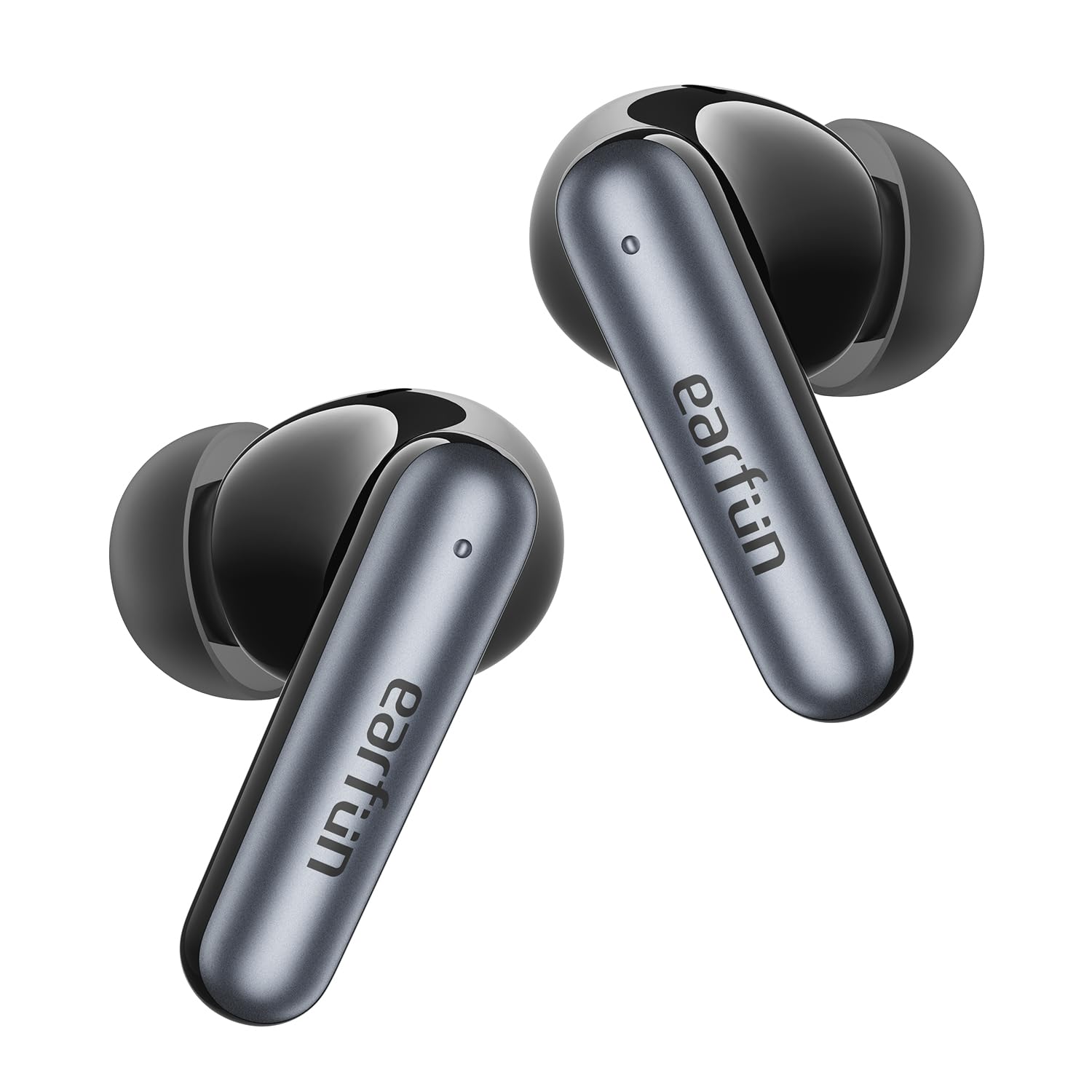
The EarFun Air Pro 4i earbuds are designed for high-quality audio with active noise cancellation. They feature an ergonomic design for a comfortable and secure fit, making them suitable for various activities.
2. Configuración
2.1 Carga de los auriculares y el estuche
Antes del primer uso, cargue completamente los auriculares y el estuche de carga.
- Coloque los auriculares en el estuche de carga.
- Connect the USB-C cable to the charging port on the case and a power source, or place the case on a compatible wireless charging pad.
- The LED indicator on the case will show charging status. A full charge provides up to 40 hours of playtime with the case (9.5 hours on a single charge in normal mode, 6.5 hours with ANC on).
2.2 Cómo usar los auriculares
For optimal sound quality and comfort, select the correct ear tips and ensure a proper fit.
- Choose the ear tips that best fit your ear canals. Different sizes are provided (XS/S/M/L/XL). Left and right ears may require different sizes.
- Insert the earbud into your ear and gently rotate it back and forth until it feels secure and forms a comfortable seal.

2.3 Emparejamiento con su dispositivo
The earbuds support Bluetooth 5.4 for stable connections and Google Fast Pair for seamless setup.
- Emparejamiento por primera vez: Remove the insulating film from the earbuds. Place both earbuds back into the charging case and close the lid. Open the charging case, and the LED light on the case will flash green to indicate pairing mode.
- Activate Bluetooth on your phone or device and select "EarFun Air Pro 4i" from the list of available devices.
- Conexión multipunto: The earbuds can effortlessly connect to two devices at once, allowing instant switching between your phone and laptop.
- Par rápido de Google: For Android devices, simply open the charging case near your phone, and a pop-up will appear for quick pairing.
3. Instrucciones de funcionamiento
3.1 Controles táctiles
The earbuds feature intuitive touch controls for managing music, calls, and modes.
- Sube el volumen: Tap once on the Right earbud (R).
- Bajar volumen: Tap once on the Left earbud (L).
- Reproducir/Pausa: Tap twice on either earbud (L/R).
- Pista siguiente: Tap three times on the Right earbud (R).
- Pista anterior: Tap three times on the Left earbud (L).
- Noise Cancelling/Ambient Sound/Normal Mode: Tap and hold for 2 seconds on the Left earbud (L).
- Responder / finalizar una llamada: Tap twice on either earbud (L/R).
- Answer and Transfer Two Calls: Tap three times on either earbud (L/R).
- Rechazar una llamada: Tap and hold for 2 seconds on either earbud (L/R).
- Asistente de voz: Tap and hold for 2 seconds on either earbud (L/R).
3.2 Cancelación activa de ruido (ANC) y modo de sonido ambiente
The EarFun Air Pro 4i earbuds offer up to 50dB of active noise cancellation, adapting to your environment for an immersive listening experience. You can switch between Noise Cancelling, Ambient Sound, and Normal modes using the touch controls or the EarFun Audio app.

3.3 LDAC and Hi-Res Audio
Experience high-resolution audio with LDAC support and 11mm custom dynamic drivers, delivering rich, detailed sound and powerful bass. The 3D surround sound effect further enhances your audio journey.

3.4 Aplicación de audio EarFun
Customize your listening experience with the dedicated EarFun Audio app. Adjust the EQ, switch between noise cancelling modes, define touch control actions, and update firmware for optimal performance.

4. Mantenimiento
4.1 Limpieza
Regular cleaning helps maintain optimal performance and extends the lifespan of your earbuds.
- Use an alcoholic cotton swab to clean the charging contacts of both the earbuds and the charging case. This removes sweat or stains that could prevent proper charging or connection.
- Gently clean the audio output ports with a cotton swab to remove earwax or dust, which may cause muffled sound. Regularly cleaning your ears is also important.
4.2 Resistencia al agua
The EarFun Air Pro 4i earbuds are IP55 rated, meaning they are resistant to dust and water splashes. This makes them suitable for workouts and outdoor activities, but they are not designed for submersion in water.

5. Solución de problemas
If you encounter any issues with your EarFun Air Pro 4i earbuds, please refer to the following common solutions:
- Sin sonido/mala calidad de sonido: Ensure earbuds are properly seated in your ears and connected to your device. Check volume levels on both the earbuds and your device. Clean the audio output ports for any obstructions.
- Problemas de emparejamiento: Make sure Bluetooth is enabled on your device. Ensure the earbuds are in pairing mode (flashing green LED). Try resetting the earbuds by placing them in the case, closing the lid, then opening and holding the button for 3 seconds to disconnect from previous devices.
- Problemas de carga: Verify the USB-C cable is securely connected or the wireless charging pad is properly aligned. Clean the charging contacts on both the earbuds and the case.
- El ANC no funciona: Ensure ANC mode is activated via touch control or the EarFun Audio app.
- Problemas de conexión de la aplicación: Ensure Bluetooth is active and the earbuds are connected to your phone. Update the EarFun Audio app to the latest version.
For further assistance, please consult the EarFun Audio app for firmware updates or visit the official EarFun support websitio.
6. Especificaciones
| Nombre del modelo | EarFun Air Pro 4i |
| Número de modelo del artículo | TW230B |
| Control de ruido | Cancelación activa de ruido (hasta 50 dB) |
| Tecnología de conectividad | Inalámbrico (Bluetooth 5.4) |
| Tipo de controlador de audio | Controlador dinámico |
| Tamaño del controlador de audio | 11 milímetros |
| Respuesta de frecuencia | 20 kHz |
| Duración de la batería (auriculares) | Up to 9.5 hours (Normal Mode), 6.5 hours (ANC On) |
| Tiempo total de juego con estuche | Up to 40 hours (Normal Mode), 27 hours (ANC On) |
| Cargando | USB-C, carga inalámbrica |
| Micrófonos | 6 Mics AI ENC for Clear Calls |
| Nivel de resistencia al agua | IP55 (resistente al polvo y al agua) |
| Características especiales | Hi-Res Sound with LDAC, Multipoint Connection, Google Fast Pair, EarFun Audio App Support |
| Peso del artículo | 1.69 onzas (48 gramos) |
| Dimensiones del producto | 2.36 x 1.97 x 1.22 pulgadas |
7. Garantía y soporte
EarFun products are designed and manufactured to the highest quality standards. In the unlikely event of a problem with your product, EarFun provides a warranty for your purchase. Please refer to the Warranty Card included in your package for specific terms and conditions.
For technical support, FAQs, or to register your product, please visit the official EarFun website or contact their customer service directly. You can also find helpful resources and the latest firmware updates through the EarFun Audio app.
Soporte en línea: www.earfun.com/support