
1. Introducción
Thank you for choosing the Cooler Master ELITE Gold 1000W Power Supply Unit. This manual provides essential information for the safe and efficient installation, operation, and maintenance of your new power supply. The ELITE Gold 1000W is designed for daily gaming and PC building enthusiasts, fully supporting the latest ATX 3.1 standard and offering flexible compatibility with RTX 50 series GPUs and future upgrades.
2. Información de seguridad
Lea y comprenda todas las instrucciones de seguridad antes de instalar o utilizar este producto. De lo contrario, podrían producirse lesiones personales o daños al producto o a los dispositivos conectados.
- Peligro de descarga eléctrica: Do not open the power supply unit casing. Alto volumentages are present inside, even when the unit is turned off. There are no user-serviceable parts inside.
- Puesta a tierra adecuada: Ensure the power supply is properly grounded using the provided power cord.
- Ventilación: Do not block any ventilation openings of the power supply. Ensure adequate airflow around the unit to prevent overheating.
- Humedad: No exponga la fuente de alimentación al agua ni a la humedad excesiva.
- Fuente de energía: Connect the power supply only to a power source with the correct voltage and frequency as indicated on the unit's label.
- Sistema de organización de cables: Coloque los cables con cuidado para evitar que queden atrapados o se dañen.
- Temperatura: Operate the power supply within the specified temperature range (up to 40°C high-load environments).
3. Contenido del paquete
Verifique que todos los artículos estén presentes en su paquete:
- Cooler Master ELITE Gold 1000W Power Supply Unit
- Modular Cable Set (including 12+4 Pin, ATX24 Pin, EPS 4+4 Pin, EPS 8 Pin, SATA + Peripheral 4 Pin connectors)
- AC Power Cord (A/JP cord)
- Tornillos de montaje
- Manual de usuario
4. Configuración e instalación
Follow these steps to install your Cooler Master ELITE Gold 1000W Power Supply Unit:
- Prepare su sistema:
Before installation, ensure your computer is completely powered off and unplugged from the wall outlet. Discharge any residual power by pressing the power button a few times.
- Install the PSU into the PC Case:
Position the ELITE Gold 1000W PSU into the designated power supply bay in your PC case. The compact design (under 150mm) facilitates easy installation in various PC cases. Secure the PSU with the provided mounting screws.

Image: The Cooler Master ELITE Gold 1000W Power Supply Unit installed within a computer chassis, viewed from above, highlighting its compact form factor and top-mounted fan grill.
- Conectar cables modulares:
The ELITE Gold 1000W features a full modular design. Connect only the necessary cables to the power supply unit first. Refer to the labels on the PSU for correct connector types (e.g., 10P MB, 18P MB, 8P PCI-E/CPU, 12V-2x6, 6P SATA/HDD).

Imagen: Un detalle view of the Cooler Master ELITE Gold 1000W Power Supply Unit's modular cable interface, clearly showing labeled ports for various component connections such as motherboard, CPU, PCIe, and SATA/HDD.

Image: The Cooler Master ELITE Gold 1000W Power Supply Unit with its full suite of modular cables securely connected and neatly routed, demonstrating the full modular design.
- Conectarse a los componentes:
- Placa madre: Conecte el cable ATX de 24 pines a su placa base.
- UPC: Connect the 4+4 pin or 8-pin EPS cable(s) to your motherboard's CPU power connector(s).
- Tarjeta gráfica (GPU): Connect the appropriate PCIe power cables (e.g., 8-pin, 12+4 pin for ATX 3.1/PCIe Gen 5.1) to your graphics card(s). This unit is optimized for RTX 50 series GPUs.
- Dispositivos de almacenamiento: Conecte los cables de alimentación SATA a sus SSD, HDD y unidades ópticas.
- Periféricos: Connect peripheral 4-pin cables to any other devices requiring power.
- Conecte la alimentación de CA:
Connect the provided AC power cord to the power supply unit and then to a grounded wall outlet. Ensure the power switch on the PSU is in the OFF position before connecting to the wall outlet.
5. Instrucciones de funcionamiento
Después de una instalación exitosa, siga estos pasos para operar su sistema:
- Encendido:
Flip the power switch on the back of the power supply unit to the ON (I) position.
- Puesta en marcha del sistema:
Press the power button on your computer case to start your system. The ELITE Gold 1000W will provide stable and efficient power, thanks to its 80 Plus Gold certification and quiet, long-life rifle bearing fan.
- Apagado:
To power off your system, shut down your operating system normally. For complete power disconnection, flip the power switch on the back of the power supply unit to the OFF (O) position and unplug the AC power cord.
6. Mantenimiento
Proper maintenance ensures the longevity and optimal performance of your power supply unit.
- Limpieza de polvo: Limpie periódicamente el polvo del ventilador y las rejillas de ventilación de la fuente de alimentación con aire comprimido. Asegúrese de que el sistema esté apagado y desenchufado antes de limpiarlo.
- Ventilación: Ensure that the PC case has adequate airflow and that the power supply's fan intake and exhaust are not obstructed.
- Inspección de cables: Regularly check all modular cables for any signs of wear, fraying, or damage. Replace damaged cables immediately.
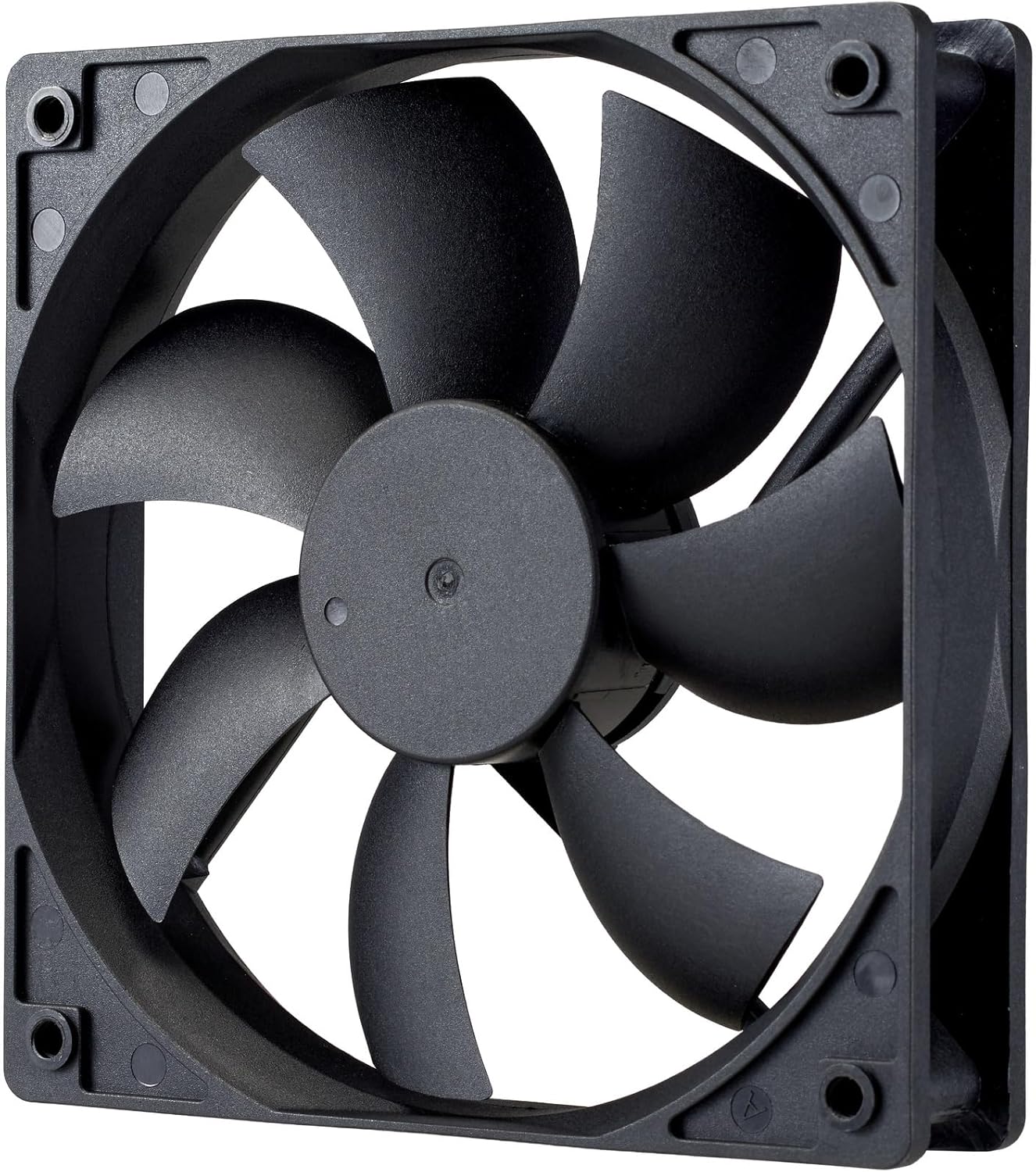
Imagen: Un primer plano view of the power supply's cooling fan, featuring five blades designed for efficient airflow and quiet operation.
7. Solución de problemas
If you encounter issues with your power supply, refer to the following troubleshooting steps:
- Sin energía:
- Asegúrese de que el cable de alimentación de CA esté conectado de forma segura tanto a la fuente de alimentación como a la toma de pared.
- Verify that the power switch on the back of the PSU is in the ON (I) position.
- Check all modular cables (24-pin ATX, EPS, PCIe) are firmly seated in both the PSU and the respective components.
- Pruebe el tomacorriente de pared con otro dispositivo para asegurarse de que funcione.
- Inestabilidad del sistema/apagados aleatorios:
- Asegúrese de que haya una ventilación adecuada dentro de la carcasa de su PC para evitar el sobrecalentamiento.
- Verify that your system's power requirements do not exceed the 1000W capacity of the PSU.
- Compruebe si hay conexiones de cables sueltas.
- Ruidos inusuales:
- A quiet rifle bearing fan is designed for minimal noise. If you hear unusual grinding or rattling, ensure no cables are obstructing the fan.
- Si el ruido persiste, comuníquese con el soporte de Cooler Master.
Si estos pasos no resuelven el problema, comuníquese con el servicio de atención al cliente de Cooler Master para obtener más ayuda.
8. Especificaciones
Detailed technical specifications for the Cooler Master ELITE Gold 1000W Power Supply Unit:
| Nombre del modelo | ELITE Gold |
| Número de modelo del fabricante | MPX-A005-AFAG-BJP |
| Marca | Maestro del enfriador |
| Salida Wattage | 1000 vatios |
| Certificación 80 PLUS | Oro |
| Versión ATX | ATX 3.1 |
| Versión PCIe | PCIe Gen 5.1 |
| Factor de forma | ATX |
| Diseño de potencia | Modular completo |
| Tipos de conectores | 12+4 Pin, ATX24 Pin, EPS 4+4 Pin, EPS 8 Pin, SATA + Peripheral 4 Pin |
| Cantidad de ventiladores | 1 (Rifle Bearing Fan) |
| Volumen de entrada máximotage | 240 voltios (CA) |
| Vol. Mínimo de entradatage | 100 voltios (CA) |
| Dimensiones del producto (L x An x Al) | 14 x 15 x 8.6 cm |
| Peso del producto | 2230 gramos |
| Temperatura de funcionamiento | Hasta 40°C |

Imagen: Arriba view of the Cooler Master ELITE Gold 1000W Power Supply Unit, showcasing its branding and honeycomb-patterned ventilation.

Image: The official 80 PLUS GOLD certification logo, indicating high power efficiency.
9. Garantía y soporte
The Cooler Master ELITE Gold 1000W Power Supply Unit comes with a 5 año de garantía a partir de la fecha de compra. Esta garantía cubre defectos de materiales y mano de obra en condiciones normales de uso.
Para obtener asistencia técnica, reclamos de garantía o más ayuda, visite el sitio web oficial de Cooler Master. website or contact your local Cooler Master distributor. Please have your product model number (MPX-A005-AFAG-BJP) and proof of purchase ready when contacting support.