
Introducción
The MINISO MS102 AI Translator Earbuds are designed to provide real-time language translation, high-definition call clarity, and premium audio playback. These earbuds support translation across 135 languages with near-instant response times and high accuracy. They are compatible with both iPhone and Android devices, offering a versatile solution for communication and entertainment.
Key features include an intuitive LCD touchscreen control on the charging case, multiple translation modes, and advanced audio technologies for an enhanced user experience.

Image: The MINISO MS102 AI Translator Earbuds are suitable for diverse translation scenarios, including study abroad, global travel, and multinational team communication.
¿Qué hay en la caja?
Verifique que todos los artículos estén presentes en el embalaje:
- MINISO MS102 Earbuds (2)
- Caja de carga (1)
- Cable de carga (USB-C) (1)
- Manual de usuario (1)
- Packaging Box (1)
- cordón (1)

Image: The package contents for the MINISO MS102 AI Translator Earbuds, showing the earbuds, charging case, USB-C charging cable, user manual, and a lanyard.
Configuración
To utilize the full functionality of your MINISO MS102 AI Translator Earbuds, including translation features, follow these setup steps:
- Descargar la aplicación: Download the free "Auralntelli" application from your device's app store (available for both iOS and Android). No subscriptions are required for translation features.
- Acceso: Open the Auralntelli app and log in or create an account.
- Emparejar auriculares mediante Bluetooth: Take the earbuds out of the charging case. On your smartphone, navigate to Bluetooth settings and pair with "MINISO-MS102".
- Conéctate dentro de la aplicación: Open the Auralntelli app, and follow the on-screen prompts to connect your earbuds to the application.

Image: A visual guide illustrating the four steps to set up the earbuds: downloading the Auralntelli app, logging in, connecting via Bluetooth, and finalizing the connection within the app.
Instrucciones de funcionamiento
Encendido y conectividad
The earbuds automatically power on when removed from the charging case and connect instantly to previously paired devices. They are compatible with mobile phones, iPads, computers, and other Bluetooth-enabled devices.
Intuitive LCD Touchscreen Control
The charging case features a vibrant HD touchscreen display, providing access to over 15 functions without needing your phone. Tap an item on the screen to access its options.
- Reproducción de música: Control tracks and volume.
- Configuración de ecualizador: Ajustar la ecualización de audio.
- Comandos de voz: Activa el asistente de voz de tu dispositivo.
- Herramientas útiles: Acceda a funciones como alarma, cronómetro y control remoto de la cámara.
- Traducción: Directly access translation modes.
- Encuentra mis auriculares: Localice los auriculares extraviados.

Image: The multifunctional LED full-color touchscreen of the charging case displays icons for various functions, including system settings, music control, camera, power management, equalizer adjustments, translation access, and the 'Find My Earbuds' feature.
Translation Features and Modes
The earbuds support 135 languages with 98% accuracy and a reaction time of less than 0.5 seconds.

Image: A comprehensive list of 135 languages supported by the MINISO MS102 AI Translator Earbuds, demonstrating broad linguistic coverage.
The MS102 offers various translation modes to suit different communication needs:
- Modo manos libres: Facilitates real-time conversation flow for natural interactions.
- Modo de control táctil: Allows single-ear operation for quick translations.
- Foto Traducir: Capture text from images for instant translation. Useful for menus, signs, and documents.
- Modo de chat de IA: An AI assistant for natural dialogue, providing solutions for daily life or work queries.
- Modo de reunión: Designed for multilingual group discussions.
- Modo híbrido: Enables simultaneous music playback and translation.
- Notas de voz: Automatically transcribes spoken memos.
- Traducción de subtítulos del vídeo: Generates real-time subtitles for videos in supported applications.

Image: An illustration detailing the nine distinct translation modes available on the MINISO MS102 AI Translator Earbuds, designed for various communication scenarios.

Imagen: Un example of real-time translation in action, showing a conversation translated from English to German, highlighting the seamless cross-language communication provided by the earbuds.

Image: The photo translation feature is demonstrated by a smartphone scanning a street sign, with the text automatically translated from German to English, aiding in understanding foreign text.

Image: A user is shown watching a video on a smartphone while wearing the earbuds, with AI-generated captions displayed on the screen, illustrating the AI video captions feature for real-time subtitle translation.
Funciones de audio
The MS102 earbuds feature an open-ear design for comfort and studio-quality sound. Advanced Adaptive Noise Cancellation (ANC) technology minimizes background noise, ensuring clear audio for calls and music in various environments.
- Configuraciones de ecualizador personalizadas: Adjust your audio experience with 5 custom equalizer presets (Pop, Rock, Standard, Classic, Jazz) to match your preferences.
- Sin retraso de audio: Enjoy synchronized audio with video content, providing an immersive experience.
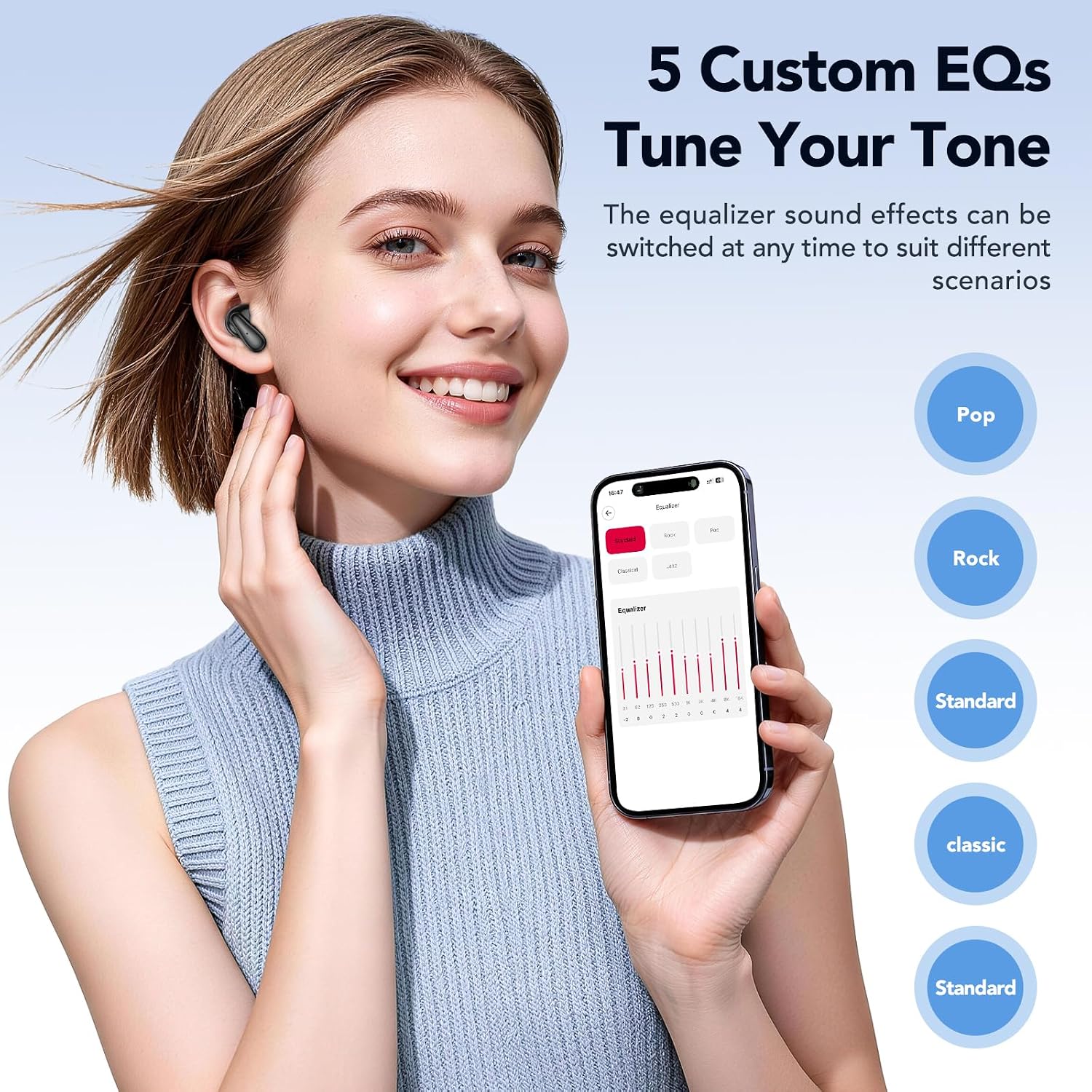
Image: A user adjusting the equalizer settings on a smartphone, showcasing the five custom EQ options (Pop, Rock, Standard, Classic, Jazz) available to tune the audio tone of the earbuds.
Función "Buscar mis auriculares"
If you misplace your earbuds, the built-in tracker, accessible via the companion app, can display their last known location. You can also trigger an audible alert to help pinpoint their exact position.
Mantenimiento
Un mantenimiento adecuado garantiza la longevidad y el rendimiento óptimo de sus auriculares.
- Limpieza: Limpie regularmente los auriculares y el estuche de carga con un paño suave, seco y sin pelusa. Evite usar materiales abrasivos o productos químicos agresivos.
- Almacenamiento: Guarda los auriculares en su estuche de carga cuando no los uses para protegerlos del polvo y daños. Mantenlos en un lugar fresco y seco, alejados de temperaturas extremas.
- Cuidado de la batería: To preserve battery life, avoid fully discharging the earbuds and charging case frequently. Charge them regularly, even if not in constant use. The earbuds offer up to 50 hours of battery life with the charging case, with a full charge taking approximately 1.5 hours.
- Resistencia al agua: Los auriculares tienen certificación IPX5 de resistencia al agua, lo que significa que son resistentes a salpicaduras y sudor. No los sumerja en agua.
Solución de problemas
If you encounter issues with your MINISO MS102 AI Translator Earbuds, refer to the following common solutions:
- Los auriculares no se cargan:
- Ensure the charging cable is securely connected to both the charging case and a power source.
- Verify that the charging case itself has power.
- Limpie los contactos de carga de ambos auriculares y del interior del estuche con un hisopo de algodón seco.
- Mala calidad de audio o sonido intermitente:
- Asegúrese de que los auriculares estén correctamente colocados en sus oídos.
- Check the Bluetooth connection and ensure you are within range of your paired device.
- Restart your paired device and reconnect the earbuds.
- Limpie cualquier residuo de los altavoces de los auriculares.
- Translation Features Not Working:
- Confirm that the "Auralntelli" app is installed and updated to the latest version.
- Ensure the earbuds are connected to your device via Bluetooth AND connected within the Auralntelli app.
- Verifique su conexión a Internet, ya que las funciones de traducción a menudo requieren acceso en línea.
- Earbuds Not Connecting to Device:
- Place the earbuds back in the charging case, close the lid, wait a few seconds, then remove them to re-initiate pairing mode.
- On your device, forget the "MINISO-MS102" Bluetooth connection and attempt to pair again.
Presupuesto
| Característica | Detalle |
|---|---|
| Marca | MINISO |
| Número de modelo | MS102 |
| Colocación de orejas | Oído abierto |
| Factor de forma | Auriculares inalámbricos verdaderos de oído abierto |
| Control de ruido | Cancelación de ruido adaptativa |
| Tipo de control | Control táctil |
| Tipo de controlador de audio | Controlador dinámico |
| Material del recinto | Plástico |
| Tecnología de conectividad | Inalámbrico (Bluetooth) |
| Versión de Bluetooth | 5.4 |
| Nivel de resistencia al agua | Resistente al agua IPX5 |
| Tiempo de carga de la batería | 1.5 horas |
| Duración media de la batería | 50 horas (con estuche de carga) |
| Dispositivos compatibles | Cellphones, iPads, Computers, Watches |
| Código Postal | 850073442531 |
Garantía y soporte
Los auriculares MINISO MS102 AI Translator vienen con un Garantía limitada de 1 años A partir de la fecha de compra, cubre defectos de fabricación. Conserve el comprobante de compra para reclamaciones de garantía.
For setup assistance, troubleshooting, or any other product-related inquiries, please contact our dedicated customer service team. Refer to the contact information provided in your product packaging or visit the official MINISO websitio para detalles de soporte.