
Introducción
Thank you for choosing the Inkbird Cordless Electric Lunch Box. This device is designed to provide warm meals on the go, featuring a 16000mAh rechargeable battery, 1.5L capacity, and 5-sided heating technology. Please read this manual thoroughly before use to ensure proper operation and maintenance.
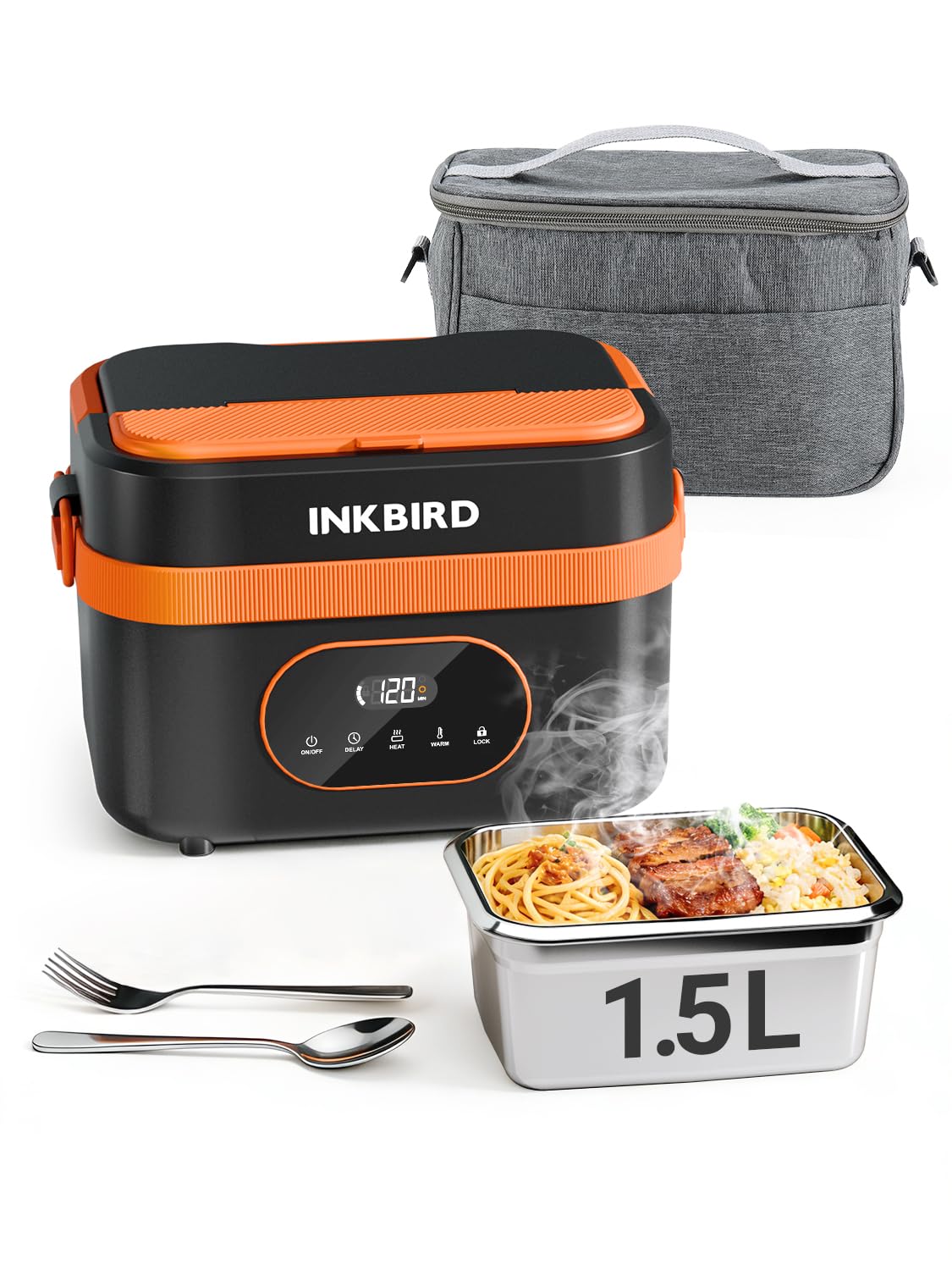
Image: The Inkbird Cordless Electric Lunch Box, showcasing its design and a heated meal.
Producto terminadoview
Contenido del paquete
El paquete incluye los siguientes artículos:
- Cordless Lunch Box (1)
- TYPE-C Charging Cable (1)
- Adaptador (1)
- Manual de instrucciones (1)
- Cuchara de arroz (1)
- Fork (1)

Image: All components included in the Inkbird Cordless Electric Lunch Box package.
Características principales
- Operación inalámbrica: Integrated 16000mAh rechargeable battery for heating without an external power source.
- Calefacción eficiente: 5-sided heating technology ensures even warming of food.
- Temporizador inteligente: Programmable heating from 1 to 8 hours.
- Capacidad generosa: 1.5L (approximately 6 cups) stainless steel food container.
- Fácil de limpiar: Removable, dishwasher-safe stainless steel container.
- Diseño resistente a derrames: Secure lid and leak-proof seal to prevent spills.
- Función de banco de energía portátil: TYPE-C port allows charging of other devices.
Configuración
Carga inicial
Before first use, fully charge the lunch box battery. Connect the provided TYPE-C charging cable to the lunch box and the adapter to a power outlet. A full charge typically takes 3-4 hours. The LED display will indicate charging status.

Image: The lunch box being charged via its TYPE-C port, also illustrating its ability to charge a mobile phone.
Preparing the Food Container
Wash the stainless steel food container and lid thoroughly before placing food inside. Ensure the leak-proof seal is properly seated on the lid to prevent spills during transport.
Instrucciones de funcionamiento
Colocar comida
Place your prepared meal into the stainless steel container. If desired, use the removable divider to separate different food items. Secure the lid firmly onto the container, then place the container into the main heating unit.

Image: The removable tray divider, demonstrating flexible meal storage options.
Modos de calentamiento
The lunch box offers two primary modes: Calor y Mantener caliente.
- Modo calor: Designed to actively heat food from room temperature to a hot level. This process requires at least 30 minutes. Heating times can be adjusted (e.g., 30, 40, 50, 60 minutes).
- Mantener el modo cálido: Maintains the temperature of already warm food. This mode will not actively heat cold food to a hot level. Keep warm times can be adjusted (e.g., 30, 60, 90, 120 minutes).

Image: Visual representation of the Heat and Warm modes and their respective time options.
Using the Smart Timer (Delayed Heating)
The smart timer allows you to set a delayed start for heating, ensuring your meal is ready when you need it. You can set the timer for 1 to 8 hours. After setting the delay, the lunch box will automatically begin heating at the programmed time.

Image: The delay timer function, allowing users to schedule heating up to 8 hours in advance.
Función del banco de energía
The integrated 16000mAh battery can also be used to charge other devices via the TYPE-C port. Connect your device to the TYPE-C port on the lunch box to begin charging.
Limpieza y mantenimiento
Limpieza del recipiente de alimentos
The stainless steel food container is removable and dishwasher safe for easy cleaning. The lid should also be washed thoroughly after each use.

Image: The dishwasher-safe stainless steel container for convenient cleaning.
Limpieza de la unidad principal
La unidad de calefacción principal es No impermeable. Do not immerse it in water or wash it under running water. Wipe the exterior with a damp cloth and ensure it is completely dry before storage or next use.

Image: Cleaning the removable container, with a crucial reminder that the main unit is not waterproof.
Solución de problemas
| Problema | Posible causa | Solución |
|---|---|---|
| La comida no se calienta lo suficiente. |
|
|
| Lunch box does not turn on. |
|
|
| Food spills during transport. |
|
|
Presupuesto
| Característica | Detalle |
|---|---|
| Marca | Pájaro de tinta |
| Modelo | B0GCMDQ7FF |
| Color | Negro y naranja |
| Material | Acrilonitrilo butadieno estireno (ABS) |
| Capacidad | 1.5 litros |
| Batería | 16000 mAh recargable |
| Fuerza | 60 W |
| Dimensiones del producto (Pr. x An. x Al.) | 6.14" x 6.14" x 6.14" |
| Número de compartimentos | 1 (with optional divider) |
| Característica especial | Heat Resistant, Portable Power Bank |
| Instrucciones de cuidado | Hand Wash Only (main unit), Dishwasher Safe (stainless steel container) |
Información de seguridad
- No sumerja la unidad de calentamiento principal en agua ni en ningún otro líquido.
- Ensure the lunch box is fully charged before extended use to avoid unexpected power loss during heating.
- Mantener fuera del alcance de los niños.
- No utilizar si el producto parece dañado.
- Always ensure the lid is securely closed before transport to prevent spills.
- Heating requires time; plan accordingly. Do not expect instant heating of cold food.
- Do not place the insulated cover over the lunch box while heating, as this can affect thermal efficiency and potentially cause damage.
Vídeos oficiales de productos
Inkbird Cordless Electric Lunch Box: Operation Guide
Video: A detailed guide on how to operate the Inkbird Cordless Electric Lunch Box, including setting heating modes and timers.
Inkbird Cordless Lunch Box, Portable, Silent & Easy Clean
Video: Demonstrates the portability, quiet operation, and ease of cleaning for the Inkbird Cordless Electric Lunch Box.
Garantía y soporte
For warranty information or technical support, please refer to the contact details provided in the included instruction manual or visit the official Inkbird websitio. Guarde su recibo de compra para reclamos de garantía.
También puedes visitar el Tienda Inkbird en Amazon Para obtener más información sobre el producto y recursos de soporte.