
1. Introducción
This manual provides essential information for the proper use and maintenance of your realme 16 Pro 5G Unlocked Smartphone. Please read this guide thoroughly before operating your device to ensure optimal performance and longevity. Keep this manual for future reference.
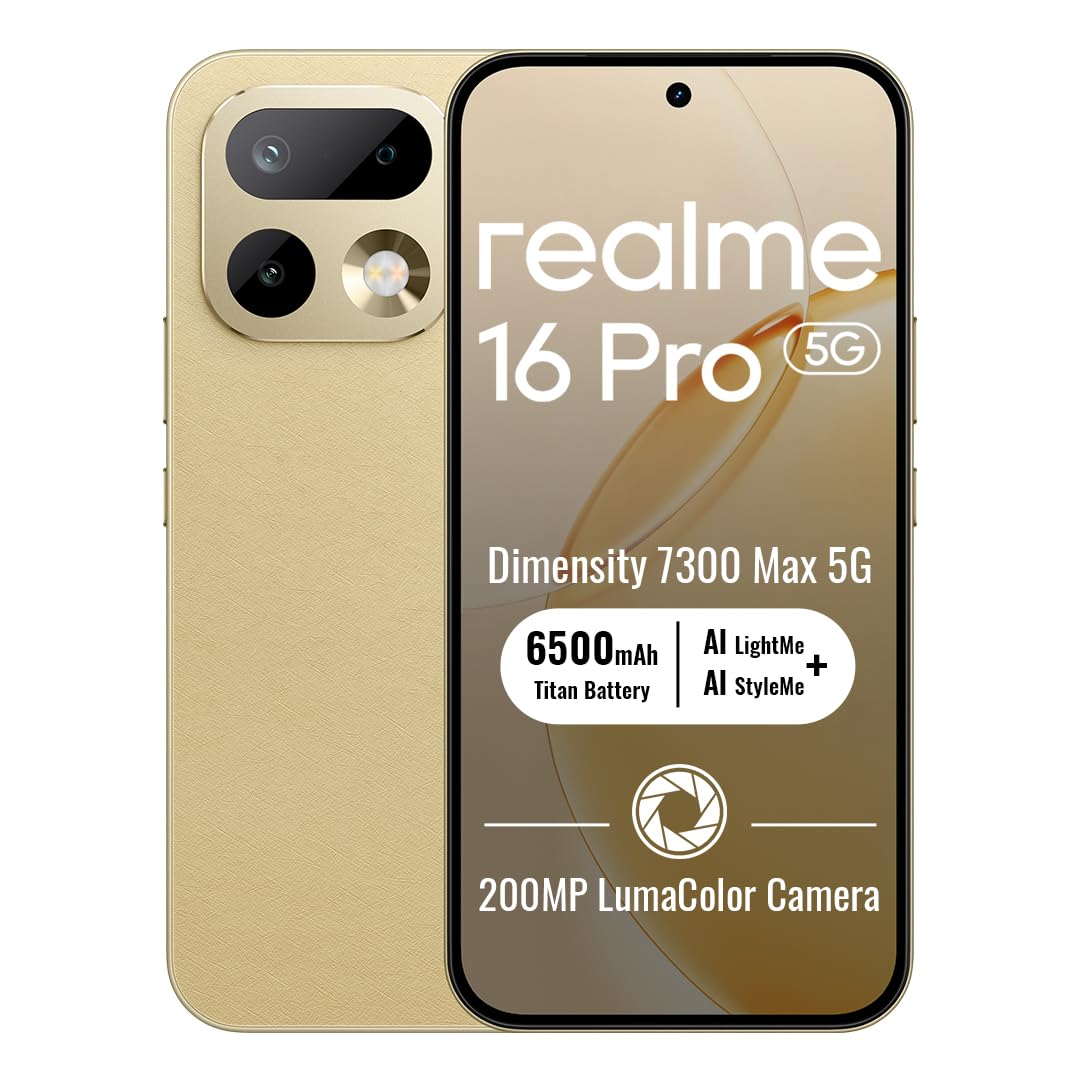
Image: The realme 16 Pro 5G smartphone, showcasing su elegante diseño y módulo de cámara.
2. ¿Qué hay en la caja?
Verifique que todos los artículos estén presentes en el paquete:
- Teléfono inteligente realme 16 Pro 5G
- Cable USB
- Funda de teléfono
- Guía de inicio rápido
- Expulsor de bandeja SIM
3. Configuración
3.1. Instalación de la tarjeta SIM
- Localice la bandeja de la tarjeta SIM en el costado de su dispositivo.
- Inserte la herramienta de expulsión de la bandeja SIM en el pequeño orificio al lado de la bandeja y presione suavemente hasta que la bandeja salga.
- Coloque la(s) tarjeta(s) Nano-SIM y/o la tarjeta microSD (si es compatible) en la bandeja con los contactos dorados hacia abajo. Asegúrese de que la orientación sea correcta.
- Vuelva a insertar con cuidado la bandeja en el dispositivo hasta que encaje en su lugar.
3.2. Encendido / apagado
- Para encender: Mantenga presionado el botón de encendido hasta que aparezca el logotipo de realme.
- Para apagar: Mantenga presionado el botón de Encendido, luego seleccione “Apagar” en las opciones en la pantalla.
- Para reiniciar: Mantenga presionado el botón de Encendido, luego seleccione ‘Reiniciar’ en las opciones.
3.3. Configuración inicial
Upon first power-on, follow the on-screen instructions to configure your device. This includes selecting your language, connecting to Wi-Fi, setting up your Google account, and configuring security features like face recognition.
4. Instrucciones de funcionamiento
4.1. Navegación básica
- Tocar: Toque un ícono para abrir una aplicación o seleccionar un elemento.
- Golpe fuerte: Slide your finger across the screen to scroll, switch screens, or access quick settings.
- Pellizco: Utilice dos dedos para acercar o alejar las fotos y web páginas.
- Pulsación larga: Mantenga presionado un elemento para obtener más opciones o para moverlo.
4.2. Buttons Overview
- Botón de encendido: Located on the right side. Press to turn the screen on/off, long press for power options.
- Botones de volumen: Ubicado en el lado izquierdo. Presiónelo para ajustar el volumen de multimedia, llamadas o notificaciones.
4.3. Conectividad
- Wifi: Vaya a Configuración > Red e Internet > Wi-Fi para conectarse a las redes disponibles.
- Bluetooth: Vaya a Configuración > Dispositivos conectados > Bluetooth para emparejar con accesorios Bluetooth.
- Datos móviles: Asegúrese de que su tarjeta SIM esté activa y que los datos móviles estén habilitados en Configuración > Red e Internet > Red móvil.
4.4. Características de la cámara
The realme 16 Pro 5G features an advanced camera system designed for high-quality photography and videography.
- Cámara principal de 200 MP: Capture highly detailed photos with the primary rear sensor.
- Cámara frontal de 50 MP: For crisp, natural selfies with HDR support.
- Imágenes de IA: Advanced algorithms enhance image quality, dynamic range, and low-light performance.
- Vídeo 4K HDR: Record ultra-clear videos with enhanced dynamic range.

Imagen: Detallada view of the realme 16 Pro 5G camera system, emphasizing the 200MP main camera and 50MP selfie camera capabilities.
Image: The realme 16 Pro 5G camera system, showcasing its 200MP main camera and 50MP front camera, with details on LumaColor IMAGE processing for skin tone, light, shadow, portrait, and background optimization.
4.5. Características de la pantalla
Experience an immersive visual experience with the realme 16 Pro 5G's advanced display.
- 144Hz AMOLED Display: Enjoy smooth scrolling, gaming, and vibrant colors.
- Brillo alto: Ensures clear visibility even in direct sunlight.
- Resolución alta: 2772 x 1272 píxeles para imágenes y textos nítidos.

Image: The realme 16 Pro 5G display, highlighting its 144Hz AMOLED technology, 6500nit peak brightness, DC Mode Dimming, 94% screen-to-body ratio, Netflix HDR, HDR 10+ certification, and 3000Hz instantaneous touch response.
4.6. Batería y carga
The realme 16 Pro 5G is equipped with a large battery and fast charging technology.
- Batería de 7000 mAh: Provides extended usage time for daily activities.
- 80W SuperVOOC Fast Charging: Charge from 0 to 48% in approximately 10 minutes, and fully charge in about 35 minutes.

Image: Illustration of the realme 16 Pro 5G's battery, showing 45W Fast Charge, Reverse Charge, Bypass Charge, and 6 Years Battery Health. Note: Product specifications state 80W SuperVOOC charging and 7000mAh battery capacity.
4.7. Rendimiento y durabilidad
The device is built for powerful performance and robust durability.
- MediaTek Dimensity 7300 Max 5G Chipset: Ensures smooth multitasking, gaming, and overall efficient performance.
- Resistencia al agua y al polvo IP69: Provides high-level protection against water jets and dust, ensuring durability in various environments.

Image: Close-up of the MediaTek Dimensity 7300 Max 5G chipset, highlighting its performance capabilities with an AnTuTu Benchmark score of 971755, 120FPS for mainstream games, and GT Boost for peak gaming performance.

Image: The realme 16 Pro 5G submerged in water, illustrating its IP69 Pro-level Water Resistance, capable of withstanding 8-10 MPa maximum water pressure and 80°C extreme water temperature.
5. Mantenimiento
5.1. Limpieza del dispositivo
- Utilice un paño suave que no suelte pelusa para limpiar la pantalla y el cuerpo.
- Evite utilizar productos químicos agresivos, materiales abrasivos o aerosoles.
- Para manchas difíciles, un poco deampEnjuague el paño con agua o con un limpiador de pantalla diseñado para dispositivos electrónicos.
5.2. Actualizaciones de software
Regularly check for and install software updates to ensure your device has the latest features, security patches, and performance improvements. Go to Settings > About phone > Software update.
5.3. Cuidado de la batería
- Evite las temperaturas extremas, ya que pueden degradar la vida útil de la batería.
- Utilice únicamente el cargador y el cable originales proporcionados con su dispositivo.
- No deje el dispositivo cargándose durante períodos excesivamente largos después de que haya alcanzado el 100%.
6. Solución de problemas
6.1. El dispositivo no se enciende
- Asegúrese de que la batería esté cargada. Conecte el cargador y espere unos minutos antes de intentar encenderlo.
- Mantenga presionado el botón de encendido durante al menos 10 a 15 segundos para forzar el reinicio.
6.2. La pantalla no responde
- Reinicie el dispositivo manteniendo presionado el botón de encendido.
- Si la pantalla sigue sin responder, intente restablecer la configuración de fábrica (nota: esto borrará todos los datos).
6.3. Problemas de red
- Compruebe si su tarjeta SIM está insertada correctamente.
- Activa y desactiva el modo avión.
- Reinicie su dispositivo.
- Verify your network settings (Settings > Network & internet > Mobile network).
6.4. Las aplicaciones se bloquean o se congelan
- Cierre y vuelva a abrir la aplicación.
- Borre el caché y los datos de la aplicación (Configuración > Aplicaciones > [Nombre de la aplicación] > Almacenamiento y caché).
- Actualiza la aplicación a su última versión desde Google Play Store.
7. Especificaciones
| Característica | Detalle |
|---|---|
| Marca | Realme |
| Nombre del modelo | Realme 16 Pro |
| Sistema operativo | Androide 16 |
| Tamaño de la memoria RAM instalada | 8 GB |
| Capacidad de almacenamiento de memoria | 256 GB |
| Modelo de CPU | MediaTek Dimensity 7300 Max 5G Chipset |
| Velocidad de la CPU | 2.5 GHz |
| Tipo de pantalla | AMOLED |
| Frecuencia de actualización | 144 Hz |
| Resolución | 2772 x 1272 Pixels Per Inch |
| Rear Facing Camera Photo Sensor Resolution | 200 MP |
| Front Photo Sensor Resolution | 50 MP |
| Capacidad de la batería | 7000 miliamp Horas |
| Tecnología de carga | Carga rápida SuperVOOC de 80 W |
| Nivel de resistencia al agua | Resistente al agua IP69 |
| Tecnología celular | 5G |
| Tecnología de conectividad | Bluetooth, USB Type C, Wi-Fi |
| Número de ranuras para tarjetas SIM | Doble SIM |
| Peso del artículo | 120 gramos |
8. Garantía y soporte
8.1. Información de garantía
Your realme 16 Pro 5G smartphone comes with a 1 año de garantía del fabricante. This warranty covers defects in materials and workmanship under normal use. For specific terms and conditions, please refer to the warranty card included in your product packaging or visit the official realme websitio.
8.2. Atención al cliente
For further assistance, technical support, or service inquiries, please contact realme customer service or visit the official realme support channels:
- Soporte en línea: Visita el Tienda realme en Amazon or the official realme websitio.
- Centros de servicio: Locate authorized realme service centers in your region for in-person support.