
1. Introducción
This manual provides detailed instructions for the LIGE FV21-F Smart Watch. Please read this guide thoroughly to ensure proper usage, optimal performance, and longevity of your device. This smartwatch is designed to enhance your daily life with health monitoring, fitness tracking, and smart communication features.
2. ¿Qué hay en la caja?
Upon unboxing your LIGE FV21-F Smart Watch, verify that all the following items are included:
- Smartwatch (LIGE FV21-F)
- Cable de carga
- Watch Strap (Black Mesh)
- Additional Watch Strap (Apricot Silicone)
- Herramientas de ajuste del reloj
- Smartwatch Manuals (this document)
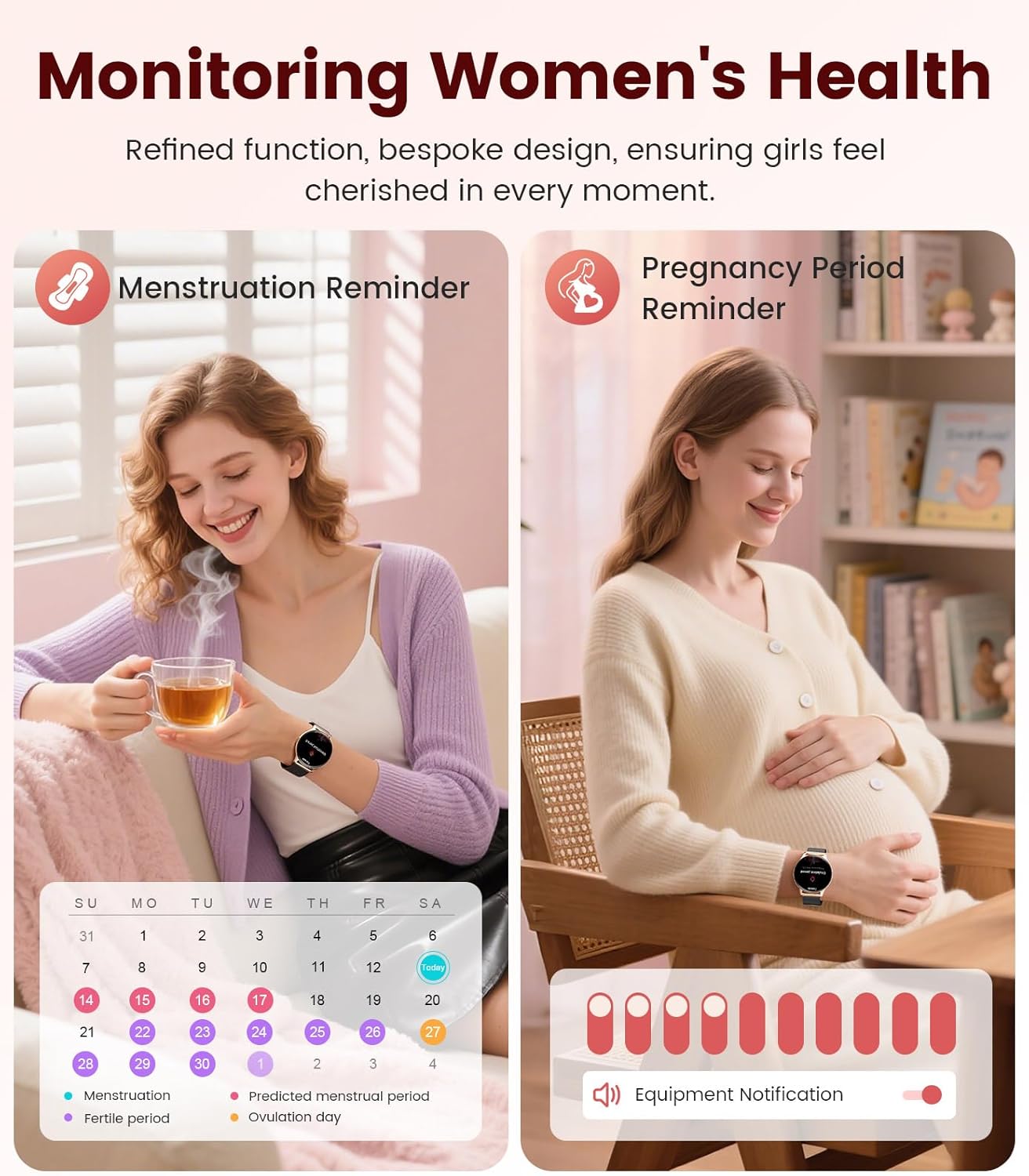
Image: Contents of the LIGE FV21-F Smart Watch package, showing the watch, charging cable, and two interchangeable bands.
3. Guía de configuración
3.1 Attaching the Watch Straps
Your LIGE FV21-F Smart Watch comes with two interchangeable straps: a black mesh band and an apricot silicone band. To attach a strap:
- Locate the spring bar on the back of the watch strap.
- Align one end of the spring bar with the lug hole on the watch case.
- Push the spring bar inward and slide the strap into place between the lugs.
- Release the spring bar, ensuring both ends are securely seated in the lug holes.
- Gently pull the strap to confirm it is firmly attached.
Video: Demonstrates how to attach and change the watch straps, as well as initial setup and pairing with a smartphone.
3.2 Carga del reloj inteligente
Antes del primer uso, cargue completamente su reloj inteligente. Utilice el cable de carga magnético incluido.
- Conecte el extremo USB del cable de carga a un adaptador de corriente (no incluido) o al puerto USB de una computadora.
- Place the magnetic end of the charging cable onto the charging contacts on the back of the smartwatch. The magnets will align it correctly.
- The watch screen will display a charging indicator. A full charge typically takes approximately 2-3 hours.
Image: The LIGE FV21-F Smart Watch being charged using its magnetic charging cable.
3.3 Descarga y emparejamiento de la aplicación
To unlock the full functionality of your smartwatch, download the companion app, "FitCloudPro," and pair it with your smartphone.
- Descargar la aplicación: Scan the QR code displayed on the watch screen (access via Settings > QR Code) or search for "FitCloudPro" in your smartphone's app store (App Store for iOS, Google Play Store for Android).
- Habilitar Bluetooth: Asegúrese de que Bluetooth esté habilitado en su teléfono inteligente.
- Abrir la aplicación y emparejar: Open the FitCloudPro app, navigate to the "Device" section, and tap "Add Device" or "Search Now". Select "FV21" from the list of discovered devices.
- Confirmar emparejamiento: A pairing request will appear on both your phone and watch. Confirm the pairing on both devices.
- Permitir notificaciones: Grant necessary permissions for notifications (calls, messages, apps) when prompted by the app.

Image: The FitCloudPro app interface on a smartphone and the QR code on the smartwatch for easy app download and pairing.
4. Instrucciones de funcionamiento
4.1 Navegación básica
- Pantalla táctil: Desliza el dedo hacia la izquierda/derecha, arriba/abajo para navegar por los menús y las pantallas. Toca para seleccionar.
- Botón lateral: Presione para activar la pantalla, regresar a la pantalla de inicio o acceder a la lista de aplicaciones.
- Pantalla de activación: Raise your wrist or press the side button to activate the display.
4.2 Personalización de las esferas del reloj
The LIGE FV21-F offers over 200 customizable watch faces. You can also upload your own photos.
- On the watch, long-press the home screen to access watch face options, then swipe to select.
- In the FitCloudPro app, go to "Watch Face Store" to browse and sync new faces.
- To use a custom photo, select "Watch Face DIY" in the app, choose a photo, adjust its position, and sync to your watch.

Image: The smartwatch displaying a custom watch face, demonstrating the personalization options available through the app.
4.3 Características de comunicación
- Responder/Hacer llamadas: Once paired via Bluetooth, you can answer incoming calls directly from your watch or dial numbers using the watch's dial pad.
- Notificaciones de mensajes: Receive notifications for SMS, emails, and various social media apps (WhatsApp, Facebook, Instagram, etc.) directly on your wrist. Ensure app permissions are granted.
- Asistente de voz: Utilice el asistente de voz integrado para obtener comandos e información rápidos.

Image: The smartwatch displaying an incoming call and message notifications, highlighting its communication capabilities.
5. Monitoreo de la salud
The LIGE FV21-F Smart Watch provides comprehensive health tracking features to help you monitor your well-being.
- Monitoreo del ritmo cardíaco: Realiza un seguimiento continuo de tu frecuencia cardíaca durante todo el día.
- Monitoreo del sueño: Analiza tus patrones de sueño, incluido el sueño profundo, el sueño ligero y los tiempos de vigilia.
- Monitoreo de oxígeno en sangre (SpO2): Mide tus niveles de saturación de oxígeno en sangre.
- Monitor del ciclo fisiológico de la mujer: Provides reminders and tracking for menstrual and pregnancy periods.
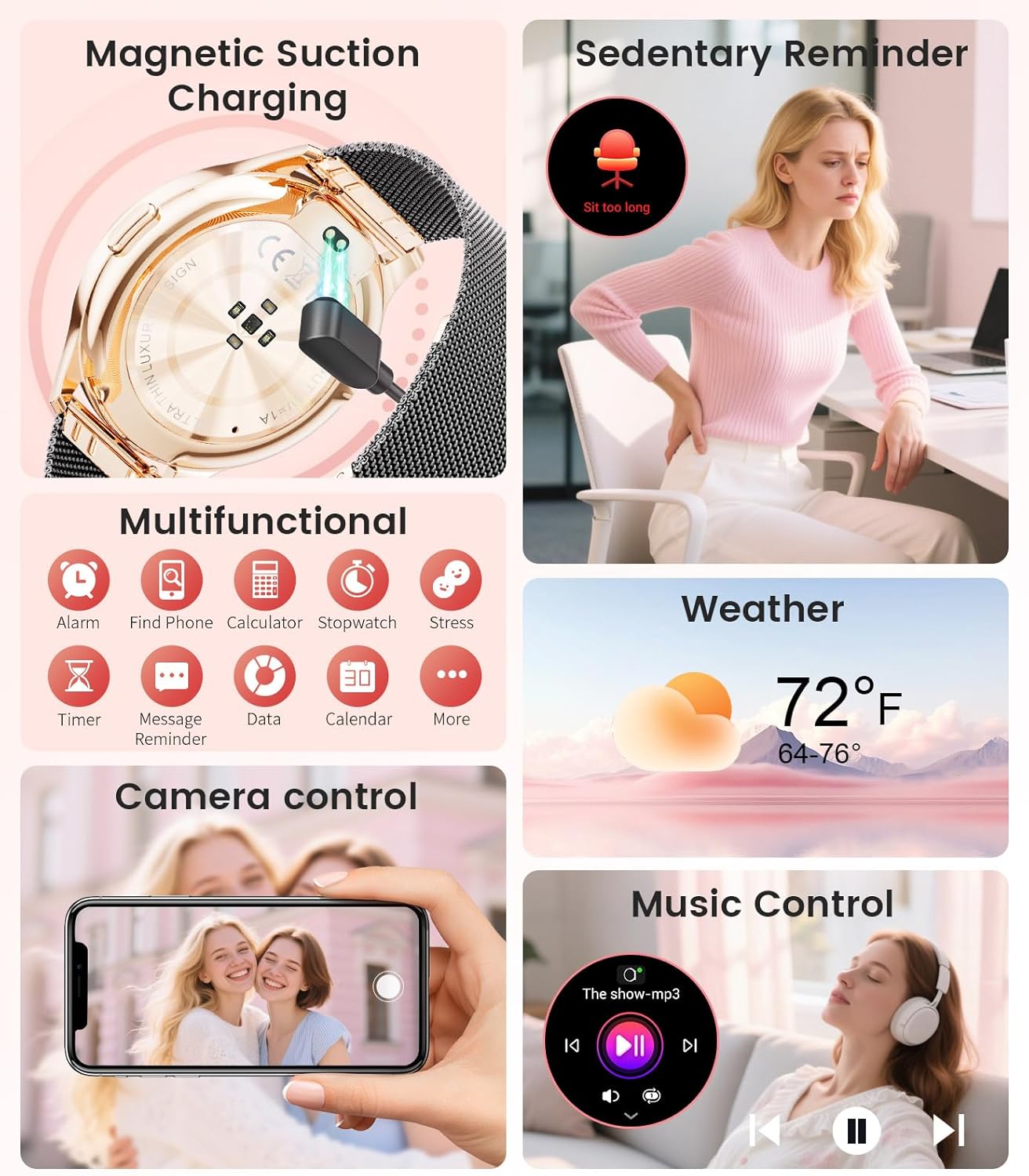
Image: The smartwatch interface showing women's health tracking features, including menstruation and pregnancy reminders.

Image: A user sleeping while wearing the smartwatch, with an inset showing the sleep tracking data on the watch face.
6. Fitness Tracking (120+ Sport Modes)
The LIGE FV21-F Smart Watch supports over 120 sport modes to track your activities, including walking, running, cycling, yoga, and more. It records steps, distance, calories burned, and heart rate during workouts.
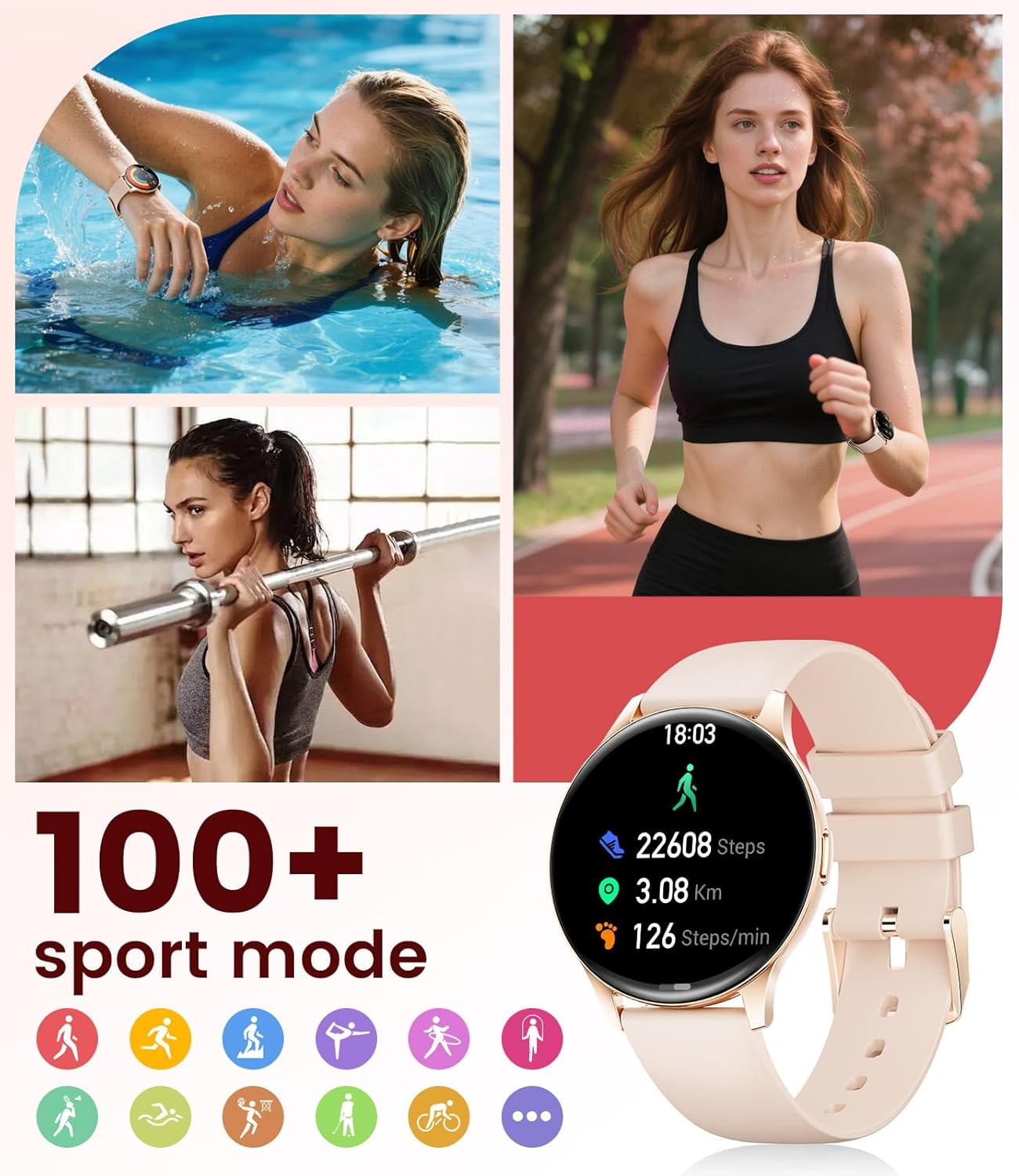
Image: The smartwatch showing different sport modes and real-time fitness data like steps, distance, and calories.
7. Otras funciones inteligentes
Más allá de la salud y el fitness, tu reloj inteligente ofrece varias funciones inteligentes convenientes:
- Control de música: Controla la reproducción de música en tu teléfono inteligente directamente desde tu reloj.
- Control de cámara: Utilice su reloj como obturador remoto para la cámara de su teléfono.
- Pantalla meteorológica: Obtenga actualizaciones meteorológicas en tiempo real.
- Alarmas y recordatorios: Set alarms, sedentary reminders, and drink water reminders.
- Encontrar teléfono: Localice su teléfono extraviado activando una alarma desde su reloj.
- Calculadora y cronómetro: Basic utility tools available on your wrist.

Image: The smartwatch screen showing icons for music control, weather forecast, camera remote, and other utility features.
8. Especificaciones
Detailed technical specifications for the LIGE FV21-F Smart Watch:
| Característica | Detalle |
|---|---|
| Nombre del modelo | FV21-F |
| Mostrar | 1.43" HD Curved AMOLED (466x466) |
| Compatibilidad del sistema operativo | Android 4.4+ y iOS 9.0+ |
| Conectividad | Bluetooth |
| Capacidad de la batería | 1000 miliamp Horas (polímero de litio) |
| Resistencia al agua | IP68 Waterproof (up to 50 meters) |
| Capacidad de almacenamiento de memoria | 256 MB |
| Tipo de material de la banda | Acero inoxidable, Silicona |
| Métricas medidas | Heart Rate, Sleep Duration, Blood Oxygen |
| Entrada de interfaz humana | Pantalla táctil |
| GPS | A través de un teléfono inteligente |
9. Mantenimiento
To ensure the longevity and optimal performance of your LIGE FV21-F Smart Watch, follow these maintenance guidelines:
- Limpieza: Regularly wipe the watch screen and straps with a soft, dry cloth. For silicone straps, a mild soap and water solution can be used, ensuring to rinse thoroughly and dry completely.
- Evite los productos químicos agresivos: Do not use abrasive cleaners, solvents, or strong chemicals, as these can damage the watch's finish and internal components.
- Cargando: Use only the provided magnetic charging cable. Avoid exposing the charging contacts to moisture or corrosive substances.
- Almacenamiento: Cuando no utilice el reloj durante períodos prolongados, guárdelo en un lugar fresco y seco, alejado de la luz solar directa y de temperaturas extremas.
- Exposición al agua: While IP68 waterproof, avoid prolonged submersion in hot water, steam, or high-pressure water jets. Dry the watch thoroughly after exposure to water.
Video: The smartwatch being rinsed under tap water, showcasing its IP68 water resistance. Ensure to dry the watch after such exposure.
10. Solución de problemas
If you encounter issues with your LIGE FV21-F Smart Watch, refer to the following common solutions:
- El reloj no se enciende: Asegúrese de que el reloj esté completamente cargado. Conéctelo al cargador durante al menos 30 minutos.
- No se puede emparejar con el teléfono:
- Asegúrese de que Bluetooth esté habilitado en su teléfono y que el reloj esté dentro del alcance.
- Reinicie tanto el teléfono como el reloj.
- Borre la memoria caché de Bluetooth de su teléfono e intente emparejarlo nuevamente.
- Asegúrese de que la aplicación FitCloudPro tenga todos los permisos necesarios.
- Notificaciones no recibidas:
- Check app permissions for notifications in your phone settings and within the FitCloudPro app.
- Asegúrese de que el reloj esté conectado correctamente a través de Bluetooth.
- Disable and re-enable notifications in the FitCloudPro app.
- Datos de salud inexactos:
- Asegúrese de que el reloj esté ajustado cómodamente en su muñeca, ni demasiado apretado ni demasiado suelto.
- Limpie el sensor en la parte posterior del reloj.
- Note that health data is for reference and not for medical diagnosis.
- Duración corta de la batería:
- Reduce el brillo de la pantalla y el tiempo que permanece encendida.
- Deshabilite la monitorización continua de la frecuencia cardíaca si no es necesaria.
- Limite la cantidad de aplicaciones que envían notificaciones al reloj.
Si el problema persiste, comuníquese con el servicio de atención al cliente.
11. Garantía y soporte
The LIGE FV21-F Smart Watch comes with a 2 año de garantía Desde la fecha de compra, cubre defectos de fabricación. Esta garantía no cubre daños causados por mal uso, accidentes, modificaciones no autorizadas ni desgaste normal.
For technical support, warranty claims, or any other inquiries, please contact LIGE customer service through the retailer where you purchased the product or visit the official LIGE websitio para información de contacto.
We are committed to ensuring your satisfaction and providing a delightful experience with your LIGE Smart Watch.