
1. Introducción
Gracias por la compraasing the OXS Thunder Duo Speaker System. This manual provides essential information for the safe and efficient use of your new speaker system. Please read this manual thoroughly before operating the device and retain it for future reference.
The OXS Thunder Duo is a 3.1.2 channel bookshelf speaker system designed for an immersive audio experience, compatible with various devices including TVs, PCs, gaming consoles, and mobile devices.
2. Información de seguridad
- Fuente de energía: Utilice únicamente el adaptador de corriente proporcionado. Asegúrese de que el voltage coincide con su fuente de alimentación local.
- Colocación: Place the speakers on a stable, flat surface. Avoid placing near heat sources, direct sunlight, or in areas with high humidity or dust.
- Ventilación: Do not block any ventilation openings. Ensure adequate space around the speakers for proper airflow.
- Agua y humedad: Do not expose the device to water, rain, or moisture. This product is not waterproof.
- Limpieza: Desconecte la alimentación antes de limpiar. Utilice un paño suave y seco. No utilice limpiadores líquidos ni aerosoles.
- Servicio: No intente reparar ni desmontar la unidad usted mismo. Encargue cualquier reparación a personal cualificado.
- Baterías: The remote control uses AAA batteries. Ensure correct polarity when inserting. Do not mix old and new batteries.
3. Contenido del paquete
Verifique que todos los artículos enumerados a continuación estén incluidos en su paquete:
- OXS Thunder Duo Speakers (2 units)
- Control remoto (con 2 pilas AAA incluidas)
- Cable HDMI
- Cable óptico
- Adaptador de corriente
- Manual de usuario (este documento)
4. Producto terminadoview
The OXS Thunder Duo speaker system consists of two bookshelf speakers designed for tabletop placement. Below is a general representation of the product and its typical components.
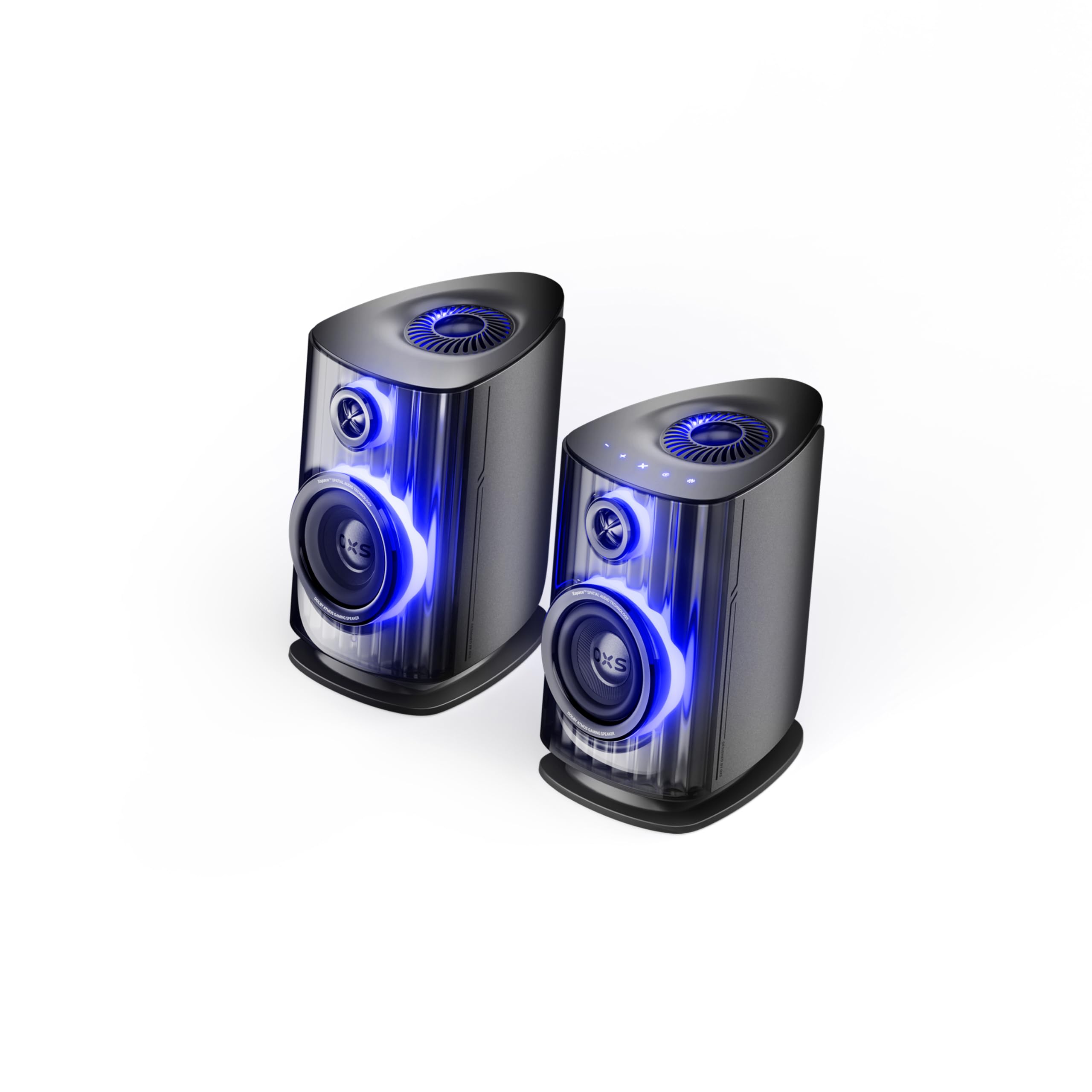
Image: OXS Thunder Duo Speaker System. This image shows the two main speaker units, typically placed on a tabletop. The design features a sleek, modern aesthetic with speaker grilles visible on the front.
4.1. Componentes del altavoz
- Unidad de altavoz principal: Houses the primary audio drivers and control circuitry.
- Satellite Speaker Unit: Connects to the main unit to provide a wider soundstage.
- Entrada de energía: Para conectar el adaptador de corriente.
- Entradas de audio: HDMI IN, USB-C, eARC, Optical for various source connections.
4.2. Control remoto
The included remote control allows for convenient operation of the speaker system from a distance. It typically includes buttons for:
- Encendido/apagado
- Subir/Bajar volumen
- Input Source Selection (HDMI, USB-C, eARC, Optical)
- Silenciar
- Audio Mode Selection (e.g., Surround)
5. Configuración
5.1. Ubicación de los altavoces
Place the OXS Thunder Duo speakers on a stable, flat tabletop surface. For optimal sound, position them equidistant from your listening position and at ear level. Ensure there are no obstructions between the speakers and your listening area.
5.2. Conexión de alimentación
- Connect the power adapter to the power input port on the main speaker unit.
- Conecte el adaptador de corriente a una toma de pared.
- The power indicator on the speaker will illuminate, indicating it is in standby mode.
5.3. Conexión de fuentes de audio
The OXS Thunder Duo offers multiple connectivity options:
- HDMI (earc): For connecting to TVs with an HDMI eARC/ARC port. Use the provided HDMI cable. This connection supports high-quality audio and allows TV remote control of speaker volume.
- ENTRADA HDMI: For connecting other HDMI-enabled devices like gaming consoles or Blu-ray players.
- Óptico: For connecting to TVs or other devices with an optical audio output. Use the provided optical cable.
- USB-C: For connecting to PCs, laptops, or compatible mobile devices.
Connect your desired audio source to the corresponding input port on the main speaker unit.
6. Instrucciones de funcionamiento
6.1. Encendido / apagado
Press the Power button on the remote control or the main speaker unit to turn the system on or off. The power indicator will change status accordingly.
6.2. Selección de la fuente de entrada
Press the 'Input' or dedicated source buttons (e.g., HDMI, Optical, USB-C) on the remote control to switch between connected audio sources. The current input source will typically be indicated by an LED or display on the main speaker unit.
6.3. Control de volumen
Use the 'Volume Up' (+) and 'Volume Down' (-) buttons on the remote control to adjust the audio level. Press the 'Mute' button to temporarily silence the audio.
6.4. Modos de audio
The OXS Thunder Duo supports surround sound audio output. Use the 'Mode' button on the remote control to cycle through available audio modes, if applicable, to optimize your listening experience for different content types.
7. Conectividad
The OXS Thunder Duo offers versatile connectivity for a wide range of devices:
- ENTRADA HDMI: Connects to various HDMI-enabled devices.
- USB-C: Ideal for direct digital audio connection to computers (PC), laptops, and mobile devices running Windows, Android, or iOS.
- eARC (canal de retorno de audio mejorado): Connects to compatible TVs for high-fidelity audio transmission and simplified control.
- Óptico: Provides a digital audio connection for TVs, game consoles (PlayStation, XBOX, Switch), and other devices with an optical output.
8. Mantenimiento
Proper maintenance ensures the longevity and performance of your OXS Thunder Duo speaker system.
- Limpieza: Limpie periódicamente las superficies de los altavoces con un paño suave, seco y sin pelusa. No utilice limpiadores abrasivos, ceras ni disolventes.
- Polvo: Keep the speaker grilles free from dust accumulation. Use a soft brush or a vacuum cleaner with a brush attachment on a low setting.
- Almacenamiento: Si va a almacenar los altavoces durante un período prolongado, desconéctelos de la alimentación y guárdelos en un lugar fresco y seco, preferiblemente en su embalaje original.
9. Solución de problemas
If you encounter issues with your OXS Thunder Duo, refer to the following common problems and solutions:
| Problema | Posible causa | Solución |
|---|---|---|
| Sin poder | Cable de alimentación no conectado; toma de corriente no activa; altavoz apagado. | Ensure power cable is securely connected. Test the outlet with another device. Press the Power button on the remote or speaker. |
| Sin sonido | Incorrect input source selected; Volume too low or muted; Audio cable not connected properly; Source device not outputting audio. | Select the correct input source. Increase volume and check if muted. Reconnect audio cables. Check audio settings on your source device. |
| El control remoto no funciona | Las pilas están agotadas o insertadas incorrectamente; Hay obstrucción entre el control remoto y el altavoz. | Replace batteries, ensuring correct polarity. Remove any obstructions. Ensure remote is pointed at the main speaker unit. |
| Sonido distorsionado | Volumen demasiado alto; Mala calidad de fuente de audio; Conexión de cable suelta. | Lower the volume. Check the audio quality from the source. Ensure all cables are securely connected. |
If the problem persists after trying these solutions, please contact OXS customer support.
10. Especificaciones
| Característica | Especificación |
|---|---|
| Marca | bueyes |
| Número de modelo | Thunder DUO |
| Salida máxima del altavoz | 220 vatios |
| Respuesta de frecuencia | 20 kHz |
| Tecnología de conectividad | HDMI IN, USB-C, eARC, Optical |
| Modo de salida de audio | Rodear |
| Tipo de montaje | Montaje de mesa |
| Product Exterior Material | ABS & PVC |
| Tipo de altavoz | Estante para libros |
| Usos recomendados | Computer, TV, Gaming Consoles |
| Color | Titán |
| Impermeable | FALSO |
| Tipo de garantía | Garantía limitada |
| Tamaño del altavoz | 1.5 pulgadas |
| Speaker Channel Configuration | 3.1.2 |
| Relación señal/ruido | 96 dB |
| Baterías | 2 pilas AAA (incluidas para el control remoto) |
| Dimensiones del artículo (Pr. x An. x Al.) | 17.8 x 21.5 x 27.6 cm |
| Peso del artículo | 11.02 libras |
| Dispositivos compatibles | TV, PC, PlayStation, XBOX, Mobile devices (Windows, Android, iOS), Switch |
| Código Postal | 199284067936 |
| ASIN | B0GDFVBVB3 |
11. Garantía y soporte
The OXS Thunder Duo Speaker System comes with a Limited Warranty. Please refer to the warranty card included in your package for specific terms and conditions, including the duration and coverage details.
For technical support, troubleshooting assistance, or warranty claims, please contact OXS customer service through the contact information provided on the official OXS website or your purchase documentation. Please have your model number (Thunder DUO) and proof of purchase ready when contacting support.