
1. Introducción
Thank you for choosing the GOBOULT Tenet TWS Earbuds. This manual provides essential information for setting up, operating, and maintaining your earbuds to ensure optimal performance and longevity. The Tenet earbuds feature Bluetooth 5.4 connectivity, 13mm dynamic drivers, Quad Mic Environmental Noise Cancellation (ENC), and support for the Amp App for personalized audio.
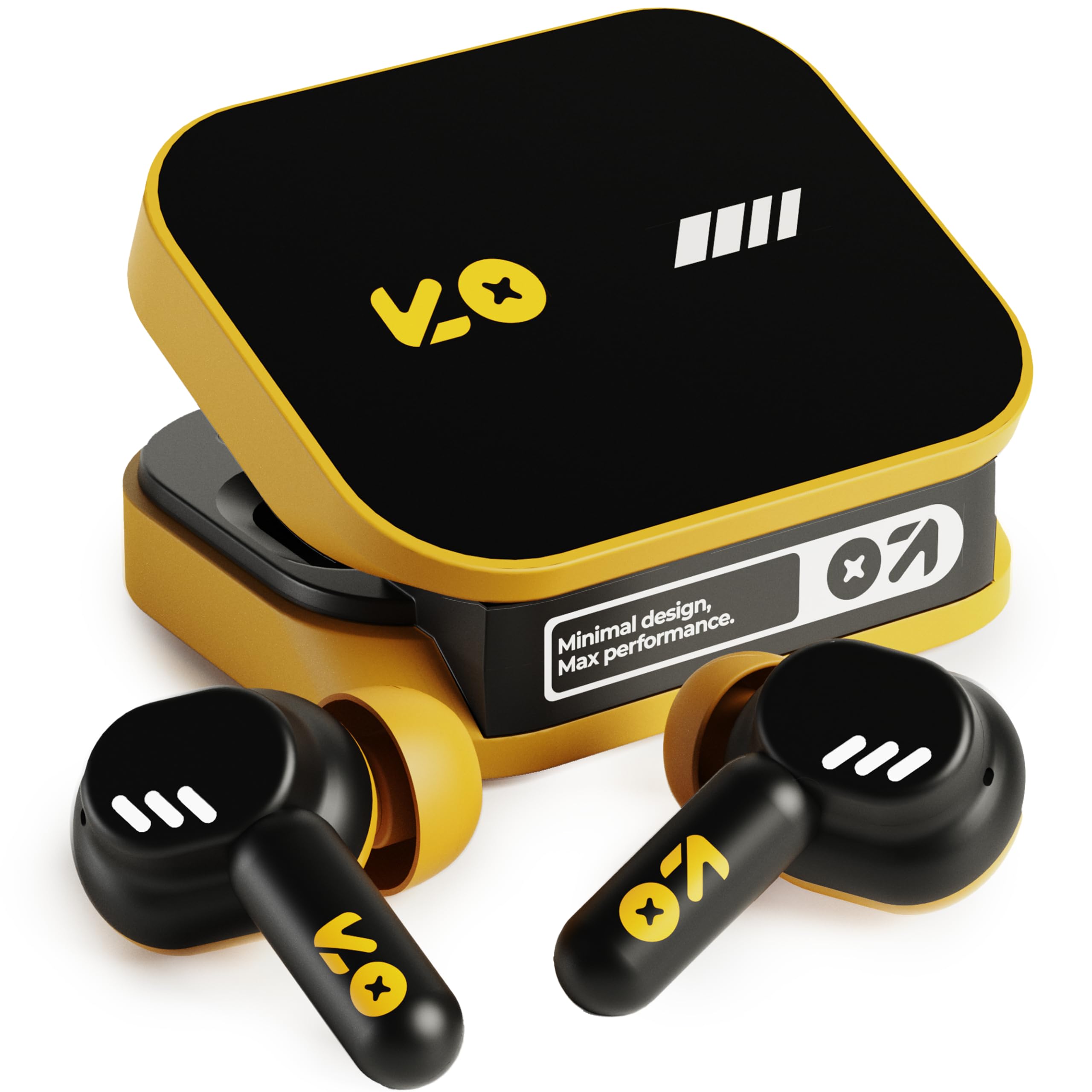
Image: The GOBOULT Tenet TWS Earbuds in Solar Yellow, shown with their charging case.
2. Contenido del paquete
Verifique que todos los siguientes elementos estén incluidos en su paquete:
- GOBOULT Tenet TWS Earbuds (Left and Right)
- Estuche de carga
- Cable de carga USB-C
- Almohadillas para los oídos (varios tamaños)
- Manual de usuario (este documento)
- Tarjeta de garantía
3. Configuración
3.1. Carga de los auriculares y el estuche
Before first use, fully charge the earbuds and the charging case. The case provides extended battery life for the earbuds.
- Coloque ambos auriculares en el estuche de carga, asegurándose de que estén correctamente colocados.
- Conecte el cable de carga USB tipo C provisto al puerto de carga del estuche y a una fuente de alimentación USB compatible (por ejemplo, adaptador de pared, puerto USB de computadora).
- The indicator light on the charging case will show the charging status. Refer to the LED indicator guide in the operating section for details.
- A full charge provides up to 75 hours of total playtime with the charging case. A quick 10-minute charge can provide up to 120 minutes of playtime.

Image: The GOBOULT Tenet earbuds in their open charging case, illustrating the USB-C charging port and battery life.
3.2. Colocación de los auriculares
Proper fit is crucial for sound quality and comfort. The earbuds feature a 'Vacuum Lock Earshell' design for a secure fit.
- Select the ear cushions that best fit your ears. Different sizes are provided.
- Inserte suavemente los auriculares en el canal auditivo.
- Twist slightly to ensure a snug and comfortable seal. This helps optimize audio performance and noise isolation.

Image: A diagram illustrating the 'Vacuum Lock Earshell' design and how the earbud sits securely in the ear.
4. Instrucciones de funcionamiento
4.1. Encendido y apagado
- Encendido: Abra el estuche de carga y los auriculares se encenderán automáticamente.
- Apagado: Vuelve a colocar los auriculares en el estuche de carga y cierra la tapa. Se apagarán automáticamente y comenzarán a cargarse.
4.2. Emparejamiento Bluetooth
The GOBOULT Tenet earbuds use Bluetooth 5.4 for stable and efficient connection.
- Asegúrese de que los auriculares estén cargados y dentro del estuche de carga.
- Abra el estuche de carga. Los auriculares entrarán en modo de emparejamiento, lo cual se indicará mediante luces LED parpadeantes.
- En su dispositivo (teléfono inteligente, tableta, computadora portátil), habilite Bluetooth.
- Buscar available Bluetooth devices and select "GOBOULT Tenet" from the list.
- Una vez conectado, las luces indicadoras de los auriculares dejarán de parpadear.
4.3. Conectividad de dos dispositivos
The earbuds support dual device pairing, allowing seamless switching between two connected devices.
- Empareje los auriculares con su primer dispositivo (por ejemplo, teléfono inteligente) como se describe arriba.
- Desconecte los auriculares de la configuración de Bluetooth del primer dispositivo (no los desvincule).
- Empareje los auriculares con su segundo dispositivo (por ejemplo, computadora portátil).
- Vuelve a conectar los auriculares al primer dispositivo desde la configuración de Bluetooth. Ahora están conectados a ambos dispositivos.
- To switch between devices, simply pause audio on one device and play on the other.

Image: The GOBOULT Tenet earbuds and charging case positioned between a smartphone and a laptop, demonstrating dual device connectivity.
4.4. Controles táctiles
The earbuds feature intuitive touch controls for music playback, call management, and voice assistant activation.
| Función | Acción |
|---|---|
| Reproducir/Pausa | Un solo toque en cualquiera de los auriculares |
| Pista siguiente | Toque dos veces el auricular derecho |
| Pista anterior | Toque dos veces el auricular izquierdo |
| Responder/Finalizar llamada | Un solo toque en cualquiera de los auriculares |
| Rechazar llamada | Mantenga presionado cualquiera de los auriculares |
| Activar Asistente de voz (Siri/Asistente de Google) | Toque tres veces en cualquiera de los auriculares |

Image: An illustration detailing the touch controls for music and calls, along with information on intelligent AI assistance and IPX5 water resistance.
4.5. Uso del Amp Aplicación
Personalize your listening experience with the dedicated Amp Aplicación.
- Descargar el "Amp App" from your device's app store.
- Connect your GOBOULT Tenet earbuds to your device via Bluetooth.
- Abrir el Amp App. It will automatically detect your earbuds.
- Within the app, you can customize EQ settings (e.g., Rock, Jazz, Natural, Bass), rename your earbuds, and access tailored widgets.

Image: The GOBOULT Amp App interface displayed on a smartphone, showing custom EQ modes and other personalization options for the earbuds.
4.6. Call Management (Quad Mic ENC)
The Quad Mic Environmental Noise Cancellation (ENC) ensures clear calls by reducing background noise.
- Use the touch controls (Section 4.4) to answer, end, or reject calls.
- The four integrated microphones work to isolate your voice from ambient sounds, providing clear communication even in noisy environments.
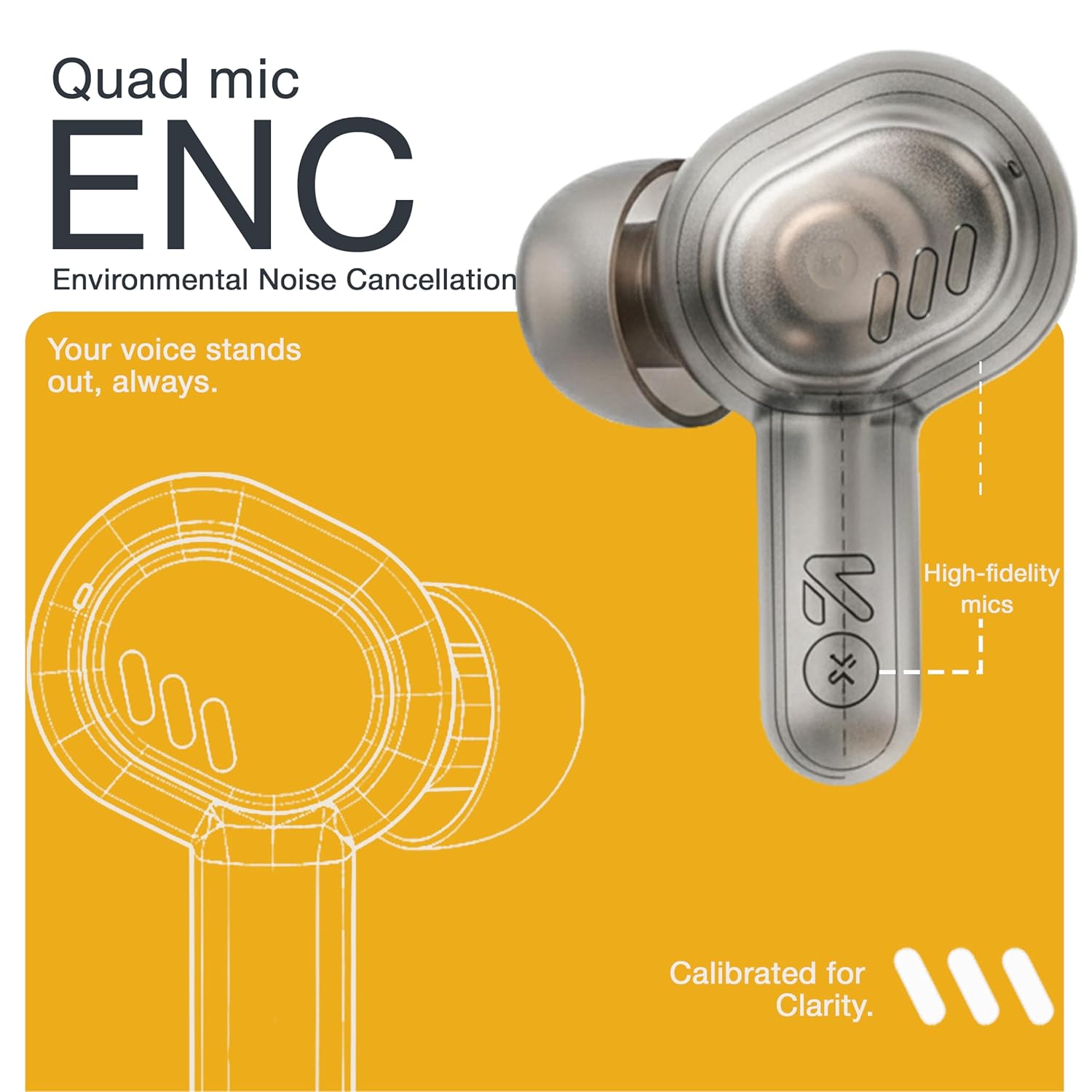
Image: A detailed diagram highlighting the Quad Mic ENC system within the earbud, designed for clear voice transmission.
4.7. Audio Performance (13mm Drivers)
The GOBOULT Tenet earbuds are equipped with 13mm dynamic drivers for a rich audio experience.
- Experience deep bass, clear vocals, and balanced audio across various music genres.
- Ajusta el sonido profesionalfile further using the Amp App's equalizer settings.

Imagen: Una explosión view diagram of the earbud, showcasing the 13mm dynamic driver responsible for audio output.
4.8. Resistencia al agua
The earbuds are IPX5 water resistant, making them suitable for workouts and light splashes.
- IPX5 rating means the earbuds can resist a sustained, low-pressure water jet spray.
- Do not submerge the earbuds in water or expose them to heavy rain.
- El estuche de carga no es resistente al agua.
5. Mantenimiento
5.1. Limpieza
- Limpie periódicamente los auriculares y el estuche de carga con un paño suave, seco y sin pelusa.
- Retire las almohadillas de los oídos y límpielas con agua y jabón suave si es necesario, asegurándose de que estén completamente secas antes de volver a colocarlas.
- No utilice limpiadores abrasivos, alcohol ni disolventes químicos.
- Asegúrese de que los contactos de carga de ambos auriculares y del estuche estén limpios y libres de residuos.
5.2. Almacenamiento
- Cuando no los utilice, guarde los auriculares en su estuche de carga para protegerlos y mantenerlos cargados.
- Guarde el dispositivo en un lugar fresco y seco, alejado de temperaturas extremas y de la luz solar directa.
5.3. Cuidado de la batería
- Para prolongar la vida útil de la batería, evite descargar por completo los auriculares y el estuche con frecuencia.
- Cargue el dispositivo periódicamente, incluso si no lo utiliza con frecuencia, para evitar una descarga profunda.
6. Solución de problemas
| Problema | Posible solución |
|---|---|
| Los auriculares no se emparejan |
|
| Sin sonido de un auricular |
|
| Problemas de carga |
|
| Volumen bajo o mala calidad de sonido |
|
| Asistente de voz no responde |
|
7. Especificaciones
| Característica | Detalle |
|---|---|
| Marca | GOBOULT |
| Nombre del modelo | Tenet (Airbass) |
| Número de modelo | Auriculares Airbass |
| Colocación de orejas | En el oído |
| Control de ruido | Environmental Noise Cancellation (ENC), Sound Isolation |
| Versión de Bluetooth | 5.4 |
| Alcance de Bluetooth | Hasta 10 metros |
| Tamaño del controlador de audio | 13 milímetros |
| Rango de frecuencia | 20 Hz - 20,000 Hz |
| Sensibilidad | 105 dB |
| Battery Average Life (with case) | Hasta 75 horas |
| Carga rápida | 10 minutos de carga para 120 minutos de reproducción |
| Puerto de carga | USB tipo C |
| Nivel de resistencia al agua | IPX5 (solo auriculares) |
| Tipo de controlador | Touch, Google Assistant, Siri |
| Dispositivos compatibles | Desktops, Gaming Consoles, Laptops, Smart Watch, Tablets |
| Peso del artículo | 54.5 Grams (Case + Earbuds) |
| País natal | Porcelana |
8. Garantía y soporte
8.1. Información de garantía
The GOBOULT Tenet TWS Earbuds come with a 1-Year Manufacturer's Warranty from the date of purchase. This warranty covers manufacturing defects.
- Conserve su recibo de compra como comprobante de compra para reclamos de garantía.
- La garantía no cubre daños causados por mal uso, accidentes, modificaciones no autorizadas o desgaste normal.
8.2. Atención al cliente
For any queries, technical assistance, or warranty claims, please contact GOBOULT customer support.
- Fabricante: Exotic Mile Private Limited, B-67 Wazirpur Industrial Area, New Delhi 110052
- Importador: Exotic Mile Pvt. Ltd., B67 Wazirpur Industrial Area, New Delhi 110052
- Refer to the contact information provided on your warranty card or the official GOBOULT webSitio para los canales de soporte más actualizados.