
1. Producto terminadoview
The Hunter ZenTech 52 Inch Smart Ceiling Fan (Model 53638) is designed for both indoor and covered outdoor spaces, offering quiet, efficient performance with advanced smart home integration. This 5-blade fan features a slim DC motor, adjustable LED lighting with TrueLight technology, and Wi-Fi connectivity for control via the HunterSMART app, Amazon Alexa, Google Assistant, and Apple HomeKit. It is ENERGY STAR certified and damp-rated for versatile use.
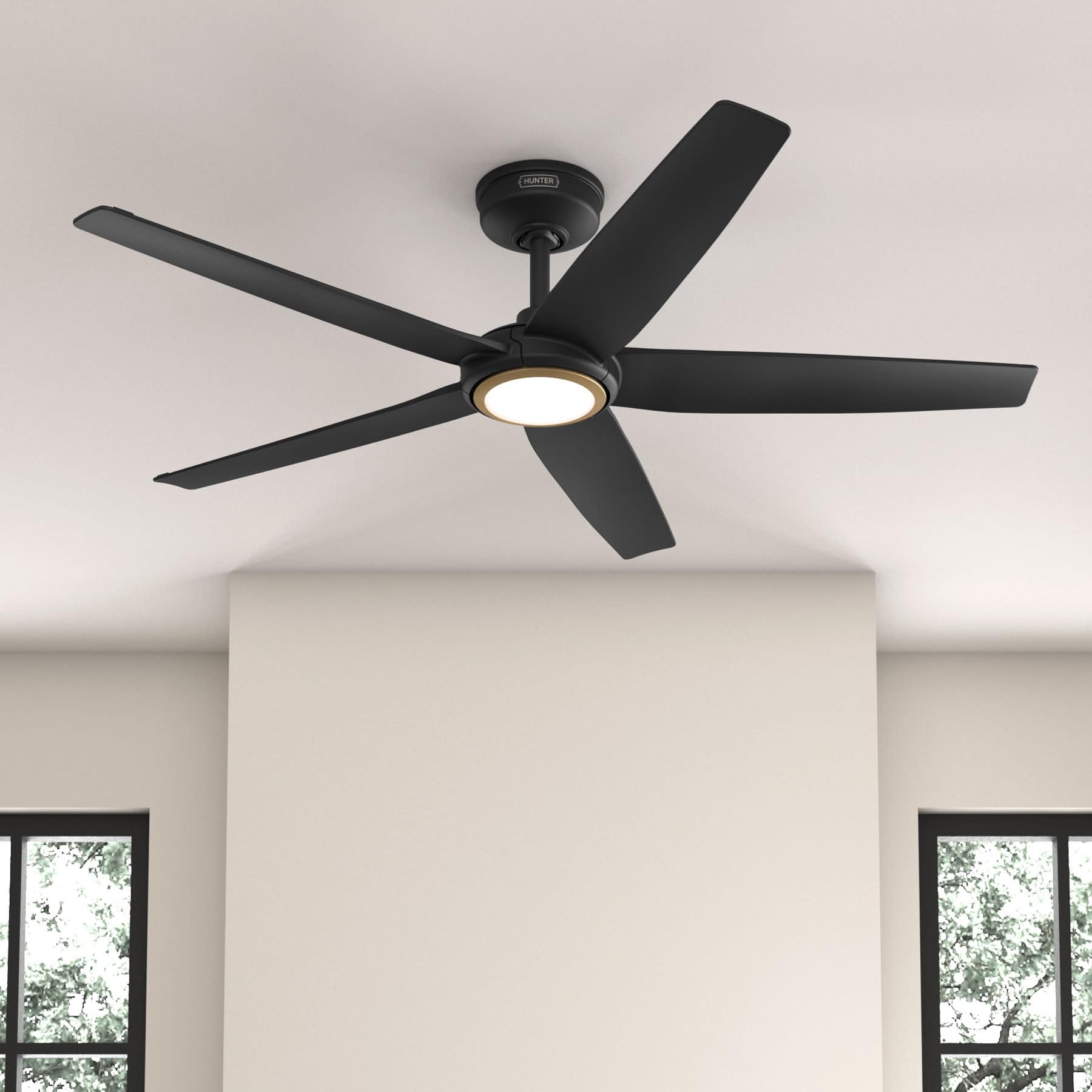
Figure 1: Hunter ZenTech 52 Inch Smart Ceiling Fan (Matte Black)
Características principales:
- Diseño avanzado: Ultra-slim DC motor for powerful, quiet airflow and a modern aesthetic.
- Integración de casa inteligente: HunterSMART technology for app and voice control via Amazon Alexa, Google Assistant, and Apple HomeKit.
- Iluminación LED ajustable: TrueLight LED offers 10 brightness levels and 10 color temperatures, protected by a durable Duralight lens.
- SureSpeed Guarantee: Delivers strong, consistent airflow with quiet, wobble-free performance.
- Eficiencia energética: ENERGY STAR certified reversible 6-speed DC motor.
- Damp Calificación: Suitable for indoor and covered outdoor areas.
2. Instrucciones de seguridad importantes
Lea atentamente todas las instrucciones antes de comenzar la instalación. Si no las sigue, podría sufrir una descarga eléctrica, un incendio o lesiones personales.
- Desconecte siempre la alimentación del disyuntor principal antes de realizar cualquier instalación o mantenimiento.
- Asegúrese de que todas las conexiones eléctricas cumplan con los códigos y ordenanzas locales. Si no está familiarizado con el cableado eléctrico, consulte a un electricista cualificado.
- La estructura de montaje debe ser capaz de soportar el peso del ventilador (aproximadamente 14.11 libras).
- Do not bend blade brackets during installation or cleaning.
- Mantenga las manos alejadas de las aspas del ventilador cuando éste esté en funcionamiento.
- Este ventilador es damp-rated for use in covered outdoor areas but should not be exposed directly to water.
3. Contenido del paquete
Verifique que todos los componentes enumerados a continuación estén presentes en su paquete antes de comenzar la instalación.
- Carcasa del motor del ventilador de techo
- Cuchillas de ventilador 5
- Light Kit with Duralight Lens
- Varilla de bajada de 6 pulgadas
- Toldo y soporte de montaje
- Control remoto de mano
- Paquete de hardware (tornillos, arandelas, tuercas para cables)

Figure 2: ZenTech 52 Inch Fan Components
4. Guía de instalación
Professional installation is recommended. Ensure the power is OFF at the circuit breaker before starting.
4.1 Montaje del ventilador
- Fije el soporte de montaje a la caja de conexiones del techo. La caja de conexiones debe estar homologada para soportar ventiladores.
- Assemble the downrod (6-inch included, compatible with up to 24-inch downrods) to the fan motor housing.
- Cuelgue el conjunto del ventilador del soporte de montaje.
- Complete electrical wiring connections as per the wiring diagram provided in the full manual.
- Coloque las aspas del ventilador en la carcasa del motor.
- Install the light kit and Duralight lens.

Figure 3: ZenTech Fan installed in a covered outdoor space
5. Instrucciones de funcionamiento
The ZenTech fan can be operated using the included handheld remote control or through the HunterSMART app.
5.1 Operación del control remoto
- Ventilador encendido / apagado: Presione el botón del ventilador para encenderlo o apagarlo.
- Velocidad del ventilador: Utilice los botones de velocidad para recorrer las 6 velocidades del ventilador.
- Luz encendida / apagada: Presione el botón de luz para encender o apagar la luz.
- Atenuación de la luz: Hold the light button to dim or brighten the light.
- Temperatura de color: Press the color temperature button to cycle through different color temperatures (warm to cool).
- Función inversa: Press the reverse button to change the fan's direction for seasonal use.
5.2 LED Light Control (TrueLight Technology)
The TrueLight LED system allows for precise control over your lighting environment. You can select from 10 brightness levels and 10 color temperatures to match your preference.

Figure 4: TrueLight LED Technology for adjustable lighting
6. Integración de hogares inteligentes
The ZenTech fan features HunterSMART technology, enabling seamless integration with popular smart home ecosystems.
6.1 Connecting to HunterSMART App
- Download the HunterSMART app from your device's app store.
- Follow the in-app instructions to create an account and add your ZenTech fan.
- Ensure your fan is powered on and your mobile device is connected to a 2.4 GHz Wi-Fi network during setup.
6.2 Compatibilidad con control de voz
Once connected to the HunterSMART app, you can link your fan to:
- Amazon Alexa
- Asistente de Google
- Kit de Apple Home
Refer to the respective smart home platform's instructions for linking smart devices.

Figure 5: HunterSMART Control Options
7. Cuidado y mantenimiento
El mantenimiento regular garantiza un rendimiento óptimo y la longevidad de su ventilador de techo.
- Limpieza: Dust the fan blades and motor housing periodically with a soft, lint-free cloth. For damp-rated areas, wipe down with a slightly damp cloth, then dry thoroughly. Do not use abrasive cleaners or solvents.
- Comprobación de estanqueidad: Annually, check all screws and connections for tightness. Vibrations can cause them to loosen over time.
- Kit de iluminación: The LED light source is designed for long life and is not user-serviceable.
8. Guía de solución de problemas
If you encounter issues with your ZenTech ceiling fan, refer to the table below for common problems and solutions.
| Problema | Posible causa | Solución |
|---|---|---|
| El ventilador no arranca | No llega energía al ventilador; conexiones de cables sueltas; batería del control remoto baja. | Verifique el disyuntor; verifique que todas las conexiones de cables estén seguras; reemplace la batería del control remoto. |
| La luz no funciona | No power to the light kit; Loose wire connection; Light kit malfunction. | Check circuit breaker; Verify light kit wiring; Contact customer support if LED is faulty. |
| El ventilador se bambolea | Cuchillas o portacuchillas sueltos; Cuchillas mal equilibradas; Soporte de montaje suelto. | Ensure all blade screws are tight; Use a blade balancing kit (not included); Tighten mounting bracket screws. |
| Las funciones inteligentes no se conectan | Incorrect Wi-Fi network (not 2.4 GHz); Incorrect app setup; Router issues. | Ensure connection to 2.4 GHz Wi-Fi; Re-attempt app setup; Restart router and fan. |
9. Especificaciones técnicas
| Especificación | Detalle |
|---|---|
| Marca | Cazador |
| Nombre del modelo | ZenTech |
| Número de modelo | 53638 |
| Tamaño | 52 pulgadas |
| Color | Negro mate |
| Dimensiones del producto | 52" de profundidad x 52" de ancho x 11.78" de alto |
| Peso del artículo | 14.11 libras |
| Número de cuchillas | 5 |
| Tipo de motor | DC |
| Número de velocidades | 6 |
| Capacidad de flujo de aire | 5443.94 pies cúbicos por minuto |
| Quétage | 17 vatios |
| Volumentage | 120 voltios |
| Uso en interiores y exteriores | Interior, Exterior Cubierto (Damp Calificado) |
| Características especiales | LED Light, Quiet Operation, Water Resistant, Wi-Fi Enabled |
| Tipo de controlador | Control de aplicaciones, control remoto |
| Certificaciones | ETL, Estrella de Energía, FCC |
| Longitud de la varilla | 6 pulgadas (incluidas) |
10. Información de garantía
The Hunter ZenTech 52 Inch Smart Ceiling Fan is backed by Hunter's commitment to quality. It includes a limited lifetime motor warranty, ensuring long-term confidence in your product. For full warranty details and terms, please refer to the documentation included with your fan or visit the official Hunter Fan Company websitio.
11. Atención al cliente
If you require further assistance, have questions about installation, operation, or troubleshooting that are not covered in this manual, please contact Hunter Fan Company customer support. You can typically find contact information on the official Hunter Fan Company websitio o dentro del embalaje del producto.