
Introducción
This manual provides detailed instructions for the setup, operation, and maintenance of your AT&T DECT 6.0 Cordless Phone, model BL108-3. Please read this guide thoroughly to ensure proper use and to take full advantage of all features, including Smart Call Blocker, Bluetooth Connect to Cell, and the digital answering machine.
Contenido del paquete
Verifique que su paquete contenga los siguientes elementos:
- Unidad base
- 3 auriculares inalámbricos
- 3 adaptadores de corriente
- 2 Chargers (for additional handsets)
- Cable de línea telefónica
- 6 celdas de batería
- Guía de inicio rápido
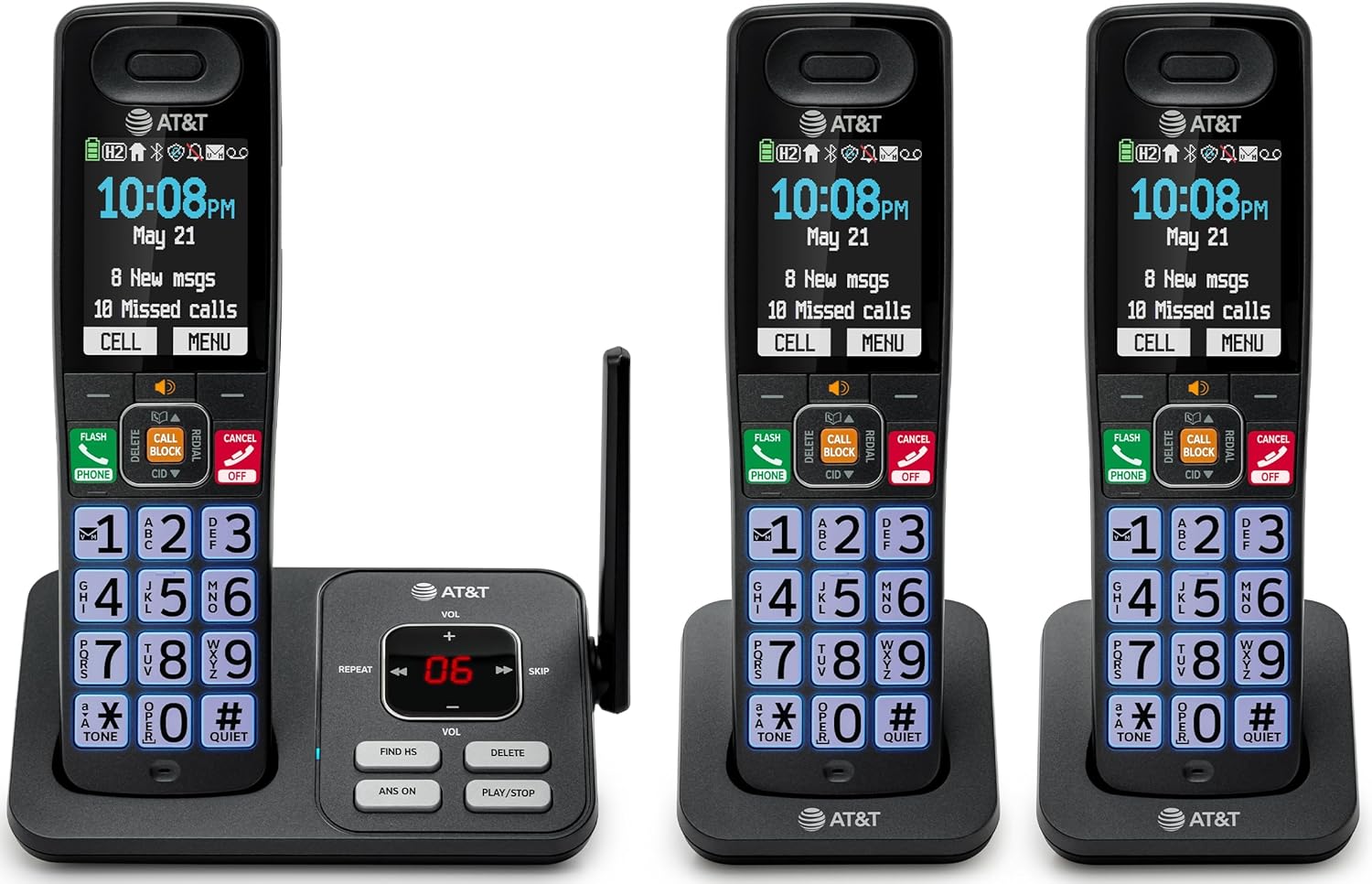
Image: The complete AT&T BL108-3 cordless phone system, showing the base unit and three handsets.
Configuración
1. Base Unit and Power Connection
- Coloque la unidad base sobre una superficie plana y estable.
- Conecte un extremo del cable de la línea telefónica al conector TEL LINE de la unidad base.
- Conecte el otro extremo del cable de la línea telefónica a un enchufe telefónico de pared.
- Plug one power adapter into the POWER jack on the base unit.
- Plug the other end of the power adapter into an electrical outlet not controlled by a wall switch.
2. Instalación y carga de la batería del teléfono
- Abra la tapa del compartimiento de la batería en la parte posterior de cada teléfono.
- Insert the provided battery cells, ensuring correct polarity (+ and -).
- Cierre la tapa del compartimento de la batería.
- Place each handset in its respective charger or the base unit cradle. The CHARGE light on the handset will illuminate.
- Deje que los teléfonos se carguen durante al menos 10 horas antes del primer uso.
3. Additional Charger Setup
- Plug the power adapters for the additional chargers into electrical outlets not controlled by a wall switch.
- Place the additional handsets into these chargers to charge.
Instrucciones de funcionamiento
Realizar y recibir llamadas
- Para realizar una llamada: Presione TELÉFONO, luego marque el número.
- Para responder una llamada: Presione TELÉFONO o cualquier tecla de marcación.
- Para finalizar una llamada: Presione APAGADO/CANCELAR or place the handset in the cradle.
Bloqueador de llamadas inteligente
The Smart Call Blocker feature automatically filters out robocalls. You can also manually block unwanted numbers.
- To block a number during a call: Press the dedicated BLOQUE DE LLAMADAS llave.
- The block directory can store up to 1,000 entries.

Image: A close-up of the handset displaying the "Smart Call Block" screen, with the "CALL BLOCK" button highlighted on the base unit.
Conexión Bluetooth al celular
Pair your smartphone with the BL108-3 system to make and receive mobile calls through any of the cordless handsets.
- En la unidad base, presione MENÚ, then navigate to "Bluetooth" and select "Pair Cell".
- Habilite Bluetooth en su teléfono inteligente y busque dispositivos disponibles.
- Select the AT&T phone from the list on your smartphone to pair.
- Once paired, mobile calls can be made and received using the cordless handsets.

Image: A visual representation of the "Connect to Cell" feature, showing a handset on a nightstand wirelessly connected to a smartphone.
Video: Demonstrates the seamless Bluetooth connection to a cell phone, allowing calls to be made and received through the AT&T cordless handset.
Contestador automático digital
The integrated digital answering system records up to 22 minutes of messages.
- To play messages: Press REPRODUCIR/DETENER on the base unit or handset.
- To skip messages: Press SALTAR.
- To delete messages: Press BORRAR.

Image: The phone's base unit and handset displaying an incoming message on the answering system, with a visual of a message being left.
Anuncio de identificación de llamadas
The handset speaks the caller's name aloud, allowing you to screen calls without picking up the phone.
- Ensure Caller ID service is subscribed through your telephone service provider.
- The feature is active by default.

Image: The handset and base unit showing a call coming in, with a speech bubble indicating "Call from Johnson" to illustrate the Caller ID Announce feature.
Intercomunicador entre teléfonos
You can use the handsets to communicate with each other, or transfer calls.
- Para iniciar una llamada de intercomunicador: Presione INTERCOMUNICADOR on a handset, then select the desired handset number.
- To transfer a call: During an external call, press INTERCOMUNICADOR, select the handset, and then hang up after the other handset answers.

Image: Two handsets, one on the base and one on a charger, with arrows indicating communication between them, illustrating the intercom feature.
Directorio telefónico
Almacene hasta 1500 nombres y números en la agenda telefónica para marcar rápidamente.
- Para agregar una entrada: Presione MENÚ, navigate to "Phonebook", then "Add New Entry".
- Para marcar desde la agenda telefónica: Presione TELÉFONO, entonces Dirección, select the entry, and press TELÉFONO de nuevo.

Image: The handset screen showing a phonebook list with alphabetical navigation, demonstrating the phonebook directory feature.
Teléfono con altavoz y dúplex completo
Allows both parties to speak and be heard simultaneously during a speakerphone call.
- To activate speakerphone during a call: Press VOCERO.
- To switch back to handset mode: Press TELÉFONO.

Image: A person using the handset in speakerphone mode while working on a laptop, with speech bubbles indicating a two-way conversation.
Modo silencioso
Temporarily silences all handset and base unit ringers for a set period.
- Para activar: mantenga presionado #TRANQUILO en el auricular.
- Para desactivar: Mantenga presionado #TRANQUILO de nuevo.

Image: The handset screen showing "Quiet mode on" with a sleeping person in the background, illustrating the Quiet Mode feature.
Modo ecologico
Reduces power consumption for optimal battery performance.
- ECO mode is typically enabled by default to conserve energy.
- Refer to the full user manual for options to adjust or disable this feature if needed.

Image: The handset and base unit in a setting with wind turbines in the background, and the screen showing "ECO mode", symbolizing energy efficiency.
Linterna incorporada
For safety at night or in emergencies, the handset includes a built-in flashlight.
- To activate the flashlight: Locate the flashlight button on the side of the handset and press it.

Image: A close-up of the handset's side, showing the flashlight beam and the "FLASHLIGHT" label, indicating its location and function.
Mantenimiento
- Limpieza: Clean the phone and base unit with a soft, damp Paño. No utilice aerosoles de limpieza ni productos químicos agresivos.
- Cuidado de la batería: For optimal battery life, fully charge the handsets for 10 hours before first use. If the phone will be unused for an extended period, remove the batteries.
- Condiciones ambientales: Evite exponer el teléfono a temperaturas extremas, luz solar directa o humedad.
Solución de problemas
| Problema | Solución |
|---|---|
| Sin tono de marcado |
|
| El teléfono no se carga |
|
| Mala calidad de llamada o estática |
|
| Cannot make/receive Bluetooth calls |
|
Presupuesto
| Característica | Detalle |
|---|---|
| Marca | AT&T |
| Número de modelo | BL108-3 |
| Tipo de teléfono | Inalámbrico (DECT 6.0) |
| Color | Negro |
| Teléfonos incluidos | 3 |
| Mostrar | 2.4" Color Backlit Display |
| Tipo de sistema de contestación | Digital (hasta 22 minutos de tiempo de grabación) |
| Bloqueador de llamadas | Bloqueador de llamadas inteligente (hasta 1,000 entradas) |
| Bluetooth | Connect to Cell (smartphone pairing) |
| Tiempo de espera del teléfono | 6 días |
| Identificador de llamadas | Yes, with Announce feature |
| Capacidad de la agenda telefónica | Hasta 1500 nombres y números |
| Altavoz | Teléfono con altavoz y dúplex completo |
| Dimensiones (Unidad base) | 5.63 x 2.99 x 7.4 pulgadas (largo x ancho x alto) |
| Fuente de poder | Eléctrico con cable |
| Material | Plástico |
| Código Postal | 650530034121 |

Image: Diagram showing the dimensions of the AT&T BL108-3 base unit and a handset.
Información de garantía
Your AT&T BL108-3 Cordless Phone comes with a Garantía limitada de 1 años. Please retain your purchase receipt as proof of purchase. For detailed warranty terms and conditions, refer to the full user manual or contact AT&T customer support.
Apoyo
For further assistance, technical support, or to order replacement parts, please visit the official AT&T support website or contact their customer service. You can often find FAQs and additional resources online.
- Soporte en línea: Visita AT&T Wireless Support (or search for AT&T Landline Phone Support).
- Servicio al cliente: Refer to your Quick Start Guide for specific contact numbers.


