
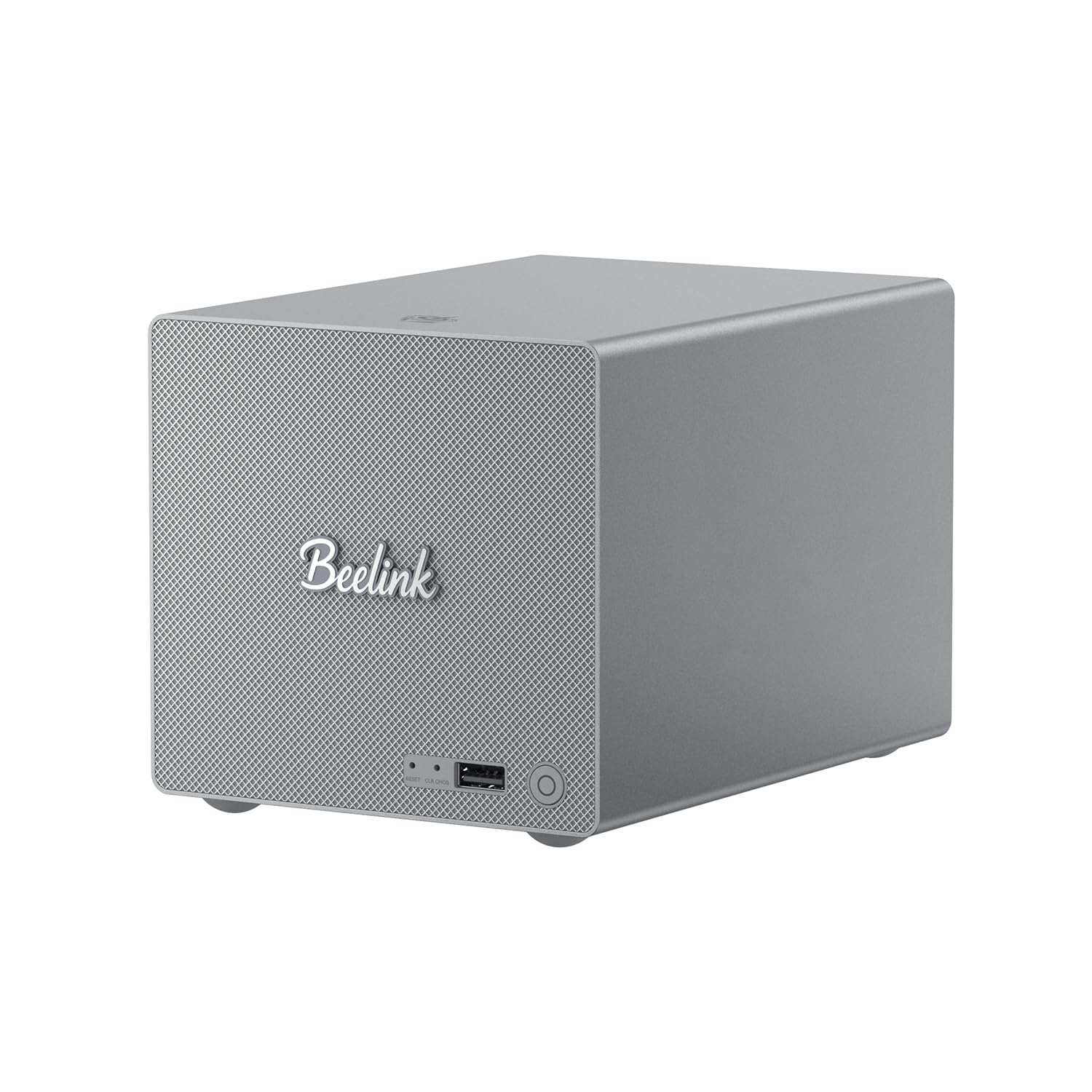
Figure 1: Beelink ME Pro Mini PC NAS
1. Introducción
The Beelink ME Pro Mini PC NAS is a versatile and compact network-attached storage solution designed for various applications, including file serving, private cloud storage, and home media centers. This manual provides detailed instructions for setting up, operating, and maintaining your device, ensuring optimal performance and longevity.
2. Producto terminadoview
The Beelink ME Pro features a modular design for easy upgrades and maintenance. It includes multiple storage options and comprehensive connectivity ports.
2.1 Disposición de los paneles frontal y trasero

Figura 2: Puertos del panel frontal y trasero
The front panel includes a power button, a USB-A 10Gbps port, a CLR CMOS button, and a reset hole. The rear panel provides a DC power input, two LAN ports (2.5GE and 5GE), an HDMI port (4K 60Hz), two USB-A 480Mbps ports, a USB-C 10Gbps port (for data and video), and a 3.5mm audio jack.
3. Instrucciones de configuración
3.1 Encendido inicial
- Connect the power adapter to the DC input port on the rear of the device.
- Conecte un monitor al puerto HDMI.
- Connect a keyboard and mouse to the USB-A ports.
- Presione el botón de encendido en el panel frontal para encender el dispositivo.
3.2 Operating System Installation (if applicable)
The Beelink ME Pro supports Windows and Linux operating systems. If your device did not come with a pre-installed OS or you wish to install a different one, follow the standard installation procedures for your chosen operating system.
Video: Instructions on how to install Windows 10 on a Beelink Mini PC. This video demonstrates the steps for OS setup.
4. Instrucciones de funcionamiento
Once the operating system is installed and configured, the Beelink ME Pro functions as a standard mini PC or NAS. You can access its features and manage your data through the installed OS interface.
- File Servidor: Utilize the large storage capacity to host and share files a través de su red.
- Centro de medios: Install applications like JellyFin, KODI, or Plex to stream 4K movies, music, and photos to various devices.
- Private Cloud: Set up a personal cloud solution for secure data access and sharing.
5. Expansión de almacenamiento
The Beelink ME Pro offers extensive storage expansion capabilities to meet your data needs.
5.1 M.2 SSD Slots
The device includes three M.2 2280 PCIe3.0 SSD slots. Each slot supports up to 4TB, providing a total of up to 12TB capacity for high-speed storage.
5.2 Bahías de disco duro
Two additional hard drive bays support 2.5-inch and 3.5-inch SATA drives, with each bay accommodating up to 30TB, for a total of up to 60TB.

Figure 3: M.2 SSD Slots and Hard Drive Bays
Video: A tutorial demonstrating the process of replacing an SSD in a Beelink Mini PC.
6. Configuración de red
The Beelink ME Pro is equipped with advanced networking features for optimal performance and connectivity.
- Doble LAN: Features two Ethernet ports (2.5GE and 5GE) supporting soft routing functionality, network performance optimization, and advanced network management.
- Conectividad inalámbrica: Built-in WiFi 6 and Bluetooth 5.4 enable high-speed wireless connections to various devices such as keyboards, mice, and printers.

Figure 4: Dual LAN Ports and Speed Comparison
7. Mantenimiento
Regular maintenance helps ensure the longevity and optimal performance of your Beelink ME Pro.
- Eliminación de polvo: The modular, drawer-style design allows for quick and easy dust removal. Simply pull out the internal components for access.
- Actualizaciones de software: Keep your operating system and installed applications updated to ensure security and performance.

Figure 5: Magnetic Cooling Mesh Cover and Screwdriver Design
8. Solución de problemas
This section provides general guidance for common issues. For specific problems, refer to the Beelink support resources.
- Sin energía: Asegúrese de que el adaptador de corriente esté conectado de forma segura tanto al dispositivo como a una toma de corriente que funcione.
- Sin pantalla: Verify that the monitor is correctly connected to the HDMI port and is set to the correct input source. Try a different HDMI cable or monitor if available.
- Problemas de conectividad de red: Check Ethernet cable connections. For Wi-Fi, ensure the device is within range of your router and the correct password is entered.
- El sistema no responde: Press and hold the power button for 5-10 seconds to force a shutdown, then restart the device. If issues persist, use the CLR CMOS button or reset hole.
9. Especificaciones
Key technical specifications for the Beelink ME Pro Mini PC NAS:
| Característica | Detalle |
|---|---|
| Marca | Enlace de abeja |
| Nombre del modelo | ME Pro |
| Modelo de CPU | Intel N95 (4C/4T, up to 3.4GHz) |
| Memoria RAM | 12 GB LPDDR5 |
| Almacenamiento interno | SSD de 128 GB |
| Ranuras SSD M.2 | 3 x M.2 2280 PCIe3.0 (up to 4TB each) |
| Bahías de disco duro | 2 (2.5-inch/3.5-inch SATA, up to 30TB each) |
| Coprocesador gráfico | Gráficos Intel UHD 630 |
| Salida de vídeo | HDMI (4K 60Hz), USB-C (Data & Video) |
| Puertos LAN | 1 x 2.5GE, 1 x 5GE |
| Conectividad inalámbrica | Wi-Fi 6, Bluetooth 5.4 |
| Compatibilidad con sistemas operativos | Ventanas, Linux |
| Características adicionales | Activación por LAN, activación por RTC, encendido automático |
10. Garantía y soporte
Beelink is committed to providing comprehensive support for your product.
- Garantía: The Beelink ME Pro comes with a 3-year warranty.
- Apoyo técnico: Soporte técnico de por vida disponible.
- Servicio postventa: Se proporciona servicio posventa 24 horas al día, 7 días a la semana.
- Certificaciones: Todos los productos han obtenido las certificaciones FCC, RoHS y CE.
For any questions or assistance, please contact Beelink customer service.
Vídeo: Instrucciones sobre cómo contactar con el servicio de atención al cliente de Beelink para obtener ayuda.


