
MorePro AIR6
MorePro Fitness Tracker AIR6 Black User Manual
Model: AIR6 Black
1. Introducción
Welcome to the MorePro Fitness Tracker AIR6 Black user manual. This guide provides detailed instructions on how to set up, operate, and maintain your new fitness tracker. The MorePro AIR6 is designed to help you monitor your health and fitness activities with features such as 24/7 heart rate, blood pressure, blood oxygen, and sleep tracking. It also includes multiple sports modes, smart notifications, and a durable, waterproof design.
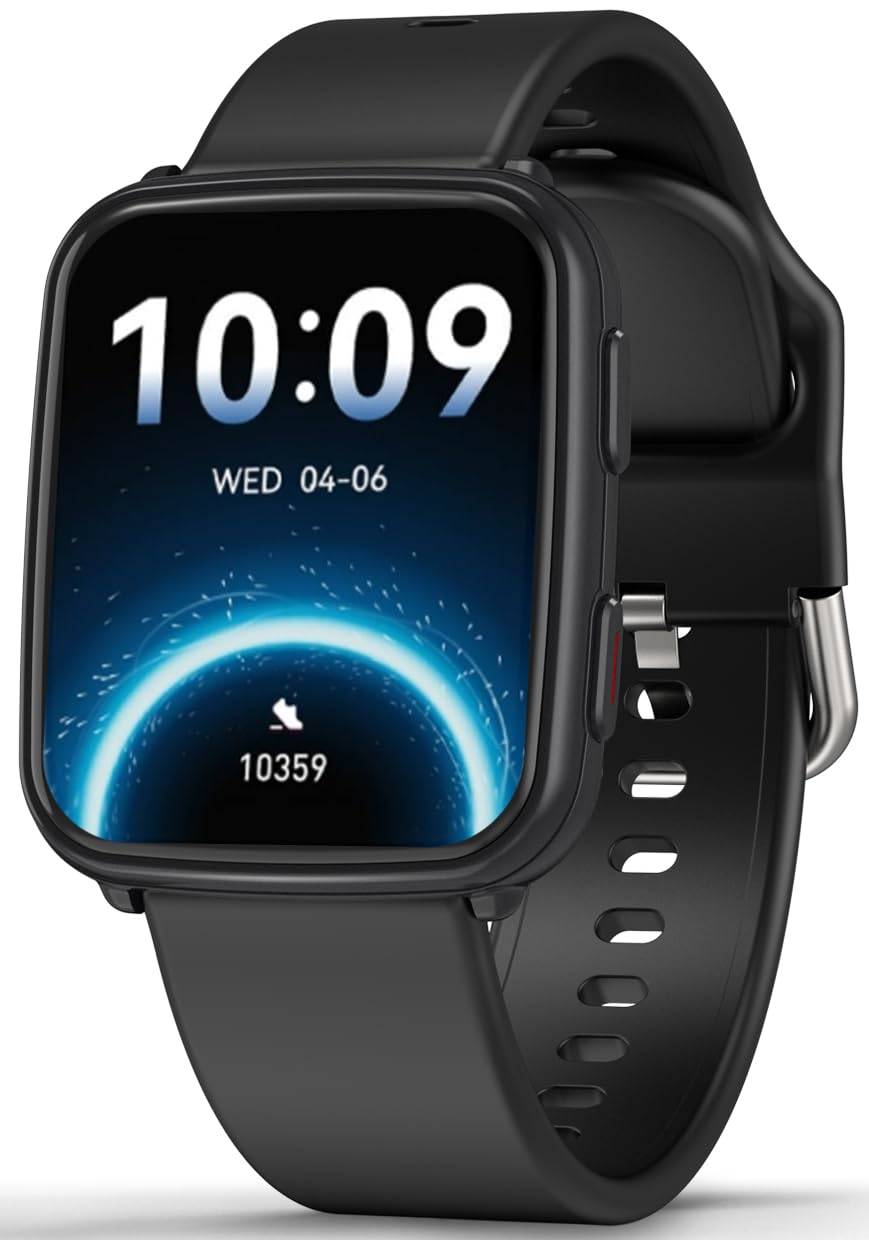
Image: MorePro Fitness Tracker AIR6 Black, showcasing su elegante diseño.
2. Guía de configuración
2.1. Desempaquetado y carga inicial
Upon opening the package, you will find the MorePro Fitness Tracker, a charging cable, and this user manual. Before first use, ensure the device is fully charged.
- Conecte el cable de carga magnético a los puntos de carga en la parte posterior del reloj.
- Conecte el extremo USB del cable a un adaptador de corriente USB estándar (no incluido) o al puerto USB de una computadora.
- La pantalla del reloj indicará el estado de carga. Una carga completa suele tardar unas 2 horas.
2.2. Powering On and App Pairing
- To power on the device, press and hold the side button until the screen lights up.
- Select your preferred language from the options displayed on the screen.
- Scan the QR code shown on the watch screen or in the manual using your smartphone to download the companion MorePro app. The app is compatible with Android 7.0+ and iOS 13.0+ devices.
- Open the MorePro app on your smartphone, create an account, and follow the on-screen instructions to pair your fitness tracker via Bluetooth. Ensure Bluetooth is enabled on your phone.
Video: Demonstrates unboxing, connecting the charger, powering on the watch, selecting language, and scanning the QR code for app download and pairing.
3. Instrucciones de funcionamiento
3.1. Navegación básica
The MorePro Fitness Tracker features a responsive touchscreen and a side button for navigation:
- Deslizar hacia arriba/abajo: Desplácese por los menús y las notificaciones.
- Deslizar hacia la izquierda/derecha: Access quick data screens (e.g., steps, heart rate, weather).
- Grifo: Seleccione un elemento o confirme una acción.
- Botón lateral: Press to return to the previous screen or wake the display. Press and hold to access the main menu or power options.
3.2. Monitoreo de la salud
The device continuously monitors various health metrics:
- Frecuencia cardíaca: Provides 24/7 heart rate tracking. Access detailed graphs in the app.
- Presión arterial: Offers on-demand blood pressure measurements. (Note: Not for medical use.)
- Oxígeno en sangre (SpO2): Check your blood oxygen levels at any time.
- Seguimiento del sueño: Automatically tracks deep sleep, light sleep, and wake-up times to provide comprehensive sleep insights.

Image: The watch screen showing real-time heart rate, blood pressure, and blood oxygen data.

Image: A close-up of the smart watch displaying heart rate monitoring.

Image: The smart watch screen showing blood pressure measurement.

Image: The smart watch displaying blood oxygen levels.
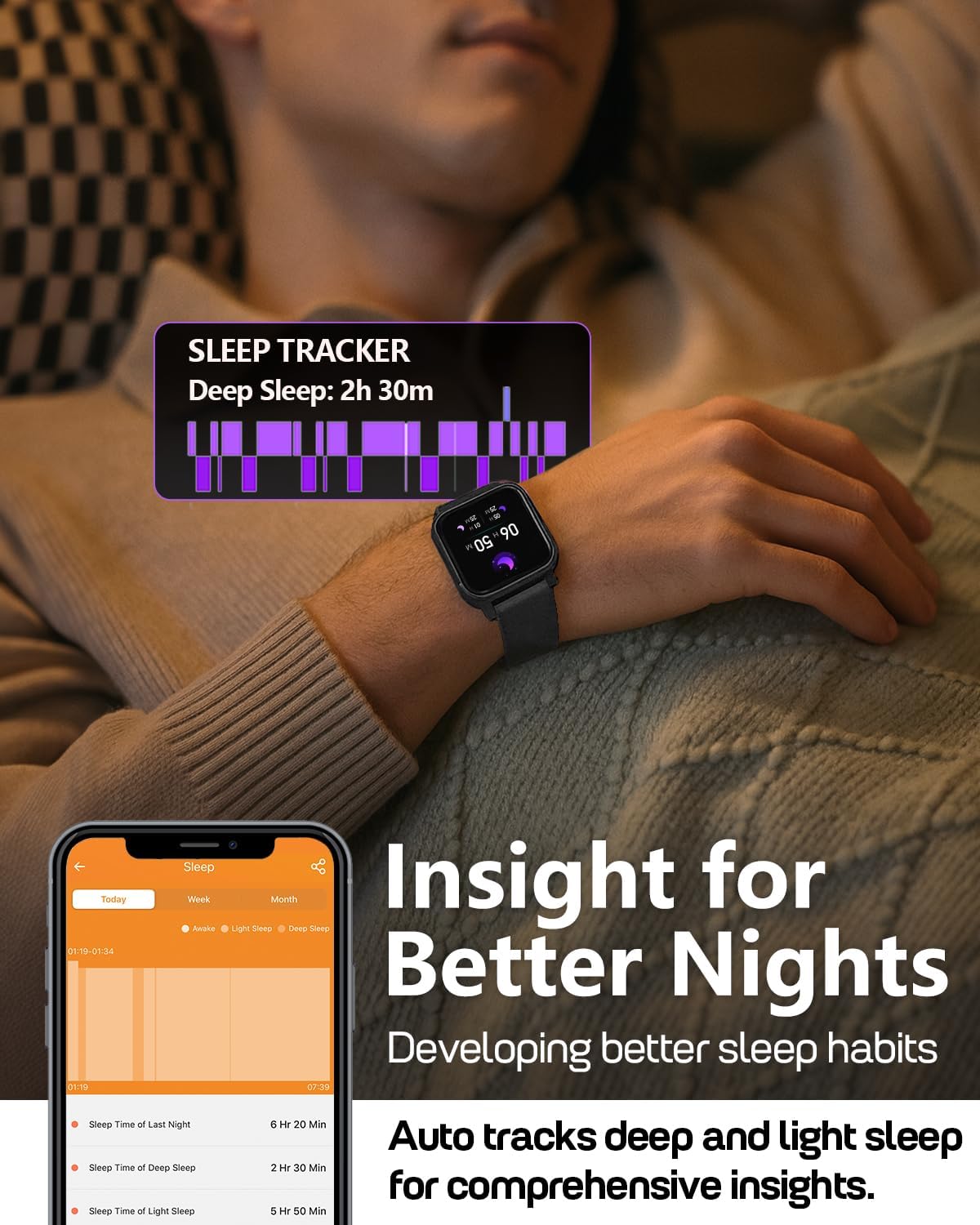
Image: A person wearing the MorePro Fitness Tracker while sleeping, with sleep data displayed on the screen.

Image: The smart watch displaying sleep tracking data.
3.3. Seguimiento de actividad
The tracker supports over 20 sports modes and records daily activity:
- Más de 20 modos deportivos: Includes running, walking, cycling, yoga, elliptical, swimming, basketball, football, badminton, table tennis, skipping, tennis, baseball, rugby, hula hoop, golf, and more.
- Actividad diaria: Registra los pasos, la distancia y las calorías quemadas.

Image: A person exercising while wearing the MorePro Fitness Tracker, displaying activity time, heart rate, steps, and calories burned.

Image: The fitness tracker displaying various sports modes like cycling, exercise bike, swimming, and yoga.
3.4. Seguimiento de la salud de la mujer
The tracker includes a dedicated feature for women's health, allowing you to log and track menstrual periods, safe days, ovulation windows, and ovulation days directly on your wrist. The app supports period mode, trying-to-conceive mode, and pregnancy mode.

Image: A woman using the smart watch to track her menstrual cycle.
3.5. Funciones inteligentes
Stay connected and organized with these smart features:
- Notificaciones: Receive real-time call, SMS, and app message notifications (e.g., Facebook, Instagram, TikTok) on your wrist.
- Pronóstico del tiempo: Get on-wrist weather updates.
- Control de música: Controla la reproducción de música en tu teléfono.
- Control de cámara: Utilice el reloj como obturador remoto para la cámara de su teléfono.
- Cronómetro y temporizador: Herramientas integradas para cronometrar actividades.
- Despertador: Configura alarmas directamente desde tu muñeca.
- Encontrar teléfono: Localiza tu teléfono inteligente extraviado.
- Recordatorios de sedentarismo e hidratación: Prompts to move and drink water throughout the day.
- Esferas de reloj personalizadas: Choose from over 200 watch faces or create custom ones using your own photos.

Image: The smart watch showing notifications from various social media apps and a stress monitor.

Image: The 1.52-inch HD screen of the MorePro Fitness Tracker displaying various watch face options, including custom photo faces.
4. Mantenimiento
4.1. Impermeabilización
The MorePro Fitness Tracker is IP68 waterproof, meaning it is resistant to sweat, rain, and can be worn during hand-washing or swimming. However, it is not recommended for hot showers, saunas, or diving.

Image: Demonstrates the IP68 waterproof feature, showing the watch being exposed to sweat, poolside splashes, and hand-washing.
4.2. Limpieza
To maintain your device, regularly clean the watch and strap with a soft, damp paño. Evite el uso de productos químicos agresivos o materiales abrasivos.
4.3. Duración de la batería y carga
The device offers up to 7-10 days of battery life with normal use and 15 days on standby. Recharge using the provided magnetic charging cable when the battery is low.

Image: A person in a desert setting, highlighting the ultra-long battery life of 15 days standby and 7 days normal use, with a 2-hour magnetic charging time.
5. Solución de problemas
If you encounter issues with your MorePro Fitness Tracker, try the following steps:
- El dispositivo no enciende: Asegúrese de que el dispositivo esté completamente cargado. Conéctelo al cargador y espere unos minutos antes de volver a encenderlo.
- Problemas de conectividad: Make sure Bluetooth is enabled on your smartphone and the tracker is within range. Restart both your phone and the tracker. Check the app for pairing status.
- Lecturas inexactas: Asegúrese de que el reloj esté bien ajustado a su muñeca, ni demasiado apretado ni demasiado suelto. Limpie los sensores de la parte trasera del reloj.
- La aplicación no se sincroniza: Verify your phone has an active internet connection. Close and reopen the MorePro app.
- Las notificaciones no aparecen: Check your phone's notification settings for the MorePro app and ensure all necessary permissions are granted.
Para obtener más ayuda, consulte la sección de ayuda de la aplicación o comuníquese con el servicio de atención al cliente.
6. Especificaciones
| Característica | Detalle |
|---|---|
| Marca | MásPro |
| Modelo | AIR6 Black |
| Tamaño de pantalla | 1.52 pulgadas |
| Tipo de pantalla | Pantalla LCD |
| Capacidad de almacenamiento de memoria | 128 MB |
| Sistema operativo | Android y iOS |
| Dispositivos compatibles | Teléfono inteligente |
| Características especiales | Activity Tracker, Cycle Tracking, Daily Workout Memory, Music Player, Sedentary Reminder, Heart Rate, Blood Pressure, Blood Oxygen, Sleep Monitor, Weather, Alarm Clock, Find Phone, Camera Control, Stopwatch, Timer, Hydration Reminder |
| Clasificación de impermeabilidad | IP68 |
| Capacidad de la batería | 230 miliamp Horas |
| Duración de la batería (uso normal) | 7-10 días |
| Duración de la batería (en espera) | 15 días |
| Tiempo de carga | Aproximadamente 2 horas |
| Tecnología de conectividad | Bluetooth 5.3 |
| Tipo de material | Plástico |
| Compatibilidad del tamaño de la muñeca | 6.3 - 8.6 pulgadas |

Image: Details on watch dimensions, minimum and maximum wrist sizes, and compatibility with Android 7.0+ and iOS 13.0+ via Bluetooth 5.3.

Image: The smart watch highlighting its 1.52-inch HD screen and various watch face options.

Image: Detailed measurements of the watch strap, indicating its adjustable length for wrist sizes between 6.3 and 8.6 inches.
7. Garantía y soporte
MorePro offers comprehensive support for your fitness tracker:
- Reemplazo de 2 años: Enjoy a 2-year replacement policy for manufacturing defects.
- Servicio de por vida: Benefit from lifetime technical support and service.
- Respuesta rápida en 12 horas: Espere una respuesta rápida a sus consultas dentro de las 12 horas.
For any questions or support needs, please contact MorePro customer service.

Image: Highlights MorePro's after-sales support, including a 2-year premium service and 12-hour quick support.
Ask a question about this manual
Ask about setup, troubleshooting, compatibility, parts, safety, or missing instructions. Manuals+ will review the question and use this page’s manual context to help answer it.