
Introducción
Welcome to your new Yamaha YDP105 Digital Piano. This manual provides essential information for setting up, operating, maintaining, and troubleshooting your instrument. Please read it thoroughly to ensure proper use and to maximize your playing experience.
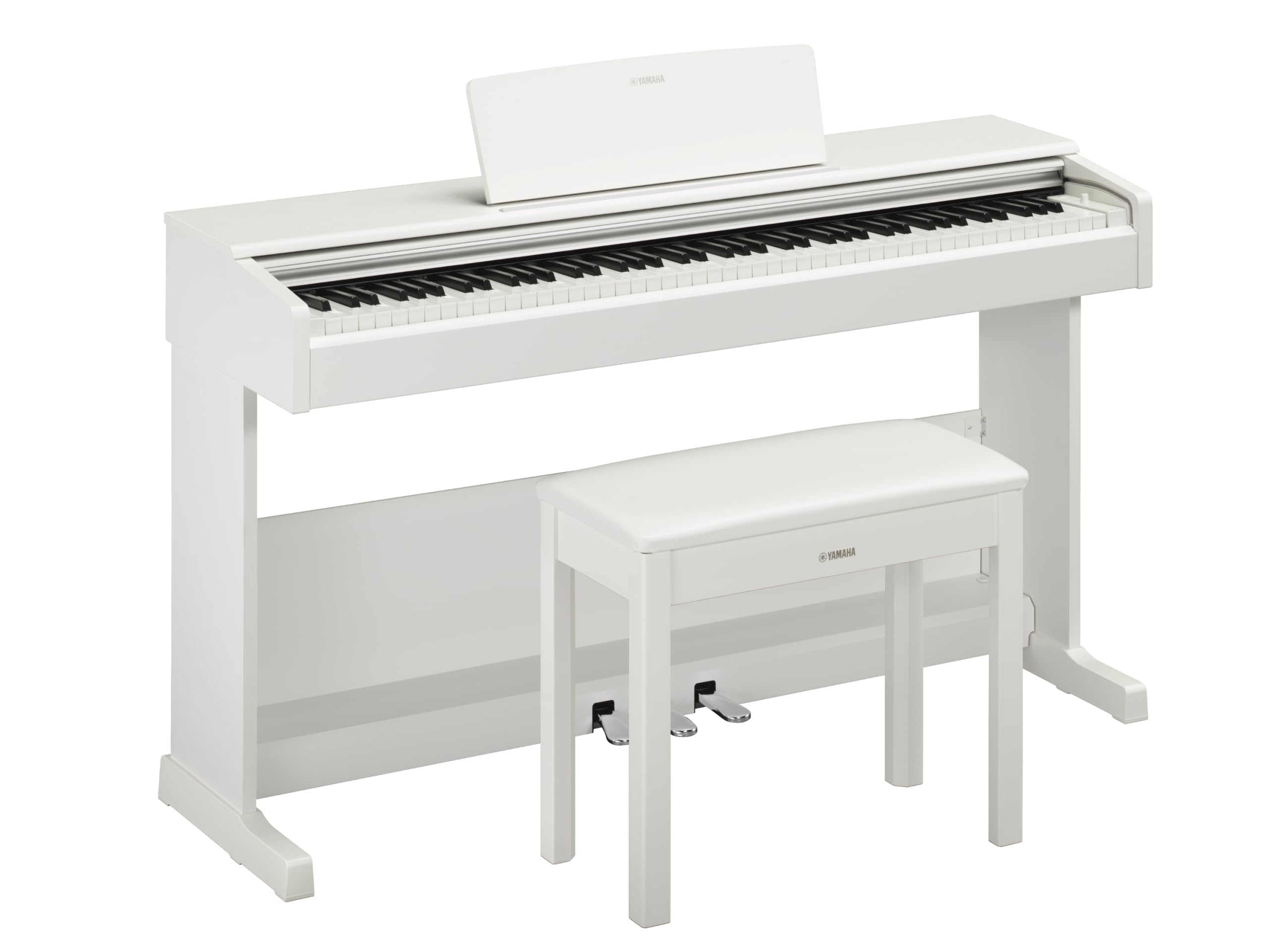
This image shows the Yamaha YDP105 digital piano in a white finish, positioned in a modern living room environment, highlighting its elegant design.
Instrucciones de seguridad importantes
- Fuente de alimentación: Utilice únicamente el adaptador de corriente especificado. Asegúrese de que el voltage coincide con su fuente de alimentación local.
- Agua y humedad: No exponga el instrumento a la lluvia, la humedad ni la humedad excesiva. Mantenga el piano alejado de líquidos.
- Ventilación: Asegúrese de que haya una ventilación adecuada alrededor del instrumento. No bloquee las aberturas de ventilación.
- Ubicación: Place the piano on a stable, level surface. Avoid direct sunlight, heat sources, and areas with excessive dust or vibrations.
- Manejo: Manipule el instrumento con cuidado. Evite dejarlo caer o someterlo a impactos fuertes.
- Servicio: No intente reparar el instrumento usted mismo. Encargue cualquier reparación a personal cualificado.
Configuración
Desembalaje
Carefully remove all components from the packaging. Ensure all included items are present: the piano unit, bench, 3-pedal unit, power adapter, and music rest.
Asamblea
The Yamaha YDP105 requires some assembly. Follow these steps:
- Attach the side panels to the main keyboard unit using the provided screws.
- Secure the pedal unit to the assembled frame.
- Attach the backboard.
- Place the music rest into its slot on the keyboard unit.
- Assemble the bench according to its separate instructions.

This image shows the fully assembled Yamaha YDP105 digital piano in white, complete with its matching bench and music rest.
Conexión de energía
Connect the supplied power adapter to the DC IN jack on the rear of the piano and then to a standard AC outlet.
Pedal Unit Connection
Ensure the 3-pedal unit cable is securely connected to the corresponding jack on the piano.

This image displays a close-up of the three-pedal unit, showing the sustain, sostenuto, and soft pedals.
Instrucciones de funcionamiento
Encendido/apagado
Presione el FUERZA button to turn the instrument on or off.
Control de volumen
Utilice el VOLUMEN PRINCIPAL Perilla para ajustar el nivel de sonido general.
Selección de voces (sonidos de instrumentos)
The YDP105 features 10 instrument voices. To select a voice:
- Presione el VOZ botón.
- Use the keyboard keys to select the desired voice as indicated in the manual's voice list.

This image shows a close-up of the control panel on the left side of the keyboard, highlighting the "GRAND PIANO" and "FUNCTION" buttons.
Uso de auriculares
The piano includes dual headphone jacks for private practice or duets. Connect standard 3.5mm headphones to either jack.

This image shows a pair of headphones resting on the top surface of the digital piano, near the keys.
Integración de la aplicación Smart Pianist
Enhance your experience by connecting the YDP105 to the Yamaha Smart Pianist app. This app allows for intuitive control of piano functions, access to scores, and learning tools. Refer to the Smart Pianist app's documentation for detailed connection and usage instructions.

This image displays the icon for the Yamaha Smart Pianist App, featuring a stylized piano keyboard and musical notes.
Mantenimiento
Limpieza
Limpie el instrumento con un paño suave y seco. Para la suciedad difícil, utilice un paño ligeramente seco.amp cloth and then wipe dry. Avoid abrasive cleaners, solvents, or polishes.
Almacenamiento
Guarde el piano en un entorno estable, alejado de la luz solar directa, temperaturas extremas y alta humedad.
Moving the Instrument
When moving the piano, ensure it is powered off and disconnected from the power source. Handle with care to prevent damage.
Solución de problemas
Sin sonido
- Compruebe si la energía está encendida.
- Asegúrese de que el volumen esté alto.
- Si hay auriculares conectados, desconéctelos para comprobar la salida del altavoz.
- Verifique que todos los cables estén conectados de forma segura.
Las teclas no responden
- Power cycle the instrument (turn off, then on again).
- Ensure no objects are obstructing the keys.
Pedals Not Working
- Check the pedal unit cable connection.
- Ensure the pedal unit is correctly assembled and positioned.
Presupuesto
| Característica | Detalle |
|---|---|
| Nombre del modelo | YDP-105 |
| Número de llaves | 88 |
| Tipo de clave | Graded Hammer Standard (GHS) keyboard with matte black keytops |
| Respuesta al tacto | Duro/Medio/Suave/Fijo |
| Voces | 10 (including Grand Piano) |
| Polifonía | 64 notas |
| Pedales | 3 (Damper with half pedal effect, Sostenuto, Soft) |
| Conectividad | USB to Host, Headphone Jacks (2 x Standard Stereo Phone Jack) |
| Oradores | 12 cm x 2 |
| Ampmás vivaz | 8 ancho x 2 |
| Dimensiones (An x Pr x Al) | 1357 mm x 422 mm x 815 mm (53.44" x 16.63" x 32.09") |
| Peso | 37.5 kg (82.7 libras) |
| Fuente de alimentación | PA-150B or an equivalent recommended by Yamaha |
Información de garantía
The Yamaha YDP105 Digital Piano comes with a 1-year manufacturer warranty. Yamaha Corporation of America is committed to the quality and craftsmanship of its products. This limited warranty applies only to products purchased from an authorized Yamaha retailer in the fifty United States (including the District of Columbia) and used within this area. For complete warranty details and terms, please refer to the official Yamaha websitio o póngase en contacto con el servicio de atención al cliente de Yamaha.
Atención al cliente
Para obtener más ayuda, soporte técnico o consultas de servicio, visite el sitio web oficial de Yamaha. websitio o comuníquese con su departamento de servicio al cliente.