
1. Introducción
This manual provides detailed instructions for the setup, operation, and maintenance of your Eyoyo EY-009L 1D Mini Bluetooth Barcode Scanner. This compact and portable scanner offers versatile 3-in-1 connectivity options: USB wired, 2.4G wireless, and Bluetooth. It is designed for efficient 1D barcode scanning across various platforms including iOS, Windows, Android, tablets, and computers.
2. Contenido del paquete
Antes de continuar, verifique que todos los artículos estén presentes en su paquete:
- Eyoyo EY-009L Barcode Scanner
- Cable de datos / carga USB
- Dongle inalámbrico 2.4G
- Funda protectora de silicona
- Correa de muñeca
- Manual de usuario (este documento)
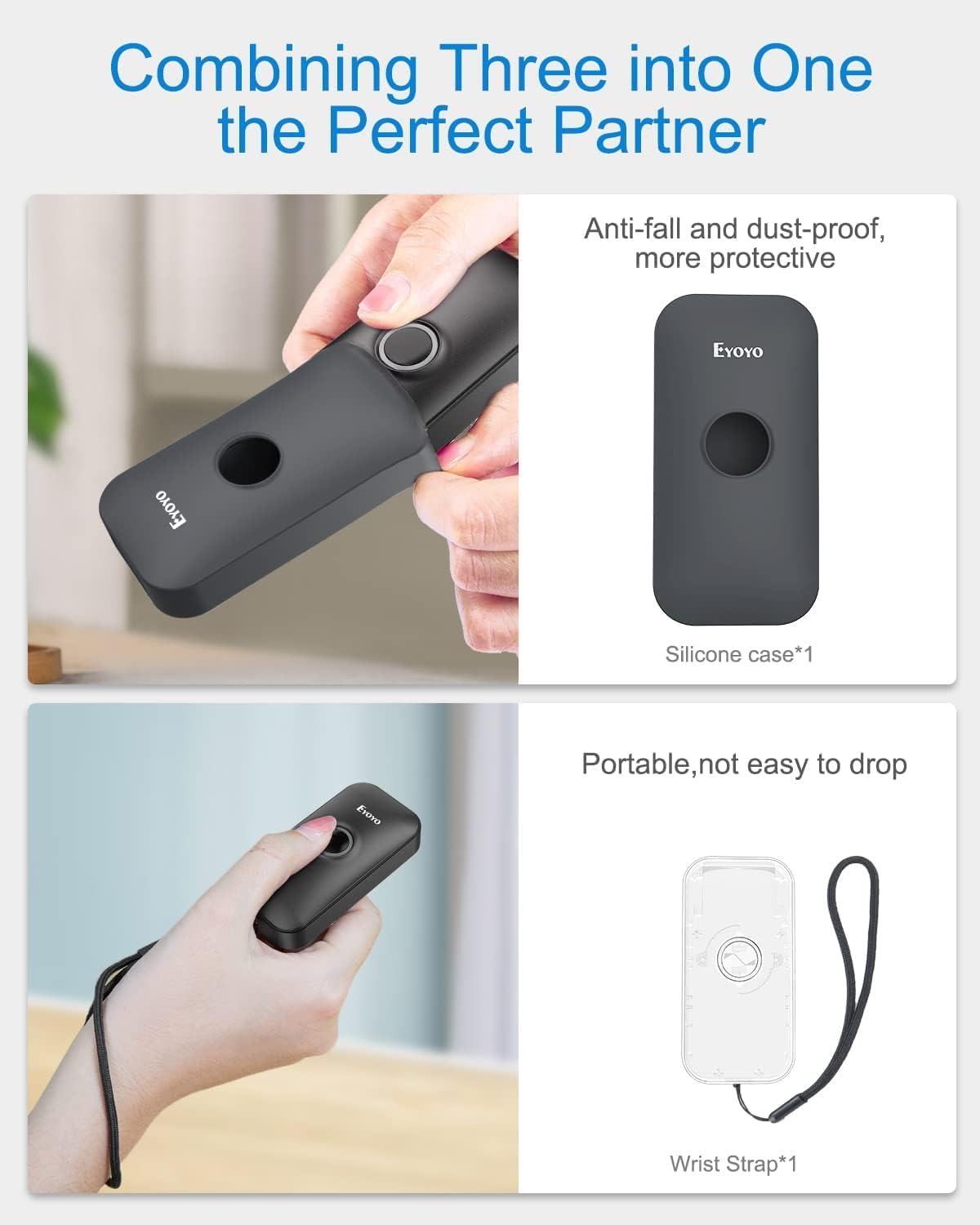
Image: Contents of the Eyoyo EY-009L package, including the scanner, USB cable, 2.4G dongle, silicone case, wrist strap, and user manual.
3. Producto terminadoview
The Eyoyo EY-009L is a compact and lightweight 1D barcode scanner designed for portability and ease of use. It features a durable silicone case for protection and multiple connectivity options.
3.1 Características principales
- Diseño compacto: Weighs approximately 35g (1.23oz) with dimensions of 3.07" x 1.50" x 0.47".
- Conectividad 3 en 1: Supports 2.4G Wireless, Bluetooth, and USB Wired modes.
- Compatibilidad con códigos de barras 1D: Reads UPC/EAN, Code 39, Interleaved 2 of 5, Code 93, Code 128, Codabar, Industrial 2 of 5, and Matrix 2 of 5.
- Batería de larga duración: La batería recargable de 650 mAh proporciona hasta 5 horas de escaneo continuo.
- Alta compatibilidad: Works with Windows, Mac OS, Linux, iOS, and Android devices.

Image: The compact Eyoyo EY-009L barcode scanner held in a hand, illustrating its small size and portability.
4. Configuración y conexión
The scanner offers three connection modes. Choose the mode that best suits your device and environment.

Image: Visual representation of the three connection modes: USB Wired, 2.4G Wireless, and Bluetooth, connecting the scanner to various devices.
Modo con cable USB 4.1
- Conecte el escáner a su computadora usando el cable USB provisto.
- El escáner entrará automáticamente en modo cableado y comenzará a cargarse.
- No additional drivers are typically required. The scanner will function as a keyboard input device.
4.2 Modo inalámbrico 2.4G
- Insert the 2.4G wireless dongle into a USB port on your computer or device.
- Encienda el escáner. Debería conectarse automáticamente al dispositivo.
- A successful connection is indicated by a specific LED light pattern or sound (refer to the scanner's indicator guide for details).
- The 2.4G wireless mode offers a transmission range of up to 30m (98ft) in a barrier-free environment.
4.3 Modo Bluetooth
- Ensure the scanner is powered on and in Bluetooth pairing mode (usually indicated by a blinking blue LED). If not, scan the "Bluetooth Pairing" barcode from the full user manual.
- En su dispositivo anfitrión (teléfono inteligente, tableta, computadora), habilite Bluetooth y busque los dispositivos disponibles.
- Select "Eyoyo Barcode Scanner" or a similar name from the list of devices to pair.
- Once paired, the scanner's LED will change to a solid blue, and a confirmation sound may be heard.
- Bluetooth mode provides a transmission range of up to 50m (164ft) in a barrier-free environment.

Image: Diagram showing the effective transmission distances for 2.4G wireless mode (up to 30m/98ft) and Bluetooth mode (up to 50m/164ft) in different environments.

Image: Illustration of the scanner's compatibility with Windows, Android, iOS/macOS, and Linux operating systems, connecting to PCs, laptops, tablets, and smartphones.
5. Instrucciones de funcionamiento
5.1 Escaneo básico
- Ensure the scanner is connected to your device in the desired mode.
- Open an application or text field where you want the scanned data to appear (e.g., Notepad, Word document, POS software).
- Point the scanner's light beam at the 1D barcode you wish to scan.
- Press the scan button. A successful scan will be indicated by a beep and/or a green LED flash, and the barcode data will appear in your application.
Modos de funcionamiento de 5.2
El escáner admite dos modos de funcionamiento principales:
- Modo de carga instantánea: Los datos escaneados se transmiten inmediatamente al dispositivo conectado. Este es el modo predeterminado.
- Modo de almacenamiento: Scanned data is stored in the scanner's internal memory. Data can be uploaded later by scanning a specific "Upload Data" barcode (refer to the full user manual for this barcode). This mode is useful when out of range of the host device.
To switch between modes, scan the corresponding configuration barcodes found in the comprehensive user manual.
5.3 Opciones de personalización
The scanner offers various customizable settings by scanning specific configuration barcodes:
- Sonido y vibración: Enable or disable audible beeps and vibration feedback.
- Prefijo/Sufijo: Agregue caracteres personalizados antes o después de los datos escaneados.
- Eliminación de personaje: Eliminar caracteres específicos de los datos escaneados.
- Teclas del teclado: Insert special keys like TAB or CR&LF (Carriage Return & Line Feed) after each scan for automatic cursor movement.
Refer to the complete user manual for a full list of configuration barcodes and detailed instructions.
6. Batería y carga
The scanner is equipped with a 650mAh rechargeable battery.
- Cargando: Connect the scanner to a USB power source (computer USB port or USB wall adapter) using the provided USB cable. The charging indicator light will show charging status. A full charge takes approximately 2 hours.
- Duración de la batería: A fully charged battery provides up to 5 hours of continuous scanning or 720 hours of standby time.

Image: Infographic detailing the 650mAh rechargeable battery, 5 hours scanning time, 720 hours standby time, and 4 hours charging time for the Eyoyo barcode scanner.
7. Mantenimiento
- Limpieza: Utilice un paño suave y seco para limpiar el exterior del escáner. No utilice limpiadores abrasivos ni disolventes.
- Almacenamiento: Guarde el escáner en un lugar fresco y seco, alejado de la luz solar directa y de temperaturas extremas.
- Protección: Always use the provided silicone protective case to guard against drops and scratches.

Image: The Eyoyo barcode scanner being inserted into its anti-fall and dust-proof silicone case, and an image showing the scanner with an attached wrist strap for portability.
8. Solución de problemas
| Problema | Posible causa | Solución |
|---|---|---|
| El escáner no se enciende. | Batería baja. | Cargue el escáner durante al menos 2 horas. |
| No se transmiten datos después del escaneo. | Not connected to host device; incorrect operating mode; application not in focus. | Ensure proper connection (USB, 2.4G, or Bluetooth). Check if the scanner is in "Instant Upload Mode". Make sure the cursor is in the desired text field of your application. |
| No se puede emparejar a través de Bluetooth. | El escáner no está en modo de emparejamiento; dispositivo Bluetooth desactivado; interferencia. | Scan the "Bluetooth Pairing" barcode. Ensure Bluetooth is enabled on your device. Move closer to the device and away from potential interference sources. |
| El escáner lee los códigos de barras incorrectamente o no los lee en absoluto. | Damaged barcode; scanner lens dirty; incorrect barcode type enabled. | Try scanning a different, known-good barcode. Clean the scanner lens. Refer to the full manual to enable/disable specific barcode symbologies. |
9. Especificaciones
| Característica | Detalle |
|---|---|
| Número de modelo | EY-009L |
| Tecnología de conectividad | 2.4G inalámbrico, Bluetooth, cable USB |
| Dispositivos compatibles | Desktop, Laptop, Smartphone, Tablet (iOS, Windows, Android, Mac OS, Linux) |
| Tipos de códigos de barras admitidos | 1D codes: UPC/EAN, Code 39, Interleaved 2 of 5, Code 93, Code 128, Codabar, Industrial 2 of 5, Matrix 2 of 5 |
| Capacidad de la batería | 650 mAh |
| Tiempo de escaneo continuo | Hasta 5 horas |
| Tiempo de carga | Aproximadamente 2 horas |
| Dimensiones (D x W x H) | 0.48" x 1.56" x 3" |
| Peso | 35 g (1.23 onzas) |
| Vol de funcionamientotage | 5 voltios |
| Temperatura máxima de almacenamiento | 50 grados centígrados |
| Certificaciones | CE, FCC, RoHS |
10. Garantía y soporte
The Eyoyo EY-009L Barcode Scanner comes with a Garantía del fabricante de 1 año.
For technical support, warranty claims, or further assistance, please contact Eyoyo customer service through their official websitio o la información de contacto proporcionada con su documentación de compra.
Conserve su comprobante de compra para fines de garantía.