
Introducción
This manual provides essential information for the safe and effective use of your Hyper Tough 20V Max 2.0Ah Lithium-Ion Battery Pack. This battery pack is designed to power Hyper Tough 20V tools and features integrated USB-A and USB-C ports for charging compatible electronic devices. Please read these instructions carefully before use and retain them for future reference.
Información de seguridad
ADVERTENCIA: Lea todas las advertencias e instrucciones de seguridad. El incumplimiento de las advertencias e instrucciones puede provocar descargas eléctricas, incendios y/o lesiones graves.
Seguridad del paquete de baterías
- RISK OF FIRE AND BURNS. No abrir, aplastar, calentar a más de 100 °C (212 °F) ni incinerar.
- Follow manufacturer's instructions for charging and use.
- Store indoors in a cool, dry place, away from direct sunlight and moisture.
- RIESGO DE DESCARGA ELÉCTRICA. No exponga la batería al agua o la lluvia.
- No user-serviceable parts inside. Do not attempt to disassemble or repair the battery pack.
- Ambient temperature for charging should be between 41°F to 104°F (5°C to 40°C).
- Charge only with Hyper Tough chargers (e.g., JS-22055-117UN) or other chargers specifically approved by Hyper Tough for this model.
- No provoque cortocircuito en los terminales de la batería.
- Mantenga las baterías fuera del alcance de los niños.
- Deseche los paquetes de baterías usados de forma responsable de acuerdo con las regulaciones locales.
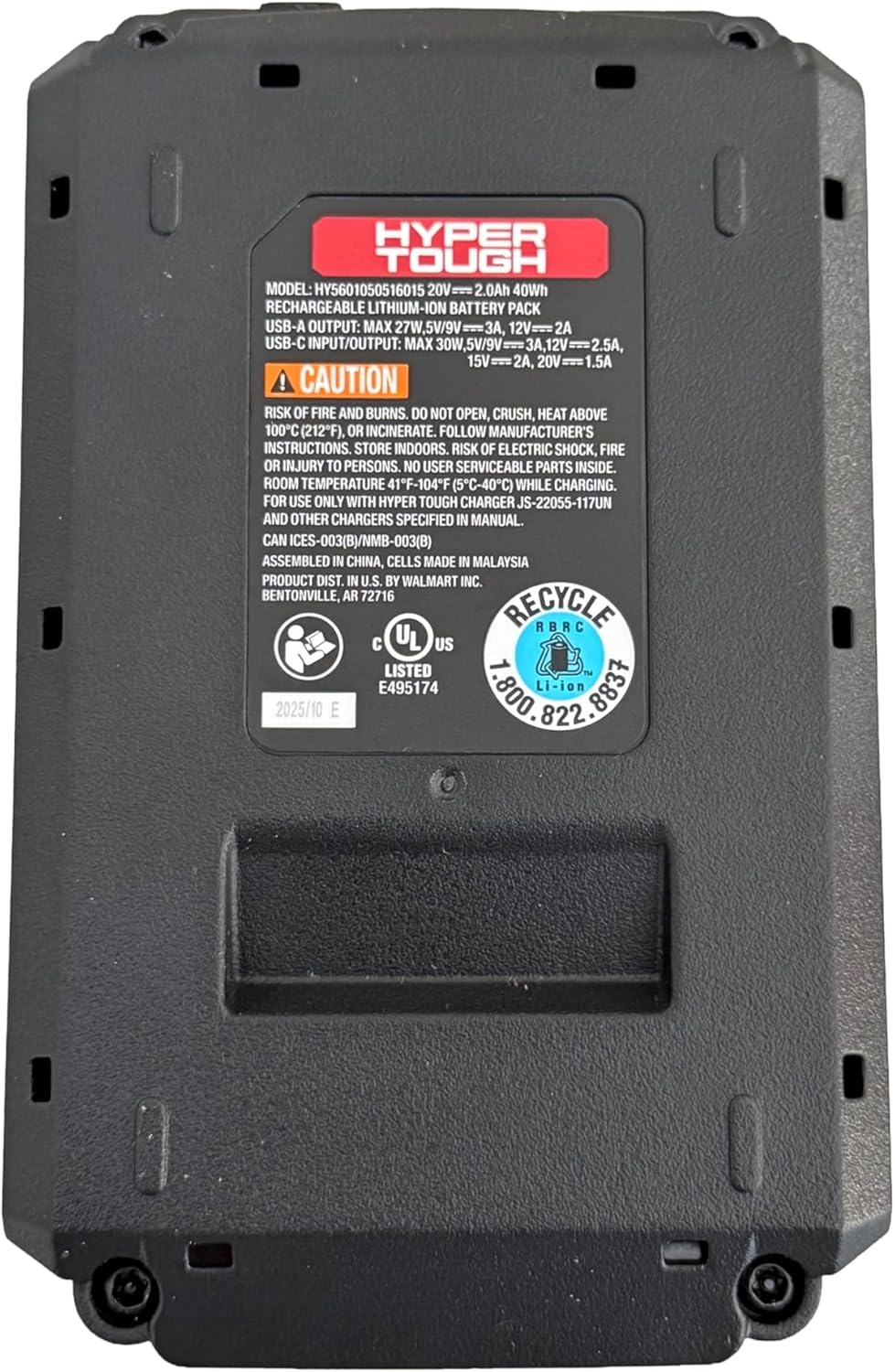
Imagen: Abajo view of the battery pack, displaying model information, USB port specifications, and critical safety warnings regarding fire, burns, and electric shock. It also shows recycling information and UL listing.
Producto terminadoview
The Hyper Tough 20V Max 2.0Ah Lithium-Ion Battery Pack provides portable power for your Hyper Tough 20V tools and acts as a power bank for your electronic devices.
Componentes clave:
- Paquete de baterías: 20V Max 2.0Ah Lithium-Ion power source.
- Interfaz de herramientas: Connects to compatible Hyper Tough 20V power tools and garden tools.
- Puerto USB-A: For charging various electronic devices.
- 2-Way USB-C Port: For fast charging of electronic devices (30W Power Delivery) and potentially for charging the battery pack itself (if supported by a compatible charger).
- Indicador de capacidad de la batería: Displays the current charge level of the battery.

Imagen: Frente view of the Hyper Tough battery pack, highlighting the 'HYPER TOUGH' branding and the clearly labeled USB-A and USB-C (IN/OUT PD) ports.
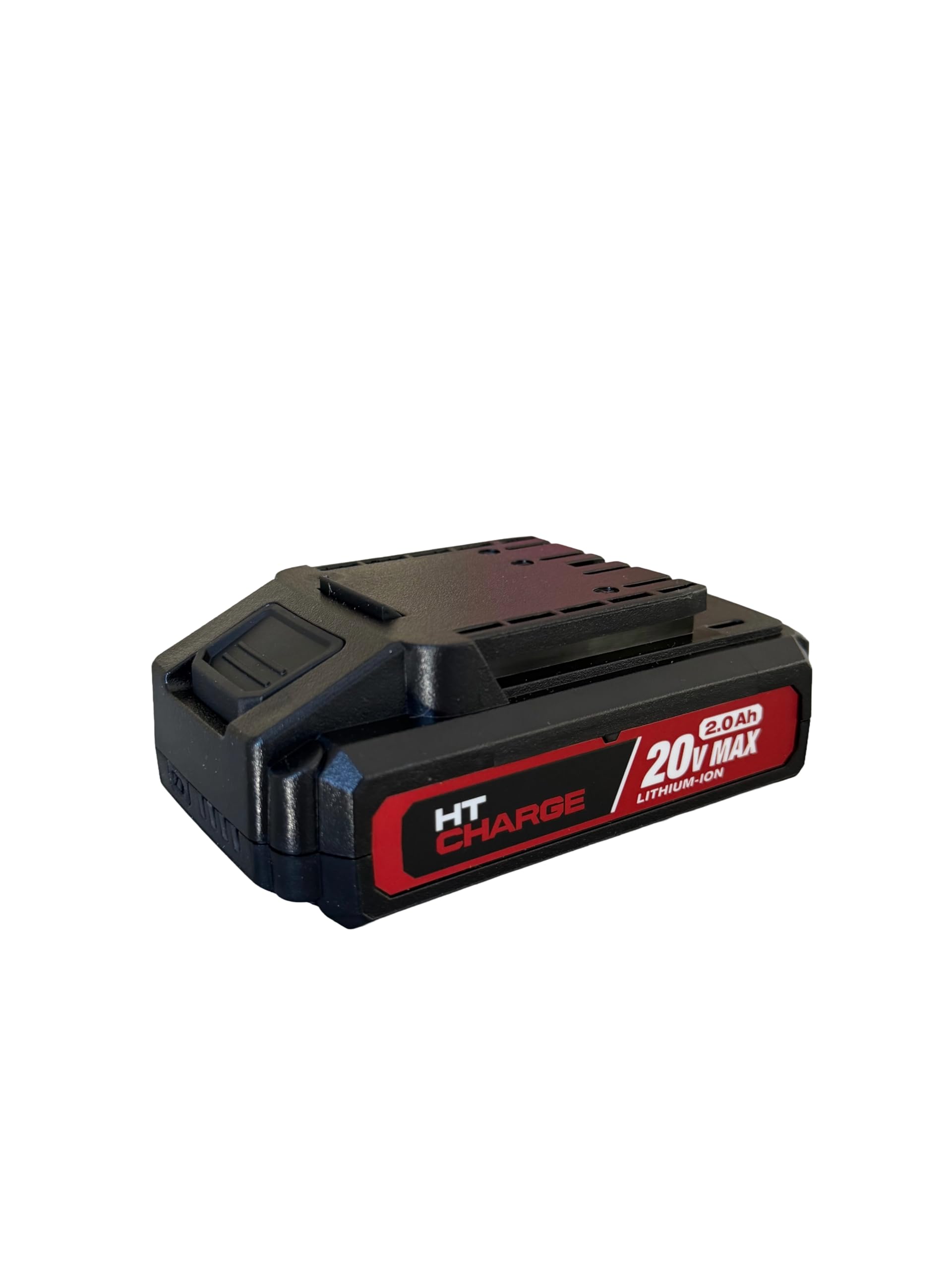
Imagen: Arriba view of the Hyper Tough battery pack, displaying the connection terminals and slide mechanism for attaching to compatible power tools.
Configuración
Carga inicial
- Asegúrese de que la batería esté completamente cargada antes del primer uso.
- Connect the Hyper Tough 20V Max 2.0Ah Lithium-Ion Battery Pack to a compatible Hyper Tough 20V battery charger.
- Enchufe el cargador en una toma de corriente estándar.
- The charger's indicator light will show the charging status. Refer to your charger's manual for specific indicator meanings.
- Una vez que esté completamente cargado, desconecte el cargador de la toma de corriente y retire la batería.
Adjuntar a una herramienta
- Align the battery pack with the battery port on your Hyper Tough 20V power tool or garden tool.
- Slide the battery pack firmly into the tool until it clicks securely into place. Ensure it is fully seated to prevent accidental detachment during operation.
- To remove, press the battery release button (if present on the tool or battery) and slide the battery pack out.
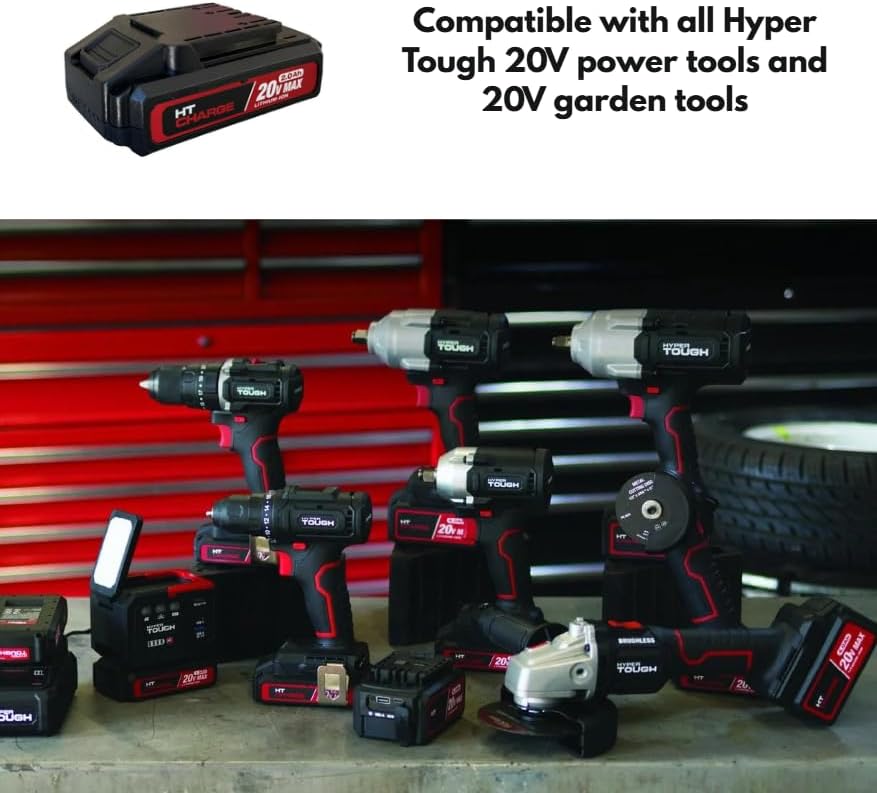
Image: The Hyper Tough 20V Max 2.0Ah Lithium-Ion Battery Pack displayed alongside a range of compatible Hyper Tough 20V power tools, including drills, impact wrenches, and grinders, illustrating its versatility.
Operante
Powering Tools
Once the battery pack is securely attached to a compatible Hyper Tough 20V tool, the tool is ready for operation. Refer to your specific tool's instruction manual for operating procedures.
Using USB Ports for Device Charging
The integrated USB-A and USB-C ports allow you to charge compatible electronic devices such as smartphones, tablets, or other USB-powered gadgets.
- Puerto USB-A: Connect your device's USB-A charging cable to the USB-A port on the battery pack.
- 2-Way USB-C Port: Connect your device's USB-C charging cable to the USB-C port on the battery pack. This port supports Power Delivery (PD) for faster charging of compatible devices.
- Ensure your device is compatible with the output specifications of the battery pack's USB ports.
Indicador de capacidad de la batería
Press the battery capacity indicator button on the battery pack to view the current charge level. A series of LED lights will illuminate, indicating the remaining power. Refer to the specific LED pattern on your battery for detailed charge level interpretation.
Mantenimiento
Limpieza
- Always remove the battery pack from any tool or charger before cleaning.
- Wipe the exterior of the battery pack with a clean, dry cloth.
- Do not use water, solvents, or harsh chemicals to clean the battery pack.
- Keep the battery terminals clean and free of debris.
Almacenamiento
- Store the battery pack in a cool, dry place, away from direct sunlight, heat sources, and moisture.
- Avoid storing the battery pack in temperatures below 41°F (5°C) or above 104°F (40°C).
- For long-term storage, it is recommended to charge the battery pack to approximately 50% capacity.
- No guarde la batería con objetos metálicos que puedan provocar cortocircuito en los terminales.
Solución de problemas
La batería no se carga
- Ensure the charger is properly plugged into a working electrical outlet.
- Verify that the battery pack is securely connected to the charger.
- Check the ambient temperature; charging should occur between 41°F (5°C) and 104°F (40°C).
- Confirm you are using a compatible Hyper Tough charger.
La batería no alimenta la herramienta
- Ensure the battery pack is fully charged. Check the battery capacity indicator.
- Verify the battery pack is securely attached to the tool.
- Confirm the tool is compatible with Hyper Tough 20V battery packs.
Puertos USB que no cargan dispositivos
- Ensure the battery pack has sufficient charge.
- Verify that the USB cable is functioning correctly and is securely connected to both the battery pack and the device.
- Confirm your device is compatible with the USB output specifications (voltage/actual).
- Some devices may require specific charging protocols not supported by the battery pack.
Presupuesto
| Nombre del modelo | Batería de 20V 2.0Ah |
| Número de modelo | HT-CHARGE-20V-2AH |
| Tipo de batería | Iones de litio |
| Volumentage | 20 V máx. |
| Capacidad | 2.0 Ah (40 Wh) |
| Salida USB-A | 27W Max, 5V/9V=3A, 12V=2A |
| Entrada/salida USB-C | 30W Max, 5V/9V=3A, 12V=2.5A, 15V=2A, 20V=1.5A |
| Temperatura de carga recomendada | 41 °F a 104 °F (5 °C a 40 °C) |
| Compatibilidad | All Hyper Tough 20V power tools and garden tools |
Garantía y soporte
For warranty information, please refer to the documentation provided with your original purchase or contact the retailer where the product was acquired. For technical support or further assistance, please contact Hyper Tough customer service through their official websitio o la información de contacto proporcionada con su producto.