
1. Introducción
Gracias por la compraasing the Shark EVOPOWER SYSTEM FIT+ LC156JGY1 Cordless Stick Vacuum Cleaner. This lightweight and powerful vacuum is designed to fit your lifestyle, featuring an automatic dust collection dock, iQ sensor technology for optimized suction, and a brushless power fin to prevent hair tangles. This manual provides essential information for safe and effective use of your new appliance.

Image: The Shark EVOPOWER SYSTEM FIT+ LC156JGY1 cordless stick vacuum cleaner with its automatic dust collection dock.
2. Información de seguridad
Please read all instructions carefully before using your vacuum cleaner. Failure to follow these instructions may result in electric shock, fire, or serious injury.
- Este aparato es sólo para uso doméstico.
- No utilizar en exteriores ni sobre superficies mojadas.
- Mantenga el cabello, la ropa suelta, los dedos y todas las partes del cuerpo lejos de las aberturas y las partes móviles.
- No recoja nada que esté ardiendo o humeando, como cigarrillos, fósforos o cenizas calientes.
- No lo utilice sin el depósito de polvo y los filtros colocados.
- Úselo únicamente como se describe en este manual.
- Always turn off the appliance before connecting or disconnecting the motorized nozzle, charging, or performing any maintenance.
- Store the vacuum in a dry indoor area.
3. Contenido del paquete
Verifique que todos los componentes estén presentes en su paquete:
- Unidad de vacío principal
- Automatic Dust Collection Dock (with charging function)
- Lithium-ion Battery (1, pre-installed in main unit)
- Manual de usuario (este documento)
4. Montaje y configuración
Siga estos pasos para ensamblar su aspiradora y prepararla para el primer uso:
- Desempaquetar componentes: Retire con cuidado todas las piezas del embalaje.
- Ensamblar la unidad principal: Connect the wand to the floor nozzle until it clicks into place. Then, connect the handheld vacuum to the top of the wand until it clicks.
- Set up the Automatic Dust Collection Dock: Place the dock on a flat, stable surface near a power outlet.
- Cargar la batería: Place the assembled vacuum cleaner onto the automatic dust collection dock. Ensure the charging contacts align. The battery will begin charging automatically. A full charge takes approximately 3.5 hours.
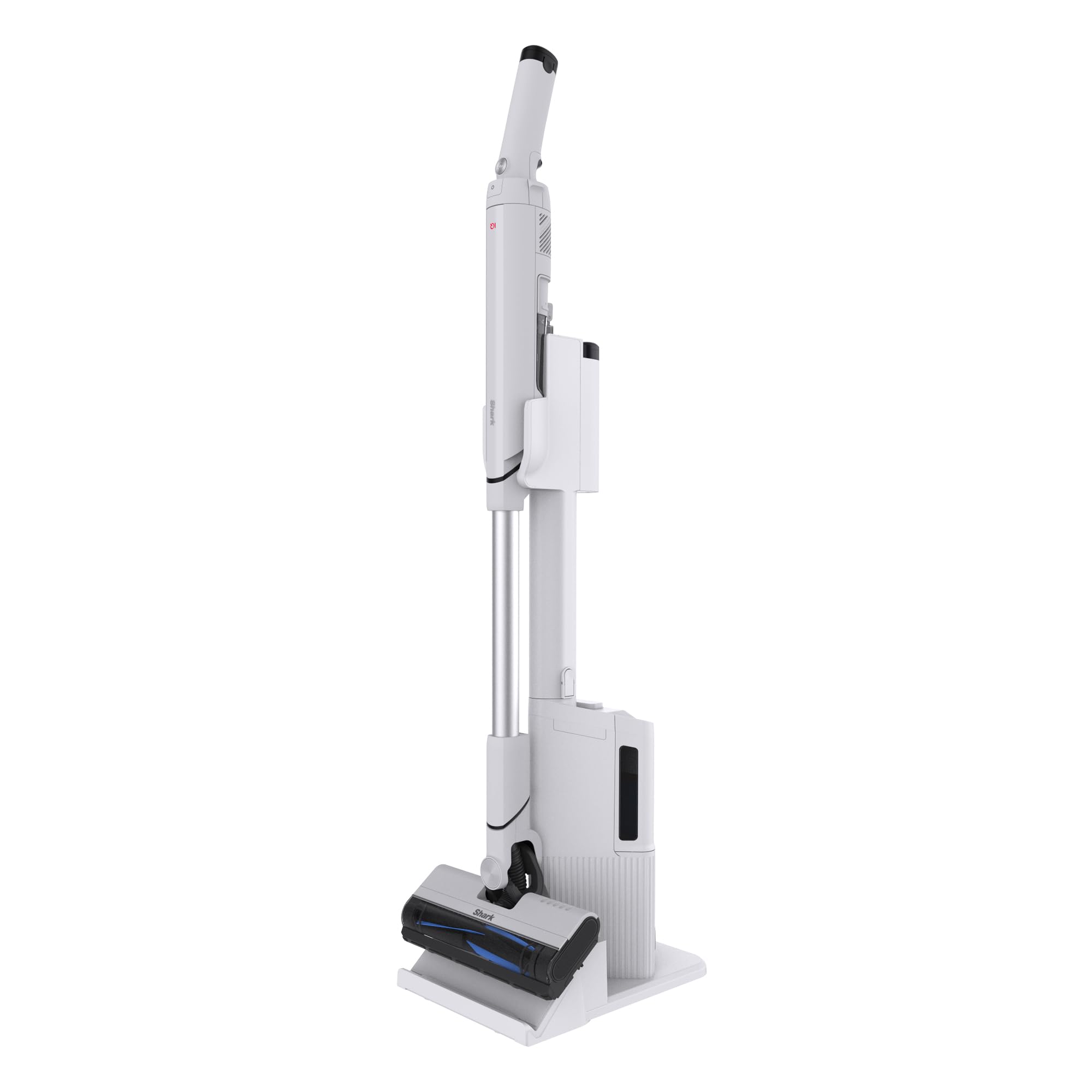
Image: The Shark EVOPOWER SYSTEM FIT+ LC156JGY1 vacuum cleaner in its assembled state.
5. Operación
5.1. Arranque y parada
- To start the vacuum, press the power button on the handheld unit.
- To stop, press the power button again.
5.2. Modos de limpieza
Your vacuum features two cleaning modes:
- Modo iQ: This is the standard mode. The Shark iQ sensor automatically adjusts suction power based on the amount of debris detected, optimizing cleaning efficiency and battery life.
- Modo Boost: For stubborn dirt and deep cleaning, press the Boost button on the handheld unit to activate maximum suction power.

Image: The iQ sensor automatically adjusts suction power based on debris levels.
5.3. Conversión portátil
To convert to a handheld vacuum for cleaning furniture, stairs, or tight spaces:
- Press the release button on the handheld unit.
- Pull the handheld unit away from the wand.
- Attach any desired accessories (not included with this model, but available separately) to the handheld unit.

Image: Converting the stick vacuum to a handheld unit for versatile cleaning.
5.4. Automatic Dust Collection Dock
When you return the vacuum to its dock, the automatic dust collection feature will activate, transferring debris from the vacuum's dust cup to the dock's larger collection bin. This minimizes contact with dust and reduces the frequency of emptying the vacuum's small dust cup.
- The dock can hold approximately 30 days' worth of debris (based on 1 use per day; actual capacity may vary depending on environment).
- To temporarily stop the automatic dust collection process (e.g., at night), press the dedicated button on the dock.

Image: The automatic dust collection dock for convenient and hygienic debris disposal.

Image: Comparison of traditional dust emptying (dust flying) versus Shark's automatic, dust-free collection.
6. Mantenimiento
El mantenimiento regular garantiza un rendimiento óptimo de su aspiradora.
6.1. Emptying the Dust Collection Dock
- When the dust collection bin on the dock is full, remove it and empty the contents into a trash can.
- The dock's dust box is washable. Rinse with water and allow to air dry completely before reinserting.
6.2. Limpieza de filtros
The vacuum's dust cup and filters are washable:
- Remove the dust cup and filters from the handheld unit.
- Rinse the dust cup and filters with cold water.
- Allow all parts to air dry completely for at least 24 hours before reassembling. Do not use a hairdryer or other heating methods.

Image: The HEPA filter ensures clean exhaust, trapping fine dust and allergens.

Image: Washable components including the brush roll, dust cup, and filters for easy maintenance.
6.3. Limpieza del rodillo del cepillo
The brushless power fin design minimizes hair tangles. If any debris accumulates:
- Turn off the vacuum and disconnect it from the dock.
- Open the brush roll garage on the floor nozzle.
- Retire cualquier cabello enredado o residuo del rodillo del cepillo.
- The brush roll can be rinsed with water. Ensure it is completely dry before reinserting.

Image: The brushless power fin effectively captures debris without tangling hair.
7. Solución de problemas
Si encuentra algún problema, consulte la siguiente guía de solución de problemas:
| Problema | Posible causa | Solución |
|---|---|---|
| La aspiradora no se enciende | La batería no está cargada o no está insertada correctamente. | Ensure battery is fully charged and correctly inserted into the handheld unit. |
| Pérdida de succión | Depósito de polvo lleno, filtros obstruidos o bloqueo en la boquilla/varilla. | Empty dust cup, clean filters, and check for blockages. |
| La recolección automática de polvo no funciona | Dock's dust bin full, or vacuum not properly seated on dock. | Empty the dock's dust bin. Ensure the vacuum is correctly placed on the dock. Check if the automatic collection stop button is activated. |
| El rodillo del cepillo no gira | Blockage in brush roll or brush roll garage. | Turn off the vacuum, remove any obstructions from the brush roll area. |
8. Especificaciones
| Característica | Detalle |
|---|---|
| Número de modelo | LC156JGY1 |
| Color | Lucent Gray |
| Dimensions (Stick Mode) | 104.1 cm (H) x 26.7 cm (W) x 15.2 cm (D) |
| Weight (Stick Mode) | Aprox. 1.8 kg |
| Tipo de batería | Iones de litio |
| Tiempo de carga | Aproximadamente 3.5 horas |
| Operating Time (Stick Mode) | iQ Mode: Approx. 8-30 minutes Boost Mode: Approx. 8 minutes |
| Operating Time (Handheld Mode) | iQ Mode: Approx. 9-40 minutes Boost Mode: Approx. 9 minutes |
| Dust Collection Dock Capacity | Approx. 30 days of debris (varies by usage) |
| Garantía del fabricante | 2 años |
9. Garantía y soporte
9.1. Garantía del fabricante
This Shark EVOPOWER SYSTEM FIT+ LC156JGY1 vacuum cleaner comes with a Garantía del fabricante de 2 años from the date of purchase. This warranty covers defects in materials and workmanship under normal household use. Please retain your proof of purchase for warranty claims.
9.2. Atención al cliente
For product support, troubleshooting assistance beyond this manual, or warranty inquiries, please contact Shark customer service. Refer to the contact information provided on the official Shark websitio o el embalaje de su producto.
You can also visit the official Shark store on Amazon for additional information and accessories: Tienda oficial de Shark


