
Introducción
The Roku Hiro 32-inch 720p HD Smart TV offers an integrated Roku streaming experience. This television features an HD display for clear picture quality and speakers with enhanced audio. It supports Bluetooth for private listening with headphones and includes Wi-Fi for internet connectivity. The Roku operating system provides a customizable home screen, access to numerous streaming channels, and automatic updates, making it suitable for various living spaces.
¿Qué hay en la caja?
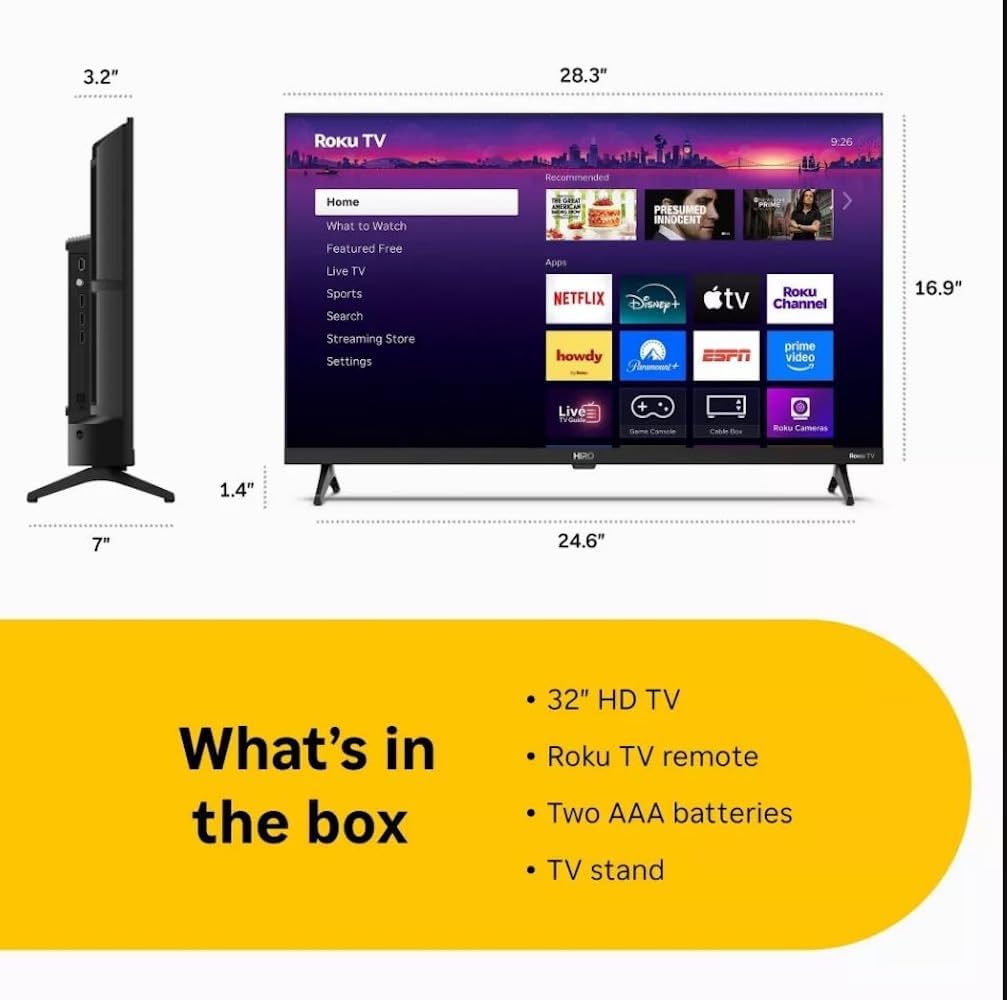
Diagram showing the dimensions of the Roku Hiro 32-inch TV and a list of included accessories: 32-inch HD TV, Roku TV remote, two AAA batteries, and TV stand.
- Hiro 32" 720p HD Smart TV Flat Screen LED Television with Roku TV
- Mando a distancia
- Soporte TV
- Cable de alimentación
- Guía del usuario
Configuración
1. Instalación del soporte
Carefully place the TV screen-down on a soft, clean surface to prevent damage. Align the TV stand with the designated slots on the bottom of the TV. Secure the stand using the provided screws. Ensure the stand is firmly attached before proceeding.
2. Conexión de dispositivos

Trasero view of the Roku Hiro TV, showing the input/output ports including USB, HDMI, and antenna connections.
- Fuerza: Conecte el cable de alimentación a la entrada de alimentación del televisor y luego a una toma de pared.
- HDMI: Connect external devices such as Blu-ray players, game consoles, or cable boxes to the HDMI ports. This TV features 3 HDMI ports.
- USB: Utilice el puerto USB para reproducir contenido multimedia desde una unidad USB.
- Audio óptico: Connect an external sound system using an optical audio cable for enhanced sound.
- Antena/Cable: Connect an antenna or cable TV feed to the RF input for over-the-air or cable channels.
3. Configuración inicial
After connecting all necessary cables, power on the TV. Follow the on-screen instructions to:
- Seleccione su idioma
- Conéctese a su red Wi-Fi.
- Activa tu cuenta Roku (o crea una nueva).
- Scan for available channels if an antenna is connected.
Instrucciones de funcionamiento
Funciones del control remoto

Close-up of the Roku TV remote control, highlighting buttons for TV power, volume, mute, sleep timer, instant replay, options, and app shortcuts.
- Botón de encendido: Enciende o apaga el televisor.
- Pad direccional (D-Pad): Navega por los menús y selecciona elementos.
- Botón OK: Confirma selecciones.
- Botón de inicio: Regresa a la pantalla de inicio de Roku.
- Botón Atrás: Regresa a la pantalla anterior.
- Subir/Bajar volumen: Ajusta el volumen del televisor.
- Botón de silencio: Silencia o activa el sonido del televisor.
- Botones de acceso directo de la aplicación: Direct access to popular streaming services (e.g., Netflix, Disney+, Apple TV+, Prime Video).
- Tiempo de dormir: Establece un temporizador para que el televisor se apague automáticamente.
- Repetición instantánea: Jumps back a few seconds in supported content.
- Opciones: Accesses additional settings or information for the current content.
Navegando por el sistema operativo Roku

The Roku TV home screen interface, showing recommended content and various streaming applications.
The Roku home screen provides access to all your streaming channels, inputs, and settings. Use the D-Pad on your remote to navigate through the menu options on the left and the app grid on the right. You can customize the order of your channels by highlighting an app, pressing the * (Options) button, and selecting 'Move channel'.
Contenido en streaming
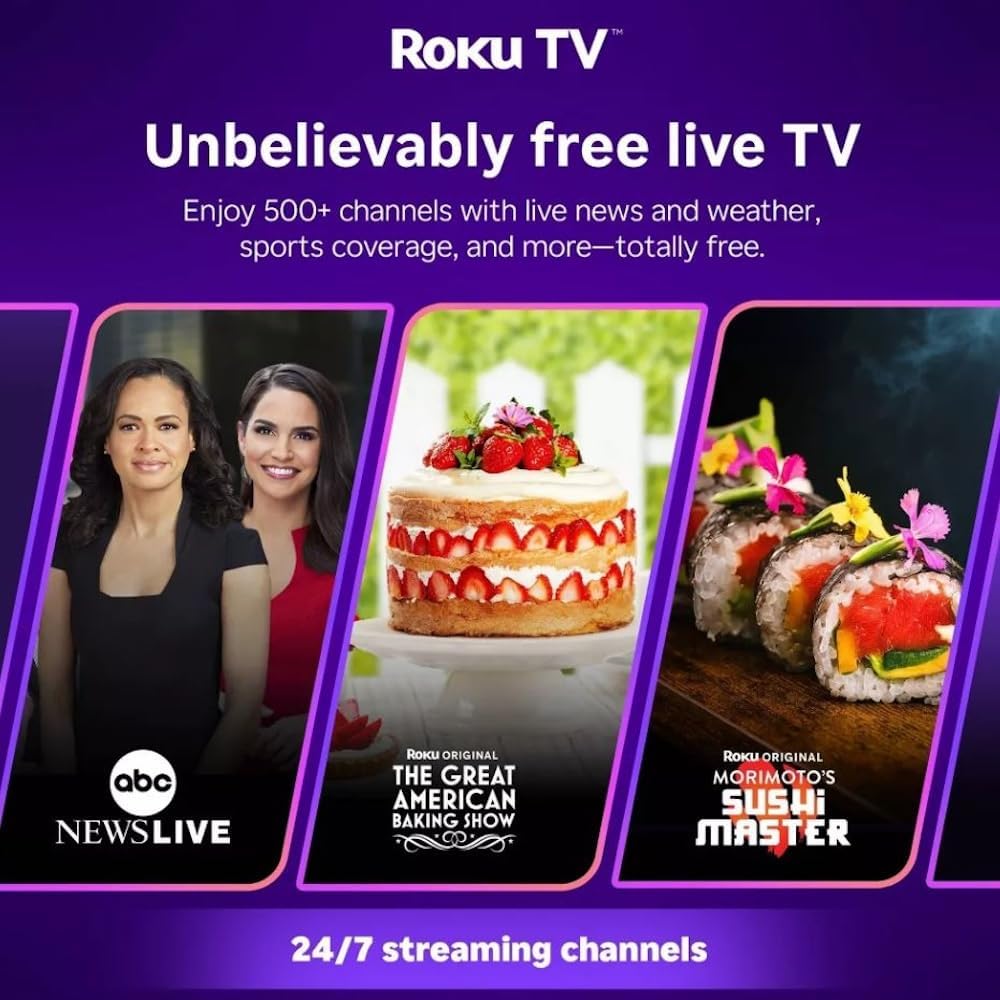
Roku TV interface promoting free live TV channels, featuring examples like ABC News Live, The Great American Baking Show, and Morimoto's Sushi Master.
Access a wide range of streaming services and free content through the Roku Channel Store. The Roku platform offers over 500 free channels, including live television, movies, and news. Use the 'Search' function on the home screen to find specific titles or channels.
Funciones de audio

Roku Hiro TV displaying the home screen with various streaming apps, emphasizing enhanced audio quality.
The TV features enhanced audio quality. For private listening, you can pair Bluetooth headphones directly with the TV. Navigate to Settings > Remotes & devices > Bluetooth devices > Pair new device to connect your headphones.
Mantenimiento
limpiar la televisión
- Desenchufe siempre el televisor antes de limpiarlo.
- Utilice un paño suave que no suelte pelusa para limpiar con cuidado la pantalla y el gabinete.
- Para marcas difíciles, aplique ligeramenteampEnjuague el paño con agua o un limpiador de pantallas suave y no abrasivo. No rocíe el limpiador directamente sobre la pantalla.
- Evite utilizar productos químicos agresivos, estropajos abrasivos o disolventes.
Actualizaciones de software
The Roku TV automatically checks for and installs software updates when connected to the internet. To manually check for updates, go to Configuración > Sistema > Actualización de software.
Solución de problemas
| Problema | Solución |
|---|---|
| Sin poder | Asegúrese de que el cable de alimentación esté bien conectado tanto al televisor como a una toma de corriente que funcione. Pruebe con otra toma de corriente. |
| No hay imagen, pero hay sonido | Verifique la fuente de entrada. Presione el botón Hogar button on the remote and select the correct input. Ensure all HDMI cables are securely connected. |
| No hay sonido, pero hay imagen | Verifique el volumen y asegúrese de que el televisor no esté silenciado. Si usa audio externo, verifique las conexiones y la configuración. |
| No se puede conectar al wifi | Verifica tu contraseña de Wi-Fi. Reinicia tu router y módem. Ve a Configuración > Red > Configurar conexión to reconfigure. |
| El control remoto no funciona | Cambie las pilas del control remoto. Asegúrese de que no haya obstrucciones entre el control remoto y el sensor infrarrojo del televisor. |
Presupuesto
| Nombre del modelo | H32C2C4 |
| Tamaño de pantalla | 32 pulgadas |
| Tecnología de visualización | CONDUJO |
| Resolución | 720p |
| Frecuencia de actualización | 60 Hz |
| Sistema operativo | Sistema operativo Roku |
| Tecnología de conectividad | Bluetooth, HDMI, Optical Audio, USB, Wi-Fi |
| Número total de puertos HDMI | 3 |
| Puertos USB totales | 1 |
| Dimensiones del producto (Pr. x An. x Al.) | 3.2" de profundidad x 28.3" de ancho x 16.9" de alto |
| Peso del artículo | 7.5 libras |
| Volumentage | 120 voltios (CA) |
| Tipo de montaje | Montaje de mesa |
| Color | Negro |
Información de garantía
This Roku Hiro TV is covered by a 90-day Replacement Warranty. Please retain your proof of purchase for any warranty claims. For detailed terms and conditions, refer to the warranty documentation included with your product or visit the official Roku support websitio.
Apoyo
For further assistance, troubleshooting guides, or to contact customer support, please visit the official Roku support website. You can find comprehensive FAQs and contact information there.