
1. Introducción
The AIYIMA H4 is a high-fidelity portable DAC (Digital-to-Analog Converter) and headphone amplifier designed to elevate your audio experience. It integrates a premium ES9039Q2M DAC chip, supporting high-resolution audio playback up to 768kHz/32bit PCM and DSD512. With its dual 3.5mm single-ended and 4.4mm balanced headphone outputs, the H4 delivers powerful and clear sound, capable of driving a wide range of headphones.
This manual provides essential information for setting up, operating, and maintaining your AIYIMA H4 to ensure optimal performance and longevity.
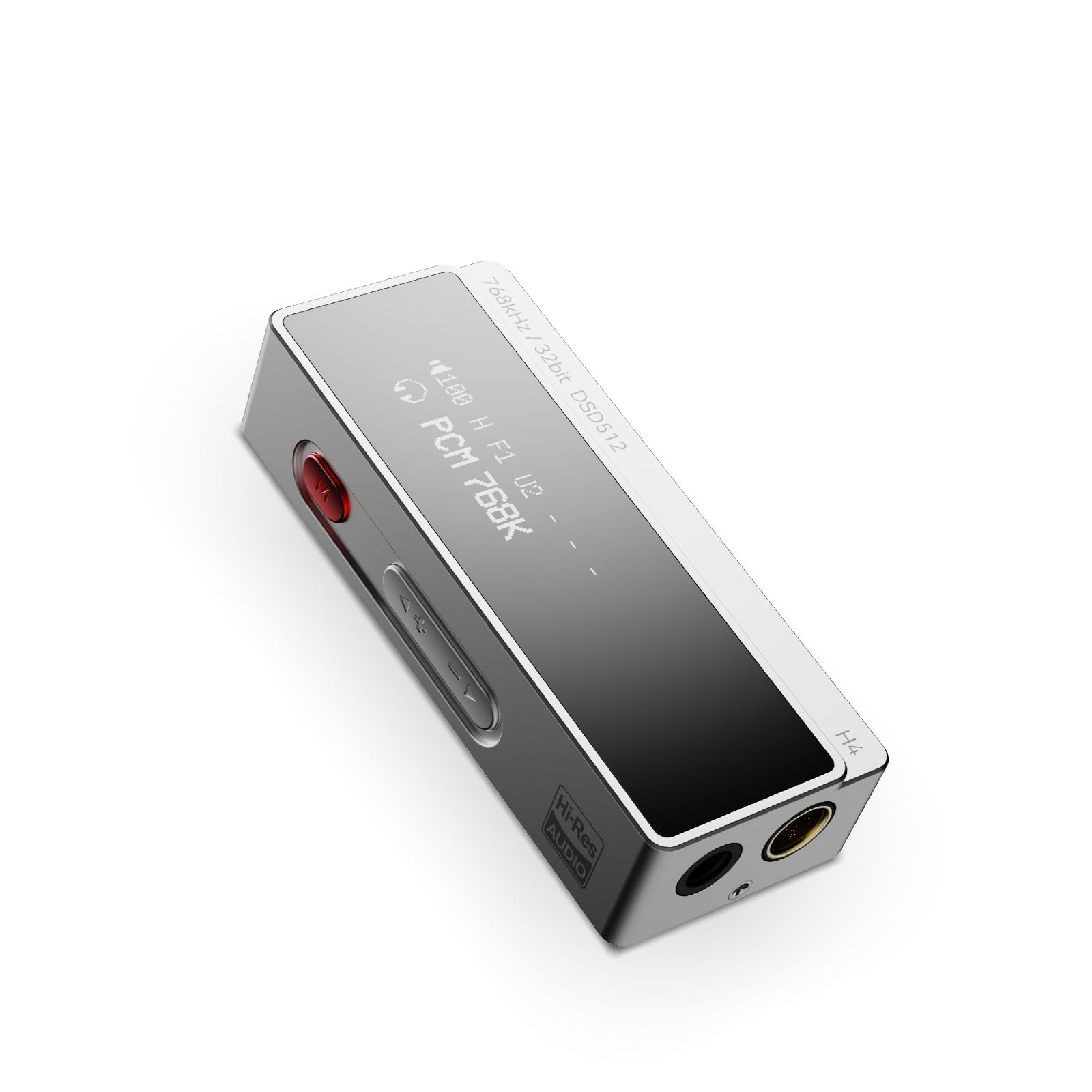
Figure 1: AIYIMA H4 Portable DAC Headphone Ampmás vivaz
2. Contenido del paquete
Por favor revise el paquete para ver los siguientes artículos:
- AIYIMA H4 Unit x 1
- Manual de instrucciones x 1
- USB Type-C to C Cable x 1
- USB A to Type-C Adapter x 1

Figure 2: AIYIMA H4 Package Contents
3. Producto terminadoview
The AIYIMA H4 features a compact design with essential controls and connectivity options.
3.1. Identificación de componentes

Figure 3: Labeled Diagram of AIYIMA H4 Components
- Mostrar: 0.91-inch OLED screen showing current settings and audio information.
- Entrada USB tipo C: For connecting to source devices and power.
- Menu Button (Red): Used to access and navigate the device settings menu.
- Botones de volumen (+/-): Adjusts the output volume. Also used for navigation in menu.
- Salida de auriculares balanceada de 4.4 mm: For balanced headphone connections.
- 3.5mm Single-ended Headphone Output: For standard single-ended headphone connections. This port also supports S/PDIF output.
3.2. Características principales
- ES9039Q2M DAC Chip: High-performance DAC for superior audio decoding.
- Audio de alta resolución: Supports up to 768kHz/32bit PCM and DSD512.
- Salidas duales para auriculares: 3.5mm single-ended and 4.4mm balanced outputs.
- Salida potente: Balanced output delivers up to 240mW into 32Ω.
- 8 Digital Filters: Customizable PCM digital filter modes for varied sound profiles.
- 2-Stage Ganancia: High/Low gain settings to match different headphone impedances.
- Compacto y ligero: Weighs approximately 22.5g for portability.

Figure 4: ES9039Q2M DAC Chip

Figure 5: Dual Headphone Output Ports
4. Configuración
The AIYIMA H4 is designed for plug-and-play compatibility with various devices.
4.1. Conexión a un dispositivo fuente
- Identify the USB port on your source device (smartphone, tablet, computer).
- Use the provided USB Type-C to C cable or USB A to Type-C adapter to connect the AIYIMA H4 to your source device.
- The H4 will power on automatically once connected to a compatible USB power source.
- Connect your headphones to either the 3.5mm single-ended or 4.4mm balanced output port on the H4.
The H4 is compatible with macOS, iPadOS, iOS, Android, and Windows operating systems. For Windows versions prior to Windows 10, driver installation may be required. Please refer to the AIYIMA official webSitio para descargas de controladores si es necesario.

Figure 6: Connecting H4 to a Smartphone

Figure 7: Connecting H4 to a Laptop

Figura 8: Compatibilidad multiplataforma
5. Instrucciones de funcionamiento
The AIYIMA H4 offers intuitive controls for audio playback and settings adjustments.
5.1. Encendido y apagado
The device powers on automatically when connected to a USB power source. Disconnect the USB cable to power off the unit.
5.2. Control de volumen
Utilice el + y - buttons on the side of the device to adjust the volume. The H4 features a 100-step precision volume control.
5.3. Navegación por el menú y configuración
Presione el red Menu button to enter the settings menu. Use the + y - buttons to navigate through the options and change values. Press the Menu button again to confirm a selection or exit a sub-menu.

Figure 9: H4 Display and Menu Options
Opciones de menú disponibles:
- Modo de ganancia: Select between High and Low gain settings. High gain is suitable for high-impedance or low-sensitivity headphones, while Low gain is for more sensitive headphones.
- Modo de filtro: Choose from 8 different PCM digital filter modes to fine-tune the sound characteristics. Note: Digital filter modes are only active during PCM decoding and do not apply to DSD decoding.
- Modo de rendimiento: Adjust performance settings (specific options may vary, refer to on-screen display).
- Tipo de salida: Configure the output behavior.
- Modo S/PDIF: Enable or disable S/PDIF output via the 3.5mm port.
- Modo de control de volumen: Adjust how volume is controlled.
- Modo HID: Human Interface Device mode settings.
- Brillo de la pantalla: Ajuste el brillo de la pantalla OLED.
- Inversión de pantalla: Invert the display colors.
6. Especificaciones
Detailed technical specifications for the AIYIMA H4.
| Característica | Especificación |
|---|---|
| Marca | AIYIMA |
| Modelo | H4 |
| microprocesador DAC | ES ES9039Q2M |
| Max PCM Support | 768 kHz/32 bits |
| Compatibilidad máxima con DSD | DSD512 |
| Salidas de auriculares | 3.5 mm de un solo extremo, 4.4 mm equilibrado |
| Potencia de salida balanceada | 240 mW a 32 Ω |
| Tipo de interfaz | USB |
| Mostrar | OLED de 0.91 pulgadas |
| Control de volumen | 100-step precision |
| Filtros digitales | 8 types (for PCM decoding only) |
| Ajustes de ganancia | 2-stage (High/Low) |
| Peso | Aprox. 22.5 g |
| País natal | Porcelana |

Figure 10: AIYIMA H4 Lightweight Design
7. Mantenimiento
Proper care and maintenance will ensure the longevity and performance of your AIYIMA H4.
- Limpieza: Use a soft, dry, lint-free cloth to clean the device. Avoid using abrasive cleaners, solvents, or chemical sprays.
- Almacenamiento: Store the H4 in a cool, dry place away from direct sunlight and extreme temperatures.
- Manejo: Avoid dropping the device or subjecting it to strong impacts. Do not attempt to disassemble or modify the unit, as this will void the warranty.
- Humedad: Mantenga el dispositivo alejado del agua y de la humedad elevada.
8. Solución de problemas
If you encounter any issues with your AIYIMA H4, please refer to the following troubleshooting guide:
8.1. No hay salida de sonido
- Ensure the H4 is properly connected to your source device and receiving power.
- Check that your headphones are securely plugged into the correct output port (3.5mm or 4.4mm).
- Verify the volume level on both the H4 and your source device. Increase the volume gradually.
- Confirm that the audio output settings on your source device are configured to use the AIYIMA H4 as the primary audio device.
- Intente utilizar un cable o adaptador USB diferente.
8.2. Distorted or Poor Sound Quality
- Verifica el audio file quality and ensure it is not corrupted.
- Experiment with different digital filter modes in the H4's menu to see if it improves sound.
- Adjust the gain setting (High/Low) to match your headphones. Using too high a gain for sensitive headphones can cause distortion.
- Ensure the volume is not set too high, which can lead to clipping and distortion.
- Pruebe con diferentes auriculares para descartar problemas con los auriculares.
8.3. Dispositivo no reconocido por la computadora
- For Windows 10 and older operating systems, ensure that the necessary drivers are installed. Drivers can typically be found on the AIYIMA official websitio.
- Try connecting the H4 to a different USB port on your computer.
- Restart your computer and reconnect the H4.
- Asegúrese de que el cable USB no esté dañado.
9. Garantía y soporte
The AIYIMA H4 comes with a Garantía de 24 meses Desde la fecha de compra. Esta garantía cubre defectos de fabricación y mal funcionamiento en condiciones normales de uso.
For warranty claims, technical support, or any inquiries, please contact your retailer or visit the official AIYIMA website for customer service. Please retain your proof of purchase for warranty validation.