
1. Guía de configuración
1.1 Desempaquetado y contenido del paquete
Carefully unpack your LG OLED77C6HUP TV. Ensure all components listed below are present. Retain the packaging materials for future transport or service needs.
- Televisor inteligente LG OLED evo AI 4K serie C6 de 77 pulgadas
- Control remoto mágico
- Pilas del mando a distancia (2 AAA)
- Cable de alimentación
- Componentes del soporte
- Manual de usuario (este documento)
- Guía de inicio rápido

Image: LG OLED evo AI TV showing overall dimensions and included accessories.
1.2 Instalación del soporte
If you are not wall-mounting the TV, attach the included stand. Follow the instructions provided in the Quick Start Guide for secure assembly. The stand footprint is 20.5 inches wide.

Imagen: Detallada view de la base del soporte del televisor.
1.3 Montaje en pared
For wall mounting, use a VESA compatible mount with a standard of 300 x 200 mm. Consult a professional for installation to ensure safety and proper mounting.

Imagen: Side profile of the LG OLED TV, illustrating its thin design suitable for wall mounting.
1.4 Conexión de periféricos
Connect your external devices to the TV's ports. The TV features 4 HDMI ports, 2 USB 2.0 ports, 1 USB 3.0 port, an Ethernet port, and an antenna input.
- HDMI: For Blu-ray players, gaming consoles, and set-top boxes.
- USB: For external storage devices or compatible accessories.
- Ethernet (LAN): Para una conexión a Internet por cable.
- Antena/Cable: Para transmisiones por aire o televisión por cable.

Imagen: Trasera view of the LG OLED TV highlighting the connectivity ports.
1.5 Instalación de la batería del control remoto
Open the battery compartment on the back of the Magic Remote. Insert two AAA batteries, ensuring correct polarity (+/-). Close the compartment securely.
1.6 Encendido inicial y webConfiguración del sistema operativo
Connect the power cable to the TV and a wall outlet. Press the power button on the remote or TV. Follow the on-screen instructions to complete the initial setup of webOS, including network connection, channel scanning, and basic settings.
2. Uso de su televisor
2.1 Funciones básicas
- Fuerza: Presione el botón de encendido en el control remoto para encender o apagar el televisor.
- Volumen: Utilice los botones de subir/bajar volumen para ajustar el nivel de sonido.
- Canal: Use the channel up/down buttons to change channels or navigate lists.
- Aporte: Press the input button to select connected devices (HDMI, USB, etc.).
2.2 Funciones de Smart TV (webSistema operativo)
Su televisor funciona con el webOS operating system, providing access to various streaming services and smart features. Use the Magic Remote to navigate the intuitive interface.

Imagen: La webOS smart TV platform interface, showcasing available applications and content.
AI Hub for Personalization
The AI Hub, accessible via the AI button on your remote, offers personalized AI experiences including Multi AI Search, AI Concierge, AI Picture Wizard, AI Sound Wizard, AI Voice ID, and AI Chatbot.
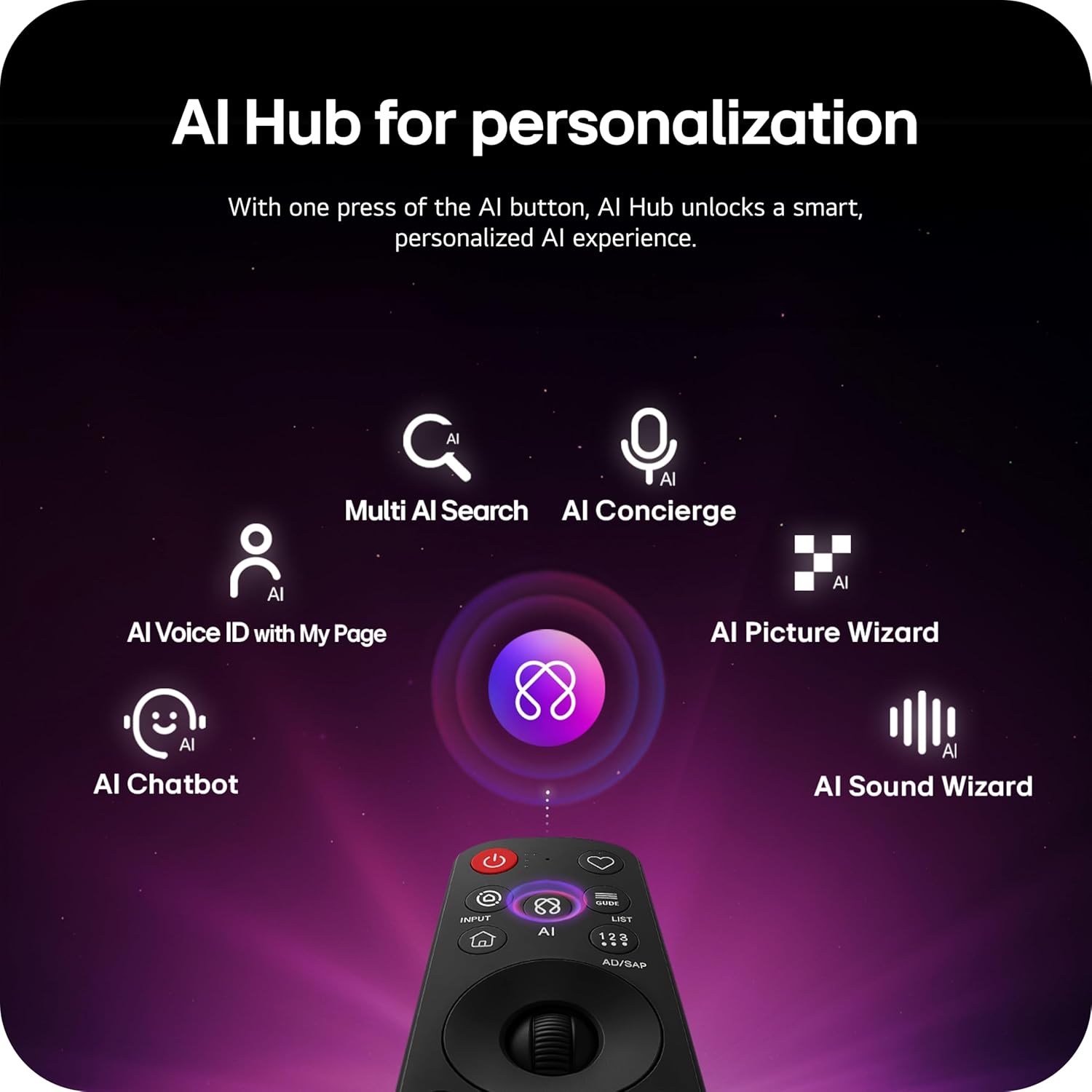
Image: Magic Remote highlighting the AI button and various AI Hub features.
Multi AI Search with Google Gemini and Microsoft Copilot
Utilize the Multi AI search function to find content and information across multiple AI models, including Google Gemini and Microsoft Copilot, for broader and more relevant results.
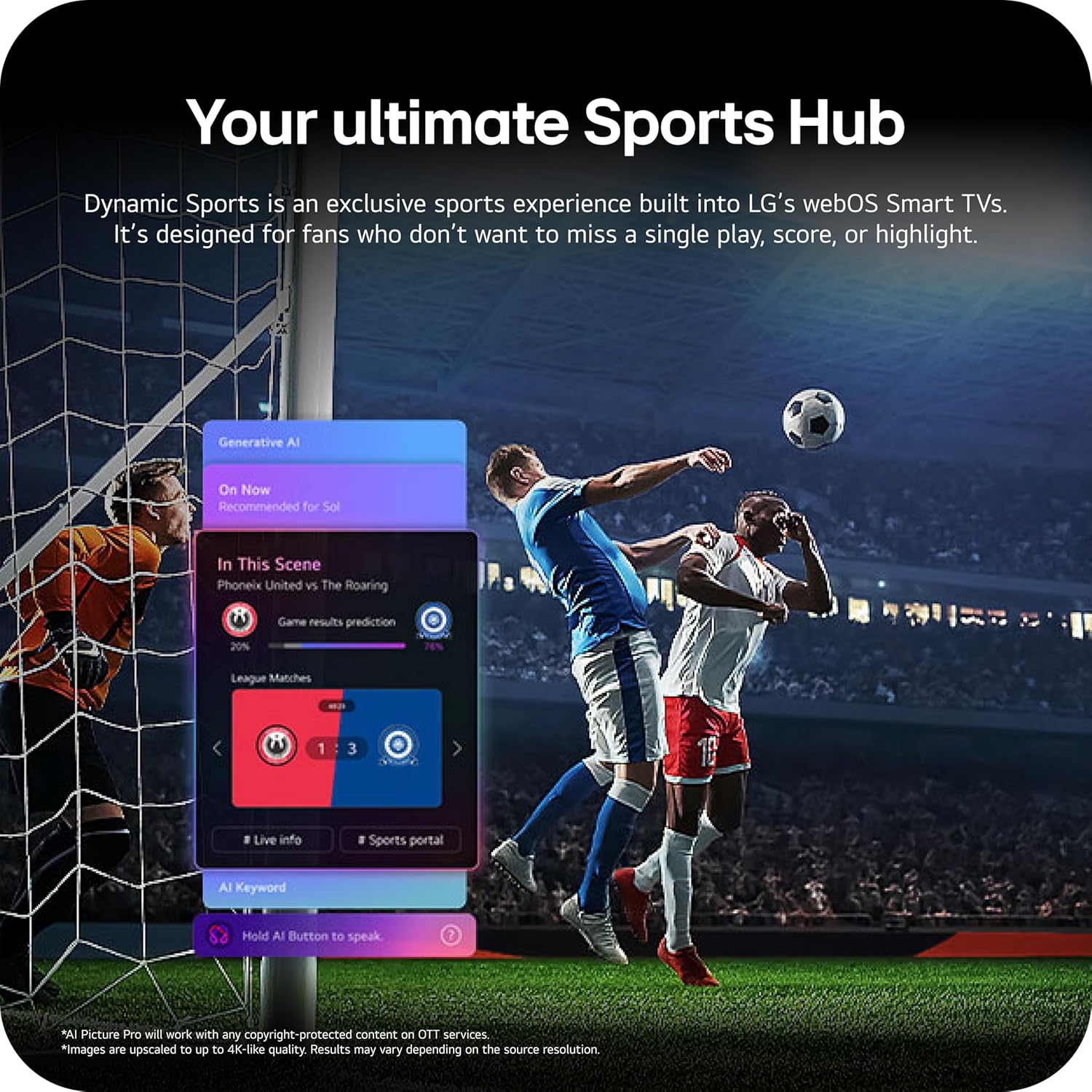
Image: Multi AI search interface displaying integration with Google Gemini and Microsoft Copilot.
2.3 Configuración de imagen
Your LG OLED TV offers advanced picture technologies for optimal viewEn.
- Brightness Booster Pro: Magnifies each pixel to shine up to 3.2 times brighter for enhanced luminosity.
- Negro perfecto y color perfecto: Over 8.3 million self-lit pixels deliver perfect black levels and accurate colors in any lighting condition.
- Dolby Vision, HDR10, HLG: Supports multiple HDR formats for extraordinary color, contrast, and brightness.
- Modo cineasta: Conserva la visión original del director deshabilitando los efectos de posprocesamiento.
- Imagen de IA: The a11 AI Processor Gen3 optimizes picture quality in real-time.
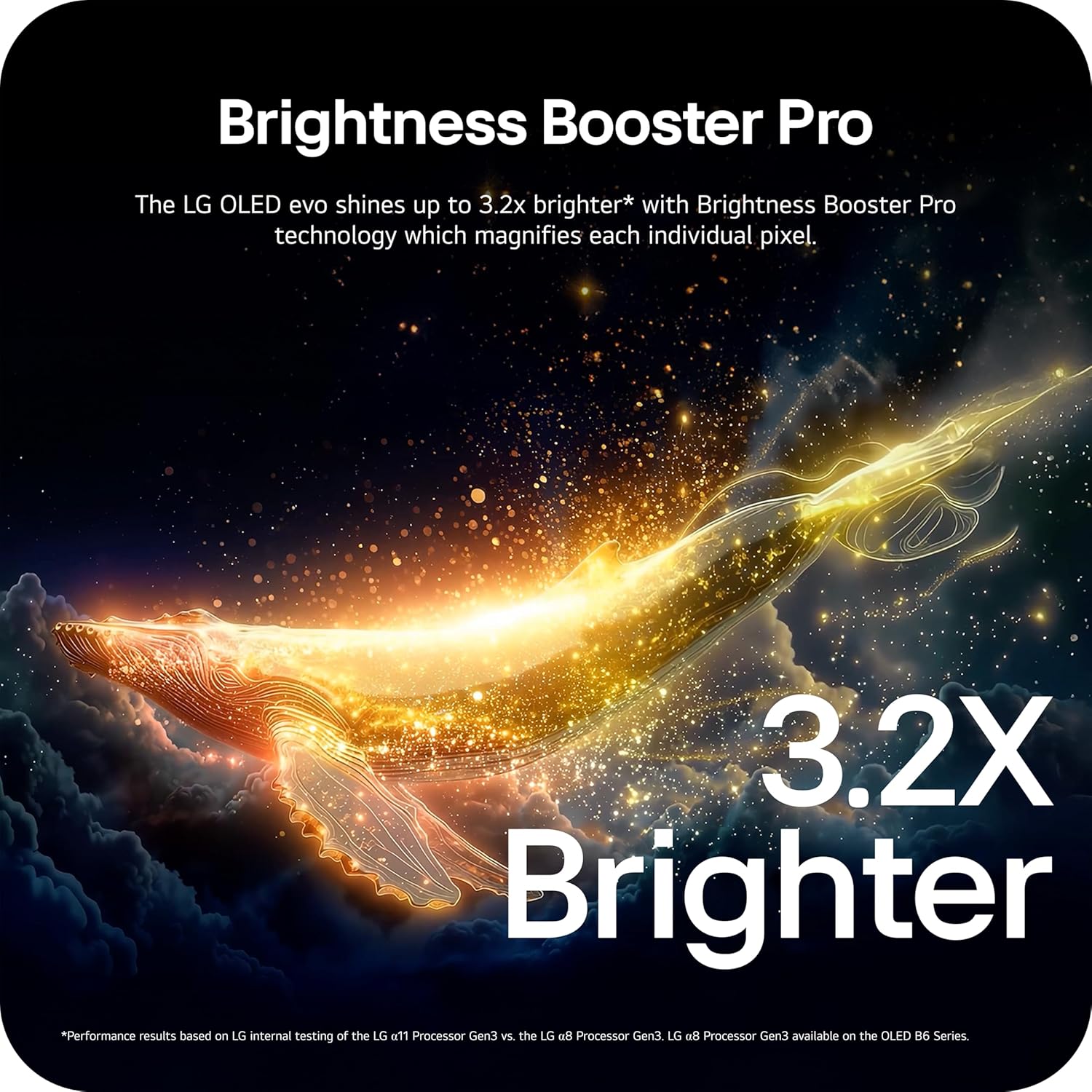
Image: Visual representation of Brightness Booster Pro technology, illustrating increased brightness.

Image: Display demonstrating Perfect Black and Perfect Color capabilities in various light conditions.
2.4 Configuración de sonido
Experience immersive audio with your TV's sound features.
- Dolby Atmos: Proporciona un sonido multidimensional que se mueve a tu alrededor.
- Wow Orchestra: Integrates the TV's speakers with a compatible LG soundbar for an enhanced audio experience.
2.5 Características de juego
The TV is equipped with features for an optimal gaming experience.
- Frecuencia de actualización de 165 Hz: Admite altas velocidades de cuadro para una experiencia de juego fluida.
- Tiempo de respuesta de 0.1 ms: Minimizes input lag for quick reactions.
- NVIDIA G-Sync y AMD FreeSync Premium: Reduce los cortes y las interrupciones en la pantalla para ofrecer imágenes fluidas.

Image: Dynamic gaming visual highlighting the 165Hz refresh rate and G-Sync/FreeSync compatibility.
2.6 Sports Hub
The Dynamic Sports Hub provides an exclusive sports experience, ensuring you don't miss any key moments, scores, or highlights.

Image: Screenshot of the Dynamic Sports Hub interface during a live soccer game.
3. Mantenimiento y cuidado
3.1 OLED Care
To maintain the best picture quality and longevity of your OLED display, utilize the built-in OLED Care features. These features help protect the display from potential issues over time.
3.2 Instrucciones de limpieza
- Pantalla: Gently wipe the screen with a soft, dry, microfiber cloth. For stubborn marks, lightly dampEnjuague el paño con agua destilada. Evite productos químicos agresivos o materiales abrasivos.
- Cuerpo del televisor: Use a soft, dry cloth to clean the frame and stand.
- Mando a distancia: Limpie con un paño suave y seco.
3.3 Actualizaciones de software
Ensure your TV's software is up-to-date for optimal performance and new features. webOS 26 automatically downloads updates for up to 5 years. If auto-update is disabled, you will receive a notification to accept or deny updates. An LG account is required to access network-based smart services.
3.4 LG Shield Security
LG Shield provides digital protection against malware, viruses, and other cyber threats through real-time scanning and automatic updates. An LG account is required to access network-based smart services.

Image: LG Shield security feature, represented by shield and lock icons, indicating digital protection.
4. Solución de problemas comunes
This section addresses common problems you might encounter with your TV. If the issue persists, contact customer support.
| Problema | Posible solución |
|---|---|
| Sin poder | Asegúrese de que el cable de alimentación esté bien conectado tanto al televisor como a una toma de corriente que funcione. Pruebe la toma de corriente con otro dispositivo. |
| Sin imagen / Pantalla negra | Check if the TV is turned on. Verify the correct input source is selected. Ensure all HDMI cables are securely connected. Try restarting the TV by unplugging it for 30 seconds and plugging it back in. |
| Sin sonido | Verifique el volumen y asegúrese de que el televisor no esté silenciado. Verifique que los dispositivos de audio externos (barra de sonido, receptor) estén correctamente conectados y encendidos. Revise la configuración de salida de audio en el menú del televisor. |
| El control remoto no responde | Cambie las pilas del Control Remoto Mágico. Asegúrese de que no haya obstáculos entre el control remoto y el televisor. Vuelva a sincronizar el control remoto si es necesario (consulte la Guía de inicio rápido). |
| Network Connectivity Issues (Wi-Fi/Ethernet) | Check your router and modem to ensure they are working correctly. Restart your network equipment. Re-enter Wi-Fi password or check Ethernet cable connection. |
| Picture Quality Issues (e.g., motion blur, color smearing) | Adjust picture settings (e.g., sharpness, color, motion interpolation). Ensure Filmmaker Mode is off if you prefer motion smoothing. Check the source content quality. |
5. Especificaciones técnicas
Below are the key technical specifications for the LG OLED77C6HUP TV.
| Característica | Especificación |
|---|---|
| Número de modelo | OLED77C6HUP |
| Tamaño de pantalla | 77 pulgadas |
| Tecnología de visualización | OLED (Self-Luminous Pixels) |
| Resolución | 4K (3840 x 2160) |
| Frecuencia de actualización | 120 Hz (Native), up to 165 Hz (PC Gaming) |
| Procesador | Procesador a11 AI 4K Gen3 |
| Compatibilidad con HDR | Dolby Vision, HDR10, HLG |
| Tiempo de respuesta | 0.1 milisegundos |
| Sistema operativo | webOS |
| Salida de audio | 2.2 canales, Dolby Atmos |
| Puertos HDMI | 4 |
| Puertos USB | 2 (USB 2.0), 1 (USB 3.0) |
| Conectividad | Wi-Fi, Bluetooth 5.3, Ethernet |
| Duplicación de pantalla | AirPlay, Google Cast |
| Estándar de montaje VESA | 300 x 200 mm |
| Dimensiones del producto (con soporte) | 67.4" de ancho x 40.7" de alto x 10.5" de profundidad |
| Dimensiones del producto (sin soporte) | 67.4" de ancho x 38.7" de alto x 1.9" de profundidad |
| Peso del artículo (con soporte) | 59.5 libras |
| Peso del artículo (sin soporte) | 51.8 libras |
6. Información de garantía
Your LG OLED77C6HUP TV comes with a 1 año en piezas y mano de obra limited warranty. Please retain your proof of purchase for warranty claims. For detailed terms and conditions, refer to the warranty card included with your product or visit the official LG websitio.
7. Atención al cliente
Para obtener más ayuda, soporte técnico o consultas de servicio, visite el soporte oficial de LG. website or contact their customer service. You can also refer to the comprehensive User Manual (PDF) available for download on the LG support page.
Soporte LG Websitio: https://www.lg.com/us/support
Manual de usuario (PDF): Descargar PDF