
Introducción
Thank you for choosing the GOBOULT Y1 v2.0 Wireless Earbuds. This manual provides essential information for setting up, operating, and maintaining your earbuds to ensure optimal performance and longevity. Please read it carefully before use.
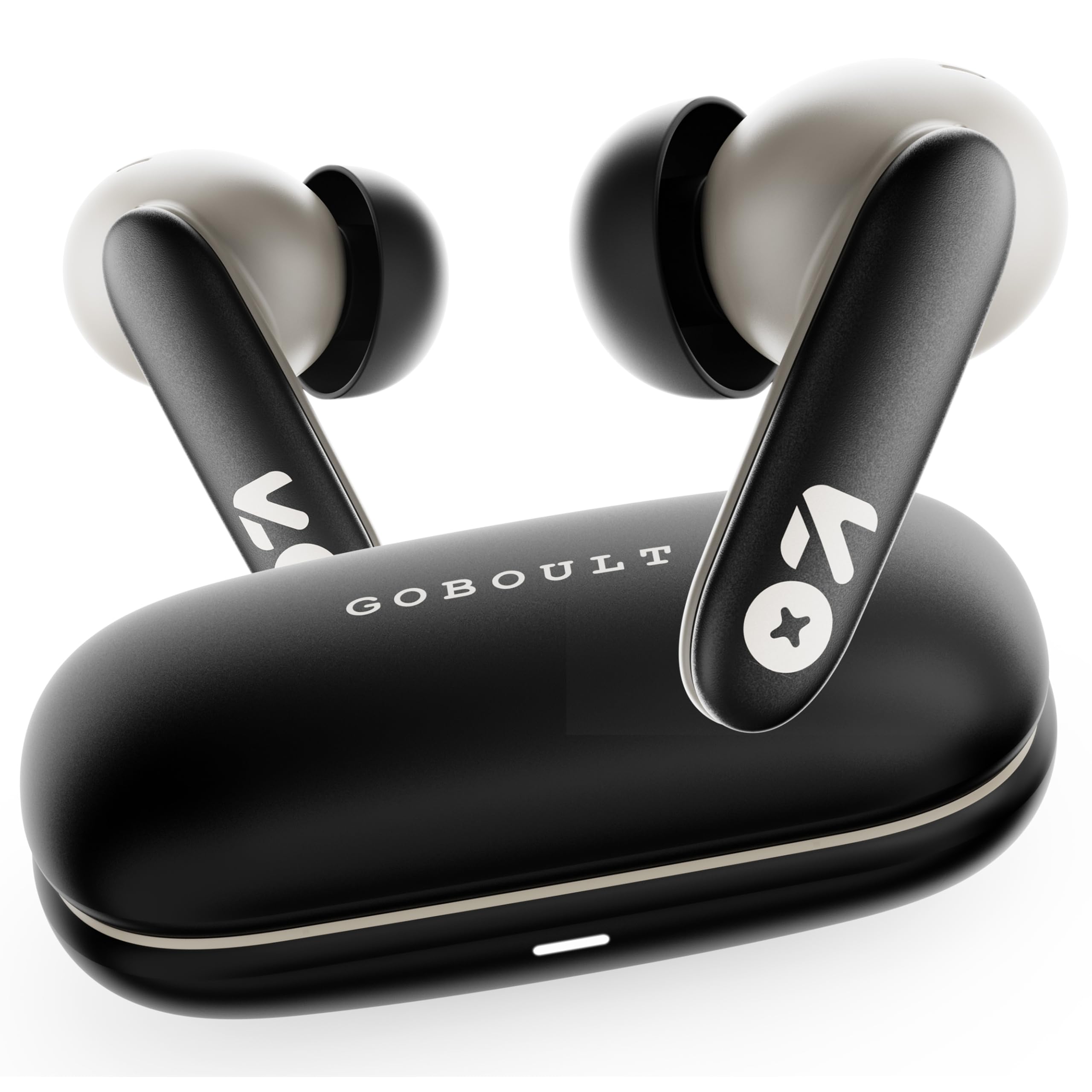
Image: GOBOULT Y1 v2.0 Wireless Earbuds and their charging case, showcasing el diseño elegante.
¿Qué hay en la caja?
- GOBOULT Y1 v2.0 Wireless Earbuds
- Estuche de carga
- Cable de carga USB-C
- Almohadillas para los oídos (varios tamaños)
- Manual de usuario
- Tarjeta de garantía
Características del producto
The GOBOULT Y1 v2.0 earbuds are designed with advanced features for an enhanced audio experience:
- Tiempo de juego extendido: Hasta 60 horas de tiempo de reproducción total con el estuche de carga.
- Bluetooth 6.0: Garantiza una conectividad inalámbrica rápida, estable y eficiente.
- Zen Quad Mic ENC: Environmental Noise Cancellation with four microphones for clear calls.
- Baja latencia: 45ms ultra-low latency for gaming and video synchronization.
- Control táctil: Sensores táctiles intuitivos para administrar música, llamadas y asistente de voz.
- Emparejamiento de dos dispositivos: Conéctese y cambie sin problemas entre dos dispositivos.
- 13mm Bass Driver: Ofrece graves potentes y audio nítido.
- AMP Soporte App: Customize audio settings and controls via the dedicated application.
- Resistencia al agua IPX5: Protección contra el sudor y salpicaduras ligeras.
- Carga rápida: Type-C port for quick charging of the case.

Imagen: Más alláview of GOBOULT Y1 v2.0 features including sleek design, AMP App support, Bluetooth 6.0, 60 hours battery life, and dual device pairing.
Guía de configuración
1. Carga de los auriculares y el estuche
Antes del primer uso, cargue completamente los auriculares y el estuche de carga.
- Coloque los auriculares en el estuche de carga. Asegúrese de que estén correctamente colocados.
- Conecte el cable de carga USB tipo C al puerto de carga del estuche y a una fuente de alimentación.
- El indicador LED del estuche mostrará el estado de carga. Una carga completa suele tardar entre 1.5 y 2 horas.

Image: The GOBOULT Y1 v2.0 earbuds and charging case, highlighting the 60-hour battery life and Type-C fast charging capability.
2. Initial Pairing (Single Device)
- Abre el estuche de carga. Los auriculares entrarán automáticamente en modo de emparejamiento.
- En su dispositivo (teléfono inteligente, tableta, etc.), habilite Bluetooth.
- Buscar available Bluetooth devices and select "GOBOULT Y1 v2.0".
- Una vez conectado, escuchará un tono de confirmación.
3. Emparejamiento de dos dispositivos
The Y1 v2.0 supports connecting to two devices simultaneously.
- Pair the earbuds with your first device as described in "Initial Pairing".
- Desactiva el Bluetooth en el primer dispositivo. Los auriculares volverán al modo de emparejamiento.
- Empareje los auriculares con su segundo dispositivo.
- Vuelve a activar el Bluetooth en el primer dispositivo. Los auriculares deberían conectarse automáticamente a ambos dispositivos.
- To switch between devices, simply play audio on the desired device.

Image: The GOBOULT Y1 v2.0 earbuds connected to both a laptop and a smartphone, illustrating the dual device pairing feature.
Instrucciones de funcionamiento
1. Controles táctiles
Los auriculares cuentan con controles táctiles intuitivos en sus vástagos:
| Acción | Función |
|---|---|
| Un solo toque (izquierda/derecha) | Reproducir/Pausar música, Responder/Finalizar llamada |
| Doble toque (derecha) | Pista siguiente |
| Doble toque (izquierda) | Pista anterior |
| Triple toque (izquierda/derecha) | Activar Asistente de Voz |
| Pulsación larga (izquierda/derecha) | Rechazar llamada |
| Pulsación larga (derecha) | Subir volumen |
| Pulsación larga (izquierda) | Bajar volumen |

Image: Visual representation of touch controls for music playback and call management, along with the IPX5 water resistance rating.
2. Asistente de voz
Activate your device's voice assistant (Siri, Google Assistant) by triple-tapping either earbud. You can then issue commands like making calls or playing music.

Image: The GOBOULT Y1 v2.0 earbuds highlighting Bluetooth 6.0 for stable connection and integration with AI voice assistants like Siri and Google Assistant.
3. Gaming Mode (Low Latency)
For an optimized gaming experience, activate the 45ms ultra-low latency gaming mode. Refer to the AMP App or specific touch control gestures (if available) for activation.

Image: The GOBOULT Y1 v2.0 earbuds illustrating the 45ms ultra-low latency Gaming Mode.
4. AMP Soporte de aplicaciones
Download the GOBOULT AMP App to unlock advanced customization options:
- Adjust Equalizer (EQ) settings for personalized sound.
- Personaliza los controles táctiles.
- Access additional features like Water Ejection mode.

Image: Screenshot of the GOBOULT AMP App interface, demonstrating equalizer adjustments and other customization features.
Mantenimiento
1. Limpieza
La limpieza regular ayuda a mantener la calidad del sonido y la higiene.
- Utilice un paño suave, seco y sin pelusa para limpiar los auriculares y el estuche de carga.
- Retire con cuidado la cera o los residuos de las puntas de los oídos y de la malla del altavoz utilizando un cepillo pequeño o un hisopo de algodón.
- No utilice limpiadores abrasivos, alcohol ni disolventes químicos.
2. Resistencia al agua (IPX5)
The GOBOULT Y1 v2.0 earbuds are rated IPX5 water resistant, meaning they are protected against low-pressure water jets from any direction. This makes them suitable for workouts and light rain.
- No sumerja los auriculares en agua.
- El estuche de carga no es resistente al agua.
- Asegúrese de que los auriculares estén secos antes de volver a colocarlos en el estuche de carga para evitar daños.
Solución de problemas
| Problema | Solución |
|---|---|
| Los auriculares no se emparejan | Asegúrate de que los auriculares estén cargados. Desactiva y activa el Bluetooth en tu dispositivo. Olvídalo en la configuración de Bluetooth y vuelve a emparejarlo. |
| Solo funciona un auricular | Place both earbuds back in the case, close it, then open again. Ensure both are charged. Reset earbuds if issue persists. |
| Volumen bajo o mala calidad de sonido | Clean earbud speaker mesh. Adjust volume on both earbuds and connected device. Try different ear tip sizes for a better seal. |
| El estuche de carga no carga | Check USB Type-C cable and power adapter. Ensure connections are secure. |
Presupuesto
| Característica | Detalle |
|---|---|
| Marca | GOBOULT |
| Nombre del modelo | Y1 v2.0 (Airbass) |
| Colocación de orejas | En el oído |
| Control de ruido | Cancelación de ruido ambiental (ENC) |
| Versión de Bluetooth | 6.0 |
| Alcance de Bluetooth | 10 metros |
| Duración de la batería (total) | Hasta 60 horas |
| Tamaño del controlador de audio | 13 milímetros |
| Latencia de audio | 45 milisegundos (modo de juego) |
| Respuesta de frecuencia | 20 Hz - 20,000 Hz |
| Nivel de resistencia al agua | IPX5 |
| Método de control | Control táctil, aplicación |
| Dispositivos compatibles | Android, iOS, Desktops, Laptops, Tablets |
| Peso del artículo | 50 gramos |

Image: A detailed comparison table showing the specifications of GOBOULT Y1 v2.0 versus the previous Y1 model, highlighting improvements.
Garantía y soporte
The GOBOULT Y1 v2.0 Wireless Earbuds come with a Garantía del fabricante de 1 años A partir de la fecha de compra. Esta garantía cubre defectos de fabricación.
For warranty claims, technical support, or any product-related inquiries, please refer to the contact information provided on your warranty card or visit the official GOBOULT support websitio.