
1. Introducción
Thank you for choosing the EarFun Clip 2 Open Ear Earbuds. This manual provides essential information for setting up, operating, and maintaining your earbuds. Please read it thoroughly before use to ensure optimal performance and longevity of your device.
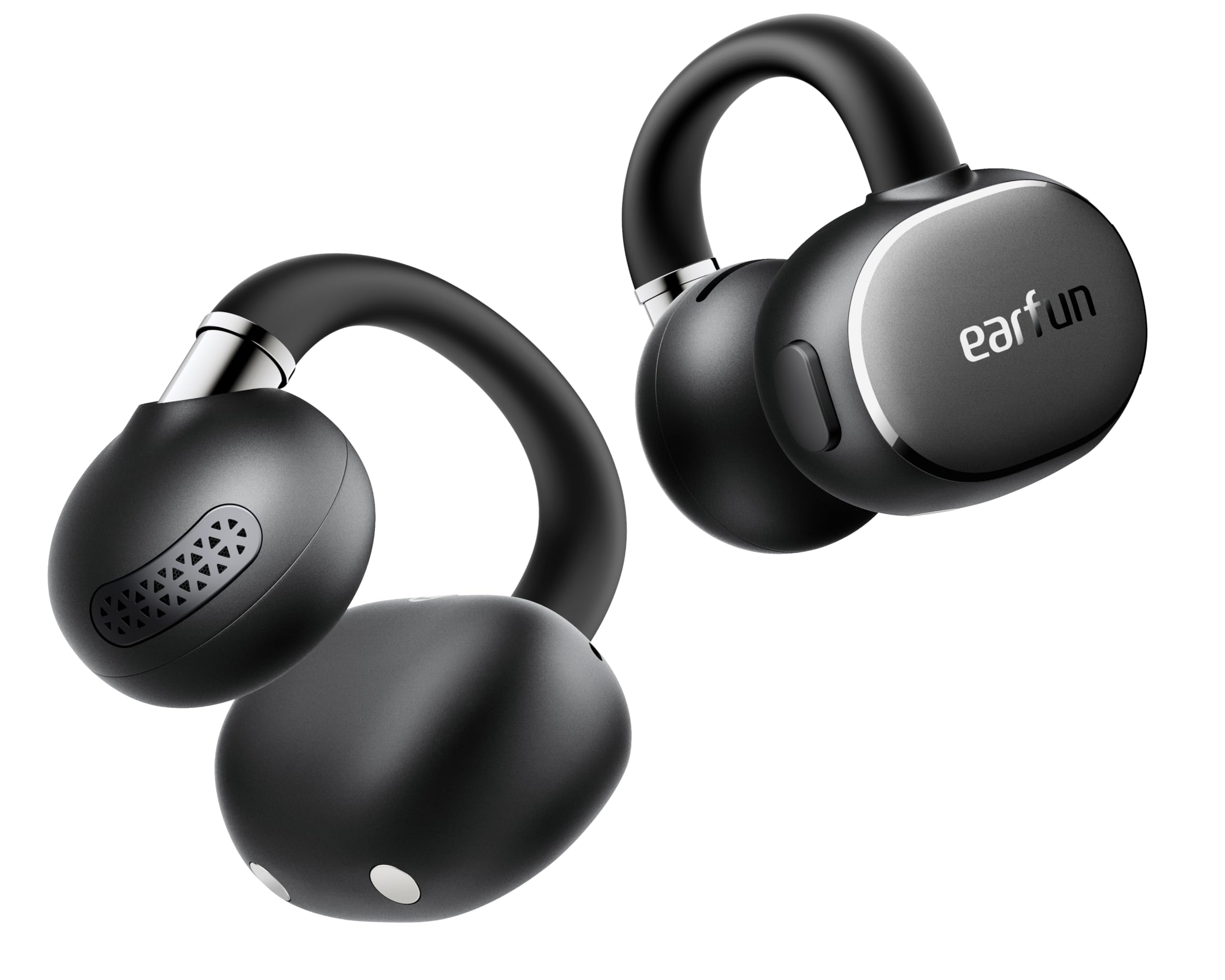
Image: EarFun Clip 2 Open Ear Earbuds and their charging case.
2. ¿Qué hay en la caja?
- EarFun Clip 2 Earbuds
- Estuche de carga
- Cable de carga USB-C
- Manual de usuario
Video: An unboxing demonstration of the EarFun Clip 2, showing the contents of the package including the earbuds, charging case, USB-C cable, and user manual.
3. Configuración
3.1 Cargo inicial
Before first use, fully charge the EarFun Clip 2 earbuds and their charging case. Connect the provided USB-C cable to the charging port on the case and a power source. The indicator light on the case will show charging status. A 10-minute charge provides approximately 2.5 hours of use.
3.2 Encendido y emparejamiento
- Abre el estuche de carga. Los auriculares se encenderán automáticamente y entrarán en modo de emparejamiento.
- En su dispositivo (teléfono inteligente, tableta, computadora portátil), habilite Bluetooth y busque los dispositivos disponibles.
- Select "EarFun Clip 2" from the list to connect. A voice prompt will confirm successful pairing.
For Android users, Google Fast Pair allows for instant setup by simply opening the case near your device.

Image: EarFun Clip 2 earbuds shown connecting to a smartphone via Google Fast Pair.
3.3 Descarga de la aplicación
Download the EarFun Audio App from your device's app store (Google Play Store or Apple App Store) to access advanced features like AI Translation, custom equalizer settings, and button customization.
3.4 Ajuste adecuado
For optimal sound and comfort, ensure the earbuds are properly positioned on your ears. The C-shaped bridge should clip securely without inserting into the ear canal. Adjust the earbud up or down until the sound is clear and the fit is comfortable.

Image: Visual guide demonstrating the correct way to wear the EarFun Clip 2 earbuds for a secure and comfortable fit, along with exampLes de posicionamiento incorrecto.
4. Instrucciones de funcionamiento
4.1 Controles básicos
The EarFun Clip 2 features physical buttons for reliable control. Functions can be customized via the EarFun Audio App.
| Acción | Función |
|---|---|
| Single Press (Left/Right) | Reproducir/Pausar, Responder/Finalizar llamada |
| Doble pulsación (izquierda) | Pista anterior |
| Doble pulsación (derecha) | Pista siguiente |
| Triple Press (Left/Right) | Activar Asistente de Voz |
| Mantener presionado (izquierda) | Bajar volumen |
| Presionar y mantener (derecha) | Subir volumen |

Image: A finger demonstrating how to press the physical button on the earbud for control.
4.2 Reproducción de audio
The EarFun Clip 2 supports Hi-Res Audio with LDAC codec, delivering detailed sound. EarFun Spatial Stage Technology provides an immersive 3D audio experience. The open-ear design allows you to hear your surroundings while enjoying audio.

Image: A woman wearing EarFun Clip 2 earbuds, with visual effects indicating the spatial audio experience.
4.3 Funciones de llamada
Equipped with 4 microphones and AI-powered Environmental Noise Cancellation (ENC), the earbuds ensure clear calls by isolating your voice from background noise, even in noisy environments.

Image: A man wearing EarFun Clip 2 earbuds, engaged in a phone call in an outdoor setting, highlighting clear call quality.
4.4 Traducción de IA
Utilize the real-time AI translation feature through the EarFun Audio App, supporting over 100 languages for seamless communication in various modes (Real-Time, Face-to-Face).

Image: Two individuals using EarFun Clip 2 earbuds and a smartphone app for real-time language translation, facilitating cross-cultural communication.
4.5 Conexión multipunto
The earbuds support multipoint connection, allowing you to connect to two devices simultaneously and switch between them effortlessly.

Image: EarFun Clip 2 earbuds simultaneously connected to a smartphone and a laptop, demonstrating multipoint connectivity.
4.6 Personalización de la aplicación
The EarFun Audio App provides options to adjust the equalizer, customize button controls, and manage other features to personalize your listening experience.

Image: A smartphone displaying the EarFun Audio App interface, showcasing various customization options for sound and controls.
4.7 modos de juego
Activate the Enhanced Game Mode via the app for reduced audio lag, providing a smoother and more responsive experience for gaming and video playback.

Image: EarFun Clip 2 earbuds being used while a person plays a game on a smartphone, demonstrating the enhanced game mode feature.
5. Mantenimiento
5.1 Limpieza
Regularly clean your earbuds and charging case with a soft, dry, lint-free cloth. Avoid using abrasive materials or harsh chemicals. Do not submerge the charging case in water.
5.2 Resistencia al agua
The EarFun Clip 2 earbuds are IP55 dust and water resistant, protecting them from sweat, light rain, and splashes. The charging case is not water resistant.

Image: A woman exercising outdoors while wearing EarFun Clip 2 earbuds, illustrating their IP55 water and sweat resistance.
5.3 Carga
Place the earbuds back into the charging case to recharge. The case itself can be charged via the USB-C cable or wirelessly. A full charge provides up to 11 hours of playtime for the earbuds, with the case extending total playtime to 40 hours.

Image: EarFun Clip 2 earbuds resting in their open charging case, with text highlighting the 40-hour total playtime.
6. Solución de problemas
6.1 Problemas de emparejamiento
- Asegúrese de que los auriculares estén cargados y fuera del estuche.
- Apaga y enciende el Bluetooth de tu dispositivo.
- Forget "EarFun Clip 2" from your device's Bluetooth list and re-pair.
- Perform a factory reset (refer to the EarFun Audio App or online support for specific instructions).
6.2 Problemas de calidad del sonido
- Adjust the fit of the earbuds on your ears.
- Clean the earbuds to remove any debris.
- Asegúrese de que su fuente de audio sea de alta calidad.
- Check equalizer settings in the EarFun Audio App.
6.3 Problemas de carga
- Verifique que el cable USB-C y el adaptador de corriente funcionen correctamente.
- Asegúrese de que los contactos de carga de los auriculares y el estuche estén limpios.
- For wireless charging, ensure the case is properly aligned on the charging pad.
7. Especificaciones
| Característica | Detalle |
|---|---|
| Nombre del modelo | EarFun Clip 2 |
| Número de modelo | CW200B |
| Versión de Bluetooth | 6.0 |
| Tipo de controlador de audio | 12mm Titanium-Composite Dynamic Driver |
| Soporte de audio de alta resolución | Yes (LDAC) |
| Micrófonos | 4 micrófonos con AI ENC |
| Traducción de IA | Yes (via EarFun Audio App) |
| Duración de la batería (auriculares) | Up to 11 hours (6 hours with LDAC enabled) |
| Tiempo total de juego (con estuche) | Hasta 40 horas |
| Carga rápida | Carga de 10 minutos para 2.5 horas de reproducción |
| Resistencia al agua | IP55 (solo auriculares) |
| Método de control | Botón físico |
| Peso (cada auricular) | 5.5 gramos |
| Conexión multipunto | Sí |
8. Garantía y soporte
8.1 Información de garantía
EarFun provides an 18-month warranty for every product. Please retain your proof of purchase for warranty claims.
8.2 Atención al cliente
For further assistance, technical support, or warranty inquiries, please visit the official EarFun website or contact their customer service team. Contact details can typically be found on the EarFun website or within the EarFun Audio App.


