
Introducción
Thank you for choosing the Gamrombo Wired Controller. This manual provides detailed instructions for setting up, operating, and maintaining your controller. This controller is designed for use with Xbox Series X/S, Xbox One, and PC, offering a stable and responsive gaming experience with features like programmable macro functions, turbo mode, and a 3.5mm headphone jack.
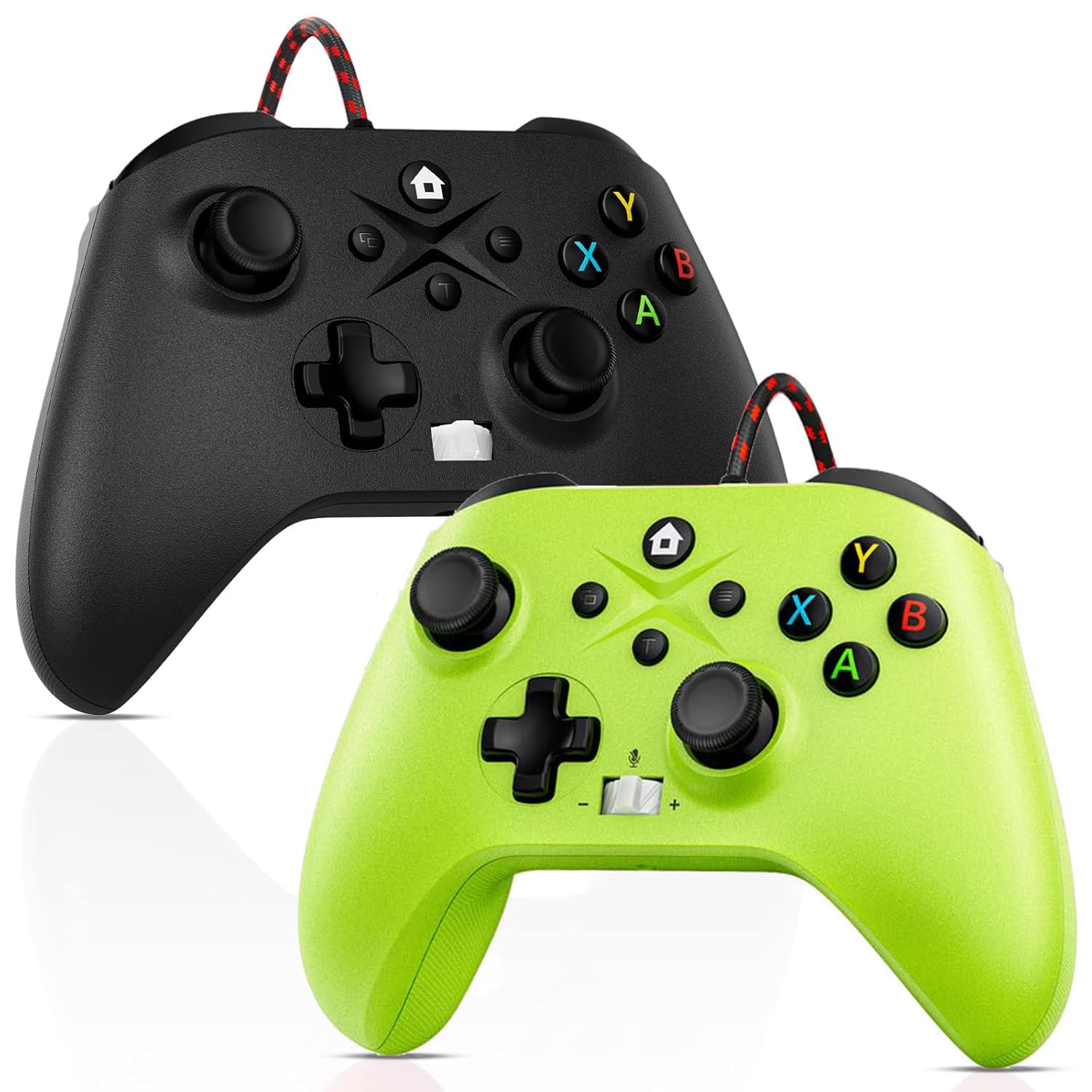
Image: Gamrombo Wired Controller in Black and Green.
Características del producto
- Compatibilidad versátil: Compatible with Xbox Series X/S, Xbox One (including One S/One X), and PC.
- Conexión por cable: Provides a stable, low-latency gaming experience with a 10-foot (3-meter) durable, tangle-free cable. No batteries required.
- Función macro programable: Two back mappable buttons (PR/PL) allow programming up to 16 button inputs for complex actions.
- Función turbo: Habilita el disparo rápido para los botones seleccionados.
- Toma de auriculares de 3.5 mm: Supports audio output and microphone input for clear in-game communication.
- One-Touch Mic Mute: Quickly mute your microphone directly from the controller.
- Motores de vibración asimétrica: Built-in motors provide varied vibration feedback for an immersive gaming experience.
- Precise 3D Gaming Joysticks: Offers 360-degree response with zero delay for accurate control.
- Diseño ergonómico: Agarre cómodo para sesiones de juego prolongadas.

Image: Diagram illustrating the wide compatibility of the Gamrombo Wired Controller with Xbox consoles and PC.
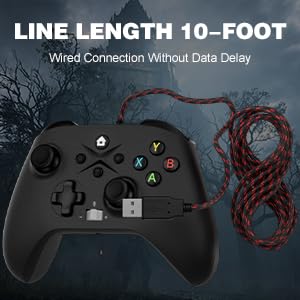
Image: The Gamrombo Wired Controller showcasing its 10-foot long braided cable for extended reach.
Contenido del paquete
El paquete normalmente incluye:
- 2 x Gamrombo Wired Controllers
- 1 x Manual de usuario
Configuración
- Connect to Xbox Console: Plug the USB connector of the controller into an available USB port on your Xbox Series X/S or Xbox One console. The controller will automatically be recognized and ready for use.
- Conectarse a la PC: Plug the USB connector of the controller into an available USB port on your PC. The operating system (Windows 10/11 recommended) will typically install the necessary drivers automatically. The controller will be recognized as an Xbox controller.
- Conexión inicial: Once connected, the controller's indicator light will illuminate, signifying a successful connection.
Instrucciones de funcionamiento
Disposición del controlador

Image: Detailed diagram of the Gamrombo Wired Controller showing all buttons and their labels, including Home, View, Menu, A/B/X/Y, D-pad, Joysticks (L3/R3), Bumpers (L1/R1), Triggers (L2/R2), Turbo, Programming Function Keys (PR/PL, Set), Adjustable Volume, and Headphone Jack.
Controles básicos
- Botón de inicio: Powers on/off the console (Xbox) or opens the Xbox Game Bar (PC).
- View Botón: Provides additional context-sensitive options in games or apps.
- Botón de menú: Opens in-game menus or system settings.
- Botones A/B/X/Y: Botones de acción estándar.
- Almohadilla direccional: Entrada direccional.
- Joysticks izquierdo/derecho (L3/R3): Analog movement and camera control. Pressing them down activates L3/R3 buttons.
- L1/R1 (Parachoques): Botones de hombro para diversas acciones dentro del juego.
- L2/R2 (Disparadores): Analog triggers for precise control, often used for acceleration/braking or aiming/firing.
Función Turbo
La función Turbo permite presionar un botón repetidamente mientras se mantenga presionado.
- Activar Turbo: Mantenga pulsado el Turbo button, then press the desired action button (e.g., A, B, X, Y, L1, R1, L2, R2, D-pad directions). The button will now have Turbo functionality.
- Desactivar Turbo: Para quitar Turbo de un botón específico, mantenga presionado el Turbo button again, then press the button with active Turbo.
Macro Function (Programmable Back Buttons)
The two back buttons (PR and PL) can be programmed to execute a sequence of up to 16 button presses.
- Ingrese al modo de programación: Presione el COLOCAR button. The indicator light will start blinking.
- Botón Seleccionar Macro: Presione cualquiera de los dos PR or PL botón.
- Grabar macro: Input the desired sequence of up to 16 button presses (e.g., A, B, X, Y, L1, R1, D-pad, etc.).
- Guardar macro: Presione el COLOCAR Presione el botón nuevamente para guardar la macro. La luz indicadora dejará de parpadear.
- Usar macro: Presione el programado PR or PL Botón para ejecutar la secuencia grabada.
- Borrar Macro: To clear a macro, enter programming mode (press COLOCAR), luego presione el PR or PL button you wish to clear, and then press COLOCAR again without inputting any sequence.
3.5mm Headphone Jack and Mic Mute
- Conectar auriculares: Plug any standard 3.5mm gaming headset into the headphone jack located at the bottom of the controller.
- Ajustar el volumen: Use the volume control buttons (+/-) on the controller to adjust headset audio levels.
- Silenciar micrófono: Press the dedicated mic mute button to toggle your microphone on or off. An indicator light may show the mute status.
Vibración Feedback
The controller features asymmetric vibration motors in the grips, providing varied haptic feedback based on in-game events for enhanced immersion.

Image: Illustration of the asymmetric vibration motors within the grips of the Gamrombo Wired Controller.

Image: Depiction of the adjustable vibration feature and 6-axis gyro sensor in the Gamrombo Wired Controller.
3D Gaming Joysticks and Linear Triggers
The controller is equipped with high-precision 3D joysticks for accurate 360-degree movement and Hall Effect linear triggers that offer responsive and immersive control.

Imagen: Primer plano view of the 3D gaming joystick on the Gamrombo Wired Controller, highlighting its precision.

Image: Visual representation of the precise 360-degree joystick and E-Sports level linear triggers with vibration function.
Mantenimiento
- Limpieza: Utilice un paño suave y seco para limpiar el mando. Para suciedad difícil de eliminar, limpie ligeramenteampEnjuague el paño con agua. Evite usar productos químicos agresivos o materiales abrasivos.
- Almacenamiento: Guarde el controlador en un lugar fresco y seco, alejado de la luz solar directa y de temperaturas extremas.
- Cuidado de cables: Avoid sharply bending or twisting the cable. Do not pull the controller by its cable.
- Evite los líquidos: Mantenga el controlador alejado de líquidos para evitar daños a los componentes internos.
Solución de problemas
- El controlador no responde:
- Asegúrese de que el cable USB esté conectado de forma segura tanto al controlador como a la consola/PC.
- Intente conectar el controlador a un puerto USB diferente.
- Reinicia tu consola o PC.
- El audio de los auriculares no funciona:
- Check if the headset is fully plugged into the 3.5mm jack.
- Verify that the volume is not muted or set too low using the controller's volume controls and system settings.
- Test the headset with another device to ensure it is functioning correctly.
- Macro/Turbo Function Not Working:
- Review the programming steps in the 'Operating Instructions' section to ensure correct setup.
- Ensure no other conflicting software or settings are interfering.
- La vibración no funciona:
- Verifique la configuración del juego para asegurarse de que la respuesta de vibración esté habilitada.
- Ensure the game supports vibration functionality.
Presupuesto
| Característica | Descripción |
|---|---|
| Dispositivos compatibles | Xbox Series X, Xbox Series S, Xbox One, Xbox One S, Xbox One X, PC (Windows) |
| Tipo de controlador | Cableado |
| Tecnología de conectividad | USB con cable |
| Longitud del cable | 10 pies (aproximadamente 3 metros) |
| Características adicionales | 3.5mm Headphone Jack, Turbo Function, Macro Function, Vibration Feedback, 6-Axis Gyro Sensor |
| Cantidad de botones | 21 |
| Plataforma de hardware | Xbox, PC |
Información de garantía
Gamrombo products are manufactured to high-quality standards. For specific warranty details, please refer to the warranty card included with your purchase or contact Gamrombo customer support. Keep your proof of purchase for warranty claims.
Apoyo
If you encounter any issues or have questions not covered in this manual, please contact Gamrombo customer support through the retailer's platform or the official Gamrombo webSitio para obtener ayuda.