
Introducción
The Fosmon C-10803FFUS Countdown Plug-in Timer Dual Outlet provides convenient and customizable control over your electrical appliances and lights. This indoor timer features dual grounded outlets and offers multiple countdown settings from 15 minutes to 8 hours. It is designed for ease of use and includes safety features such as ETL certification and a fire-resistant shell. This manual will guide you through the setup, operation, and maintenance of your timer.
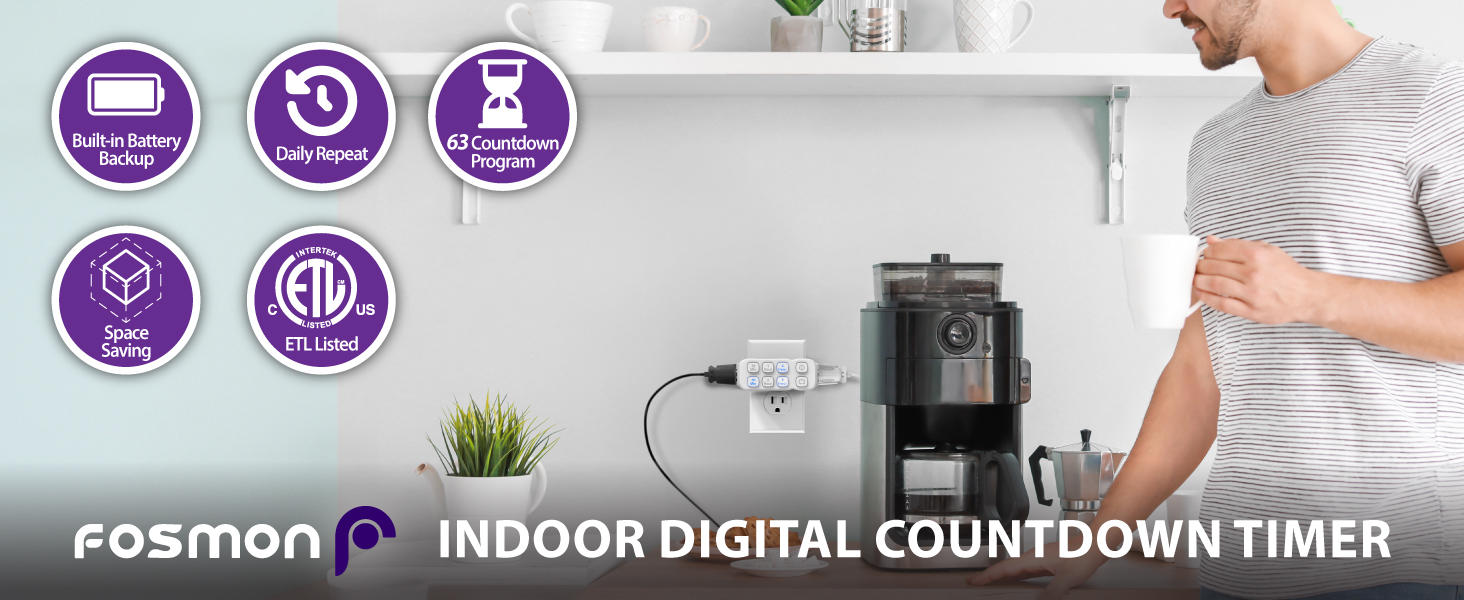
Image: The Fosmon Countdown Plug-in Timer, highlighting its compact design and dual outlets.
Producto terminadoview
The Fosmon C-10803FFUS timer is equipped with intuitive controls and practical features for managing your devices. Understanding its components will help you utilize it effectively.
- Tomas de corriente con doble conexión a tierra: Located on the sides of the timer, these outlets turn on and off simultaneously based on the set program.
- Countdown Buttons: Front-facing buttons for 15 Min, 30 Min, 1 Hour, 2 Hour, 4 Hour, and 8 Hour settings.
- Botón de encendido/apagado manual: Allows for immediate power control, overriding any active program.
- Daily Repeat Button: Activates a daily repeat function for the current countdown program.
- Batería de respaldo incorporada: Ensures the timer continues to function during power failures, though a prolonged outage may reset the timer if the internal battery depletes.
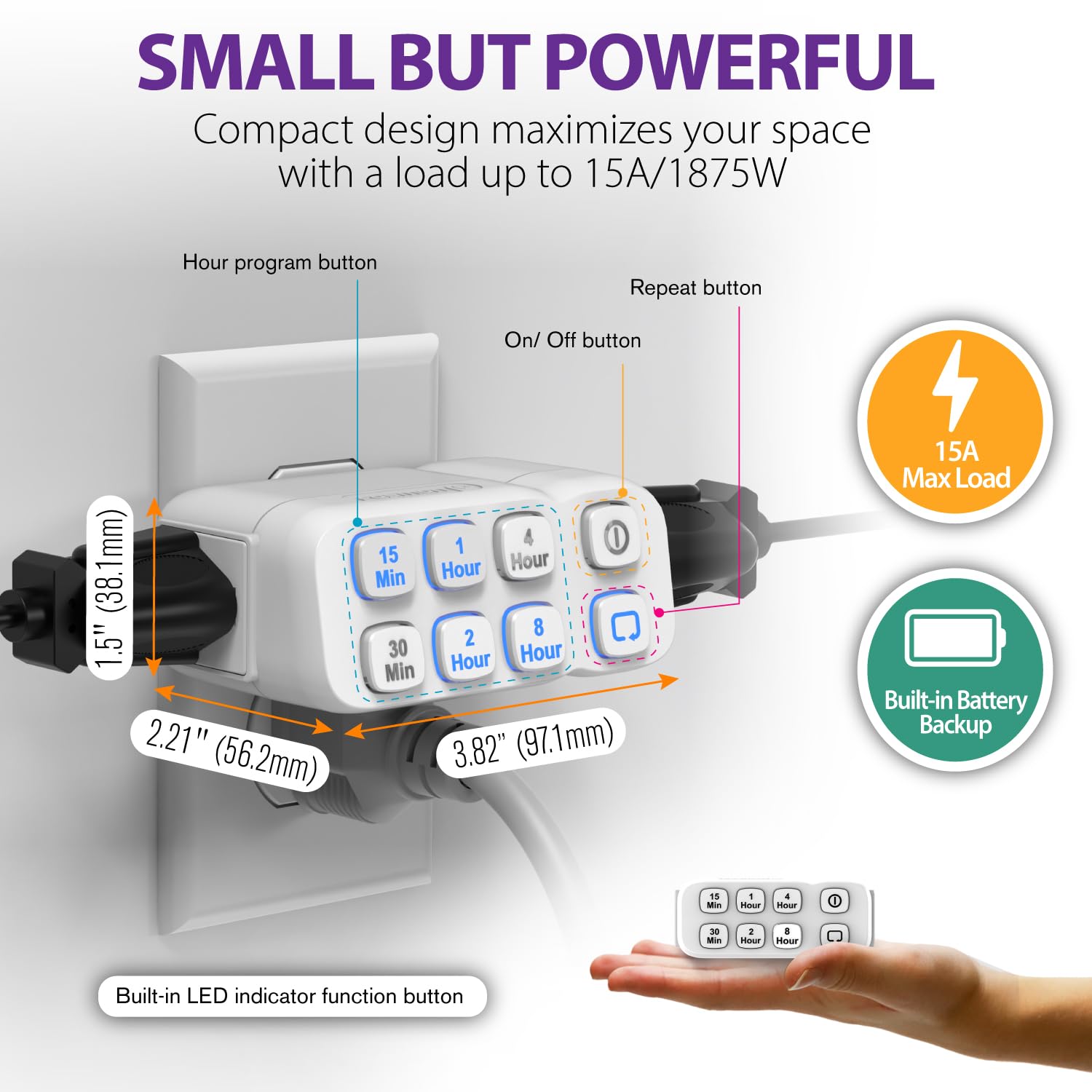
Imagen: Un detalle view of the timer, illustrating its compact dimensions and the layout of its control buttons.
Configuración
Follow these steps to set up your Fosmon Countdown Plug-in Timer.
- Conecte el temporizador: Insert the timer into a standard grounded wall outlet. It is recommended to plug it in before setting a program.
- Encendido inicial: Upon plugging in, the timer is ready for programming. Note that in case of a power failure, the internal battery will maintain the program. If the internal battery runs out, the timer will reset, requiring reprogramming.

Image: A person plugging the timer into a wall outlet, demonstrating the first step of setup.
Vídeo de la guía de configuración
Video: An official setup guide for the Fosmon Plug-In Countdown Timer, demonstrating how to plug in the device and set its various functions.
Instrucciones de funcionamiento
The timer offers flexible programming options for various durations and includes a daily repeat function.
Setting a Countdown Program
- Select Desired Duration: Press one or more of the time buttons (15 Min, 30 Min, 1 Hour, 2 Hour, 4 Hour, 8 Hour) to achieve your desired countdown duration. For example, to set a 5-hour and 45-minute countdown, press the 15 Min, 30 Min, 1 Hour, and 4 Hour buttons.
- Confirmar selección: Ensure all selected buttons are illuminated blue. The timer will begin its countdown immediately after the last button press.
- Changing Program: At any point during an active countdown, you can press any time button to set a new countdown program. The previous program will be canceled.
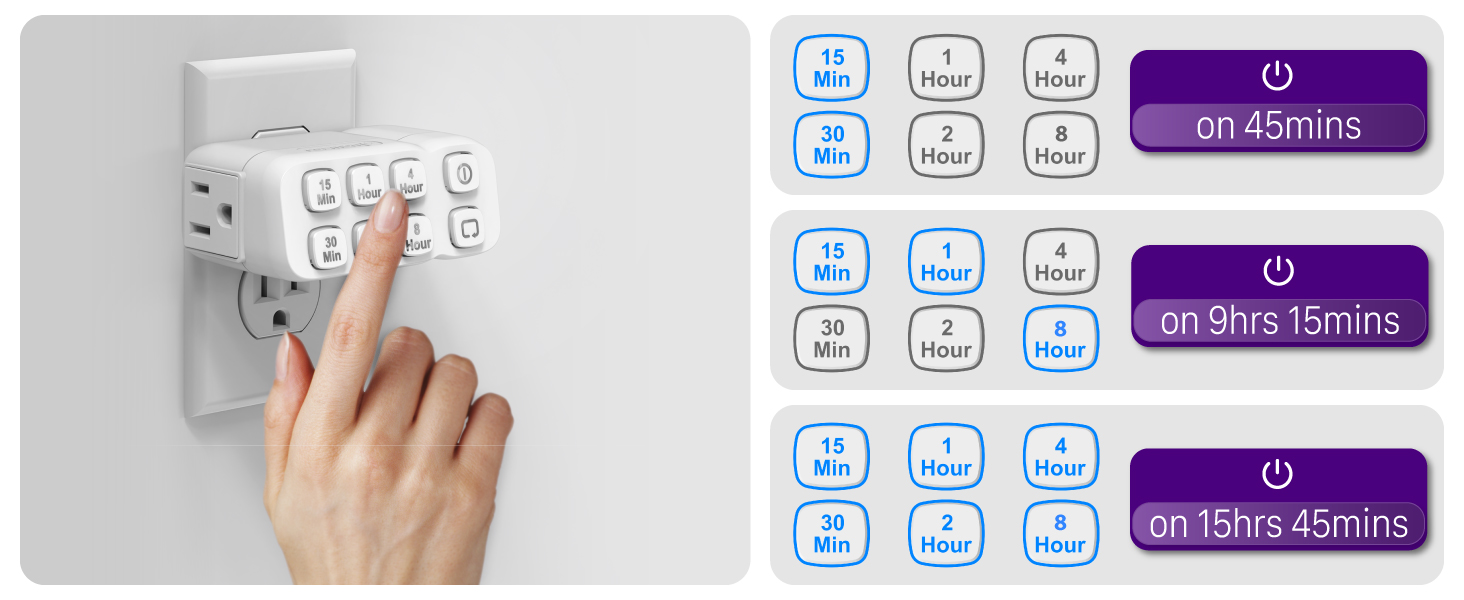
Image: A visual guide demonstrating how to combine different time buttons to achieve various countdown durations.
Función de repetición diaria
To have your set countdown program repeat automatically every day:
- Set a Countdown: First, set your desired countdown program using the time buttons.
- Activar Repetir: While the countdown program is running, press the Repetición diaria button (indicated by a circular arrow icon). The repeat indicator will illuminate, confirming that the program will now run at the same time every day.

Image: The timer in a home environment, showcasing how the daily repeat function can be used to automate lighting for security or convenience.
Anulación manual de encendido y apagado
To manually turn the connected devices ON or OFF, overriding any active countdown or repeat program:
- Presione el ENCENDIDO / APAGADO manual button (indicated by a power icon). The timer will remain in the ON or OFF state until the button is pressed again or a new countdown program is set.
Características
The Fosmon Countdown Plug-in Timer is designed with several key features to enhance its functionality and user experience:
- Cuenta regresiva personalizable: Offers 55 possible countdown durations by combining 15 Min, 30 Min, 1 Hour, 2 Hour, 4 Hour, and 8 Hour settings.
- Fácil Programación: Simple button presses for setting and adjusting countdowns.
- Múltiples características de seguridad: ETL certified, includes two grounded outlets for electrical shock protection, and features a V-0 rated fire-resistant shell.
- Amplia compatibilidad: Supports up to 1/2 horsepower and is rated at 125V/15A 1875W, compatible with incandescent, CFL, and LED lights.

Image: Icons visually representing the timer's key features, including battery backup, daily repeat, and various programming options.
Uso ExampLos
The versatility of the Fosmon Countdown Plug-in Timer makes it suitable for a wide range of applications:
- Seguridad del hogar: Automate lights to turn on and off, creating the impression of an occupied home to deter potential intruders.
- Control de electrodomésticos: Ideal for coffee makers, slow cookers, and chargers, ensuring they operate only for the required duration.
- Lighting Management: Perfect for seasonal lights, lamps, and grow lights, providing consistent on/off cycles.
- Operación del ventilador: Control fans for specific periods to optimize air circulation and energy use.

Imagen: Examples of the timer's diverse applications, such as controlling aquarium lights, plant grow lights, table lamps, and Christmas tree lights.
Presupuesto
| Atributo | Detalle |
|---|---|
| Marca | Fosmón |
| Número de modelo | C-10803FFUS |
| Material | Plástico |
| Potencia nominal | 125 V/15 A, 1875 W |
| Clasificación de caballos de fuerza | 1 / 2 HP |
| Puntos de venta | 2 tomas de corriente con conexión a tierra |
| Certificaciones | Listado en ETL |

Imagen: Un interno view of the timer, highlighting its grounded protection and ETL certification for safety.
Solución de problemas
If you encounter issues with your Fosmon Countdown Plug-in Timer, please refer to the following common troubleshooting steps:
- El temporizador no responde: Ensure the timer is securely plugged into a functioning wall outlet. Check if the internal battery might be depleted, which could cause a reset.
- Program Not Activating: Verify that the desired time buttons are illuminated blue after setting your program. If the Daily Repeat function is intended, ensure its indicator is also lit.
- Devices Not Turning On/Off: Confirm that the devices connected to the timer are properly plugged into the timer's outlets and are in working condition. Check the Manual ON/OFF button status; it might be overriding the program.
- Poder Outage Impact: En caso de un corte de energíatage, the internal battery should maintain the program. However, if the outage is prolonged and the battery depletes, the timer will reset, and you will need to reprogram it.
Garantía y soporte
Fosmon stands by the quality of its products. This product comes with a Garantía limitada de por vida. For any questions, concerns, or support needs, please contact our dedicated US-based customer service team. Refer to the product packaging or the official Fosmon websitio para detalles de contacto.