
Introducción
This manual provides detailed instructions for the installation, operation, and maintenance of your FTes RFKits 2-Wire WiFi Video Door Intercom. Please read this manual thoroughly before using the product to ensure proper function and safety. Keep this manual for future reference.
The FTes RFKits 2-Wire WiFi Video Door Intercom system features a 7-inch monitor with a 1080P camera, two-way audio, IP65 waterproof rating for the outdoor unit, and multiple unlocking methods including the Tuya App, RFID card, and NFC. It is designed to enhance home security and communication with visitors.
Información de seguridad
- Asegúrese de que toda la energía esté desconectada antes de la instalación o el mantenimiento.
- La instalación debe ser realizada por un profesional calificado si no está seguro acerca del cableado eléctrico.
- Do not expose the indoor monitor to water or high humidity.
- Utilice únicamente el adaptador de corriente y los accesorios proporcionados.
- Keep the outdoor unit's camera lens clean for optimal image quality.
- Avoid placing the outdoor unit in direct sunlight for prolonged periods to prevent overheating.
Producto terminadoview
The FTes RFKits Video Door Intercom system consists of an outdoor unit (doorbell camera) and an indoor unit (monitor).
Características principales:
- 7-inch IPS HD Touch Screen Monitor: para claro viewing y fácil interacción.
- Cámara 1080P HD: Provides clear video feed from the outdoor unit.
- Audio bidireccional: Allows communication between the indoor monitor, outdoor unit, and the Tuya Smart App.
- Integración de la aplicación Tuya Smart: Enables remote monitoring, calls, recording, and unlocking via smartphone.
- Múltiples métodos de desbloqueo: Supports unlocking via the indoor monitor, Tuya App, RFID cards, and NFC.
- Unidad exterior impermeable IP65: Diseñado para uso en exteriores en diversas condiciones climáticas.
- Visión nocturna LED infrarroja: Garantiza una visibilidad clara incluso en condiciones de poca luz.
- Detección de movimiento: Automatically records video or takes snapshots when motion is detected.
- Grabación automática: Records when the doorbell is pressed.
- Almacenamiento local: Built-in 32GB TF card for storing video recordings and photos.
- Conexión de 2 cables: Simplifies installation and provides a stable connection.
- Dual Door Lock Management: Capable of controlling two electronic door locks simultaneously.
Configuración e instalación
1. Diagrama de cableado
The system uses a 2-wire connection for communication and power between the outdoor unit and the indoor unit. A DC15V power adapter powers the indoor unit.
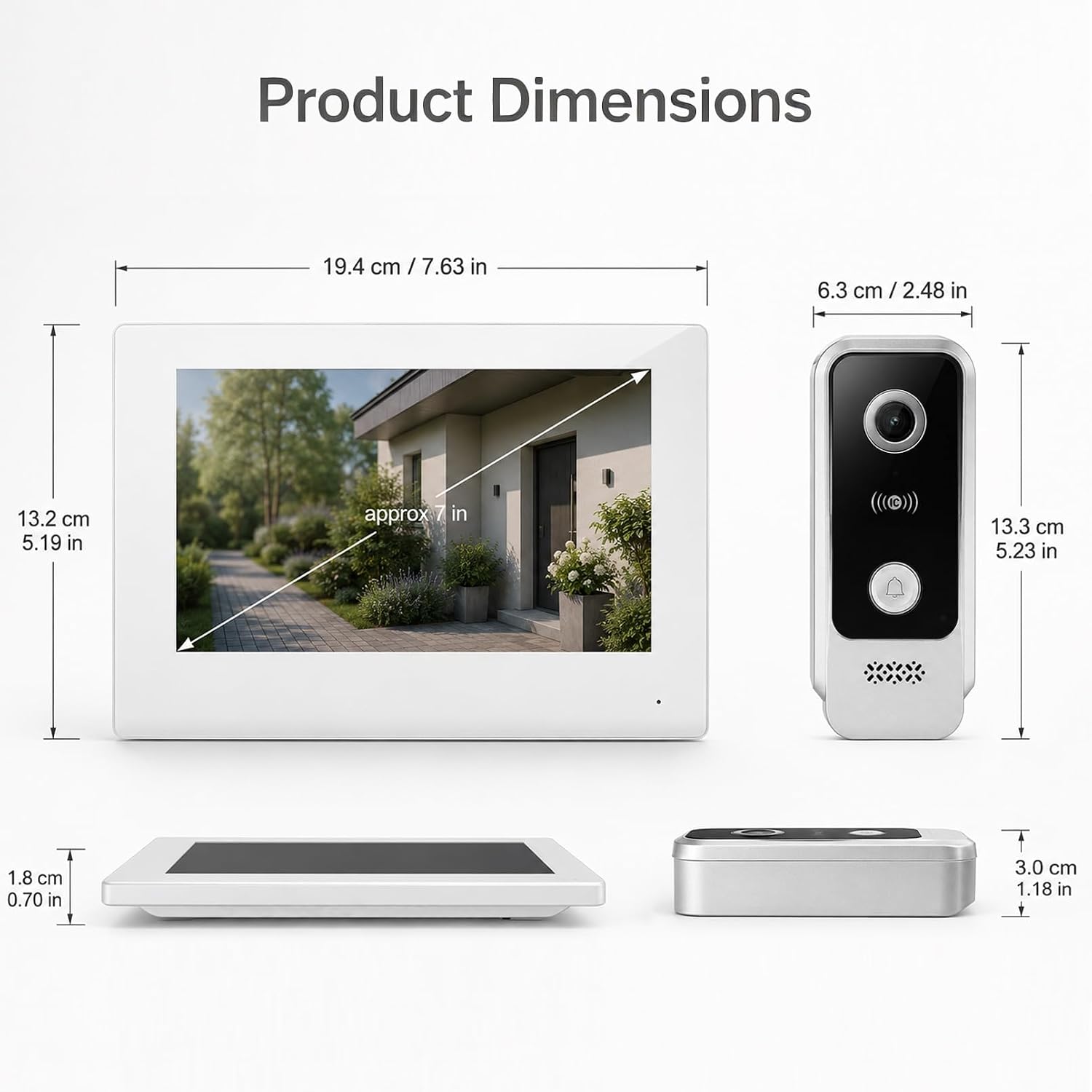
Imagen: Wiring diagram for the FTes RFKits Video Door Intercom. The outdoor unit connects to the indoor unit via two wires. The indoor unit is powered by a DC15V adapter.
- Connect the two wires from the outdoor unit to the corresponding terminals on the indoor unit. Ensure correct polarity if indicated (though the diagram suggests non-polarity for the 2-wire connection).
- Connect the DC15V power adapter to the indoor unit.
- For electronic door locks, connect them to the designated terminals on the indoor unit as per the lock's instructions. The system supports managing two door locks.
2. Montaje de las unidades
- Unidad exterior: Mount the outdoor unit at a height of approximately 1.5 meters (5 feet) from the ground, ensuring the camera has a clear view of the visitor's face. Avoid direct sunlight or strong light sources that could cause glare.
- Unidad interior: Monte el monitor interior en un lugar conveniente dentro de su hogar, lejos de fuentes de calor directo o humedad.
3. Tuya Smart App Setup
- Descarga la aplicación "Tuya Smart" desde la tienda de aplicaciones de tu teléfono inteligente (iOS o Android).
- Regístrese o inicie sesión en su cuenta Tuya Smart.
- Follow the in-app instructions to add your video door intercom device. This typically involves putting the indoor unit into pairing mode and connecting it to your 2.4 GHz Wi-Fi network.
- Once connected, you can access the intercom functions remotely via the app.
Instrucciones de funcionamiento
1. Two-Way Intercom Communication
When a visitor presses the doorbell button on the outdoor unit, the indoor monitor will ring and display the visitor's image. You can also receive a notification on your Tuya Smart App.

Imagen: Two-way intercom in action. A visitor at the door can communicate with the resident through the indoor monitor or the Tuya app on a smartphone.
- Desde el monitor interior: Tap the "Answer" button on the 7-inch screen to initiate two-way audio communication.
- From Tuya Smart App: Open the notification or the app to view the live feed and speak with the visitor.
2. Multiple Unlocking Methods
The system offers several ways to unlock connected electronic doors.

Imagen: Multiple unlocking methods available for the door intercom system, including tapping the indoor monitor, using an RFID card, unlocking via the Tuya app, and NFC unlocking.
- Tap to Unlock (Indoor Monitor): Durante una llamada o en vivo view, tap the unlock icon on the indoor monitor screen.
- RFID Card Unlock (Outdoor Unit): Present a pre-programmed RFID card to the sensor on the outdoor unit.
- NFC Unlock (Outdoor Unit): Use an NFC-enabled device (e.g., smartphone with NFC) near the outdoor unit's sensor.
- Desbloqueo de la aplicación Tuya: From the Tuya Smart App, tap the unlock icon during a call or live view.
3. Automatic Recording and Motion Detection
The system automatically records events to the built-in 32GB TF card.

Imagen: Automatic recording feature. When the doorbell is pressed, the system automatically records video or takes a photo.
- Bell Button Triggered Recording: When a visitor presses the doorbell, the system automatically records a video or takes a photo.
- Grabación por detección de movimiento: The outdoor unit's camera can detect motion in its field of view. When motion is detected, the system will automatically record a video or take a snapshot. You will receive a notification on the Tuya Smart App.

Imagen: Motion detection in operation. The outdoor unit detects movement, triggers a mobile app notification, and the indoor unit records a snapshot.
4. Local Storage and Playback
All recordings are stored on the built-in 32GB TF card. You can review these recordings from the indoor monitor or via the Tuya Smart App.

Imagen: Local storage and playback interface on the indoor monitor and smartphone app, showing call records and video playback options.
- En el monitor interior: Navigate to the "Local Storage" or "Call Records" menu to view vídeos y fotografías grabados.
- On Tuya Smart App: Access the device's settings in the app to view cloud or local storage recordings.
Mantenimiento
- Limpieza: Utilice un paño suave y seco para limpiar la pantalla del monitor interior y la lente de la cámara de la unidad exterior. No utilice limpiadores abrasivos ni disolventes.
- Actualizaciones de firmware: Periodically check the Tuya Smart App for available firmware updates for your device to ensure optimal performance and security.
- Inspección de cables: Regularly inspect the wiring for any signs of damage or wear.
- Gestión de tarjetas TF: The 32GB TF card will automatically overwrite older recordings when full. If you need to preserve specific recordings, back them up to another device.
Solución de problemas
| Problema | Posible causa | Solución |
|---|---|---|
| No hay imagen en el monitor interior. | Power supply issue, loose wiring, outdoor unit malfunction. | Revise la conexión del adaptador de corriente. Verifique la conexión de dos cables entre las unidades. Asegúrese de que la unidad exterior esté conectada a la corriente. |
| No hay audio durante la comunicación bidireccional. | Microphone/speaker issues, network connectivity problems (for app calls). | Check volume settings. Ensure stable Wi-Fi connection for app. Restart units. |
| No se puede desbloquear la puerta de forma remota. | Incorrect wiring to electronic lock, lock malfunction, app connectivity issue. | Verify lock wiring. Test lock manually. Check Tuya App connection and permissions. |
| Mala calidad de imagen o visión nocturna. | Dirty camera lens, insufficient lighting, camera malfunction. | Clean the outdoor unit's camera lens. Ensure there are no obstructions. |
| Tuya App cannot connect to the device. | Incorrect Wi-Fi password, 5GHz Wi-Fi network, device not in pairing mode, network interference. | Ensure you are using a 2.4 GHz Wi-Fi network. Re-enter Wi-Fi password. Follow app pairing instructions carefully. Move router closer if signal is weak. |
Presupuesto
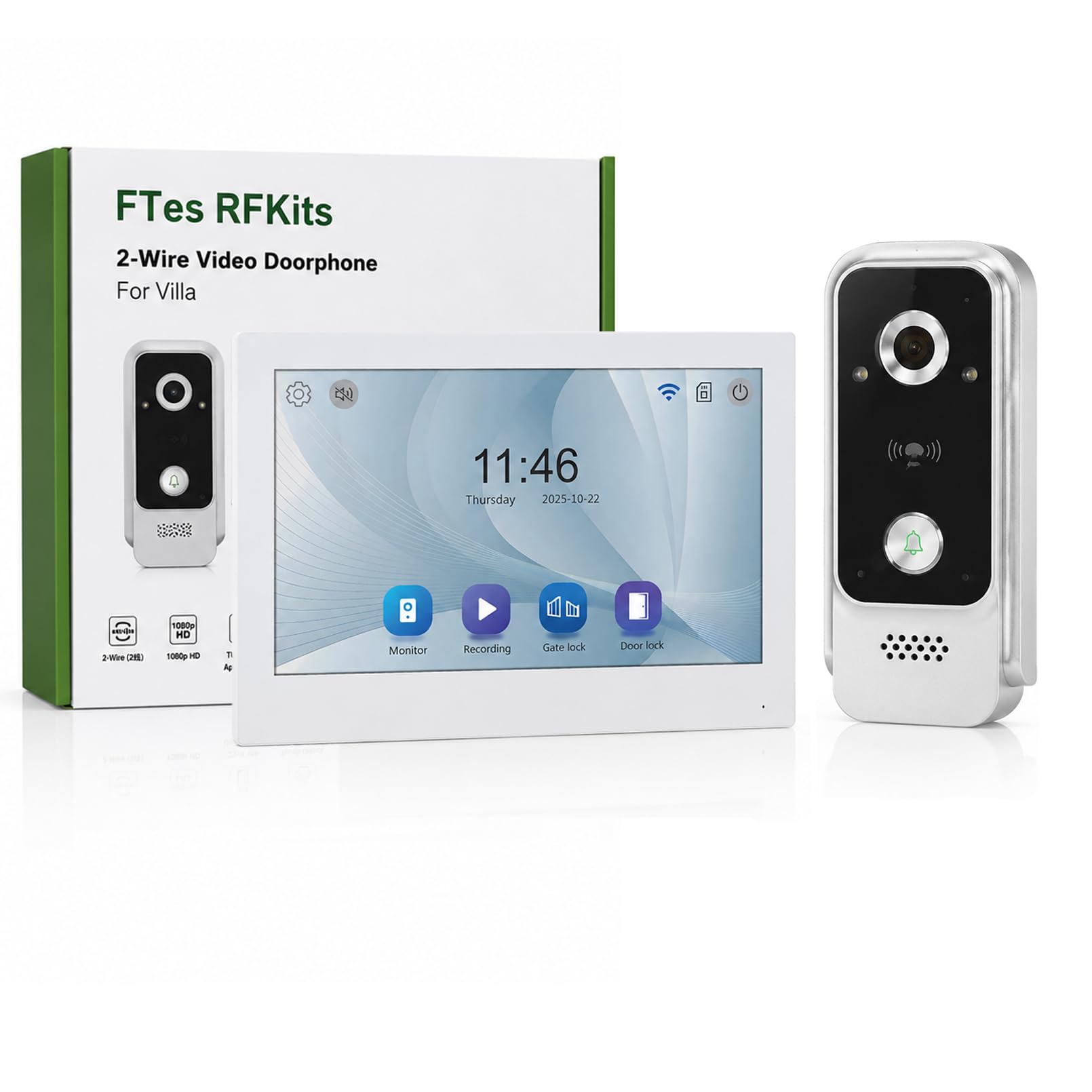
Imagen: Product dimensions for both the indoor monitor and outdoor unit.
| Característica | Detalle |
|---|---|
| Número de modelo | V7024B2 |
| Marca | FTes RFKits |
| Tamaño de pantalla | 7.0 pulgadas |
| Resolución de la cámara | Alta definición 1080P |
| Viewángulo de ing | 120 ° gran angular |
| Visión nocturna | LED infrarrojo |
| Conectividad | 2-Wire (intercom), 2.4 GHz WiFi (App) |
| Métodos de desbloqueo | Monitor, Tuya App, RFID Card, NFC |
| Almacenamiento | Tarjeta TF incorporada de 32 GB |
| Clasificación IP de la unidad exterior | IP65 resistente al agua |
| Fuente de alimentación | DC15V (via adapter) |
| Dimensiones del artículo (unidad interior) | Aprox. 19.4 x 13.2 x 1.8 cm (7.63 x 5.19 x 0.70 pulgadas) |
| Item Dimensions (Outdoor Unit) | Aprox. 6.3 x 13.3 x 3.0 cm (2.48 x 5.23 x 1.18 pulgadas) |
| Pilas necesarias | No |
Garantía y soporte
For warranty information and technical support, please refer to the documentation provided with your purchase or contact FTes RFKits customer service. Contact details can typically be found on the product packaging or the manufacturer's official websitio.
Please have your model number (V7024B2) and purchase date ready when contacting support.