
Introducción
Thank you for choosing the UGREEN HiTune Max 5s Wireless ANC Headphones. This manual provides detailed instructions for setting up, operating, maintaining, and troubleshooting your headphones to ensure optimal performance and longevity. Please read this manual thoroughly before use.
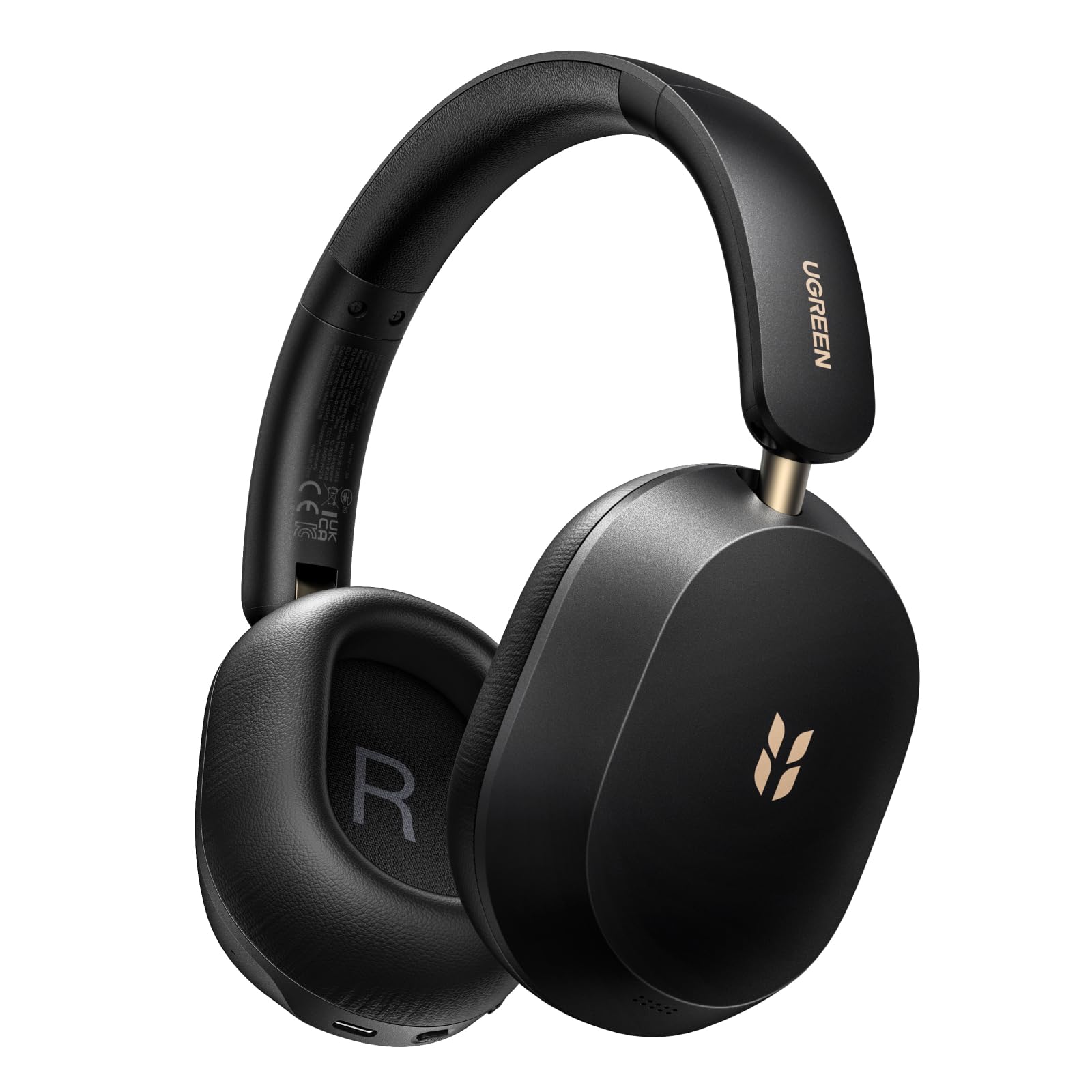
Image: UGREEN HiTune Max 5s Wireless ANC Headphones, black, shown from a slight angle.
Características principales:
- 45dB Adaptive Hybrid Active Noise Cancellation: Equipped with a 5-microphone array, these headphones intelligently adjust and reduce ambient noise by up to 45dB.
- Hi-Res Audio & Spatial Audio: Supports Hi-Res Audio and Hi-Res Audio Wireless certifications, including LDAC high-resolution codec. Features 40mm PET diaphragm drivers for clear, balanced sound and immersive 360° spatial audio.
- Hasta 112 horas de duración de la batería: Enjoy extended listening with an 800mAh battery, providing up to 112 hours of playback with ANC off. A 10-minute charge offers 18 hours of listening.
- AI-Enhanced 5-Microphone Calls: Five integrated microphones with AI noise reduction algorithm ensure clear voice pickup and effective filtering of environmental noise during calls.
- Diseño ligero y plegable: Weighing only 240 grams, the headphones offer comfort for prolonged use. The ergonomic headband and soft memory foam earcups provide a secure fit. The foldable design enhances portability.
- Bluetooth 6.0 y conexión multipunto: Offers stable and secure wireless connectivity with the ability to connect to two devices simultaneously.
Configuración
Carga de los auriculares
Before first use, fully charge your UGREEN HiTune Max 5s headphones. Connect the included USB-C cable to the charging port on the headphones and to a compatible USB power source. The charging indicator light will show the charging status.

Image: UGREEN HiTune Max 5s headphones with text indicating 'Up to 112 Hours Battery Life' and '10 Minutes Charge = 18 Hours Music'.
Encendido/apagado
- Encender: Press and hold the Power button for approximately 2 seconds. A white light indicator will confirm power-on.
- Apagar: Press and hold the Power button for approximately 2 seconds. A red light indicator will confirm power-off.
Emparejamiento Bluetooth
- Asegúrese de que los auriculares estén apagados.
- Press and hold the Bluetooth button until the light rapidly flashes, indicating pairing mode.
- En su dispositivo anfitrión (teléfono inteligente, tableta, computadora), habilite Bluetooth y busque los dispositivos disponibles.
- Select "UGREEN Studio Headphone" from the list to connect.
- Una vez conectado, la luz indicadora cambiará a azul fijo o se apagará, según el modelo.
Clearing Pairings
To clear all previous Bluetooth pairings from the headphones, press and hold the Bluetooth button for 10 seconds.
Instrucciones de funcionamiento
Modos de cancelación activa de ruido (ANC)
The UGREEN HiTune Max 5s features adaptive hybrid active noise cancellation. You can switch between different modes:
- ANC ACTIVADO: Activates noise cancellation, reducing ambient sounds by up to 45dB. This mode may consume battery faster.
- ANC APAGADO: Desactiva la cancelación de ruido.
- Modo de sonido ambiental: Allows you to hear some surrounding sounds while still enjoying your audio. Note that ambient sounds are slightly reduced in level.

Image: UGREEN HiTune Max 5s headphones with a visual representation of -45dB noise reduction.
Conexión multipunto
The headphones support multipoint connection, allowing you to connect to two devices simultaneously (e.g., a smartphone and a PC). This enables seamless switching between audio sources without re-pairing.

Image: UGREEN HiTune Max 5s headphones shown with a smartphone displaying the UGREEN app and a tablet, illustrating multipoint connection.
Funciones de audio
- Audio de alta resolución y LDAC: Enjoy high-fidelity audio with support for Hi-Res Audio and the LDAC codec (up to 990 kbps).
- Audio espacial: Experience immersive 360° sound for an enhanced listening experience.
- Modo de juego de baja latencia: For gaming, activate the low latency mode (0.08s) for synchronized audio and visuals.

Image: A person wearing UGREEN HiTune Max 5s headphones playing a mobile game, illustrating the low latency feature.
Funcionalidad de llamada
The integrated 5-microphone system with AI noise reduction ensures clear voice transmission during calls, even in noisy environments. The adaptive wind noise attenuation further improves call clarity.
UGREEN Audio App
Customize your listening experience using the UGREEN Audio app. The app allows for EQ adjustments (preset profiles or graphic EQ) and button customization. A personalized sound profile feature, based on an auditory test, is expected via an OTA update.

Image: A smartphone screen displaying the UGREEN Audio app interface with options for noise cancellation control, music modes, game mode, and equalizer settings.
Mantenimiento
Proper care and maintenance will extend the life of your UGREEN HiTune Max 5s headphones.
- Limpieza: Utilice un paño suave y seco para limpiar los auriculares. Evite usar limpiadores abrasivos o disolventes.
- Almacenamiento: When not in use, store the headphones in a cool, dry place. The foldable design allows for compact storage. Avoid exposing them to extreme temperatures or humidity.
- Cuidado de la batería: To maintain battery health, avoid fully discharging the headphones frequently. Charge them regularly, even if not used for extended periods.
- Exposición al agua: Estos auriculares no son resistentes al agua. Evite la exposición al agua o a la humedad excesiva.

Image: UGREEN HiTune Max 5s headphones in a folded state, being placed into a backpack, demonstrating their compact and portable design.
Solución de problemas
Si tiene problemas con sus auriculares, consulte las siguientes soluciones comunes:
| Problema | Posible solución |
|---|---|
| Los auriculares no se encienden. | Asegúrate de que los auriculares estén cargados. Conéctalos a una fuente de alimentación y vuelve a intentarlo. |
| No se puede emparejar con un dispositivo. | Make sure the headphones are in pairing mode (rapidly flashing light). Clear previous pairings by holding the Bluetooth button for 10 seconds, then try pairing again. Ensure Bluetooth is enabled on your device. |
| Poor sound quality or unbalanced audio. | Check the audio source. Use the UGREEN Audio app to adjust the equalizer settings. Ensure the headphones are properly seated on your ears. |
| La ANC no es efectiva. | Ensure ANC mode is activated. For optimal performance, ensure earcups form a good seal around your ears. ANC is most effective against low-frequency, constant noises. |
| La conexión Bluetooth es inestable. | Ensure your device is within the effective range (typically 10 meters) and there are no significant obstructions. Disconnect and reconnect the Bluetooth connection. |
Presupuesto
| Característica | Detalle |
|---|---|
| Nombre del modelo | HiTune Max 5s |
| Número de modelo | 16172 |
| Marca | UGREEN |
| Color | Negro |
| Peso | 240 gramos |
| Colocación de orejas | Sobre la oreja |
| Factor de forma | Circun-aural |
| Control de ruido | Hybrid Noise Reduction (up to 45dB) |
| Tecnología de conectividad | Inalámbrico (Bluetooth) |
| Tecnología de comunicación inalámbrica | Bluetooth |
| Versión de Bluetooth | 6.0 |
| Componentes incluidos | Cable (cable de carga USB-C) |
| Método de control | Botón pulsador |
| Tipo de controlador de audio | Dinámica |
| Rango de frecuencia | 20 Hz - 40 kHz |
| Material interno | cuero de imitación |
| Special Product Uses | Música, viajes |
| Dispositivos compatibles | Teléfono celular |
| Batería | 1 batería de iones de litio (incluida) |
| Fabricante | Grupo Ugreen Limited |
| País natal | Porcelana |
Garantía y soporte
Información de garantía
The UGREEN HiTune Max 5s Wireless ANC Headphones come with a 24-month UGREEN warrantyConserve su comprobante de compra para reclamaciones de garantía.
Atención al cliente
Para obtener más ayuda, soporte técnico o consultas sobre la garantía, comuníquese con el servicio de atención al cliente de UGREEN a través de su sitio web oficial. websitio o el minorista donde compró el producto.