
Introducción
The Soundcore Anker P42i Wireless Earbuds are designed to provide a high-quality audio experience with advanced features. This manual provides instructions for setup, operation, maintenance, and troubleshooting to ensure optimal performance.
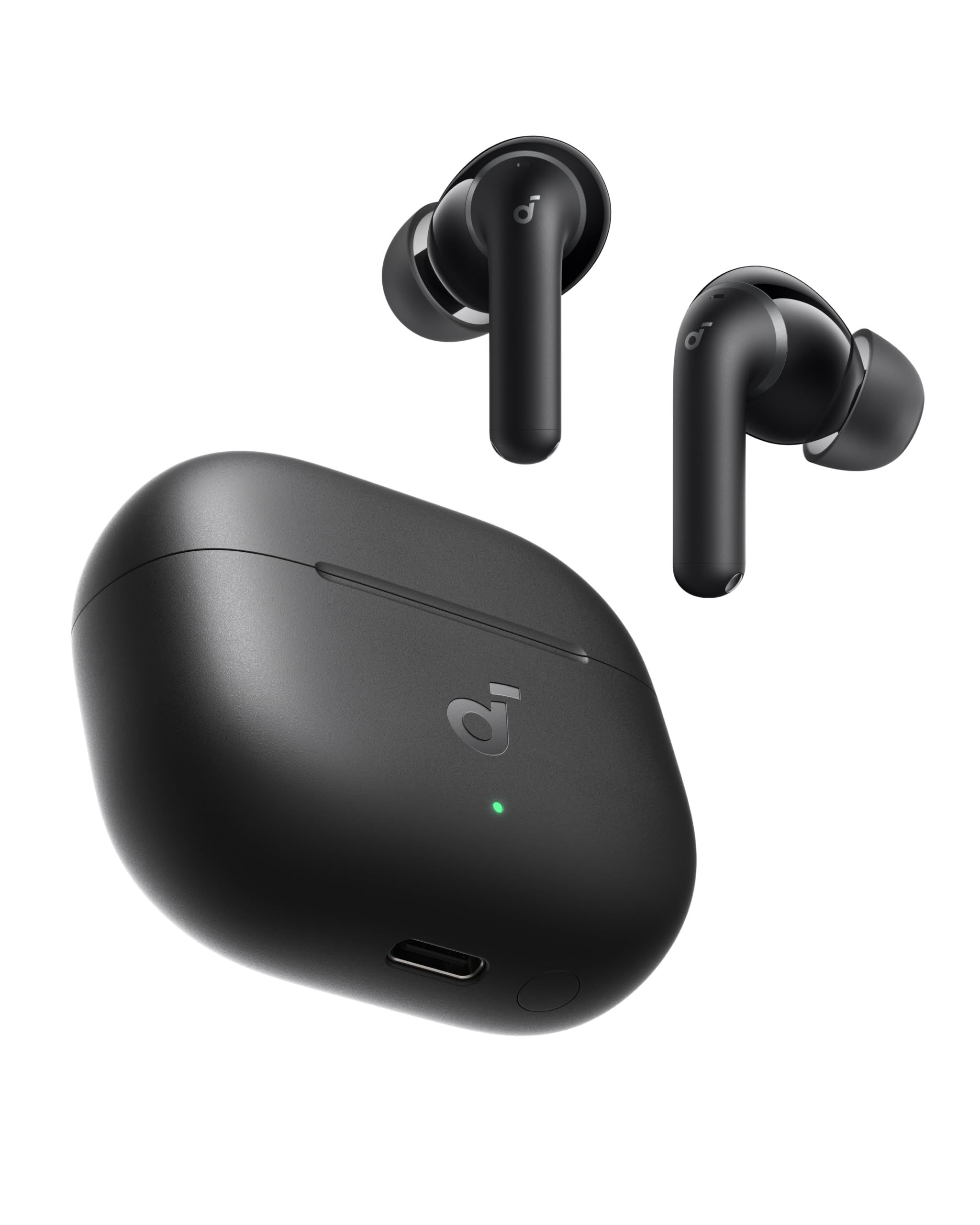
Image: Soundcore Anker P42i Wireless Earbuds and their charging case.

Imagen: Más alláview of Soundcore P42i key features, including 3x stronger noise cancellation, more detailed sound, 100+ languages AI translation, built for comfort, 12 hours per charge (56 hours with case), 6 AI clear call mics, and IP55 water resistance.
Configuración
1. Emparejamiento inicial
To pair your Soundcore P42i earbuds for the first time:
- Abre el estuche de carga. Los auriculares entrarán automáticamente en modo de emparejamiento.
- En su dispositivo (teléfono inteligente, tableta, etc.), habilite Bluetooth.
- Seleccione “Soundcore P42i” de la lista de dispositivos Bluetooth disponibles.
- Una vez conectado, escuchará una confirmación audible.
2. Emparejamiento rápido de Google
For Android devices running Android 6.0 or later, Google Fast Pair enables quick and effortless pairing:
- Asegúrese de que Bluetooth esté habilitado en su dispositivo Android.
- Open the Soundcore P42i charging case near your device.
- A pop-up notification will appear on your screen. Tap to connect.

Image: A smartphone displaying the Google Fast Pair prompt for Soundcore P42i earbuds, showing a quick connection process.
3. Instalación de la aplicación Soundcore
Download the Soundcore app from your device's app store for full customization options, firmware updates, and advanced features.
4. Ajuste óptimo
The earbuds come with multiple sizes of ear tips (XXS, XS, S, M, L). Choose the size that provides a secure and comfortable seal for the best audio quality and noise cancellation performance.
Instrucciones de funcionamiento
1. Adaptive Active Noise Cancellation (ANC)
The P42i earbuds feature real-time adaptive ANC, which automatically adjusts noise cancellation levels based on your surroundings. This helps to reduce ambient noise by up to 55 dB, allowing for a more focused listening experience.

Image: A graph illustrating the effectiveness of Adaptive ANC in reducing various frequencies of noise, demonstrating how it helps to quiet traffic, crowds, and other daily sounds.
2. Natural Mode for Live Events
Natural Mode is designed for environments like concerts or live events. It lowers loud live sound more evenly, reducing strain on your ears while maintaining clarity of voices, music, and the overall atmosphere. Activate this mode via the Soundcore app.

Image: Individuals at a lively outdoor event, showcasing the use of earbuds in a setting where Natural Mode would be beneficial to lower loud sounds while preserving the atmosphere.
3. Funciones de llamada
The earbuds are equipped with 6 AI-enhanced microphones. These microphones work to reduce background noise, ensuring your voice is transmitted clearly during calls, even in noisy environments such as a busy office, crowded train, or windy street.

Image: A person in the back of a car, smiling and talking on the phone with Soundcore P42i earbuds, emphasizing clear call quality.
4. Conexión multidispositivo
The P42i earbuds support simultaneous connection to two devices, allowing for seamless switching between them. This feature is available even when LDAC is enabled.

Image: Soundcore P42i earbuds shown connected to both a smartphone and a laptop, illustrating the multi-device connection capability.
5. Controles táctiles
The earbuds feature touch controls for managing playback, calls, and noise cancellation modes. Specific functions can be customized via the Soundcore app.
Carga y duración de la batería
The Soundcore P42i earbuds offer extended playtime and convenient charging options.
- Tiempo de reproducción (ANC desactivado): Hasta 12 horas con una sola carga, con un total de 56 horas utilizando el estuche de carga.
- Tiempo de reproducción (ANC activado): Hasta 8.5 horas con una sola carga, con un total de 40 horas utilizando el estuche de carga.
- Carga rápida: Una carga de 10 minutos proporciona hasta 3.5 horas de tiempo de escucha.
- Carga inalámbrica: The charging case supports wireless charging for added convenience.

Image: The Soundcore P42i charging case placed on a wireless charging pad, with text detailing battery life for ANC on/off and fast charging capabilities.
Calidad de sonido y personalización
1. Audio de alta resolución con LDAC
Experience high-resolution audio with LDAC support, delivering lossless Hi-Fi sound. This technology provides three times more data than standard codecs, resulting in clearer vocals, richer textures, and enhanced detail. The earbuds feature 11mm titanium-coated drivers for responsive sound.

Image: A close-up of an ear with an earbud inserted, overlaid with sound wave graphics, emphasizing the detailed audio experience provided by Hi-Res Audio and LDAC.
2. Soundcore App and HearID 5.0
The Soundcore app allows for personalized sound customization. Utilize HearID 5.0, which tests your hearing and analyzes your audio preferences to generate a custom EQ profile tailored precisely to you.

Image: Multiple smartphone screens displaying the Soundcore app interface, showcasing various sound customization options and the HearID 5.0 feature for personalized EQ profiles.
Salud auditiva
The Soundcore app provides real-time monitoring of in-ear and ambient sound levels. It generates personalized listening reports with wear time, sound exposure, and smart recommendations to help protect your hearing. Note that hearing data is for everyday reference only and not medical advice.

Image: A smartphone displaying the Soundcore app's 'Hearing Health' section, showing real-time volume monitoring and a usage report with average in-ear volume and hearing protection duration.
Water Resistance and Fit
1. IP55 Water Resistance
The Soundcore P42i earbuds are rated IP55 for dust and water resistance. This makes them suitable for use during workouts, in light rain, or in other unpredictable daily situations.

Image: A man running outdoors, sweating, with Soundcore P42i earbuds, illustrating their IP55 dust and water resistance for active use.
2. Ergonomic and Lightweight Design
Each earbud weighs approximately 4.4 grams, providing a lightweight and comfortable fit. The ergonomic design ensures they stay securely in place for extended wear throughout the day.

Image: A woman wearing Soundcore P42i earbuds, demonstrating their light weight and secure, ergonomic fit for all-day comfort.
Solución de problemas
If you encounter issues with your Soundcore P42i earbuds, consider the following:
- Sin sonido: Asegúrese de que los auriculares estén cargados, emparejados correctamente y que el volumen tanto de los auriculares como del dispositivo esté alto.
- Problemas de emparejamiento: Reset the earbuds by placing them in the case, closing it, and then reopening. Clear the Bluetooth pairing history on your device and try pairing again.
- Mala calidad de sonido: Ensure ear tips provide a good seal. Check the Soundcore app for EQ settings and firmware updates.
- El ANC no funciona: Ensure ANC mode is activated in the Soundcore app. Check for proper ear tip fit.
- Problemas de carga: Ensure the charging cable is securely connected or the wireless charging pad is functioning correctly. Clean the charging contacts on both the earbuds and the case.
For further assistance, refer to the Soundcore app or contact customer support.
Presupuesto
| Marca | núcleo de sonido |
| Nombre del modelo | P42i |
| Número de modelo | D1205 |
| Color | Negro |
| Colocación de orejas | En el oído |
| Factor de forma | En el oído |
| Control de ruido | Cancelación activa de ruido |
| Tecnología de conectividad | Inalámbrico (Bluetooth 6.1) |
| Alcance de Bluetooth | 10 metros |
| Tamaño del controlador de audio | 11 milímetros |
| Respuesta de frecuencia | 20 hercios |
| Sensibilidad | 120 dB |
| Impedancia | 14.2 ohm |
| Tipo de control | Touch Control (App, Touch) |
| Duración media de la batería | 56 hours (with case) |
| Tiempo de carga de la batería | 1 horas |
| Nivel de resistencia al agua | Resistente al agua IP55 |
| Peso del artículo | 52.3 gramos |
| Peso del estuche de transporte | 43.5 gramos |
| Material | Plástico |
| Código Postal | 194644312381 |
¿Qué hay en la caja?
The Soundcore P42i package includes the following items:
- Auriculares inalámbricos Soundcore P42i
- Estuche de carga
- Ear Tips (XXS, XS, S, M, L)
- Cable USB-C

Image: A flat lay of all items included in the Soundcore P42i box: the earbuds, charging case, various ear tip sizes, and a USB-C charging cable.
Garantía y soporte
Soundcore provides comprehensive support for its products.
- Garantía: The product comes with an 18-month manufacturer's warranty against defects.
- Soporte de por vida: Soundcore offers hassle-free replacements or parts exclusively for quality issues.
- Contáctenos: For expert assistance, navigate to your order details page on Amazon, click "Ask a question," and send a message. Responses are typically provided within 1 business day.


