
1. Introducción
This manual provides essential instructions for the proper use, setup, and maintenance of your Generic T8 Pro Smart Watch. Please read this manual thoroughly before using the device to ensure optimal performance and safety. The T8 Pro Smart Watch is designed to be a versatile companion for active lifestyles, offering features such as Bluetooth calling, heart rate monitoring, step tracking, sleep analysis, and 5ATM water resistance.

Figure 1: Generic T8 Pro Smart Watch (Black, Silver, Gray variant). The watch features a round display showing time, date, and various health metrics.
2. Información de seguridad
- No intente desmontar ni modificar el reloj. Esto podría anular la garantía y causar daños.
- Mantenga el reloj alejado de temperaturas extremas, luz solar directa y líquidos corrosivos.
- Evite impactos fuertes o caídas del dispositivo.
- Consult a medical professional before starting any new exercise regimen, especially if you have pre-existing health conditions. The heart rate and other fitness data provided by this device are for reference only and should not be used for medical diagnosis or treatment.
- Asegúrese de que los contactos de carga estén limpios y secos antes de cargar para evitar corrosión o daños.
- This device contains a lithium-ion battery. Dispose of it responsibly according to local regulations.
3. Contenido del paquete
Verifique que todos los artículos estén presentes en su paquete:
- T8 Pro Smart Watch
- Cable de carga (USB)
- Manual de usuario (este documento)
4. Configuración
4.1. Carga del reloj inteligente
Before initial use, fully charge your T8 Pro Smart Watch. Connect the magnetic charging cable to the charging contacts on the back of the watch and plug the USB end into a standard USB power adapter (not included) or a computer's USB port.
- Una carga completa suele tardar aproximadamente 2 horas.
- La pantalla del reloj mostrará un indicador de carga.
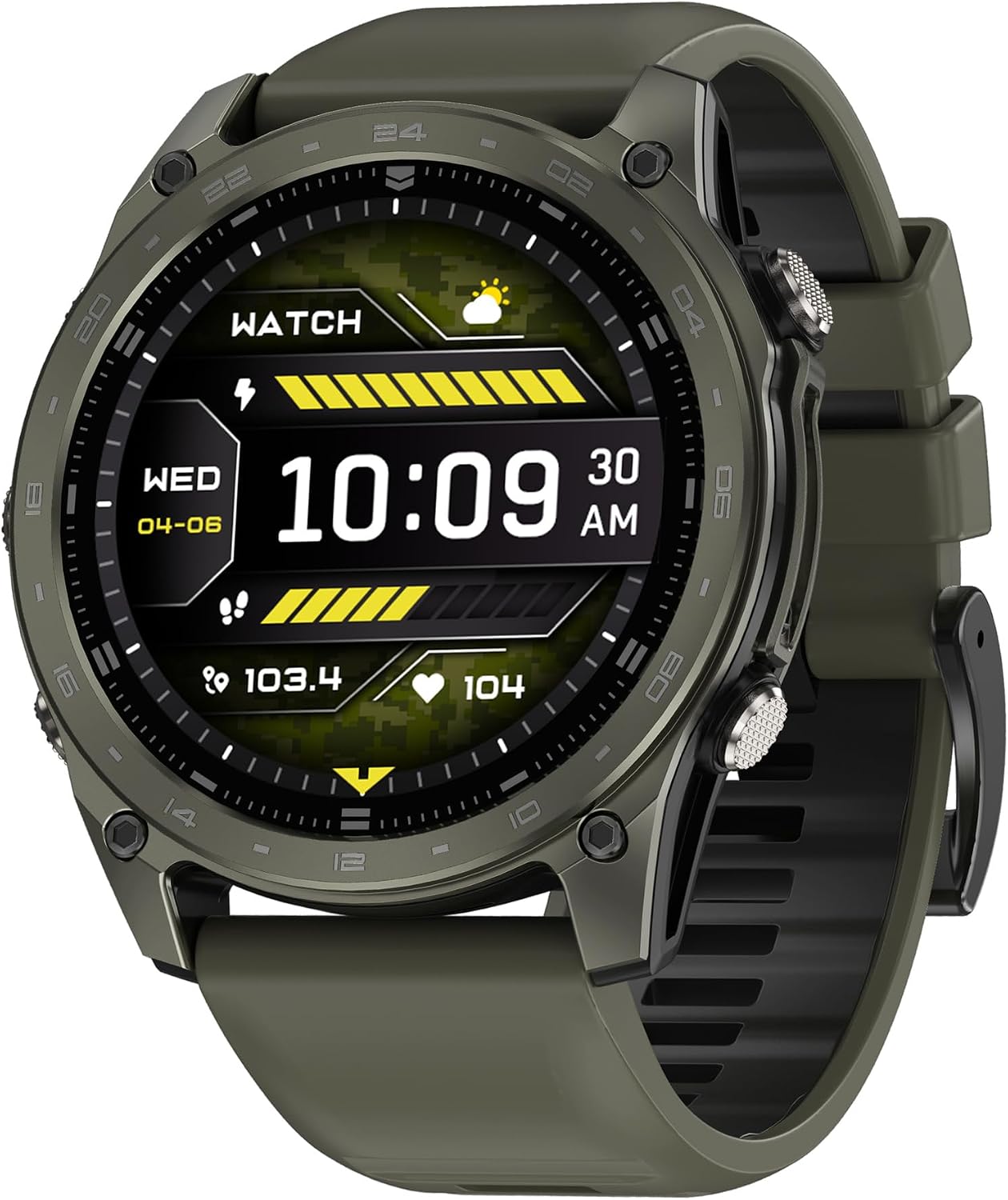
Figura 2: Lado view of the T8 Pro Smart Watch, highlighting the control buttons.
4.2. Encendido / apagado
- Encendido: Press and hold the top physical button for a few seconds until the screen lights up.
- Apagado: From the watch face, swipe down to access the quick settings, then tap the power icon, or navigate to Settings > System > Power Off. Confirm your selection.
4.3. Emparejamiento con su teléfono inteligente
To unlock the full functionality of your T8 Pro Smart Watch, you need to pair it with your smartphone via Bluetooth and the dedicated companion application.
- Descargar la aplicación: Scan the QR code provided in the watch's packaging or search for the "T8 Pro" companion app in your smartphone's app store (Google Play Store for Android, Apple App Store for iOS). Install the application.
- Habilitar Bluetooth: Asegúrese de que Bluetooth esté habilitado en su teléfono inteligente.
- Abra la aplicación: Launch the T8 Pro companion app on your smartphone and follow the on-screen instructions to create an account or log in.
- Agregar dispositivo: In the app, navigate to the "Device" or "Add Device" section. The app will search for available smartwatches. Select "T8 Pro" from the list.
- Confirmar emparejamiento: Aparecerá una solicitud de emparejamiento tanto en tu teléfono como en el reloj. Confirma el emparejamiento en ambos dispositivos.
- Configuración completa: Follow any remaining prompts in the app to complete the setup, including granting necessary permissions for notifications, health data, etc.
5. Instrucciones de funcionamiento
5.1. Navegación básica
- Pantalla táctil: Desliza el dedo hacia la izquierda, derecha, arriba o abajo para navegar por los menús y las funciones. Toca para seleccionar.
- Botón superior: Press to return to the watch face or wake the screen. Long press to power on/off.
- Boton del Fondo: Customizable shortcut button (can be set in app settings).

Figure 3: T8 Pro Smart Watch worn on a wrist, demonstrating its fitness tracking capabilities.
5.2. Llamadas Bluetooth
Una vez emparejado con su teléfono inteligente, podrá realizar y recibir llamadas directamente desde su reloj.
- Haciendo una llamada: Access the "Dialer" or "Contacts" app on your watch. You can dial a number directly or select a contact from your synced phonebook.
- Recibir una llamada: Al recibir una llamada, el reloj mostrará el identificador de llamada. Toca el icono verde para responder o el icono rojo para rechazar.
5.3. Seguimiento de la frecuencia cardíaca
The T8 Pro Smart Watch continuously monitors your heart rate. To view your current heart rate or historical data:
- Swipe to the Heart Rate widget on your watch face or open the Heart Rate app.
- Asegúrese de que el reloj esté ajustado cómodamente en su muñeca para obtener lecturas precisas.
- Detailed historical data is available in the companion app.
5.4. Step Tracking
El reloj registra automáticamente tus pasos, la distancia y las calorías quemadas a lo largo del día.
- View your daily progress on the watch face or in the Activity app.
- Set daily step goals within the companion app.
5.5. Monitoreo del sueño
Wear the watch to bed, and it will automatically monitor your sleep patterns, including deep sleep, light sleep, and awake times.
- Access sleep data on the watch's Sleep app or in the companion app for detailed analysis.
5.6. Modos deportivos
The T8 Pro offers multiple sport modes for tracking various activities.
- Open the "Workout" or "Sport" app on your watch.
- Select your desired activity (e.g., Running, Cycling, Hiking).
- Tap "Start" to begin tracking. The watch will record duration, heart rate, calories, and other relevant metrics.
- Tap "Pause" or "End" to stop the workout. Data will sync to your companion app.
5.7. Personalización de las esferas del reloj
Personaliza tu reloj cambiando la esfera.
- En guardia: Long-press the watch face, then swipe left or right to browse available faces. Tap to select.
- A través de la aplicación: The companion app offers a wider selection of watch faces and customization options.
5.8. 5ATM Waterproof Rating
The T8 Pro Smart Watch has a 5ATM waterproof rating, meaning it can withstand pressures equivalent to a depth of 50 meters. This makes it suitable for:
- Showering and bathing (avoid hot water and steam).
- Nadar en aguas poco profundas.
- Lluvia y salpicaduras.
Importante: Do not press any buttons while the watch is submerged in water. Avoid exposing the watch to high-velocity water or extreme temperature changes, as this may compromise the water seal.
6. Mantenimiento
6.1. Limpieza
- Limpie la pantalla y el cuerpo del reloj con un paño suave que no suelte pelusa.
- Para suciedad difícil, ligeramente dampEnjuague el paño con agua. No utilice productos químicos agresivos ni limpiadores abrasivos.
- Clean the charging contacts regularly with a dry cloth to ensure proper charging.
- Enjuague el reloj con agua dulce después de la exposición al agua salada o clorada y luego séquelo completamente.
6.2. Almacenamiento
- Guarde el reloj en un lugar fresco y seco cuando no esté en uso.
- Evite almacenar bajo la luz solar directa o en áreas con alta humedad.
6.3. Cuidado de la batería
- Para prolongar la vida útil de la batería, evite descargarla por completo con frecuencia.
- Cargue el reloj periódicamente, incluso si no lo utiliza a diario, para evitar una descarga profunda.
7. Solución de problemas
| Problema | Posible solución |
|---|---|
| El reloj no se enciende. | Asegúrese de que el reloj esté completamente cargado. Conéctelo al cargador durante al menos 30 minutos. |
| No se puede emparejar con el teléfono inteligente. |
|
| Inaccurate heart rate/step data. |
|
| Las notificaciones no aparecen. |
|
| La pantalla del reloj no responde. | Try restarting the watch by long-pressing the top button. If unresponsive, allow the battery to fully drain and then recharge. |
8. Especificaciones
| Característica | Detalle |
|---|---|
| Nombre del modelo | T8 Pro |
| Marca | Genérico |
| Tamaño de pantalla | 1.77 pulgadas |
| Tipo de pantalla | AMOLED |
| Tecnología de conectividad | Bluetooth |
| Sistema operativo | Android (compatible) |
| Capacidad de almacenamiento de memoria | 4 GB |
| Memoria RAM instalada | 256 GB |
| Capacidad de la batería | 180 mAh |
| Tipo de batería | Iones de litio |
| Duración media de la batería | 6 días |
| Tiempo de carga de la batería | 2 horas |
| Clasificación de impermeabilidad | 5 ATM (IP68) |
| Material de la caja | Aluminio |
| Material de la banda | Silicona |
| Peso del artículo | 219.99 gramos |
| Características especiales | Bluetooth Calling, Heart Rate Monitor, GPS |
| Dispositivos compatibles | Teléfonos inteligentes Android |
9. Garantía y soporte
This product comes with a standard manufacturer's warranty. Please refer to the warranty card included in your package or contact your retailer for specific warranty terms and conditions. For technical support, troubleshooting assistance, or service inquiries, please contact the vendor or refer to the official product websitio.
Conserve su recibo de compra como comprobante de compra para reclamos de garantía.