Introducción
This manual provides essential instructions for the setup, operation, maintenance, and troubleshooting of your Trust Soundwave 1000P PC Speaker system. Please read this manual thoroughly before using the product to ensure proper functionality and longevity.
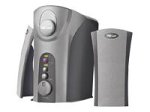
Image: The Trust Soundwave 1000P PC Speaker system, featuring a central subwoofer unit and two compact satellite speakers, designed for computer audio. The subwoofer is typically placed on the floor, while the satellite speakers are positioned on a desk.
Instrucciones de instalación
Follow these steps to correctly set up your Trust Soundwave 1000P PC Speaker system.
- Desembalaje: Carefully remove all components from the packaging. Ensure you have the subwoofer, two satellite speakers, and all necessary cables.
- Colocación de los altavoces:
- Place the subwoofer on the floor, preferably near your computer desk, to optimize bass response. The vertical bass reflex design benefits from clear space around it.
- Position the two satellite speakers on your desk, equidistant from your listening position, for optimal stereo sound.
- Conexión de altavoces satélite: Connect the cables from the satellite speakers to the corresponding output ports on the subwoofer unit. Ensure a secure connection.
- Connecting to Audio Source (PC): Connect the 3.5mm audio jack cable from the subwoofer to the audio output port (usually green) on your computer's sound card.
- Conexión de energía: Conecte el cable de alimentación del subwoofer a una toma eléctrica estándar.
- Encendido inicial: Turn on the speaker system using the power control, typically located on the subwoofer or a wired remote.
Operación de los parlantes
Once set up, you can begin using your Soundwave 1000P speakers.
- Encendido/apagado: Use the main power switch or button to turn the system on or off. An indicator light may confirm the power status.
- Control de volumen: Adjust the overall volume using the dedicated volume knob or controls. Start with a low volume and gradually increase it.
- Ajuste de graves: The subwoofer features an adjustable bass control. Rotate the bass knob to achieve your desired level of deep bass.
- 3D Sound Switch: Activate or deactivate the 3D sound feature using the designated switch. Experiment with this setting to find your preferred audio experience for different content.
- Entrada de audio: The system primarily uses an AUX connection. Ensure your audio source is playing sound through its 3.5mm audio output.
Mantenimiento y cuidado
Un mantenimiento adecuado garantiza la longevidad y el rendimiento óptimo de su sistema de altavoces.
- Limpieza:
- Desconecte la alimentación antes de limpiar.
- Use a soft, dry cloth to wipe down the speaker surfaces.
- Do not use liquid cleaners, aerosols, or abrasive materials, as these can damage the finish or internal components.
- Colocación: Evite colocar los altavoces bajo la luz solar directa, cerca de fuentes de calor o en zonas con mucha humedad. Asegúrese de que haya una ventilación adecuada alrededor del subwoofer.
- Sistema de organización de cables: Mantenga los cables ordenados y evite curvas o torceduras pronunciadas para evitar daños.
- Almacenamiento: If storing the speakers for an extended period, disconnect them from power, clean them, and store them in a dry, cool place, preferably in their original packaging.
Guía para resolver problemas
If you encounter issues with your Trust Soundwave 1000P speakers, refer to the following common problems and solutions.
| Problema | Posible causa | Solución |
|---|---|---|
| No hay sonido de los altavoces. |
|
|
| Sonido distorsionado o poco claro. |
|
|
| El subwoofer no produce graves. |
|
|
Especificaciones del producto
Key technical details for the Trust Soundwave 1000P PC Speaker system.
- Número de modelo: 12616
- Marca: Confianza
- Tipo de altavoz: Subwoofer (2.1 system)
- Potencia máxima de salida máxima: 1000 vatios
- RMS Wattage: 7 Watt (5 + 2 x 1 Watt RMS)
- Tecnología de conectividad: AUX (conector de 3.5 mm)
- Modo de salida de audio: Estéreo
- Fuente de energía: Eléctrico cableado
- Peso del artículo: 10 gramos
- Tipo de montaje: Tabletop Mount (for satellites), Floor (for subwoofer)
- Método de control: Tocar
Información de garantía
Este producto viene con un Garantía limitada. For specific terms and conditions, including warranty duration and claim procedures, please refer to the warranty card included with your purchase or visit the official Trust webSitio. Conserve su comprobante de compra para reclamaciones de garantía.
Atención al cliente
For further assistance, technical support, or inquiries not covered in this manual, please visit the official Trust support websitio o contacte con su departamento de atención al cliente. Los datos de contacto suelen encontrarse en la ficha del fabricante. websitio o embalaje del producto.
Official Trust Websitio: www.confianza.com


