1. Información importante de seguridad
Please read all instructions carefully before operating your Thomson RR 68 M clock. Keep this manual for future reference.
- No exponga el reloj a temperaturas extremas, luz solar directa o humedad alta.
- Evite dejar caer el reloj o someterlo a impactos fuertes.
- No intente desmontar ni modificar el reloj. Esto anulará la garantía.
- Utilice únicamente el tipo de batería especificado. Asegúrese de que la polaridad sea correcta al insertar las baterías.
- Retire las pilas si el reloj no se utilizará durante un período prolongado para evitar fugas.
2. Producto terminadoview
Familiarize yourself with the components of your Thomson RR 68 M clock.
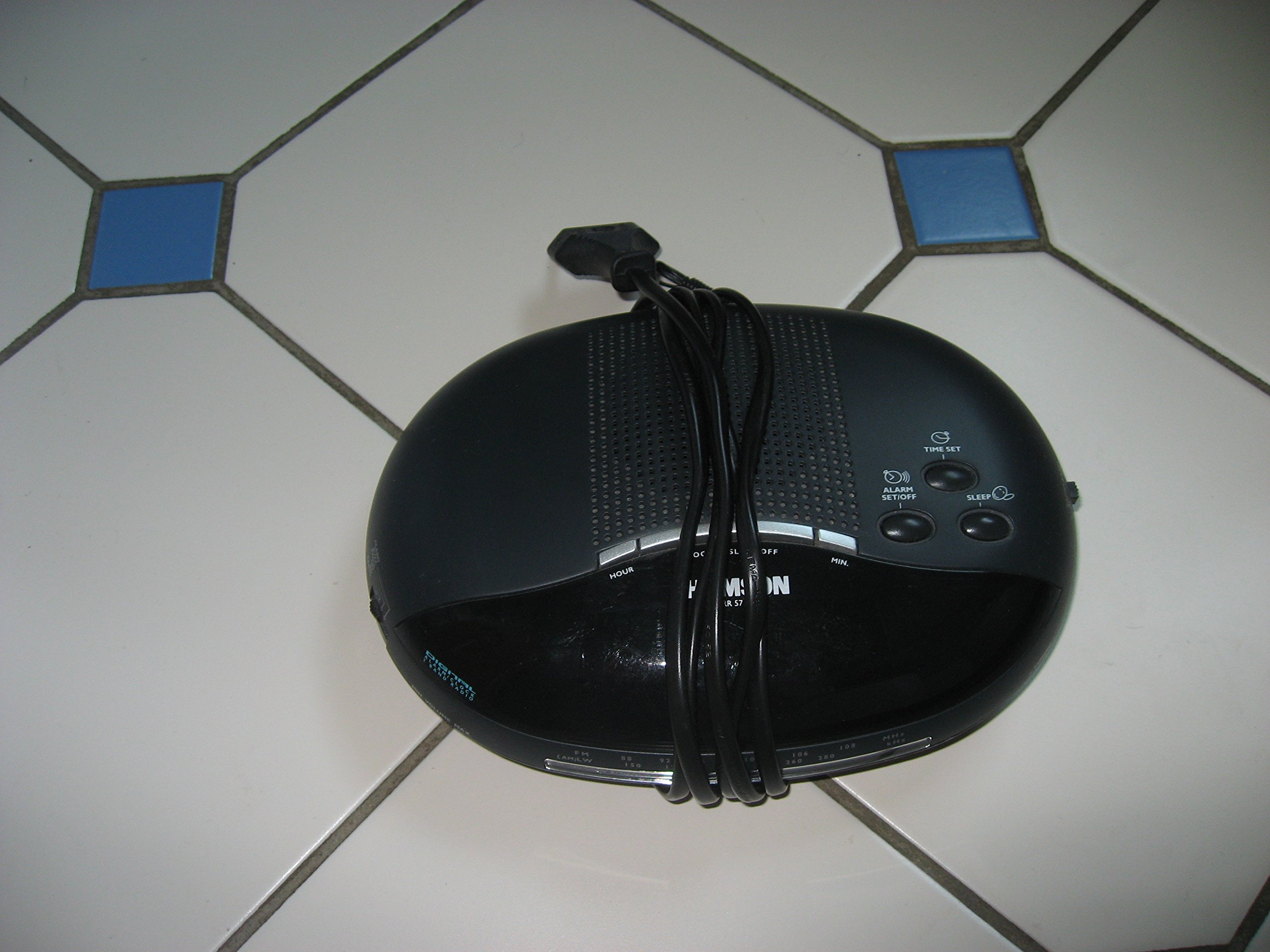
Imagen 1: Frente view of the Thomson RR 68 M clock, showing the digital display and control buttons. This image illustrates the compact design suitable for tabletop placement.
2.1 Contenido del paquete
- Thomson RR 68 M Clock Unit
- Manual de usuario (este documento)
3. Configuración
3.1 Encendido del reloj
The Thomson RR 68 M clock operates on batteries (not included). Ensure you have the correct type and quantity of batteries before proceeding.
- Localice la tapa del compartimiento de la batería en la parte posterior o inferior del reloj.
- Remove the battery compartment cover by sliding or unlatching it.
- Insert the required batteries, paying close attention to the polarity markings (+ and -) inside the compartment.
- Replace the battery compartment cover securely. The clock display should now illuminate.
4. Instrucciones de funcionamiento
4.1 Configuración de la hora
To set the current time on your Thomson RR 68 M clock:
- Locate the 'SET' or 'MODE' button, usually on the back or side of the clock. Press and hold this button for a few seconds until the hour digits begin to flash.
- Use the '+' or 'HOUR' button to adjust the hour. Press repeatedly to advance the hour.
- Press the 'SET' or 'MODE' button again. The minute digits will begin to flash.
- Use the '+' or 'MINUTE' button to adjust the minutes. Press repeatedly to advance the minutes.
- Press the 'SET' or 'MODE' button one last time to confirm the time setting and exit the setting mode. The display will stop flashing.
Note: This model does not feature an alarm function.
5. Mantenimiento
5.1 Limpieza
Para mantener la apariencia de su reloj:
- Limpie el exterior del reloj con un paño suave y seco.
- No utilice limpiadores abrasivos, disolventes o aerosoles químicos, ya que pueden dañar el acabado.
5.2 Reemplazo de batería
When the display dims or the clock stops functioning, it is time to replace the batteries. Follow the steps in Section 3.1 to replace the old batteries with new ones. Dispose of used batteries responsibly according to local regulations.
6. Solución de problemas
If you encounter issues with your Thomson RR 68 M clock, refer to the following common problems and solutions:
6.1 Clock Display is Blank or Dim
- Compruebe las baterías: Asegúrese de que las pilas estén correctamente insertadas y con la polaridad correcta. Reemplácelas con pilas nuevas si es necesario.
- Compartimento de la batería: Verifique que la tapa del compartimiento de la batería esté bien cerrada.
6.2 La hora es incorrecta
- Restablecer el tiempo: Follow the instructions in Section 4.1 to manually set the time.
- Energía de la batería: If the time frequently resets or loses accuracy, the batteries may be low and require replacement.
7. Especificaciones
| Número de modelo | RR 68 M |
| Marca | Thomson |
| Tipo de montaje | Superficie de la mesa |
| Fuente de poder | Pilas (no incluidas) |
| Función de alarma | No |
8. Información de garantía
Specific warranty details for the Thomson RR 68 M clock are not provided within this user manual. Please refer to the product packaging, the point of purchase, or the official Thomson webSitio para conocer los términos y condiciones completos de la garantía.
9. Atención al cliente
For further assistance, technical support, or inquiries regarding your Thomson RR 68 M clock, please visit the official Thomson websitio o contacte con su departamento de atención al cliente. La información de contacto suele estar disponible en el sitio web del fabricante. websitio o embalaje del producto.