1. Introducción
Thank you for choosing the NEC LCD4215 42-inch MultiSync LCD Monitor. This manual provides essential information for the safe and efficient use of your new display. Please read these instructions thoroughly before installation and operation, and retain them for future reference.
2. Información de seguridad
Tenga en cuenta las siguientes precauciones de seguridad para evitar daños al monitor y garantizar la seguridad del usuario:
- Fuente de energía: Connect the monitor only to a grounded power outlet with the correct voltage como se indica en la etiqueta del producto.
- Ventilación: Asegúrese de que haya una ventilación adecuada alrededor del monitor. No bloquee las aberturas de ventilación.
- Exposición a líquidos: Avoid exposing the monitor to rain, moisture, or excessive humidity. Do not place liquid-filled objects on or near the monitor.
- Limpieza: Desconecte el cable de alimentación antes de limpiarlo. Utilice un paño suave y seco. Evite los limpiadores líquidos o en aerosol.
- Servicio: No intente reparar este producto usted mismo. Refiera todo el servicio a personal de servicio calificado.
- Colocación: Coloque el monitor sobre una superficie estable y nivelada para evitar que se caiga.
3. Contenido del paquete
Verifique que el paquete contenga todos los artículos. Si falta algún artículo o está dañado, contacte a su distribuidor inmediatamente.
- NEC LCD4215 42-inch MultiSync LCD Monitor
- Cable de alimentación
- Cable VGA
- Control remoto con pilas
- Manual de usuario (este documento)
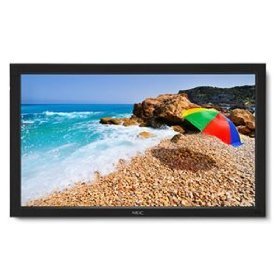
Image: The NEC LCD4215 42-inch MultiSync LCD Monitor, shown from the front with its stand. This image represents the primary display unit.
4. Configuración
4.1 Desembalaje
- Carefully open the packaging and remove the monitor and accessories.
- Place the monitor face down on a soft, clean surface to avoid scratching the screen.
4.2 Stand/Mounting Installation
The monitor can be used with its included desktop stand or mounted using a VESA-compatible wall mount (sold separately).
4.2.1 Instalación del soporte de escritorio
- Fije la base del soporte al cuello del soporte utilizando los tornillos provistos.
- Secure the assembled stand to the back of the monitor using the designated mounting points and screws.
- Levante con cuidado el monitor y colóquelo sobre una superficie estable y nivelada.
4.2.2 Montaje en pared (opcional)
If using a VESA-compatible wall mount, follow the instructions provided with your wall mount kit. Ensure the mount supports the weight and VESA pattern of the NEC LCD4215 monitor.
4.3 Cables de conexión
Before connecting any cables, ensure the monitor and all connected devices are powered off.
- Cable de vídeo: Connect one end of the appropriate video cable (VGA, DVI, HDMI, etc.) to the video output port of your computer or media device and the other end to the corresponding input port on the monitor.
- Cable de audio (opcional): If using the monitor's internal speakers or audio output, connect an audio cable from your source device to the monitor's audio input.
- Cable de energía: Conecte el cable de alimentación a la entrada de CA del monitor y luego enchufe el otro extremo a una toma eléctrica con conexión a tierra.
5. Instrucciones de funcionamiento
5.1 Encendido / Apagado
- Press the power button on the front panel of the monitor or on the remote control to turn the monitor on. The power indicator light will illuminate.
- Para apagar el monitor, vuelva a pulsar el botón de encendido.
5.2 Selección de entrada
The monitor can display content from multiple sources. To switch between inputs:
- Press the 'Input' or 'Source' button on the remote control or the monitor's control panel.
- Use the navigation buttons to select the desired input source (e.g., VGA, DVI, HDMI).
- Press 'Enter' or 'OK' to confirm your selection.
5.3 Configuración básica de pantalla
Access the On-Screen Display (OSD) menu to adjust various settings:
- Press the 'Menu' button on the remote control or the monitor's control panel.
- Use the navigation buttons (Up/Down/Left/Right) to browse through menu options such as 'Brightness', 'Contrast', 'Color Temperature', and 'Aspect Ratio'.
- Press 'Enter' or 'OK' to select an option and adjust its value.
- Press 'Menu' again to exit the OSD menu.
6. Mantenimiento
6.1 Limpieza de la pantalla
To maintain optimal display quality, clean the screen and casing regularly:
- Siempre apague y desenchufe el monitor antes de limpiarlo.
- Utilice un paño suave y sin pelusa ligeramente seco.ampened with water or a non-abrasive, ammonia-free, and alcohol-free screen cleaner.
- Limpie suavemente la pantalla yasing. Do not apply excessive pressure.
- Evite rociar líquido directamente sobre la pantalla o en cualquier abertura.
6.2 Almacenamiento
If storing the monitor for an extended period, ensure it is powered off, unplugged, and stored in a cool, dry place away from direct sunlight and extreme temperatures. Use the original packaging if available for protection.
7. Solución de problemas
Before contacting customer support, refer to the following table for common issues and their solutions:
| Problema | Posible causa | Solución |
|---|---|---|
| No hay imagen en la pantalla | El monitor no está encendido; cable de video suelto o desconectado; fuente de entrada incorrecta seleccionada. | Press the power button; Check video cable connections; Select the correct input source. |
| Imagen demasiado oscura/brillante | Configuración de brillo/contraste incorrecta. | Adjust 'Brightness' and 'Contrast' in the OSD menu. |
| Sin audio | Audio cable disconnected; Volume too low; Muted. | Check audio cable connection; Increase volume; Unmute audio. |
| Imagen parpadeante | Video cable faulty; Resolution/Refresh rate mismatch. | Replace video cable; Adjust display settings on your computer. |
8. Especificaciones
Detailed technical specifications for the NEC LCD4215 MultiSync LCD Monitor:
| Característica | Especificación |
|---|---|
| Número de modelo | LCD4215 |
| Tamaño de pantalla | 42 pulgadas |
| Resolución máxima de pantalla | 1366 x 768 |
| Relación de aspecto | 1.78:1 |
| Peso del artículo | 47 libras |
| Dimensiones del producto (LxAnxAl) | 44 x 27.5 x 9.25 pulgadas |
| Color | Negro |
| Fabricante | Nec Computers |
| Fecha de primera disponibilidad | 31 de julio de 2008 |
9. Garantía y soporte
9.1 Información de garantía
This NEC LCD4215 monitor comes with a standard manufacturer's warranty. Please refer to the separate warranty card included in your product packaging for specific terms, conditions, and duration of coverage. Keep your proof of purchase for warranty claims.
9.2 Atención al cliente
For technical assistance, troubleshooting beyond this manual, or warranty service, please contact NEC customer support. Visit the official NEC webSitio para obtener la información de contacto más actualizada, incluidos números de teléfono y recursos de soporte en línea.
Websitio: www.nec.com


