1. Másview
The Casio AE1000W Digital Watch is designed for durability and functionality, offering a range of features suitable for daily wear and travel. This manual will guide you through its various functions and ensure optimal use.
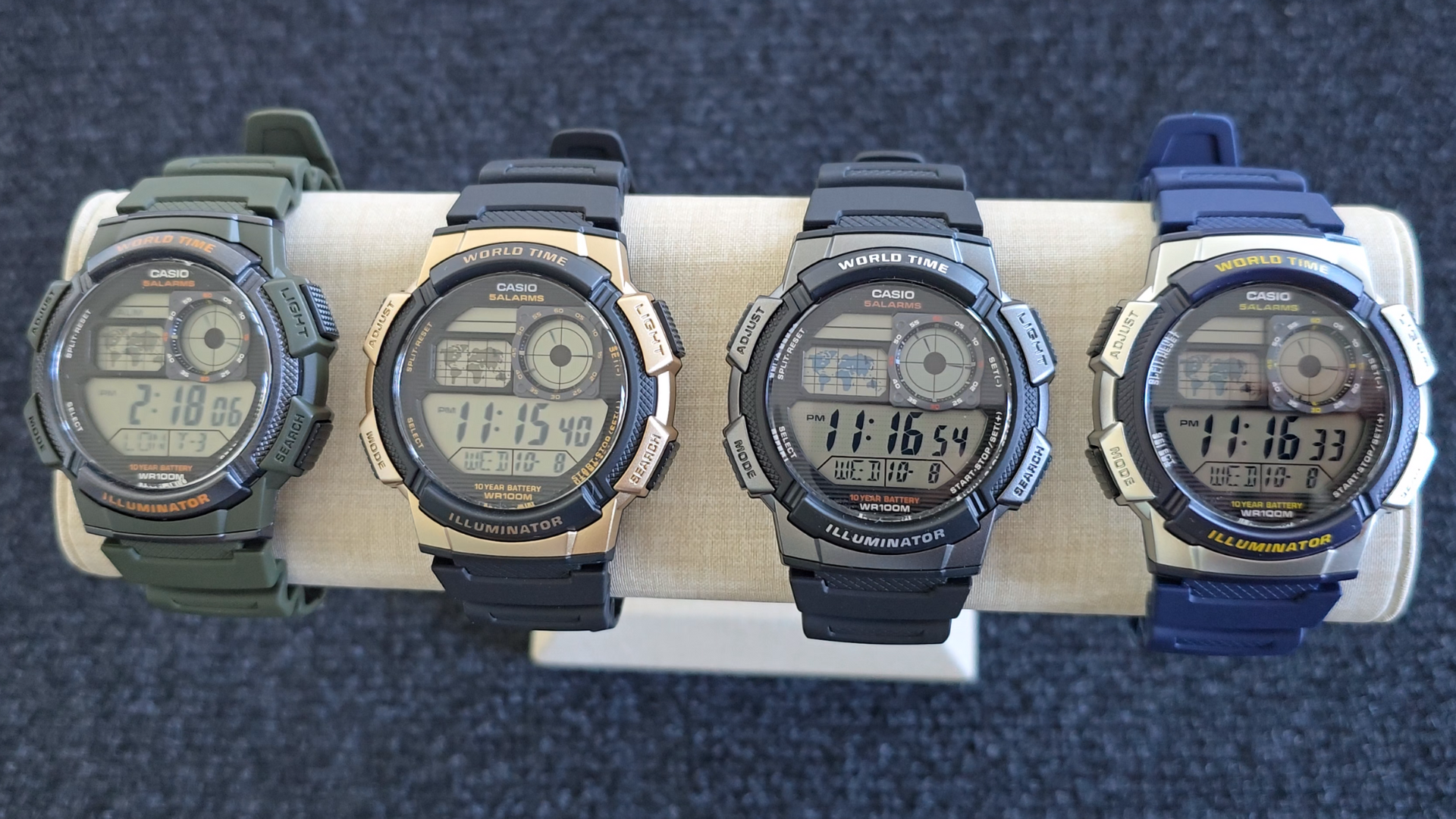
Image: Casio AE1000W Digital Watch series in various color options.
2. Características principales
- Hora mundial: Displays current time in 48 cities (31 time zones) with a world map indicator.
- Alarmas múltiples: Features five independent daily alarms.
- Cronógrafo: 1/100-second stopwatch with measuring modes: elapsed time, split time, 1st-2nd place times.
- Contador regresivo: Measuring unit: 1 second, Countdown range: 24 hours.
- Luz LED: Illuminates the watch face for easy reading in low light conditions.
- Resistencia al agua: 100 meters (330 feet) suitable for swimming and snorkeling.
- Duración de la batería de 10 años: Batería de larga duración para uso prolongado.
- Movimiento de cuarzo: Garantiza un cronometraje preciso.
- Glass Crystal: Durable watch face protection.

Image: Emblem highlighting the 10-year battery life feature.
3. Configuración
3.1 Configuración inicial de hora y fecha
- En el modo de indicación de la hora, mantenga presionada la tecla AJUSTAR Botón hasta que el código de la ciudad comience a parpadear.
- Utilice el BUSCAR y MODO buttons to select your desired city code (Home City).
- Presione el AJUSTAR button to move to the DST (Daylight Saving Time) setting. Use BUSCAR para activar o desactivar el horario de verano.
- Prensa AJUSTAR again to cycle through the settings: 12/24-hour format, Seconds, Hour, Minute, Year, Month, Day. Use BUSCAR y MODO para cambiar los valores.
- Una vez que todos los ajustes sean correctos, presione el botón AJUSTAR para salir del modo de configuración.
4. Instrucciones de funcionamiento
4.1 Modo de navegación
Presione el MODO button to cycle through the different modes: Timekeeping, World Time, Alarm, Stopwatch, and Countdown Timer.
4.2 Función de hora mundial
In World Time Mode, the watch displays the current time in 48 cities across 31 time zones. The world map indicator visually highlights the selected time zone.
- Ingrese al modo de hora mundial presionando el botón MODO botón.
- Utilice el BUSCAR button to scroll through the different city codes. The time for the selected city will be displayed, and the corresponding area on the world map will be highlighted.
- To swap your Home City time with a World Time City, press and hold the AJUSTAR Botón mientras está en el modo de hora mundial.
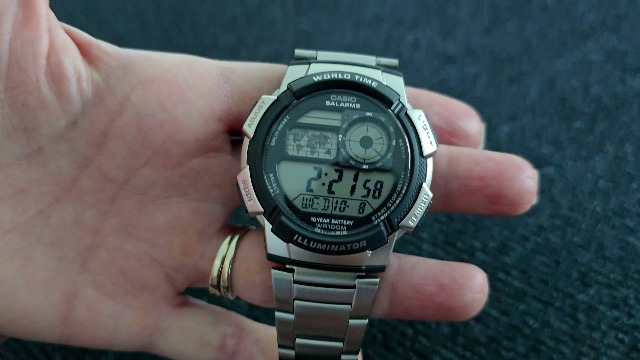
Imagen: Frente view of the Casio AE1000W watch, showing the digital display and world map.
4.3 Alarmas
The watch features five daily alarms. You can set each alarm independently.
- Ingrese al modo de alarma presionando el botón MODO button until "ALM" appears.
- Utilice el BUSCAR button to cycle through the five alarms (AL1 to AL5) and the Hourly Señal horaria (SIG).
- Para configurar una alarma, seleccione la alarma deseada (por ejemplo, AL1) y mantenga presionada la tecla AJUSTAR Botón hasta que los dígitos de la hora parpadeen.
- Usar BUSCAR y MODO para configurar la hora y los minutos.
- Prensa AJUSTAR para confirmar y salir.
- To turn an alarm On/Off, select the alarm and press the AJUSTAR Botón brevemente.
4.4 Cronómetro
The stopwatch measures elapsed time, split times, and 1st-2nd place times.
- Ingrese al modo cronómetro presionando el botón MODO button until "STW" appears.
- Prensa START/STOP/SET(+) para iniciar y detener el cronómetro.
- Prensa SPLIT / RESET to record split times or reset the stopwatch to zero.
4.5 Temporizador de cuenta regresiva
El temporizador de cuenta regresiva se puede configurar hasta por 24 horas.
- Ingrese al modo de temporizador de cuenta regresiva presionando el botón MODO button until "TMR" appears.
- Para configurar el tiempo de cuenta regresiva, mantenga presionado el botón AJUSTAR Botón hasta que los dígitos de la hora parpadeen.
- Usar BUSCAR y MODO para configurar la hora y los minutos.
- Prensa AJUSTAR Para confirmar.
- Prensa START/STOP/SET(+) para iniciar y detener la cuenta regresiva.
Retroiluminación de 4.6 LED
Presione el LUZ button to illuminate the watch face for a few seconds, making it easy to read in the dark.
5. Mantenimiento
- Limpieza: Wipe the watch with a soft, dry cloth. For water-resistant models, you can rinse it with fresh water after exposure to saltwater.
- Resistencia al agua: While water-resistant to 100M, avoid operating buttons underwater to prevent water ingress.
- Batería: The watch features a 10-year battery. When the display becomes dim or functions become erratic, it may be time for a battery replacement by a qualified technician.
- Temperatura: Evite exponer el reloj a temperaturas extremas, luz solar directa durante períodos prolongados o campos magnéticos fuertes.
6. Solución de problemas
- Hora incorrecta: Ensure your Home City is correctly set and Daylight Saving Time (DST) is adjusted as needed. Refer to Section 3.1.
- Botones que no responden: Check if the watch is in a specific setting mode. Exit any setting mode by pressing the AJUSTAR button. If the issue persists, a full reset may be required (refer to the full Casio manual for advanced reset procedures).
- La pantalla está oscura: This may indicate a low battery. While rated for 10 years, environmental factors can affect battery life. Consider professional battery replacement.
7. Especificaciones
| Característica | Detalle |
|---|---|
| Marca | Casio |
| Número de modelo | AE-1000W-1BVCF |
| Dimensiones del producto | 2.4 x 4.09 x 3.78 pulgadas |
| Peso del artículo | 1.41 onzas |
| Material | Resina |
| Baterías | 1 batería de litio metálico (incluida) |
| Resistencia al agua | Medidores 100 (Pies 330) |
| Movimiento | Cuarzo |
| Tipo de pantalla | Digital with LC Analog Display |
8. Garantía y soporte
Para obtener información sobre la garantía y la atención al cliente, consulte el sitio web oficial de Casio. webSitio web o contacte directamente con el servicio de atención al cliente. Conserve su recibo de compra como comprobante para reclamaciones de garantía.
Soporte en línea: Visita el Soporte de Casio Websitio for FAQs, manuals, and service center locations.


