1. Introducción
This manual provides detailed instructions for the proper use and maintenance of your Casio Edifice EFA-131D-1A1VDF Analog-Digital Watch. Please read this manual carefully to ensure correct operation and to fully utilize all features of your timepiece.
The Casio Edifice EFA-131D-1A1VDF features a black dial, stainless steel case, and stainless steel band. It combines analog timekeeping with digital display functions, offering versatility and precision.
- Color de la esfera: Negro
- Forma de la caja: Redondo
- Material del cristal del dial: Mineral
- Color de la banda: Plata
- Material de la banda: Acero inoxidable
- Tipo de movimiento del reloj: Cuarzo
- Tipo de pantalla del reloj: Analógico-digital
- Material de la caja: Acero inoxidable
- Diámetro de la caja: 49 milímetros
- Tipo de cierre: Cierre de despliegue
2. Configuración y ajustes iniciales
Antes de utilizar el reloj, es importante configurar la hora y la fecha correctas.
2.1. Adjusting the Analog Time
- Pull the crown (B) out to the second click. This will stop the second hand.
- Gire la corona para ajustar las manecillas de las horas y los minutos a la hora deseada.
- Vuelva a colocar la corona en la posición normal.
2.2. Adjusting the Digital Time and Date
The digital display can be adjusted using the buttons on the side of the watch.
- Presione el MODO button (C) repeatedly until the Timekeeping Mode is displayed.
- Mantenga pulsado el AJUSTAR button (A) until the city code starts to flash in the digital display. This indicates the setting screen.
- Utilice el ADELANTE button (D) and CONTRARRESTAR button (E) to select the desired setting item (e.g., city code, DST, 12/24-hour format, hour, minute, year, month, day).
- Utilice el MODO button (C) to move between setting items.
- Una vez configurados todos los ajustes, presione el botón AJUSTAR button (A) to exit the setting screen.
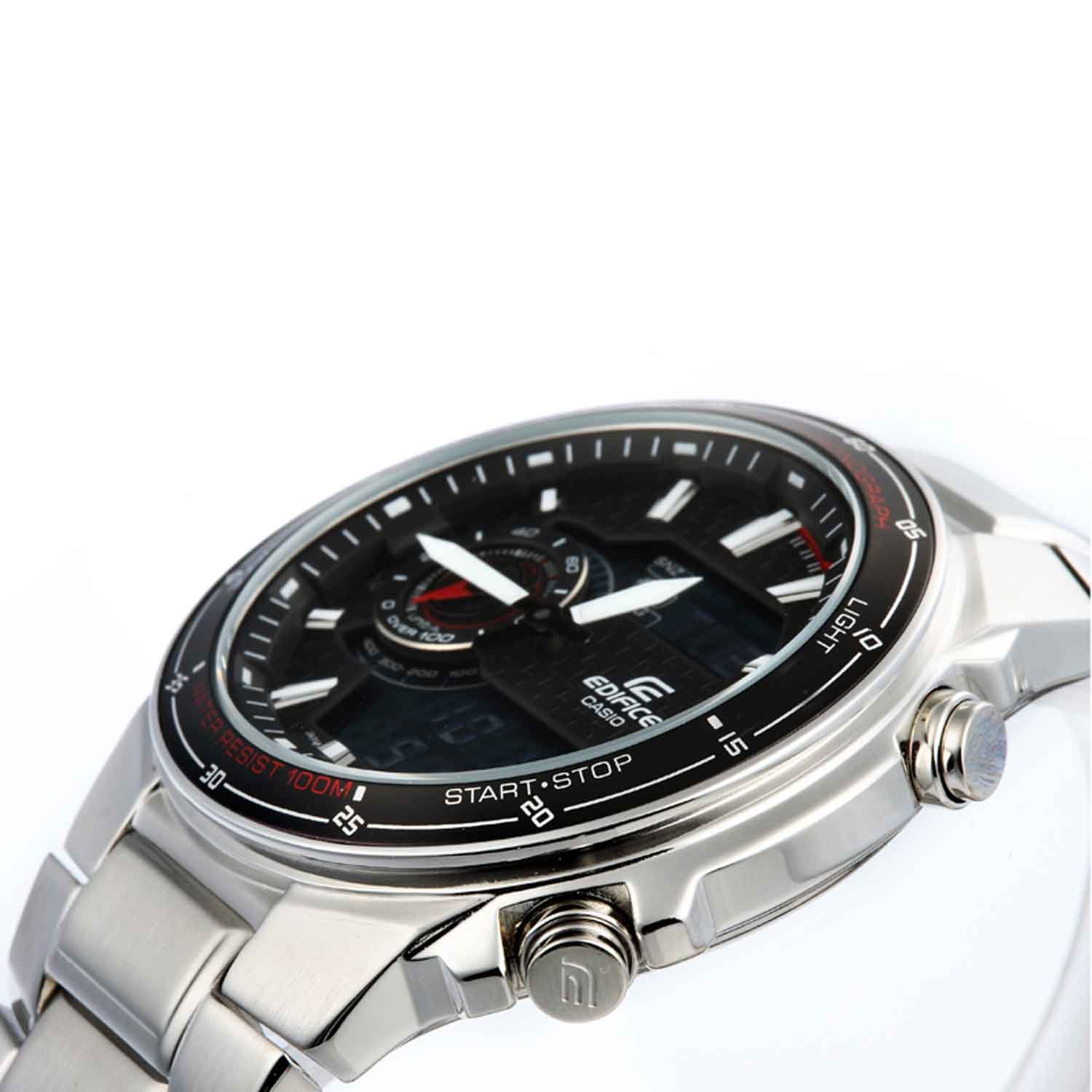
Imagen: Frente view of the Casio Edifice EFA-131D-1A1VDF watch, highlighting the analog and digital displays, and the various control buttons for setting adjustments.
2.3. Ajuste de la banda
The stainless steel band can be adjusted for a comfortable fit. It is recommended to have this adjustment performed by a qualified jeweler or watch technician to prevent damage to the band or clasp.
3. Funcionamiento de las funciones del reloj
Your Casio Edifice watch offers several functions accessible via the MODO botón (C).
3.1. Modo de navegación
Presione el MODO button (C) to cycle through the different modes:
- Modo de cronometraje: Muestra la fecha y hora actuales.
- Modo de cronómetro: Mide el tiempo transcurrido.
- Modo de alarma: Establece alarmas diarias.
- Modo de hora mundial: Displays the current time in various cities around the world.
3.2. Función de cronómetro
- Navegue hasta el modo de cronómetro usando el MODO botón (C).
- Presione el INICIAR/DETENER button (D) to start the stopwatch.
- Presione el INICIAR/DETENER button (D) again to stop the stopwatch.
- Presione el REINICIAR button (E) to reset the stopwatch to zero.
3.3. Función de alarma
- Navegue hasta el modo de alarma usando el MODO botón (C).
- Mantenga pulsado el AJUSTAR button (A) until the alarm time starts to flash.
- Utilice el ADELANTE button (D) and CONTRARRESTAR button (E) to set the desired alarm hour and minute.
- Presione el AJUSTAR button (A) to confirm and exit the setting screen.
- Presione el ADELANTE button (D) in Alarm Mode to toggle the alarm ON/OFF.
3.4. Illumination (Light)
Presione el LUZ button (F) to illuminate the digital display for easy viewtrabajando en condiciones de poca luz.
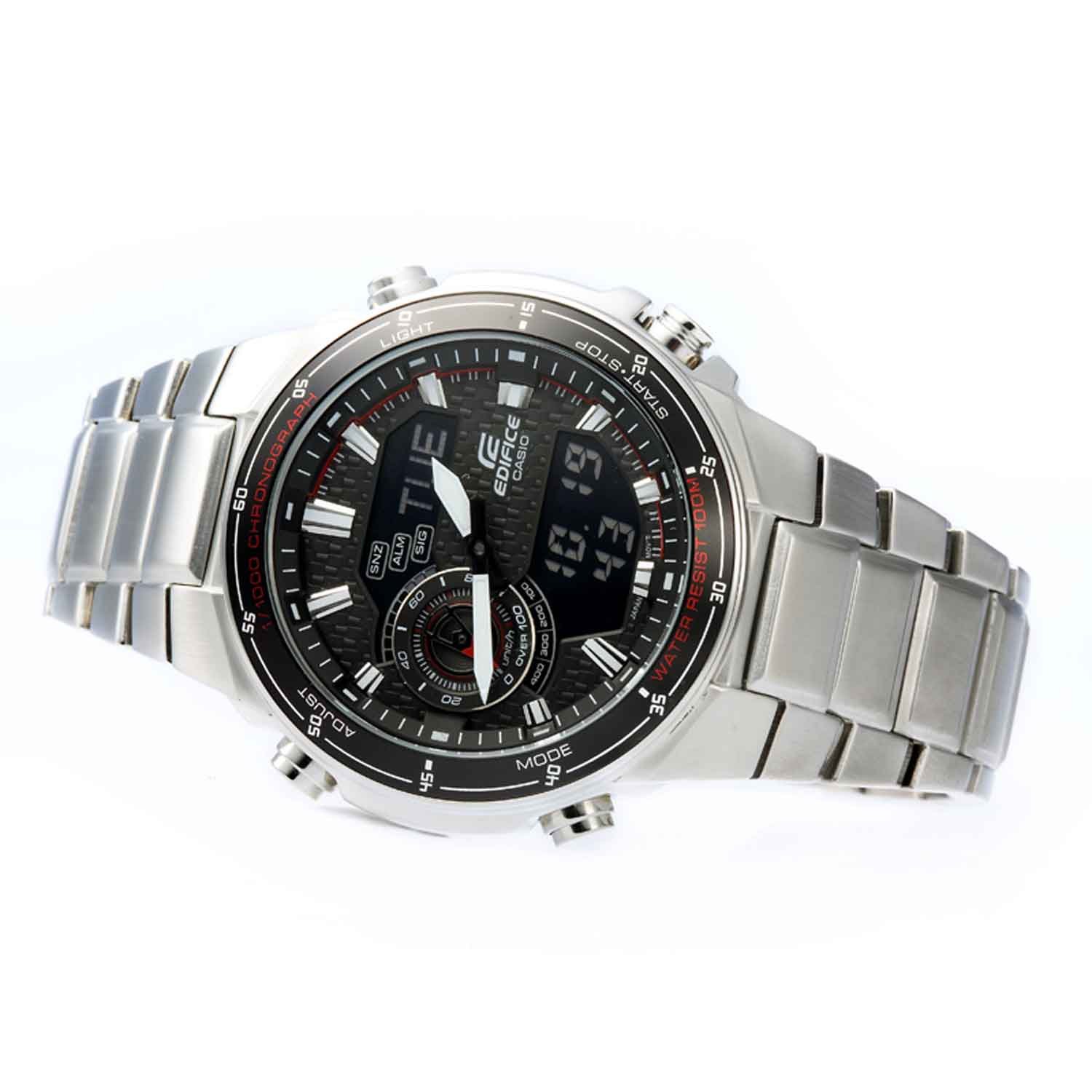
Imagen: Frente en ángulo view of the Casio Edifice EFA-131D-1A1VDF watch, illustrating the digital display and the positions of the control buttons for various functions.
4. Mantenimiento
Un mantenimiento adecuado garantiza la longevidad y el rendimiento de su reloj.
4.1. Resistencia al agua
This watch is water resistant up to 100 meters (10 BAR). This means it is suitable for swimming and snorkeling, but not for scuba diving. Do not operate the watch buttons or crown while the watch is wet or submerged in water.
4.2. Limpieza
Wipe the watch case and band with a soft, dry cloth to remove dirt and moisture. For stainless steel bands, a soft brush with mild soapy water can be used, followed by thorough rinsing and drying. Avoid using chemical cleaners or solvents.
4.3. Reemplazo de la batería
The watch is powered by a quartz movement. When the battery runs low, the display may dim or the watch may stop functioning. Battery replacement should be performed by an authorized Casio service center or a qualified watch technician to ensure proper sealing and water resistance.

Imagen: Parte posterior view of the Casio Edifice EFA-131D-1A1VDF watch, displaying the stainless steel case back where water resistance information is typically engraved, and the deployment clasp.
5. Solución de problemas
Si tiene problemas con su reloj, consulte los siguientes problemas y soluciones comunes:
-
Watch is not keeping accurate time (Analog or Digital):
Ensure the time settings are correct as described in Section 2. If the issue persists, the battery may be low and require replacement.
-
La pantalla digital está en blanco o tenue:
This typically indicates a low battery. Replace the battery at an authorized service center.
-
Los botones no responden:
Check if the watch is wet. Do not operate buttons underwater. If the watch is dry and buttons are still unresponsive, there might be an internal malfunction requiring professional inspection.
-
Condensación dentro del reloj:
If condensation appears inside the watch glass and does not clear quickly, it may indicate a breach in water resistance. Seek immediate professional service to prevent further damage.
6. Especificaciones
| Característica | Detalle |
|---|---|
| Número de modelo | EFA-131D-1A1VDF |
| Tipo de movimiento | Cuarzo |
| Tipo de pantalla | Analógico-digital |
| Material de la caja | Acero inoxidable |
| Diámetro de la caja | 49 milímetros |
| Grosor de la caja | 13 milímetros |
| Material de la banda | Acero inoxidable |
| Color de la banda | Plata |
| Color de la esfera | Negro |
| Material del cristal del dial | Mineral |
| Profundidad de resistencia al agua | 100 metros (10 BAR) |
| Peso del artículo | 318 gramos |
| Dimensiones del producto | 1.5 x 1.5 x 1.5 cm |

Image: Close-up of the watch's case back, detailing engraved specifications such as water resistance and material composition.
7. Garantía y soporte
7.1. Información de garantía
Your Casio Edifice EFA-131D-1A1VDF watch comes with a 2 años de garantía nacional from the manufacturer. This warranty covers manufacturing defects under normal use. Please retain your purchase receipt as proof of warranty.
7.2. Atención al cliente
For warranty claims, service, or further assistance, please contact Casio customer support or visit an authorized Casio service center. Contact details can typically be found on the official Casio websitio o su tarjeta de garantía.


