1. Introducción
Gracias por la compraasing the Onkyo C-7030 CD Player. This manual provides essential information for the proper setup, operation, and maintenance of your device. Please read it thoroughly before use to ensure optimal performance and longevity of your CD player.
2. Producto terminadoview
The Onkyo C-7030 is a high-quality CD player designed for music enthusiasts, featuring robust construction and advanced audio technology for excellent sound reproduction. It supports standard audio CDs and offers various connectivity options.
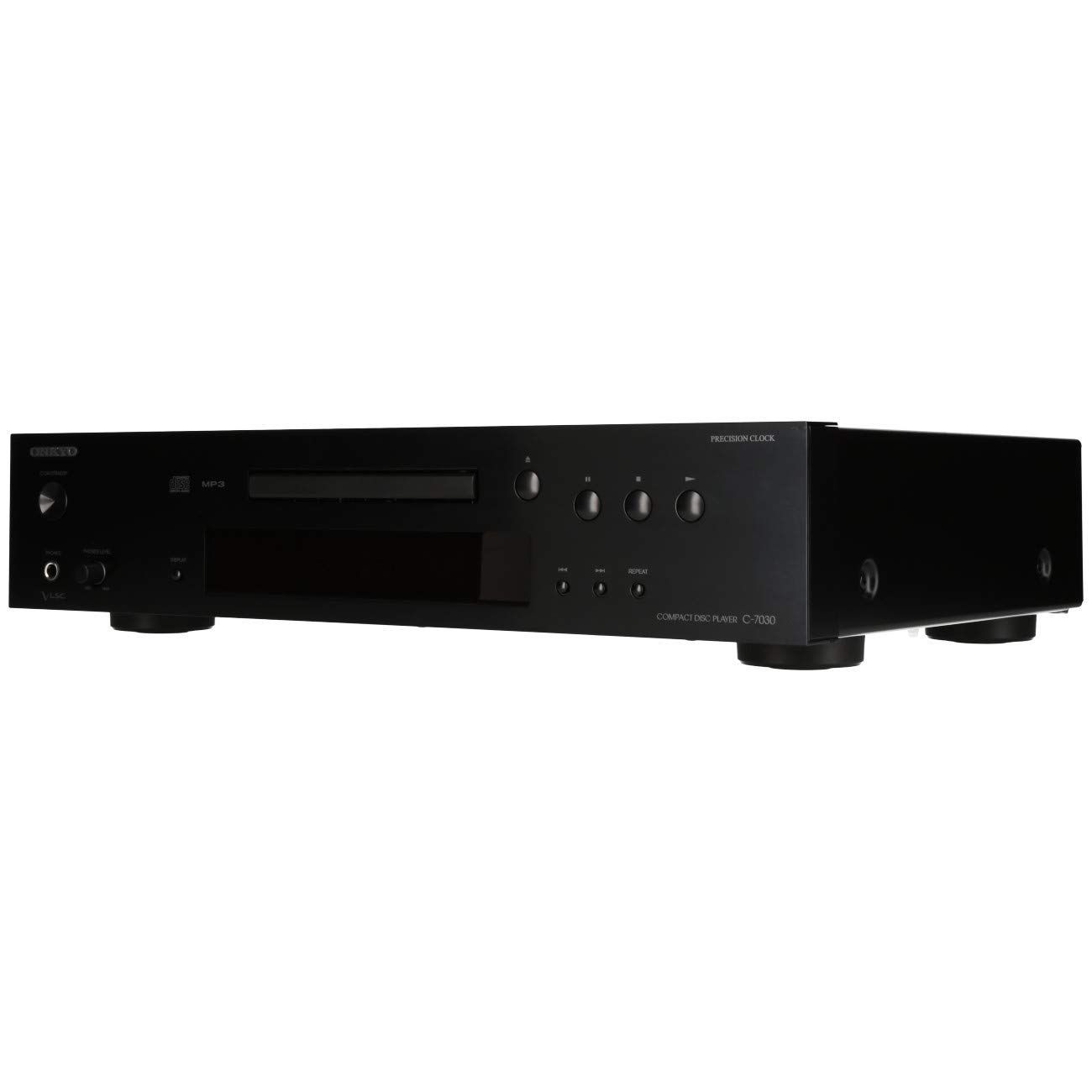
Figura 1: Frente view of the Onkyo C-7030 CD Player. This image shows the sleek black finish, disc tray, display, and control buttons.

Figura 2: Frente en ángulo view of the Onkyo C-7030 CD Player, highlighting the power button, headphone jack, and volume control.

Figura 3: Posterior view of the Onkyo C-7030 CD Player, displaying the analog RCA, coaxial digital, and optical digital audio output ports, along with the remote control input.

Figure 4: The remote control for the Onkyo C-7030 CD Player, featuring various playback and function buttons.
3. Configuración
- Desembalaje: Carefully remove the CD player and all accessories from the packaging. Retain the packaging for future transport or storage.
- Colocación: Place the CD player on a stable, level surface away from direct sunlight, heat sources, and excessive dust or moisture. Ensure adequate ventilation around the unit.
- Conexiones:
- Salida de audio: Conecte el reproductor de CD a su amplificador o receptor utilizando uno de los siguientes métodos:
- Analog (RCA): Use RCA cables (red for right, white for left) to connect the AUDIO OUTPUT ANALOG jacks on the CD player to the corresponding input jacks on your ampmás duradero.
- Coaxial digital: Use a digital coaxial cable to connect the COAXIAL DIGITAL AUDIO OUTPUT jack on the CD player to a coaxial digital input on your amplevantador / receptor.
- Óptica digital: Use an optical digital cable to connect the OPTICAL DIGITAL AUDIO OUTPUT jack on the CD player to an optical digital input on your amplevantador / receptor.
- Fuerza: Connect the power cord to the AC inlet on the rear of the CD player, then plug it into a suitable wall outlet.
- Control remoto (opcional): If using an Onkyo system with RI (Remote Interactive) compatibility, connect the RI cable from the CD player to your amplifier/receiver for integrated control.
- Salida de audio: Conecte el reproductor de CD a su amplificador o receptor utilizando uno de los siguientes métodos:
4. Instrucciones de funcionamiento
- Encendido/apagado: Presione el EN ESPERA/ENCENDIDO Botón en el panel frontal o el control remoto para encender o apagar la unidad.
- Cargando un CD: Presione el ABRIR/CERRAR button to open the disc tray. Place a CD with the label side up in the tray. Press ABRIR/CERRAR de nuevo para cerrar la bandeja.
- Reproducción: After loading a CD, the player will automatically begin playback. If not, press the JUGAR botón.
- Pausa: Presione el PAUSA button to temporarily stop playback. Press it again to resume.
- Stop: Presione el DETENER Botón para detener la reproducción.
- Saltar pistas: Utilice el SKIP (▶▶| / |◀◀) Botones para navegar entre pistas.
- Avance/rebobinado rápido: Mantenga pulsado el SKIP (▶▶| / |◀◀) buttons during playback to fast forward or rewind within a track.
- Repetir reproducción: Presione el REPETIR button to cycle through repeat modes (e.g., repeat current track, repeat all tracks).
- Reproducción aleatoria: Presione el ALEATORIO button to play tracks in a random order.
- Mostrar: Presione el MOSTRAR button to change the information shown on the front panel display (e.g., track number, elapsed time, remaining time).
- Regulador de intensidad: Utilice el REGULADOR DE INTENSIDAD button to adjust the brightness of the front panel display.
Nota sobre los vídeos: No official product videos specifically for the Onkyo C-7030 CD Player from a 'Seller' creator type were available in the provided data. The videos found were for different brands or models, and thus are not included to maintain relevance and accuracy for this specific instruction manual.
5. Mantenimiento
- Limpieza de la unidad: Use a soft, dry cloth to wipe the exterior of the unit. For stubborn stains, dampLimpie el paño con un limpiador suave y no abrasivo. Evite usar productos químicos agresivos o materiales abrasivos.
- Discos de limpieza: Wipe CDs with a soft, lint-free cloth from the center outwards. Do not use solvents or abrasive cleaners.
- Bandeja de disco: Keep the disc tray clean and free of dust. Avoid placing heavy objects on the tray or forcing it open/closed.
- Ventilación: Asegúrese de que las aberturas de ventilación de la unidad no estén bloqueadas para evitar el sobrecalentamiento.
6. Solución de problemas
| Problema | Posible causa | Solución |
|---|---|---|
| Sin poder | Cable de alimentación no conectado o toma de corriente no activa. | Verifique la conexión del cable de alimentación. Pruebe con otra toma de corriente. |
| Sin sonido | Incorrect audio cable connection or wrong input selected on ampmás duradero. | Verifique las conexiones del cable de audio. Seleccione la entrada correcta en su... amplificador. Comprobar ampvolumen más vivo. |
| El disco no se reproduce/Error de disco | El disco está sucio, rayado o insertado incorrectamente. | Clean the disc. Try a different disc. Ensure the disc is inserted correctly with the label side up. |
| El control remoto no funciona | Batteries are dead or remote is not aimed at the unit. | Replace batteries (2 AA required). Point the remote directly at the CD player's sensor. |
7. Especificaciones
- Dimensiones del producto: 17.13 x 12.05 x 3.98 pulgadas
- Peso del artículo: 11.66 libras
- Fabricante: ONKIO
- Nombre del modelo: C-7030
- Tecnología de conectividad: Auxiliar
- Número de discos: 1
- Baterías: Se requieren 2 pilas AA (para el control remoto)
- Fecha de primera disponibilidad: 7 de agosto de 2012
8. Garantía y soporte
Para obtener información sobre la garantía y asistencia técnica, consulte la tarjeta de garantía incluida con su producto o visite el sitio web oficial de Onkyo. webSitio. Conserve su recibo de compra como comprobante para reclamaciones de garantía.


