Introducción
The Chief TS325TU Medium THINSTALL Dual Swing Arm Wall Display Mount is designed to provide a secure and versatile mounting solution for flat panel displays ranging from 30 to 52 inches. This mount offers an ultra-low profile when collapsed and extends up to 25 inches, allowing for optimal viewing angles with its Centris low-profile tilt and Centerless lateral shift capabilities. It features integrated cable management for a clean installation.
Información de seguridad
ADVERTENCIA: Failure to read, understand, and follow all instructions can result in serious personal injury, property damage, or voiding of product warranty. If you have any questions, contact Chief customer service or a qualified installer.
- No exceda la capacidad máxima de carga de 75.00 libras (34 kg).
- Asegúrese de que la superficie de montaje pueda soportar de forma segura el peso combinado del soporte y la pantalla.
- Always mount to structural studs or appropriate wall anchors. Note that this mount is designed for studs approximately 16 inches apart.
- Use appropriate tools and follow all local building codes.
- Mantenga a los niños y a las mascotas alejados durante la instalación.
Contenido del paquete
Verifique que todos los componentes estén presentes antes de comenzar la instalación:
- 1 x Main Assembly
- 1 x Wall Rail
- 1 x Right Upright
- 1 x Left Upright
- 1 x Top Interface Support
- 1 x Bottom Interface Support
- 2 x Wall Rail Cover
- 1 x Lag Screw Cover
- 1 x Bumper
- 1 x Latch Spacer
- 2 x Long Adhesive
- 4 x Short Adhesive
- Herrajes de montaje (varios tornillos, arandelas, espaciadores)
Configuración e instalación
Proper installation is critical for the safety and performance of your display mount. It is recommended to have at least two people for installation due to the weight and size of the mount.
Herramientas necesarias (no incluidas):
- Buscador de estudios
- Taladrar con brocas adecuadas
- Nivel
- Cinta métrica
- Socket Wrench / Ratchet
- Destornillador Phillips
- Lápiz
Instalación paso a paso:
- Prepara la pared:
Locate and mark the center of two adjacent wall studs. This mount is designed for standard 16-inch stud spacing. Ensure there are no electrical wires or plumbing in the drilling path. It is highly recommended to plan your entire layout, including TV, speakers, and wiring, before drilling.
- Attach Wall Rail:
Position the Wall Rail on the marked studs, ensuring it is level. Mark the pilot hole locations. Drill pilot holes into the studs. Secure the Wall Rail to the wall using the provided lag screws. Ensure the screws are tightened securely but do not overtighten to avoid stripping.
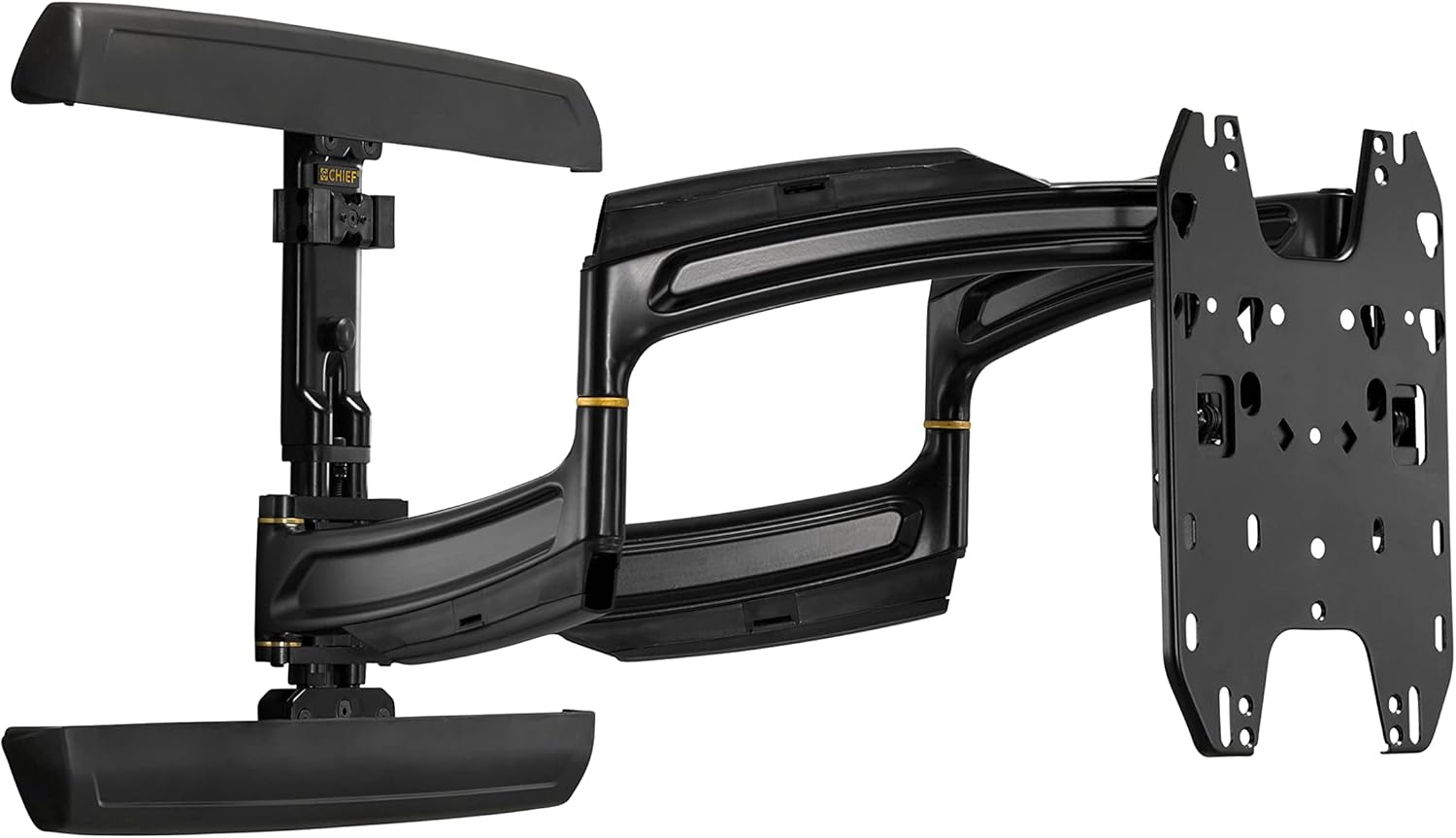
Image: Main assembly of the Chief TS325TU mount, showing the wall plate, articulating arms, and display interface.
- Assemble Display Interface:
Attach the Right and Left Uprights to the back of your display using the appropriate screws, washers, and spacers from the mounting hardware kit. Ensure the uprights are centered and level on the display. Then, attach the Top and Bottom Interface Supports to the uprights.
- Mount Display to Wall Rail:
Carefully lift the display with the attached interface and hook it onto the Wall Rail. The design allows for post-installation lateral shift of up to 16 inches (406 mm) for limitless centering capability. Secure the display to the mount according to the specific instructions in the detailed manual (refer to manufacturer's full manual for precise steps).
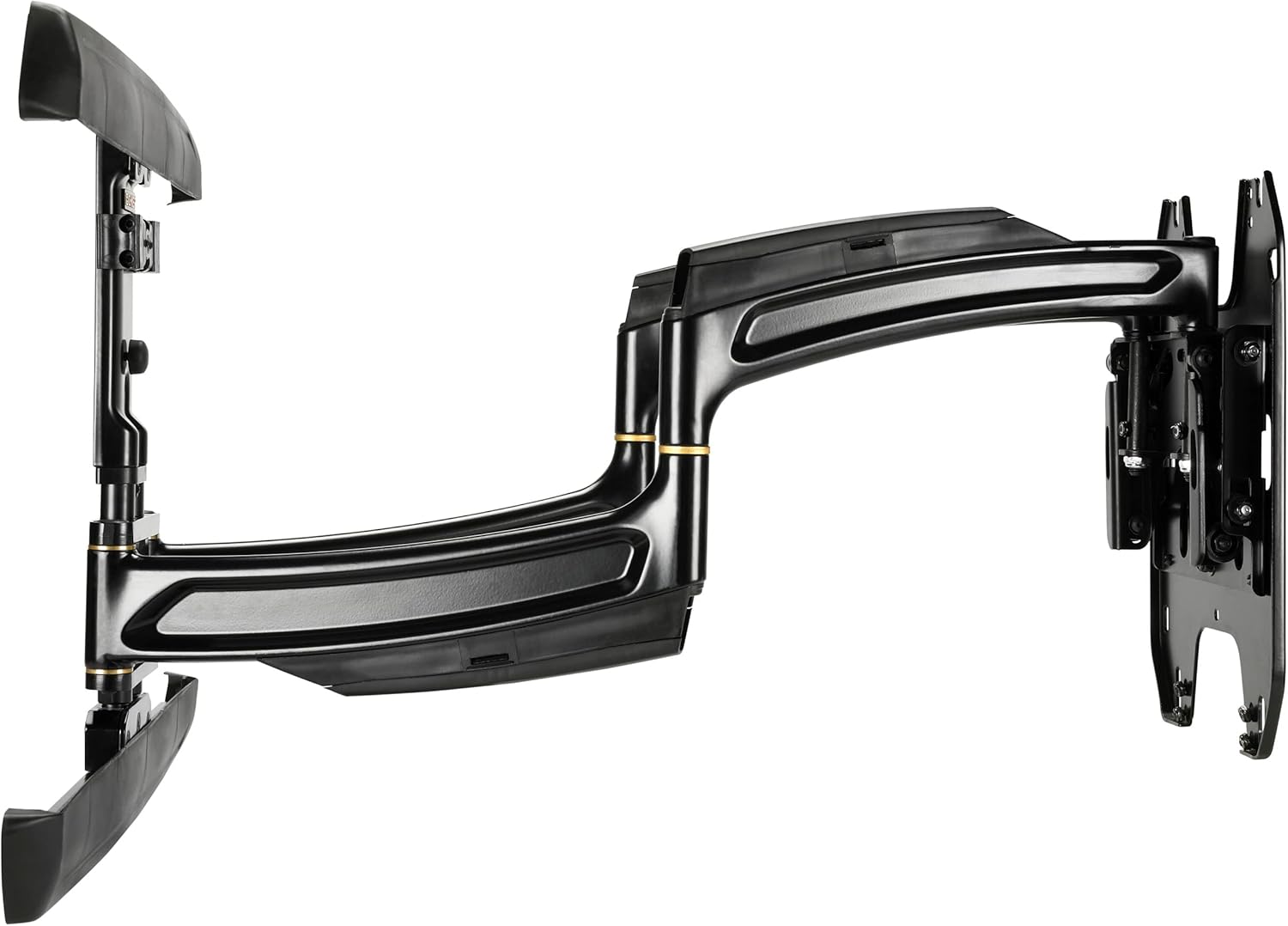
Imagen: Lateral view of the Chief TS325TU mount, illustrating its compact profile when retracted and the extension capability.
- Sistema de organización de cables:
Utilize the enclosed, tool-free cable covers and the wide open wall plate to route power and signal cables. This helps maintain a clean and organized appearance.
Operación del Monte
The Chief TS325TU mount offers flexible positioning for your display:
- Extensión: The mount extends up to 25 inches (635 mm) from the wall, maximizing viewing potential from various positions in the room.
- Inclinación: The Centris low-profile tilt mechanism allows for up to 15 degrees of effortless fingertip tilt. This enables you to achieve optimal viewing angles and reduce glare.
- Giro/giro horizontal: The dual swing arms allow for significant swivel capabilities, enabling you to turn the display left or right to suit your viewnecesidades de inversión.
- Desplazamiento lateral: After installation, the display can be shifted laterally along the wall plate by up to 16 inches (406 mm) to fine-tune its horizontal position without re-drilling.

Imagen: En ángulo view of the Chief TS325TU mount, highlighting its robust construction and articulating design.
Mantenimiento
Regular maintenance ensures the longevity and safe operation of your mount:
- Limpieza: Limpie el soporte regularmente con un paño suave y seco. Para manchas difíciles, use un paño ligeramente seco.amp cloth with mild soap, then wipe dry. Avoid abrasive cleaners or solvents.
- Comprobar conexiones: Revise periódicamente todos los tornillos y pernos para asegurarse de que estén bien apretados. No los apriete demasiado.
- Verificación de movimiento: Occasionally extend, retract, tilt, and swivel the mount to ensure smooth operation. If movement becomes stiff, consult the troubleshooting section or contact support.
Solución de problemas
| Problema | Posible causa | Solución |
|---|---|---|
| El soporte se siente inestable o tambaleante. | Loose wall mounting bolts or display attachment screws. | Carefully re-tighten all wall and display attachment screws. Do not overtighten. If the issue persists, consult a professional installer. |
| Dificultad para extender o retraer el brazo. | Friction in the arm joints. | Ensure the mount is not overloaded. Check for any obstructions. The mount is designed for smooth movement; excessive force should not be required. |
| Display does not tilt smoothly. | Tilt mechanism tension. | The Centris tilt mechanism is designed for fingertip adjustment. Refer to the full manufacturer's manual for specific tilt tension adjustment procedures if needed. |
| Los cables no están ordenados de forma ordenada. | Improper routing through cable covers. | Re-route cables through the integrated cable covers on the arms and wall plate for a cleaner look. |
For complex issues or if you are unsure about any step, please contact Chief customer support or a certified installer.
Presupuesto
| Característica | Detalle |
|---|---|
| Modelo del producto | TS325TU |
| Marca | Jefe |
| Tipo de montaje | Montaje en pared |
| Tipo de movimiento | Inclinación, Articulación |
| Capacidad de carga máxima | 75.00 libras (34 kg) |
| Tamaño mínimo de pantalla compatible | 30 pulgadas |
| Tamaño máximo de pantalla compatible | 52 pulgadas |
| Extensión máxima | 25 pulgadas (635 mm) |
| Ángulo de inclinación máximo | 15 grados |
| Lateral Shift Adjustment | Up to 16 Inches (406 mm) |
| Dimensiones del producto (contraídas) | 1.3 x 29.5 x 17.2 pulgadas (33 x 749 x 437 mm) |
| Peso del artículo | 1 libras (0.45 kg) Note: This weight seems unusually low for a mount of this type and capacity. Please refer to official manufacturer documentation for precise weight. |
| Material | Metal |
| Color | Negro |
Garantía y soporte
For detailed warranty information, please refer to the official Chief Manufacturing website or the documentation included with your product. Chief provides support for their products to ensure customer satisfaction.
If you require technical assistance, have questions about installation, or need to report a missing part, please visit the official Chief Manufacturing support page or contact their customer service directly. Contact information can typically be found on their websitio:


